
Synthesia Studio Review: Enterprise AI Video, Explained
Oct 13, 2026


Why Talking-Head Video Became a Real Production Category
For years, "video" inside most organizations meant one of two things: an expensive agency shoot, or a shaky screen recording with a laptop microphone. Both had the same failure mode: they were too slow and too costly to repeat. A product update video was a project. A compliance refresher was a quarter. A localized training module was a budget line item that quietly died during planning.
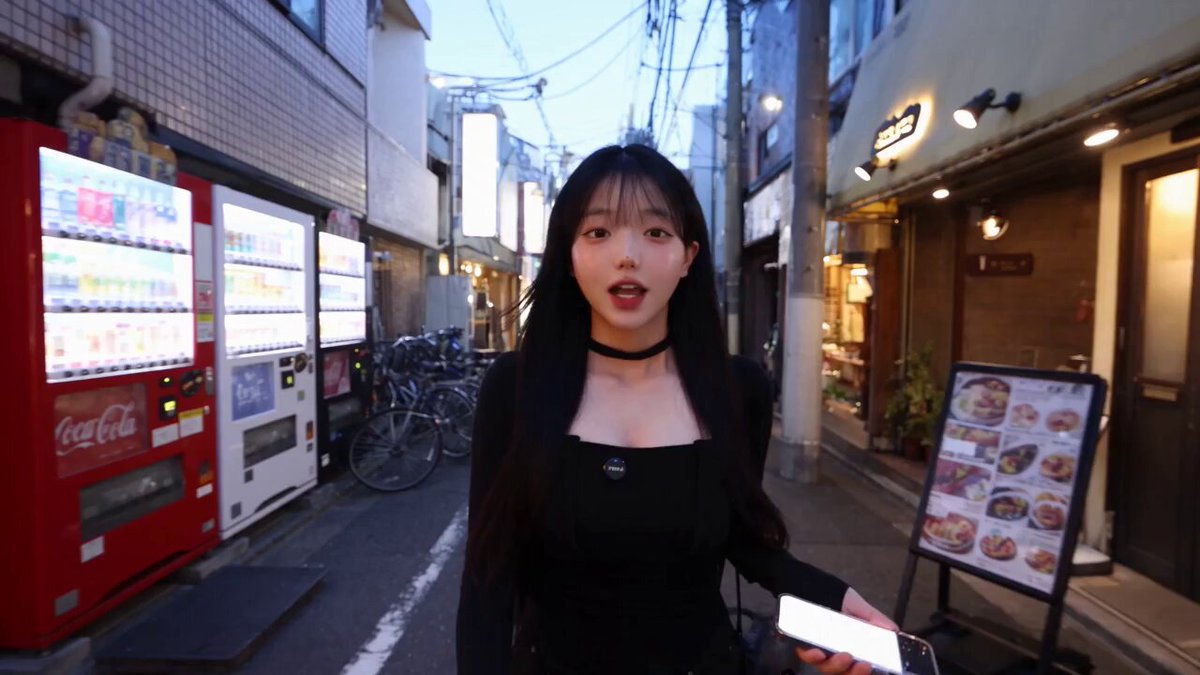
Avatar-based video tools changed that arithmetic. Instead of booking a camera and a presenter, you type a script, pick a face and a voice, and render a finished video in the time it takes to make coffee. The output is not cinema. It is communication — and for internal training, onboarding, product walkthroughs, sales enablement, and localized announcements, communication is exactly what was needed.
Synthesia Studio is one of the clearest expressions of that idea. It sits firmly in the corporate standardization camp rather than the experimental creator camp, and it is built around a specific belief: that most business video is closer to a document than to a film. If you accept that premise, the tool's design decisions make a lot of sense. If you don't, you will find it restrictive.
This review walks through what the platform does well, where it struggles, how the workflow actually feels in practice, and how to decide whether it belongs in your stack.
What Synthesia Studio Actually Does
At its core, the product turns a text script into a presenter-led video. You write or paste text, assign it to one or more avatars, arrange the scenes, and render. The rendering happens in the cloud, and the result is a standard video file plus, in most cases, a shareable web link.
The three building blocks
Avatars. Either stock presenters from a library or a custom avatar generated from footage of a real person. Stock avatars are fast and inexpensive; custom avatars preserve brand identity and continuity across a video series.
Voices. Synthetic narration with adjustable pacing and emphasis, plus support for a wide range of languages. The practical value here is localization: the same script can become five language versions without booking five voice actors.
Scenes. The canvas. You can place the avatar full-screen, as a picture-in-picture presenter, or off-screen entirely while a slide, screen recording, or stock clip carries the visual load.
Where it sits in a production stack
It is worth being precise about the category. Synthesia Studio is not a replacement for an editor like Premiere Pro or DaVinci Resolve, and it is not a generative model that invents footage from a prompt. It is a template-and-script engine with a strong presenter pipeline.
That distinction matters. Teams that buy it expecting a prompt-to-movie generator will be disappointed. Teams that buy it to turn a 1,200-word policy document into eight minutes of watchable video will find it does that job better than almost anything else.
Avatar Realism and Customization, Judged Honestly
Avatar quality is the first thing everyone evaluates and the last thing that actually matters. Here is the honest breakdown.
Stock avatars versus a custom avatar
Stock avatars are recognizably synthetic if you look closely. The skin has a slightly smoothed quality, gestures repeat on a loop, and micro-expressions are limited. In a 60-second video watched on a phone, this is a non-issue. In a two-minute brand film screened on a conference stage, it will be noticed.
Custom avatars are meaningfully better because they carry the specific mannerisms of a real person. If you are building a recurring series with a recognizable host, the investment pays off. If you need one video for a one-time announcement, it does not.
A useful rule of thumb: budget for a custom avatar when you expect more than four or five videos with the same presenter. Below that threshold, stock is fine.
Voice, lip-sync, and language coverage
The lip-sync is the strongest technical element. Consonants land where they should, and the mouth shapes track the audio closely enough that the brain stops auditing it after a few seconds. Where it breaks down is at emotional extremes — sarcasm, urgency, warmth, and humor all flatten out. The delivery is competent and neutral, which is precisely what you want for a safety briefing and precisely what you don't want for a launch hype video.
Language coverage is broad and, importantly, the localization is not just dubbing. The avatar's mouth movements are regenerated per language, which avoids the uncanny mismatch you get when you lay a translated audio track over a fixed mouth. For global teams, this single feature often justifies the entire purchase.
The Script-to-Screen Workflow, Step by Step
This is where the tool either clicks or frustrates you. Here is the workflow as it actually plays out.
Step 1: Choose an entry point
You can start from a blank canvas, from a template organized by use case (onboarding, product demo, policy update), or by importing a document or slide deck. Templates are genuinely useful because they encode pacing: how long a scene should hold, where the avatar should step aside for a visual. Starting blank means you are designing that rhythm from scratch every time.
Step 2: Write for the ear, not the page
This is the step teams most often rush and most often regret. A sentence that reads well on a page can be unspeakable aloud. Long subordinate clauses, acronym clusters, and nested lists all collapse when a synthetic voice has to deliver them.
Practical adjustments that consistently improve output:
- Keep sentences under about 20 words.
- Spell out numbers and abbreviations the first time.
- Replace parenthetical asides with a separate sentence.
- Read the script aloud once before you paste it anywhere.
Splitting the script across scenes is also a scripting decision, not just a layout one. A new scene is a natural place for the viewer's attention to reset, so put a topic change there.
Step 3: Casting and scene design
Assign an avatar per scene, not per video. If you have two presenters — a host and a subject-matter expert — alternating scenes gives the video a conversational texture that a single presenter cannot achieve. It also lets you show expertise without hiring anyone.
Background choice does more work than most people expect. A neutral office reads as corporate training; a plain color field reads as a product explainer; a branded set reads as a company update. Pick one and stay consistent across a series so viewers learn the visual grammar.
Step 4: Layering b-roll, screen capture, and text
Pure talking head gets monotonous after roughly 45 seconds. The fix is not more avatar angles; it is visual variety: screen recordings for software walkthroughs, charts for data, stock footage for context, and on-screen text for anything the viewer needs to remember.
A rhythm that works well for a five-minute explainer:
- Avatar on screen, 10–15 seconds, framing the topic.
- Avatar shrinks to a corner, visual takes over for 30–60 seconds.
- Full-screen avatar returns for the transition sentence.
- Repeat, ending with a full-screen avatar and a clear call to action.
Step 5: Review, localize, publish
Collaborative review is built into the flow: reviewers comment on specific scenes or lines, and changes propagate to the render. Once the primary version is approved, generating additional language versions is largely a matter of confirming translations rather than re-editing.
Publishing options range from a direct video file to an interactive web page with chapters and clickable elements. For internal distribution, the hosted link with viewer analytics tends to be more useful than a file, because you can see completion rates and drop-off points.
Editing, Brand Control, and Accessibility
The editing layer is timeline-based but simplified. You can trim, reorder, adjust timing, and swap assets, but you are not working at the frame level, and complex compositing is out of scope. For most business video, that constraint is a feature: it keeps projects from sprawling.
Brand control is handled through templates, fonts, color palettes, and logo placement, plus reusable scene presets. If your organization has a design system, spend an afternoon encoding it once and every future video inherits it.
Accessibility deserves more attention than it usually gets. Automatic captions, adjustable caption styling, and screen-reader-friendly hosted pages are all available. For regulated industries and public-sector work, that is often a hard requirement rather than a nice-to-have, and it is one of the areas where a purpose-built corporate tool clearly outperforms a general-purpose generative model.
Security, Compliance, and Enterprise Readiness
This is the part of the platform that is easy to overlook and hard to replace. Corporate buyers need to answer questions that consumer creative tools simply do not address: Where does the data live? Who can access a rendered video? What happens to uploaded footage used to create a custom avatar?
A mature avatar platform typically offers single sign-on, role-based permissions, workspace separation between teams, retention controls, and audit logging. Custom avatar footage is usually subject to explicit consent terms with defined usage scope — a detail worth reading carefully before you film anyone.
For teams in finance, healthcare, education, or government, these controls are frequently the deciding factor. A flashier generator that cannot answer a security questionnaire is not a viable option, no matter how good its output looks.
Where It Fits, and Where It Doesn't
Strong fits:
- Onboarding and compliance training that must be updated often.
- Product walkthroughs tied to a release cycle.
- Multi-language internal announcements.
- Sales enablement libraries that need a consistent presenter.
- Customer support tutorials at scale.
Weak fits:
- Brand films and campaign creative that need emotional range.
- Anything requiring dynamic camera movement or cinematic staging.
- Highly stylized or animated content.
- Videos where a real person's presence is the point — a CEO's town hall, a founder's story.
The honest summary: this tool produces competent, consistent, scalable communication video. It does not produce art, and it does not pretend to.
A Decision Framework for Choosing an AI Video Tool
Before comparing features, clarify what you are actually buying. Five questions do most of the work:
1. Is your bottleneck repetition or craft? If you make the same kind of video over and over, standardization wins. If every video is a one-off creative piece, look elsewhere.
2. How many languages? Localization is where avatar platforms deliver disproportionate value. If you need three or more language versions of the same content, the math changes quickly.
3. Who is making the videos? If non-specialists need to produce video — HR, support, sales — usability beats fidelity every time.
4. What are your compliance constraints? Regulated industries should shortlist only tools that can satisfy a security review.
5. What does a typical video cost you today? Compare against the fully loaded cost of the current process — agency fees, internal time, revision cycles — not against a per-minute rate in isolation.
A quick test before committing: take one real script you already need to produce and run it end to end in a trial. Twenty minutes of hands-on work tells you more than any feature matrix.
Common Mistakes Teams Make With Avatar Video
Writing scripts designed for reading. The single biggest quality killer. If the narration sounds like a PDF, viewers leave in the first 20 seconds.
Using an avatar for everything. When the avatar never leaves the screen, the video becomes wallpaper. Visual variety is what sustains attention.
Skipping the brand preset. Ten videos with ten slightly different fonts and lower-thirds is a branding problem you will have to fix retroactively.
Ignoring captions. A large share of viewers watch without sound, especially on mobile and in shared workspaces.
Making videos too long. Business video works best at two to five minutes. If the content is longer, split it into a series with chapters.
Never measuring. Hosted pages give you completion and drop-off data. If viewers consistently leave at the two-minute mark, that is a scripting signal, not a platform problem.
FAQ
Is an avatar video convincing enough for customer-facing content?
For instructional and explanatory content, yes. For brand storytelling and emotionally driven campaigns, no. The ceiling is competent and clear, not moving.
How long does it take to produce a video?
A simple three-minute explainer with a stock avatar can be scripted and rendered in under an hour once you know the interface. Custom avatars and complex scene design add days, not weeks.
Should we create a custom avatar or use stock presenters?
Custom if you expect a recurring series or want a recognizable company presenter. Stock if your needs are occasional or you want to test the workflow before investing further.
Can it replace a video editor?
No. It replaces the shoot, the presenter, and the initial assembly. Any final polish, motion graphics, or advanced sound design still belongs in a traditional editor.
What about translating existing videos?
Translation is one of the strongest use cases, because the avatar's mouth movements are regenerated per language. Always have a native speaker review the translated script — machine translation still misses tone and idiom.
How should we measure success?
Track completion rate, time-to-publish, and production cost per finished minute. If completion rates rise while cost per minute falls, the platform is doing its job.
The Bottom Line
Synthesia Studio is best understood as a document-to-video engine for organizations that need consistency more than they need flair. Its avatar realism is good enough for the vast majority of business contexts, its localization pipeline is genuinely differentiated, and its accessibility and admin controls are built for the realities of enterprise procurement.
It is not the right tool for cinematic creative work, and it will not make a weak script watchable. But for teams drowning in training modules, product updates, and multilingual announcements, it converts a slow, expensive, episodic process into a repeatable one. That is a modest promise — and it is delivered reliably, which is exactly what the corporate video backlog needed.

Alexander
More Blogs
Read MoreMontaggio video rapido: transizioni e software per l'AI
Guida pratica al montaggio video rapido con AI: transizioni fluide, software, workflow, coerenza visiva, errori da evitare e FAQ operative.
Building an AI Video Production Workflow From Concept to Cut
A practical guide to planning, generating, editing, and finishing AI-assisted videos with consistent characters, clear shot lists, and reliable review loops.
A Repeatable Post-Production Workflow for Polished AI Video
Build a repeatable AI video post-production pipeline: organize assets, cut story-first, design transitions, refine audio, and review versions calmly.