
Utwórz
How to Use Synthesia for Video Creation: A Director Workflow
Oct 13, 2026

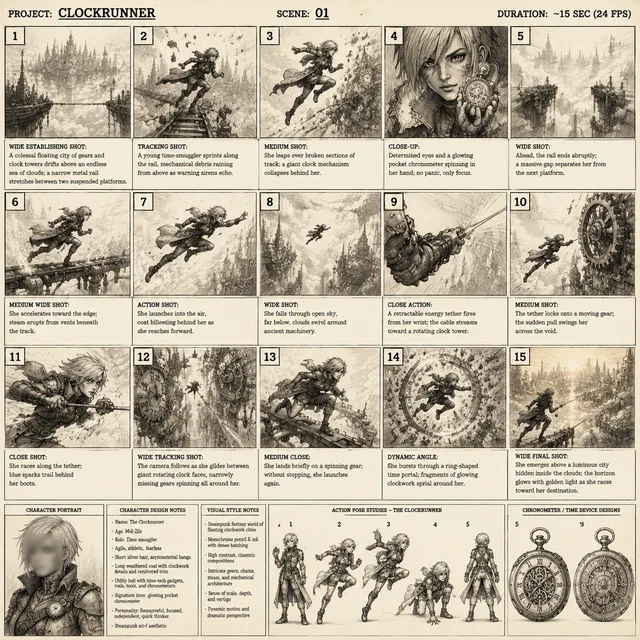
Avatar video platforms have compressed what used to be a two-week production cycle into a single afternoon, but the output only looks professional when someone is actually directing it. Synthesia is one of the most accessible ways to turn a script into a presenter-led video, yet the gap between a usable clip and a video people finish watching comes down to decisions the tool will never make for you: what the audience needs, how each sentence should land, which scenes deserve a visual cut, and where a synthetic presenter helps rather than distracts.
This guide walks through a full director-style workflow for Synthesia: pre-production planning, project setup, scene direction, voice tuning, consistency across a series, localization, review, and the scaling decisions that keep a small team from drowning. It is written for L&D teams, product marketers, agency producers, and solo creators who need repeatable output rather than a one-off experiment.
Why Avatar Video Creation Needs a Director's Eye
The first wave of AI presenter tools was sold on speed: paste text, pick an avatar, export. The results were often technically correct and emotionally flat. Viewers tolerate a synthetic presenter for about ninety seconds before they start noticing stiff pacing, repetitive framing, and a script that was clearly written for a page instead of a person. Direction is what closes that gap.
A director's job in any production is to protect attention. That means deciding where the camera cuts, when a screen recording should replace the presenter, how long a pause should breathe, and which sentence is the emotional center of the video. In a traditional shoot, those decisions are made on set with a crew. In Synthesia, they are made in a timeline with templates, scene blocks, and text fields, and they matter just as much.
The practical benefit is not artistic satisfaction. It is completion rate, comprehension, and reusability. A well-directed five-minute onboarding video in Synthesia can be re-cut into three short modules, a dozen social clips, and four language variants without a reshoot. A poorly directed one gets watched once by the person who requested it and then quietly disappears from the shared drive.
Pre-Production: Script and Shot List Before You Open the Editor
The most common mistake with avatar video tools is opening the editor first. The tool is fast, which makes it tempting to start generating scenes before the content is settled. Resist that. Rewriting a script inside a timeline is far slower than rewriting it in a document.
Start with one job per video
Every video should have a single primary outcome: a new hire completes a security procedure, a prospect books a demo, a customer enables a setting. Write that outcome at the top of your script document as a sentence. If the draft starts serving two outcomes, split it. Avatar videos are especially sensitive to scope creep because the presenter's energy is flat by design; a script trying to do three things will feel like a lecture by minute three.
Write for the ear, not the page
Read every line out loud before it reaches the timeline. Synthetic voices are unforgiving with long subordinate clauses, stacked acronyms, and parenthetical asides. Practical rules that work well:
- Keep sentences under twenty words.
- One idea per sentence, one idea per scene.
- Replace semicolons with full stops.
- Spell out numbers and abbreviations the way you want them pronounced, then confirm in the audio preview.
- Put the call to action in its own scene with a visual, not buried in the final paragraph.
A useful test is the two-breath rule: if you cannot say a sentence comfortably in two breaths, it is two sentences.
Build a scene-by-scene shot list
Before touching the tool, build a table that maps script beats to visual treatment. This becomes your timeline blueprint.
| Scene | Script beat | Visual treatment | Approx. length |
|---|---|---|---|
| 1 | Hook and promise | Presenter, medium shot, brand background | 15s |
| 2 | The problem | Screen recording with voice-over | 35s |
| 3 | The method | Presenter plus animated callouts | 45s |
| 4 | Demo | Full-screen capture, presenter returns at the end | 60s |
| 5 | Recap and next step | Presenter plus end card | 20s |
This table also tells you which scenes can be produced without generating new presenter footage at all, which saves both time and budget across a long series.
Run a table read, not a review meeting
Have one colleague read the script aloud while you listen with your eyes closed. Mark every point where your attention drifts. Those marks are your cut list. It takes ten minutes and removes more flab than any amount of editing later.
Setting Up a Project: Brand, Avatar, and Scene Templates
Once the script is locked, project setup should be boring and repeatable. Boring setup is what makes a series look cohesive.
Brand kit first. Upload your logo, colors, and fonts before creating any scene. If your organization has a visual identity guide, translate it into three values: a primary background color, a text color that meets contrast requirements, and one accent color for callouts. Resist using more.
Choose the avatar by role, not by appearance. The right question is not which presenter looks best but which presenter fits the context. A friendly mid-shot presenter works for onboarding and customer education. A more formal framing suits compliance and executive updates. For technical walkthroughs, consider using the presenter only for the intro and outro and letting screen capture carry the middle.
Match the framing to the video length. Short clips under sixty seconds benefit from tighter framing and faster cuts. Long-form training benefits from wider framing and a deliberate rhythm, because the viewer will spend several minutes with the same visual setup.
Create a template project. Configure your background, logo position, caption style, and end card once, then duplicate that project for every future video in the series. This single habit removes most of the inconsistency that creeps into large content libraries.
Name files on a convention. Use something like product-onboarding-01-intro-v03. Version chaos is the real cost of fast production, not render time.
Directing the Screen: Composition, Pacing, and B-Roll
Composition in an avatar video is mostly about preventing visual monotony. A presenter speaking for four minutes in the same frame with the same background will lose viewers regardless of how good the script is.
Use a cut every twelve to twenty seconds
A cut can be as simple as switching from a medium shot to a close-up, moving the presenter to a different corner of the frame, inserting a screen recording, or showing a full-screen quote. You do not need cinematic variety; you need rhythm. Cutting roughly every twelve to twenty seconds keeps the eye engaged without feeling frantic.
Give every claim a visual anchor
If the script says conversion improved by a specific amount, show the number on screen. If it says the workflow has three steps, show the three steps as they are described. The presenter carries the narrative; the visuals carry the evidence. This division of labor is what makes AI presenter videos feel intentional rather than robotic.
Respect screen real estate
When combining a presenter with a screen recording or slide, choose one dominant element. A small presenter window in the corner works well for demonstrations. A presenter overlaid on a busy dashboard does not. If the underlying image has dense detail, cut to full screen and let the voice-over carry the narration.
Control the vertical and horizontal crops
If the same video will appear on a website and on a phone-first social feed, plan two exports. The composition that works at 16:9 rarely works at 9:16 without adjustment, especially if text is placed near the edges. Decide early whether you need a vertical variant, and build the scenes so the presenter stays centered.
Voice, Pronunciation, and Delivery Tuning
Voice is where AI presenter videos are won or lost. Viewers forgive simple visuals far more readily than an awkward read.
Pick a voice with the right energy, then slow it slightly. Many synthetic voices default to a brisk pace. Reducing speed by a small amount, roughly five to ten percent, usually improves comprehension without sounding sluggish. Test with a real listener rather than trusting your own familiarity with the script.
Fix pronunciation with spelling, not hope. Product names, acronyms, and technical terms frequently come out wrong. Rewrite them phonetically in a test line, confirm the result, then apply that spelling consistently across the series. Keep a pronunciation glossary in your project notes so a colleague producing the next video does not start from zero.
Use pauses as punctuation. Insert short breaks between major sections and slightly longer breaks before the call to action. In a synthetic delivery, pauses do the work that a human presenter's intonation would normally do.
Vary emphasis where it matters. Emphasize one word per sentence at most. Over-emphasis across an entire script flattens into a sing-song cadence that audiences read as artificial.
Always listen end to end at normal speed. Previewing at double speed hides pacing problems that become obvious at 1x.
Consistency Across a Series and Across Locales
When the first video works, the request for nine more arrives within a week. Consistency is what separates a content library from a pile of files.
Lock a small style guide that covers avatar, framing, background, caption style, intro length, outro structure, and naming convention. Anyone producing a new video should be able to open the guide and match the existing series without asking questions. Keep the intro under five seconds; long branded intros are the fastest way to lose a viewer before the content begins.
For localization, treat translation as a production step rather than a file conversion. Machine translation produces literal text that often runs long; when the translated line expands by twenty percent, the scene timing breaks. Plan for expansion by keeping lines short and leaving breathing room in each scene.
Re-record the voice for each language rather than relying on subtitles alone for important content. Subtitles are excellent for accessibility and for viewers watching without sound, but a dubbed version typically holds attention longer in training and marketing contexts. Check that any on-screen text is translated too; a localized voice over an English dashboard screenshot reads as unfinished.
Finally, review right-to-left languages and languages with different numeric formats separately. Number formatting, date order, and currency symbols are small details that signal whether a localization was done carefully.
Review, Approvals, and the Publishing Checklist
Review in two passes. First, a technical pass: audio levels consistent, no truncated sentences, captions synced, pronunciation correct, logo and legal text present, no placeholder text left in any scene. Second, a content pass by someone who did not write the script, watching on a phone with sound off, then again with sound on. Those two viewing conditions catch different problems.
Build a short pre-publish checklist and reuse it:
- The primary outcome is clear within the first fifteen seconds.
- Every claim has a visual or a source.
- Captions are burned in or uploaded as a separate track.
- The call to action names a specific next step and, where relevant, links out.
- File names and thumbnails follow the series convention.
- A backup of the project file exists before the final export.
Approvals move faster when reviewers receive a link and a deadline rather than an open invitation to comment. Ask for one consolidated round of feedback, not a rolling conversation.
Time, Budget, and Scaling Decisions
Plan the series, not the single video. Producing one avatar video is a novelty; producing twenty is a system. Estimate realistic time per video: scripting and shot listing often takes longer than the timeline build, especially for technical topics. If you have a five-minute video, budget roughly half your production time for the script, a third for scene assembly and voice checks, and the remainder for review and revisions.
On cost, the biggest variable is volume of generation and revision, not the tool itself. Reduce re-generation by locking the script first, batching similar scenes, and keeping a template. Where a plan limits monthly output, reserve the highest-cost capabilities for hero content and use simpler scene treatments for internal updates.
Scaling also means choosing what not to produce. A frequently updated dashboard walkthrough ages badly; a short screen recording with a voice-over may serve better than a fully animated presenter video. Use avatar-led video where the human element adds trust, such as onboarding, compliance, customer education, and executive messaging. Use capture-first video where accuracy of interface detail matters most.
Common Mistakes and Fixes
One long scene. Break it up. A three-minute scene with a single presenter shot will lose viewers, no matter how good the script is.
Script written for reading. Read aloud and cut every clause that trips the tongue. If a sentence needs a breath you do not have, split it.
Mismatched avatar and audience. A casual presenter for a legal briefing undermines credibility. Match tone to context.
Ignoring the mobile view. Check captions and text at phone size. Small type near the edges disappears in vertical crops.
No pronunciation pass. Test every product name and acronym before the final export, and document the correct spelling variants.
Reinventing the template every time. Duplicate a known-good project instead of starting blank. Consistency compounds.
Skipping the sound-off review. A large share of viewers watch muted first. If the video fails without audio, the visuals are not doing their job.
FAQ
How long should a Synthesia video be? For training, three to six minutes per module works well, with longer topics split into a series. For marketing, sixty to ninety seconds is usually the ceiling before drop-off accelerates.
Can I use the same avatar across an entire series? Yes, and you generally should. A consistent presenter becomes a recognizable brand asset. Introduce a second avatar only when a different role or perspective is genuinely needed.
Do I need professional video experience? No, but you do need script discipline. Most quality problems in avatar videos trace back to writing, not editing.
Should I use captions or a dubbed voice for other languages? Use both where possible. Captions support accessibility and silent viewing, while a localized voice holds attention longer in training and marketing content.
How many revisions should I plan for? Expect one consolidated revision round per video and two for the first in a new series. After the template and style guide exist, revisions drop sharply.
What is the fastest way to improve output quality? Shorten every script, cut more often, and review with sound off. Those three changes improve perceived production value more than any template upgrade.
When is an avatar video the wrong choice? When the content depends on precise interface detail, live data, or a specific human's credibility. In those cases, screen capture or a real presenter on camera will serve the audience better.
The underlying principle is simple: Synthesia removes the production bottleneck, which means the remaining constraint is judgment. Treat the tool as a camera and a stage, not a magic button, and the videos you publish will hold up next to anything a conventional studio would deliver at ten times the timeline.

Alexander
More Blogs
Read MoreMontaggio video rapido: transizioni e software per l'AI
Guida pratica al montaggio video rapido con AI: transizioni fluide, software, workflow, coerenza visiva, errori da evitare e FAQ operative.
Building an AI Video Production Workflow From Concept to Cut
A practical guide to planning, generating, editing, and finishing AI-assisted videos with consistent characters, clear shot lists, and reliable review loops.
A Repeatable Post-Production Workflow for Polished AI Video
Build a repeatable AI video post-production pipeline: organize assets, cut story-first, design transitions, refine audio, and review versions calmly.