
Utwórz
Upgrading Your AI Video Workflow: Runway 4.1 vs Earlier Versions
Oct 13, 2026
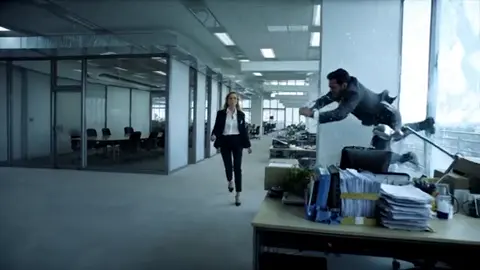

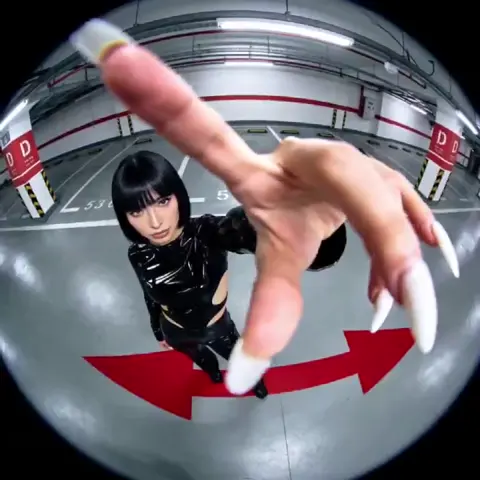
Most teams do not switch video models because a changelog told them to. They switch because a specific shot failed — a hand melted, a camera move stuttered, a character's jacket changed color between two cuts — and a newer engine promises to fix exactly that. That is the right reason to upgrade, and it is also why version comparisons are so misleading. A feature list tells you what a model can do in a polished demo. A workflow tells you what it does on the fourth revision of a client project at 11 p.m.
This guide treats Runway 4.1 as one option among several and focuses on the decision that actually matters: how to migrate a working AI video pipeline without breaking the parts that already work. You will find comparison criteria, a step-by-step migration process, prompting adjustments, quality checks, and the mistakes that quietly cost teams days of rework.
Why an Upgrade Decision Is Really a Workflow Decision
Every AI video model sits at the center of a chain: concept, script, look development, shot generation, consistency passes, editing, sound, and delivery. Upgrading the generation step changes the shape of that chain. Sometimes it shortens it dramatically — a shot that needed twelve attempts now lands in three. Sometimes it lengthens it, because a new model handles motion beautifully but ignores your style references, so you end up doing more manual grading and rotoscoping.
The practical question is therefore not "is the newer model better?" but "which parts of my pipeline get faster, which get slower, and does the net change justify a rebuild?" That framing matters because most AI video work is not a single clip. It is a sequence of shots that must feel like they came from the same camera, the same colorist, and the same director.
A useful mental model is to score each engine on four axes:
- Shot success rate — how many generations before you get something usable
- Continuity control — how well it holds character, props, wardrobe, and lighting across shots
- Directability — how precisely you can specify camera movement, timing, and blocking
- Finishability — how much repair work the output needs before it can be cut into a timeline
A model can win on the first axis and lose badly on the fourth. Teams that only measure success rate often discover this after they have committed a project to the new engine.
What Actually Changed Between Generations of Video Models
The jump from early text-to-video tools to current engines is not one improvement — it is three happening at once.
Temporal coherence and motion realism
Older models generated frames that looked plausible individually but drifted over time. Limbs bent the wrong way, objects liquefied, and fast camera moves smeared. Newer architectures reason across the whole clip rather than frame by frame, which produces more stable anatomy, more believable physics, and camera movement that reads as intentional rather than accidental. In practice this means fewer throwaway generations on any shot involving walking, running, or objects changing state.
Multi-modal input and reference conditioning
Text alone is a poor way to describe a visual style. Current models accept image references, video references, depth or motion guides, and sometimes audio, letting you steer output with examples rather than adjectives. For production work this is the single most valuable change, because it makes style consistency reproducible instead of lucky.
Directable control surfaces
Camera controls, motion brushes, keyframe interpolation, inpainting regions, and shot extension have moved from novelty to core workflow. The shift is philosophical: instead of praying for a good roll, you block a shot the way you would on set, then let the model fill in realism.
Runway 4.1 in Practice: Strengths and Trade-offs
Judged against earlier versions of the same family, Runway 4.1 is most noticeable in three areas.
Motion and camera language. Complex moves — parallax pushes, orbit shots, handheld tracking — hold together better, and the model respects direction words more literally than before. If your work depends on cinematic movement, this is the headline improvement.
Prompt adherence on structured scenes. Multi-subject prompts ("two people walking through a market, one carrying a red umbrella") are interpreted more accurately. Subjects are less likely to merge, swap clothing, or lose props mid-clip.
Style retention across a sequence. When you feed the same reference image into successive shots, newer versions drift less. That reduces the amount of grading needed to make a sequence feel cohesive.
The trade-offs are real, though. More capable models often respond differently to prompts that were tuned for older engines — vintage prompt tricks sometimes stop working or become unnecessary. Higher fidelity can also mean slower generations and less predictable behavior on abstract or highly stylized material, where an older, looser engine occasionally produced more interesting accidents.
Where a previous version may still be the better pick
- Stylized, painterly, or deliberately surreal looks that benefit from abstraction
- Fast iteration on thumbnails and pitch decks where fidelity is irrelevant
- Projects with locked-in prompt libraries that already produce reliable results
- Sequences that will be heavily processed anyway, making extra realism wasted
Build a Benchmark Before You Switch Anything
Do not migrate a live project. Build a benchmark reel first, and make it deliberately adversarial.
A good benchmark set has six to eight shots that stress different capabilities:
- A single subject walking toward camera with a clear face
- Two subjects interacting, with an object changing hands
- A fast lateral camera move across a detailed environment
- A close-up with fine texture — skin, fabric, water, foliage
- A shot requiring a specific color palette or brand look
- A transformation or state change — liquid pouring, smoke dissipating, a door opening
- A continuation shot that must match the previous clip's lighting
- A text or graphic integration shot, if your work needs signage or UI
Run the identical prompts and identical reference images through both the older version and Runway 4.1. Score each clip on success rate, continuity, directability, and finishability using a simple one-to-five scale. Also log time-to-usable-clip, because a model that needs five attempts is not better than one that needs three, regardless of peak quality.
Define pass/fail before you look at results
Write down what counts as acceptable before running anything. Typical thresholds: no visible anatomy failure, no color shift between continuity shots, camera move readable within the first second, and no more than three minutes of repair in post. Without pre-written criteria, every clip looks impressive and the benchmark tells you nothing.
A Step-by-Step Migration Workflow
Step 1 — Audit the existing pipeline
Document every step from brief to export. Note which steps are model-dependent (generation, extension, upscaling) and which are not (editing, sound, color). Only the model-dependent steps are at risk. Then identify the three most expensive failure modes in your current pipeline — the recurring problems that eat the most time. Those are the specific things the new engine must improve.
Step 2 — Run the benchmark and record real numbers
Generate your benchmark set on both engines with matched settings and references. Record attempts per usable clip, total generation time, and estimated repair minutes. Resist the urge to judge on one hero clip. A single beautiful generation proves nothing; a consistent pass rate does.
Step 3 — Rewrite your prompt library, do not translate it
Prompts are model-specific dialects. Rather than mechanically converting old prompts, rebuild the five or six prompt templates that cover most of your work: a character shot, an environment establishing shot, a product shot, a motion shot, and a continuity shot. Test each template with three variations. Keep the versions that produce stable results and store them as your new baseline.
Step 4 — Re-establish consistency controls
If your sequences rely on character consistency, rebuild the reference set carefully: a front-facing portrait, a three-quarter view, a full-body shot, and a detail shot of the signature element (a jacket, a scar, a logo). Feed references consistently across shots rather than mixing reference types, since inconsistent inputs produce inconsistent outputs. Where lighting continuity matters more than identity, use the last frame of the previous shot as the seed for the next one.
Step 5 — Test the worst-case shot, not the average shot
Before committing, generate the hardest shot in your current project on the new engine. If the worst case becomes manageable, everything else will too. If it fails, you have saved yourself a week.
Step 6 — Run one full project end to end
Pick a small real deliverable — a fifteen-second social cut or a sixty-second explainer — and run it completely through the new pipeline, including post. This surfaces integration problems that isolated tests hide: aspect ratio quirks, frame rate mismatches, codec issues, and the small friction points that accumulate.
Step 7 — Decide on hybrid or full switch
Very few teams need a binary answer. Hybrid routing is usually best: use the newer engine for anything involving motion, faces, or continuity, and keep the older one for stylized textures, abstract backgrounds, and rapid iteration where speed beats fidelity.
Prompting Changes: What To Stop Doing
Newer models reward a different writing style. A few adjustments save hours.
Stop stacking style adjectives. Long lists of aesthetic keywords were a workaround for weak understanding. Attach a reference image and describe the scene, the action, and the camera instead.
Stop over-specifying camera gear. Mentioning a specific lens and aperture rarely improves output and can confuse the model. Describe the movement and the framing distance.
Start sequencing actions in time. Instead of listing everything at once, describe what happens first, second, and third. Models that reason temporally respond well to ordered action clauses.
Start separating subject, action, environment, and camera into distinct clauses. This makes it obvious which element failed when a generation goes wrong, and it makes revisions surgical.
Describe lighting as a physical situation — "late afternoon sun through a window, shadows across the floor" — rather than as a mood label.
Model Mixing, Routing, and Practical Budgeting
Once you use more than one engine, routing decisions become part of the creative process. A simple routing rule set works well:
- Hero shots, faces, movement: highest-fidelity engine available
- Backgrounds, textures, abstract plates: fastest, loosest engine
- Continuity shots: the same engine that generated the anchor shot, seeded with its final frame
- Pickups and inserts: whichever engine is cheapest to iterate, since these get replaced easily
Budgeting follows the same logic. Track spend per finished shot, not per generation, because cheap models with low success rates are often more expensive in total than premium models with high ones when you include human review time. A useful metric is total time from prompt to approved clip, including the editor's attention. Attention is usually the scarcest resource in a small studio, which is why a model that saves three attempts is worth more than a model that saves three dollars.
Also plan storage and versioning. Multi-model workflows generate many more intermediate files. Establish a naming convention that encodes shot number, engine, and attempt so you can trace a final clip back to its source generation.
Common Mistakes During Migration
Migrating mid-project. Switching engines halfway through a sequence almost guarantees a visible stylistic seam. Finish the current project on the current engine.
Judging from a single generation. One stunning clip is a lottery win, not a capability assessment.
Ignoring post-production changes. A sharper output may need lighter grading and heavier denoising, or vice versa. Update the post recipe along with the generation recipe.
Reusing reference images that were cropped for a different model. Aspect ratio and crop affect how much style information the model receives. Rebuild references at native resolution.
Assuming better means slower in the same way. Settings interact. Sometimes a higher-quality mode with fewer attempts beats a fast mode with many.
Skipping sound. Audio design sells AI footage more than resolution does. Cutting in footsteps, room tone, and a subtle score changes how an audience reads the same clip.
Deleting the old prompt library. Keep it. Older models remain useful for specific looks, and your archived prompts are a record of what your brand's visual language actually is.
Quality Checklist Before You Ship
Run this before final delivery on any AI-heavy sequence:
- Anatomy holds across the full clip, not just the first second
- Camera movement is motivated and consistent with neighboring shots
- Color and contrast match adjacent cuts without heavy correction
- Wardrobe, props, and hair stay consistent across the sequence
- No unintended text or signage artifacts appear
- Frame rate and aspect ratio match the timeline natively
- Audio sells the motion — impacts land on the beat
- No shot exceeds the length the model can sustain cleanly
- Every clip is traceable to its source generation for future revisions
If more than one item fails across multiple shots, the problem is usually in the reference set or prompt templates, not the model.
FAQ
Is a newer version always better for stylized animation? No. Highly abstract or painterly work often benefits from an engine that interprets loosely. Test both on your specific look before deciding.
How many generations should I expect per usable shot? With a well-built reference set and a tuned template, three to five attempts is a realistic target for complex shots, and fewer for simple ones. If you are consistently above eight, fix your inputs before changing tools.
Do I need to relearn prompting entirely? Not entirely, but expect to rewrite about half of your templates. Structured clauses, temporal ordering, and reference images replace a lot of adjective stacking.
Can I match shots generated by different models in one sequence? Yes, but plan for it. Generate a neutral anchor plate, grade every shot to it, and keep camera language consistent. Seam-free mixing is possible; invisible mixing requires discipline.
What is the fastest way to evaluate an upgrade? Benchmark eight adversarial shots with pre-written pass/fail criteria, then run one small real project end to end. That takes a day or two and answers questions that weeks of reading reviews cannot.
Should I keep paying for the older model? Keep access if you rely on its specific look or if it is your fast iteration tool. Cancel if your benchmark shows it wins on no axis you actually use.
How do I keep a team consistent across models? Publish a shared prompt library, a shared reference set, and a shared routing rule sheet. Consistency comes from documentation, not from everyone using the same button.
The upgrade decision is ultimately about leverage. A newer model earns its place only if it reduces attempts, shortens repair time, or unlocks shots you previously could not get. Benchmark honestly, migrate one project at a time, and keep the tools that still win on something. That approach survives every version bump that follows.

Alexander
More Blogs
Read MoreVidu Q4 Alternatives: 4K AI Video Models Compared (2026)
Vidu Q4 alternatives compared: Kling 4.0, Seedance 2.5, Wan 3.0, and Runway Gen-4 — 4K support, input modes, durations, audio, and what each costs in credits on Domer.
Top 4K AI Image Generators in 2026: 5 Models Compared on Real Costs
The top 4K AI image generators on Domer compared: Flux 3 Klein, Nano Banana 2.1, GPT Image 2.5, GPT Image 2, and Nano Banana Pro — 4K credit costs, reference limits, and speed.
Nano Banana 2.1 vs GPT Image 2.5: Which Image Model Should You Use? (2026)
Nano Banana 2.1 vs GPT Image 2.5 Flare compared: credit costs per resolution, aspect ratios, reference images, text rendering, and which tasks fit each model.