

Best Video Tools for Community-Led Selling Workflows
Oct 13, 2026
Why relationship-driven promotion needs its own video approach
Most video marketing advice is written for brands that buy attention. You build a funnel, you run ads, you optimize a landing page, and the relationship starts after the transaction. Relationship-driven selling works in the opposite direction. The relationship comes first, the recommendation travels through people who already trust each other, and the video's job is to support a conversation that is already happening rather than to interrupt a stranger.
That difference changes almost every decision you make about video: how long it should be, how polished it should look, who should appear on camera, and which tool should produce it. A commercial-grade spot with a voiceover actor and cinematic b-roll can actually hurt you in this context, because it feels like advertising. A slightly imperfect phone-shot clip of a real person explaining why they changed something in their routine often converts better, because it reads as testimony rather than promotion.
This guide is about the practical side of that: how to build a video workflow that produces trustworthy clips at a pace a small team can sustain, which capabilities actually matter when you evaluate editing and AI tools, and where most people waste hours. It is written for anyone whose growth depends on personal recommendations — community builders, affiliate-style promoters, coaches, local resellers, and small teams that recruit and train through relationships.
The four jobs video has to do in a trust-based funnel
Before comparing tools, separate the work. Almost every effective relationship-driven video program covers four distinct jobs, and each job has different production requirements.
Job one: explain the offer clearly
The single most common failure is not a bad video, it is a confusing one. Prospects drop off because they cannot answer three questions in under ninety seconds: what is this, what does it cost me in time and money, and what happens next? Explanation videos should be short, structured, and boring in the best way. Use a simple three-part script — the problem, the mechanism, the next step — and record it once well. A clean screen recording with a face-cam inset beats a flashy montage every time when the goal is comprehension.
Job two: transfer belief through personal story
People rarely move because of a feature list. They move because someone they recognize describes a before-and-after they can picture themselves in. Story videos are short, unpolished, and specific. "I used to spend two hours a night on this, now it takes twenty minutes" is stronger than "this changed my life." Keep these under sixty seconds for social platforms and let the person speak without a teleprompter.
Job three: demonstrate the product or service in use
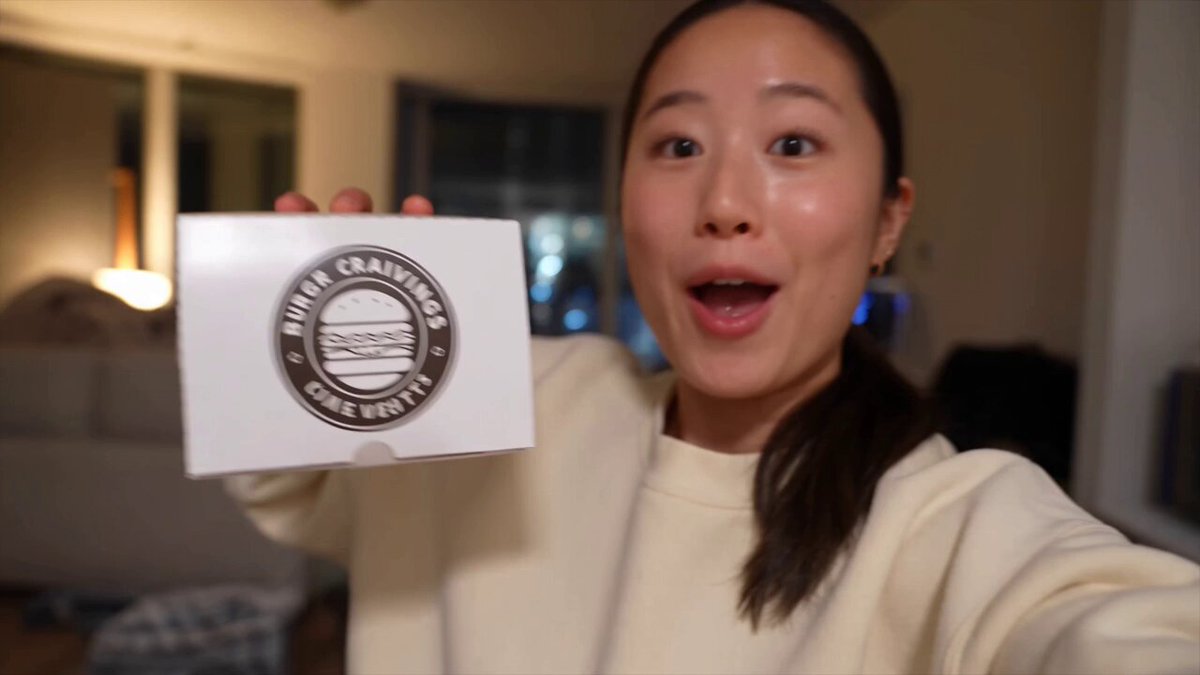
Demonstration is where video genuinely outperforms text. Show the thing being used in a real environment — the kitchen, the car, the home office, the job site. Unboxings, first-use reactions, side-by-side comparisons, and quick troubleshooting clips all belong here. These can be batch-produced in an afternoon and reused for months.
Job four: train and onboard the people who join you
Once someone joins your effort, video becomes an internal tool. Onboarding walkthroughs, weekly updates, quick answers to recurring questions, and short "how I do this" tutorials reduce the amount of one-to-one time you spend repeating yourself. These do not need to be public and they do not need to be beautiful — they need to be searchable and short.
If you map every clip you plan to make to one of these four jobs, you will naturally stop overproducing. Most teams need roughly one explanation video, ten to twenty story and demo clips, and a small library of internal training clips. That is a manageable library, and it is repeatable.
Capabilities that actually matter when you choose a tool stack
Tool comparison articles tend to list every feature a product ships with. In practice, five criteria decide whether a video tool will survive in a relationship-driven workflow.
1. Time-to-first-export
Measure this honestly. If the app takes forty minutes to learn before you can export a captioned vertical clip, it will not get used on a busy day. Look for templates, automatic captioning, and a preset for vertical, square, and horizontal aspect ratios. The best tool is the one you will open when you are tired.
2. AI assistance you will actually keep switched on
AI features fall into a few useful buckets: transcription and captioning, text-based editing (delete a sentence from the transcript and the video trims itself), automatic reframing to keep a speaker centered in vertical crops, noise removal, voice cleanup, dubbing for multilingual audiences, and script or hook suggestions. Some of these are transformative — captions and text-based editing especially — and some are gimmicks. Test each one on a real clip before you pay for it.
3. Asset reuse and versioning
You will need the same footage in three lengths and two aspect ratios, with different opening hooks. A tool that makes duplication and trimming trivial saves more time than one with superior color grading. Look for project duplication, saved brand presets, and a clear media library with searchable transcripts.
4. Collaboration and approval
Even a two-person operation benefits from comments tied to timestamps and a single approved version. If a teammate or a client reviews your clips, check how the tool handles review links and whether viewers need accounts.
5. Cost shape, not cost headline
Pricing in this category is usually subscription-based with usage limits on AI minutes, exports, or storage. The important question is not the monthly figure but whether the limits match your real output. A plan with generous exports and tight AI-minute caps can be worse than a slightly pricier plan with balanced limits. Track your first month of actual usage before committing to an annual plan.
A weekly video workflow that survives contact with real life
A workflow only works if it fits into a normal week. This one is built around a single ninety-minute production block plus a short daily publishing routine.
Step 1: Capture raw material in batches
Do not record one clip per day. Record eight to twelve short takes in one sitting, on your phone, in a well-lit spot with a cheap lapel mic. Talk through a list of prompts: a common objection, a quick win, a mistake you made, a customer question, a behind-the-scenes moment. Aim for sixty to ninety seconds of raw talking per prompt. Batch capture also solves the biggest psychological blocker, which is the friction of setting up every single time.
Step 2: Write the explanation video separately
Your offer explanation deserves a script, not improvisation. Write it as a page of plain text, then read it on camera. Keep the total under three minutes and structure it as: who this is for, what problem it solves, how the process works, what it costs in time and money, what to do next. Update it quarterly rather than constantly.
Step 3: Edit with one repeatable template
Pick a single visual template — a title bar, a caption style, a lower-third for your name, a consistent font. Consistency reads as professionalism in this niche and it removes hundreds of micro-decisions. Apply the template to every clip, then vary only the content.
Step 4: Produce variants, not new videos
From each raw take, export three assets: a full-length version for your email list or community group, a sixty-second cut for social feeds, and a fifteen-second cut built around the strongest single sentence. This is where text-based editing and auto-reframing pay for themselves — the variant work is mechanical, and mechanical work is what AI handles best.
Step 5: Publish on a cadence, then read the data
Post consistently rather than perfectly. Track three numbers per platform: three-second retention, average watch time, and saves or shares. Saves and shares matter more than likes in a trust-driven funnel because they indicate someone intends to send the video to another person — which is exactly the behavior you are trying to encourage. If a clip gets saved often, remake it in three new ways.
Step 6: Feed the winners back into the library
Keep a simple document listing your best-performing clips, the hook that opened them, and where they live. After a month you will have a diagnostic tool: when a new person asks a question, you send a link instead of typing an answer. That library compounds.
Content types worth producing, in priority order
If you only have time for a handful of formats, these deliver the highest return for relationship-driven promotion.
- The origin clip. Why you started, in under ninety seconds. This is the single most-watched video for most personal sellers.
- The objection answer. One clip per common objection: price, time, skepticism, past disappointment.
- The first-week walkthrough. What a new person should do in their first seven days, screen-recorded.
- The product-in-use demo. Unscripted, one take, shot in a real setting.
- The weekly team update. Five minutes, recorded on the same day each week.
- The customer question. Film yourself answering a real question someone sent you, then send the clip back to them.
Notice that none of these require actors, studios, or heavy editing. The production value ceiling is deliberately low because polish creates distance, and distance is the enemy here.
Choosing between all-in-one editors, AI generators, and repurposing tools
The market splits into three rough categories, and most people end up using one from each.
All-in-one editors — browser-based timeline editors with captions, templates, and stock assets. The best choice if you are producing from your own footage. Prioritize fast import, reliable auto-captions, and a clean export pipeline.
AI generation tools — text-to-video and avatar-driven generators. Genuinely useful for two things: filling gaps where you have no footage (b-roll, abstract concepts, slides) and producing explainer sequences quickly. Be cautious about relying on them for testimonial-style content; synthetic people undermine the authenticity that makes this niche work. Use them for support material, not for your face.
Repurposing and clipping tools — systems that take a long recording and automatically find highlights, crop them vertically, and caption them. Enormous time savings if you already record long-form content such as webinars, lives, or podcast-style calls.
A sensible starting stack is one all-in-one editor plus one repurposing tool. Add a generation tool only when you have a specific recurring need for b-roll or multilingual versions.
Mistakes that quietly kill results
Chasing production polish. High-gloss ads underperform raw testimonials in referral-driven funnels because viewers discount them as paid messaging. Spend your effort on clarity and specificity instead.
Making everything the same length. A three-minute explanation and a fifteen-second hook serve different purposes and belong on different platforms. One length for everything means everything is slightly wrong.
Over-promising in the script. Vague claims about lifestyle or income create skepticism and, in many markets, regulatory problems. Show process and product, not promised outcomes.
Ignoring captions. A large share of viewers watch with sound off. No captions means no message.
Never reusing footage. If you record a forty-minute call and publish one clip from it, you have thrown away most of your work. Transcript-based tools exist precisely to fix this.
Recording only when you feel inspired. Volume matters more than inspiration. Batching removes mood from the equation.
Forgetting the call to action. Every public clip should end with one clear next step, stated once and simply. "Reply and I'll send the walkthrough" outperforms a vague "message me for details."
Frequently asked questions
How much should I spend on video tools as a solo promoter?
Start with one paid editor plan and use free tiers for everything else. Upgrade only when a specific limit — exports, AI minutes, storage, or resolution — blocks work you are already doing consistently. Adding tools before you have a cadence just adds subscriptions you forget to cancel.
Do I need to be on camera?
It dramatically helps for story and explanation content, but it is not mandatory. Screen recordings, hands-only demos, and voiceover slides can carry a large part of the load. What matters is that a recognizable human voice and perspective come through.
How long should each video be?
Match length to job. Hooks: five to twenty seconds. Story and demo clips: thirty to ninety seconds. Offer explanation: two to three minutes. Training: as long as the task requires, and never longer.
Can AI write my scripts?
It can produce a useful first draft and, more importantly, it can generate twenty hook variations for one idea so you can test. Keep the substance and the stories human — those are your differentiators, and they are the parts an audience can tell were generated.
How often should I post?
Three to five short clips per week is a sustainable target for most people, plus one longer asset every week or two. Consistency over months beats intensity over days. If you cannot hold the cadence, reduce it rather than quitting it.
What if my audience is multilingual?
Record once in your strongest language, caption it properly, then use dubbing or subtitle translation for the second language. Translated subtitles are usually safer than synthetic dubbed audio for trust-sensitive content.
Should I use the same clip on every platform?
Reuse the footage, but re-export per platform. Aspect ratio, caption placement, and the first two seconds should be adapted. A vertical clip with a centered speaker performs poorly when dumped into a horizontal feed.
Building a system instead of chasing a single viral clip
The temptation in relationship-driven promotion is to look for the one video that breaks through. In practice, durable results come from a small library of clear, honest, reusable clips plus a rhythm for adding to it. Pick one editor, one repurposing tool, one batch-recording day per week, and one template you never deviate from. Produce for the four jobs — explain, persuade through story, demonstrate, train — and let the data tell you which hooks to repeat.
The tooling matters, but only as leverage. A modest stack used consistently will outperform an expensive stack used occasionally, because the compounding asset in this model is not the software — it is the accumulated trust that a steady stream of specific, recognizable, genuinely useful videos builds over time.

Alexander
More Blogs
Read MoreVidu Q4 Alternatives: 4K AI Video Models Compared (2026)
Vidu Q4 alternatives compared: Kling 4.0, Seedance 2.5, Wan 3.0, and Runway Gen-4 — 4K support, input modes, durations, audio, and what each costs in credits on Domer.
Top 4K AI Image Generators in 2026: 5 Models Compared on Real Costs
The top 4K AI image generators on Domer compared: Flux 3 Klein, Nano Banana 2.1, GPT Image 2.5, GPT Image 2, and Nano Banana Pro — 4K credit costs, reference limits, and speed.
Nano Banana 2.1 vs GPT Image 2.5: Which Image Model Should You Use? (2026)
Nano Banana 2.1 vs GPT Image 2.5 Flare compared: credit costs per resolution, aspect ratios, reference images, text rendering, and which tasks fit each model.