
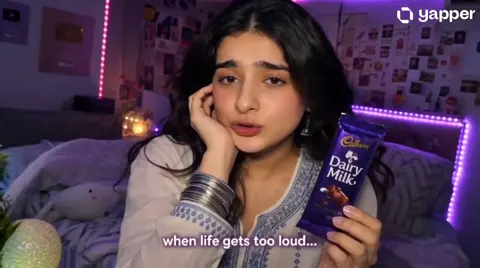
How to Make Viral Brand Videos With AI: A Practical Workflow
Oct 15, 2026

A viral brand video rarely wins because it is clever. It wins because it is legible: a viewer understands the joke, the product, and the reason to keep watching before the second cut lands. The satirical traditions of advertising — the parody of the client who wants everything bigger, louder, and more orange — endure for exactly that reason. They compress a shared frustration into a shape anyone recognises in half a second.
That compression is a craft problem, and craft problems now have tooling. Generative video models, automated captioning, voice cloning, and fast cut assembly have collapsed the distance between an idea at 9am and a posted clip at 4pm. But speed without structure produces noise. This guide lays out a workflow you can run repeatedly: how to build a premise, how to translate it into shots, how to choose models, how to edit for rhythm, how to test, and which mistakes quietly destroy brand videos before the algorithm ever sees them.
Start With the Premise, Not the Product
Most weak brand videos begin with a product feature list. Strong ones begin with a premise — a single sentence describing a situation that becomes funnier, stranger, or more satisfying the longer it runs.
Compare these two starting points:
- Product-first: 'We want a 30-second video showing our new analytics dashboard, highlighting real-time sync, custom alerts, and team sharing.'
- Premise-first: 'A manager discovers their team has been ignoring every alert for two years, and the dashboard finally says what everyone was thinking.'
The first is a feature demo that viewers will scroll past unless they are already shopping. The second is a story that happens to demonstrate alert fatigue, team sharing, and dashboard clarity as jokes rather than bullet points.
A usable premise has three properties:
- It is explainable in one sentence. If you need two sentences, you have a script, not a premise.
- It contains a tension. Something is wrong, escalating, or absurd. Tension is what makes a viewer wait for resolution.
- It has a natural bridge to the product. The product is the punchline's mechanism, not a banner pasted at the end.
Write the premise on a sticky note. If it does not survive being read aloud twice, rewrite it before touching any video tool. Every hour spent generating footage on a weak premise is an hour spent polishing something nobody will share.
What Actually Stops the Scroll
The first two seconds carry disproportionate weight
Short-form feeds are ruthless comparison engines. A viewer decides in roughly the time it takes to blink whether your clip deserves the next three seconds. The opening frame therefore needs one of a small number of signals: a visual surprise, an unfinished action, direct eye contact, or a statement that is slightly wrong.
In practice, that often means opening mid-scene rather than at the beginning. Do not establish the office. Open on the face already reacting. Do not show the drive to the meeting. Open on the moment the slide deck fails.
A practical test: pause your clip at frame one and ask what question a stranger would form. If the answer is 'what is this?', you have a problem. If the answer is 'who is she yelling at?', you have a hook.
Misdirection and the payoff line
The most durable short-form ads use a two-part structure: a setup that implies one genre, and a turn that reveals another. A calm corporate testimonial becomes a chaotic behind-the-scenes confession. A luxury product montage becomes a warehouse inventory problem.
The mechanism matters because misdirection creates a small debt in the viewer's head. They predicted a shape, and the video owes them an explanation. That debt is what carries them past the three-second mark and into the share decision.
Payoff lines work best when they are short, concrete, and slightly under-explained. Leave the last beat one notch quieter than the setup. Over-explaining the joke signals that you do not trust the audience, and audiences return the favour.
Escalation beats repetition
A common failure in AI-assisted comedy is looping the same gag with different wording. Repetition makes a point memorable; escalation makes it watchable. Each beat should raise the stakes, shrink the window for a solution, or push a character further into the mistake.
A simple escalation ladder for a 20-second clip:
- Beat 1: the problem appears.
- Beat 2: the obvious fix fails.
- Beat 3: the wrong fix makes it worse.
- Beat 4: the product intervenes, but the real joke lands on the reaction.
Four beats in twenty seconds is comfortable. Six beats is rushed. Two beats is a bumper, not a video.
A Step-by-Step AI Video Workflow for Short-Form Brand Ads
Step 1 — Write the premise as one sentence
Start in a plain text file. Write the premise, then write the final line of the video. Working backwards from the punchline prevents the mid-video drift that makes AI-generated content feel aimless.
Then write a beat sheet: four to six lines, each describing a single change in the situation. No dialogue yet. This beat sheet becomes your shot list backbone and your editing spine.
Step 2 — Turn the premise into a shot list
For each beat, define:
- Shot size: wide, medium, close-up.
- Subject action: one verb, one direction.
- Camera behaviour: static, push in, handheld drift.
- Duration: target two to four seconds per shot for short-form.
Specifically avoid writing camera moves you cannot describe in six words. 'Slow push in on her face as she realises' is a two-second shot. 'Dynamic cinematic movement with emotional energy' is a request for a random result.
Step 3 — Generate, sort, and kill your darlings
Generate more than you need. For each shot, produce several variations, then select on three criteria: does the action read clearly at thumbnail size, does the lighting match its neighbours, and does it cut cleanly at the start and end.
Expect roughly one usable clip per four to eight attempts for complex human action, and much better odds for static objects, textures, product shots, and abstract backgrounds. Budget your generation time accordingly — product close-ups are cheap, dance sequences are expensive.
Keep a bin folder. A clip that does not work in this video often works as a two-frame flash in the next one.
Step 4 — Assemble for rhythm, not for beauty
Editing is where AI footage stops looking like AI footage. Three techniques do most of the work:
- Cut on motion. Cut while something is already moving, so the transition is masked by the movement itself.
- Break the frame. Insert a graphic, a text card, a hard cut to a product shot, or a sound sting. Each break resets the viewer's attention clock.
- Compress the setup. The first three shots can usually lose 30 to 40 percent of their length without harming comprehension.
Sound carries more weight than most first-time creators expect. A consistent ambient bed under the whole clip prevents the 'stitched together' feeling that disparate generated shots otherwise produce. Layer a room tone, music, and one or two diegetic sounds per beat — a click, a door, a notification chime.
Step 5 — Publish the first cut fast
The temptation is to polish for a week. Resist it. Publish version one, then use the data. If retention collapses at second four, the problem is the hook or the first transition, not the colour grade. If retention holds but shares are flat, the problem is the payoff line.
Make one change per iteration so you learn something. Changing the hook, the music, and the ending simultaneously teaches you nothing.
Choosing Tools: Decision Criteria That Actually Matter
Text-to-video versus image-to-video
Text-to-video is best for establishing shots, textures, abstract transitions, and any frame where exact composition is negotiable. Image-to-video is best when you already have a strong still — a product photograph, a designed character, a brand asset — and you want motion without losing the original framing.
A useful rule: if the shot must match a brand asset precisely, start from an image. If the shot only needs to feel like your brand, start from text.
Character and brand consistency
Consistency is the hardest problem in multi-shot AI video. Characters change faces, logos warp, and colour temperature drifts between generations. There is no perfect fix, but there are reliable mitigations:
- Lock a reference. Generate one approved still of your character or product and use it as the source for every subsequent shot.
- Limit face time. Cutting away to hands, screens, and objects reduces the number of frames where inconsistency can be noticed.
- Normalise in post. Apply one colour correction layer and one grain layer across the entire timeline. This alone makes mixed-source footage feel unified.
- Treat mutation as a feature. If the character's face changes slightly each shot, give the video a reason — a montage, a glitch aesthetic, a dream sequence.
Captions, dubbing, and aspect ratios
Captions are not optional. A large share of short-form viewing happens muted, and burned-in captions are read far more often than auto-generated ones. Keep them to two or three words per line, high contrast, positioned away from platform interface elements.
For multi-market campaigns, generate the master video with clean audio stems, then localise voice and captions separately. Aspect ratio planning matters too: shoot or generate with a vertical safe area, then re-frame for square and landscape rather than cropping blind.
For most short-form work, plan three exports from one timeline: vertical, square, and wide. Each needs a manual check on crop, caption placement, and text legibility.
Turning One Good Idea Into a Repeatable Campaign
A single successful clip is luck plus craft. A campaign is a system. After the first video performs, do not immediately chase a new concept. Instead, extract the repeatable parts.
Ask three questions:
- What was the premise? Write it down as a reusable pattern, such as 'the client who asks for the impossible, resolved by the product'.
- What was the structural beat sheet? If four beats worked, use the same four-beat skeleton with a different premise.
- What was the visual signature? Identify the two or three visual constants — a colour, a camera style, a recurring character — and lock them.
This produces series thinking rather than one-off thinking. Series build familiarity, which builds the anticipation that makes the next clip's hook land faster. A viewer who recognises your format in half a second does half the work of the hook for you.
A practical cadence: one anchor video every two weeks, plus two smaller derivative cuts from the same generation session. The derivatives cost little and give the algorithm more shots at finding your audience.
Mistakes That Sink AI-Made Brand Videos
Generating before writing. The most common and most expensive mistake. No model fixes an unclear premise.
Overloading the first second. Logos, lower thirds, three text cards, and a voiceover competing at once. Pick one signal.
Chasing realism. Audiences forgive stylisation instantly and judge uncanny realism harshly. Lean into illustration, collage, miniature sets, or archive textures when a photoreal human is not necessary.
Ignoring audio continuity. Identical music over mismatched shots still reads as stitched. Room tone and a consistent reverb character glue footage together.
Explaining the product twice. If the payoff line already communicates the benefit, a closing card that repeats it in bullets weakens the ending.
Publishing without a caption strategy. Silent viewers are the majority on several platforms, and unread dialogue is invisible dialogue.
Abandoning a format too early. One underperforming clip is noise. Three underperforming clips in the same format is a signal.
Treating generation as free time. Iteration is where schedules die. Time-box the generation phase and move to editing on schedule, even with imperfect assets.
Measuring What Matters Without Vanity Metrics
Views are a distribution metric, not a creative one. The numbers that tell you whether your video works are the ones about behaviour:
- Three-second retention: did the hook hold?
- Midpoint retention: did the structure sustain attention?
- Completion rate: did the payoff justify the watch?
- Shares per thousand views: did it earn social currency?
- Saves: did it have practical value?
- Profile visits and follows: did it build series intent?
Watch these together. A video with strong completion and weak shares is enjoyable but not remarkable. Strong shares with weak completion means the hook overpromised. High saves with low completion suggests the clip was useful but poorly paced — often a tutorial that should have been shorter or split in two.
Track performance by format, not by individual clip. If your satirical premise style repeatedly outperforms your testimonial style, that is a strategic finding, and it should change your production calendar, not just your caption.
FAQ
How long should a short-form brand video be?
Twelve to thirty seconds covers most short-form brand work. Under twelve seconds you rarely have room for escalation. Over thirty seconds you need a genuinely strong narrative to justify the watch time. If the idea needs sixty seconds, consider whether it is a series of three clips instead.
Do I need professional video editing software?
Not necessarily, but you do need frame-accurate cutting, audio layers, and export control. Any editor that gives you a timeline with separate video and audio tracks is sufficient. The bottleneck is usually pacing judgement, not software.
How do I keep a character consistent across shots?
Generate one approved reference still and use it as the source for every shot involving that character. Reduce the number of shots where the face is prominent. Normalise colour and grain in post. Accept small variations and design around them.
Can AI video replace a live shoot entirely?
It can replace many shoots, especially product-focused, stylised, or graphic-led work. Live footage still has an advantage for nuanced performance, dialogue, and anything requiring precise physical interaction. Many strong campaigns combine both.
How many variations should I test?
Test the hook first, then the ending. Two hook variants and two ending variants give you four combinations from the same body, which is usually enough to identify what is working without overproducing.
What if the generated footage looks obviously synthetic?
Stop apologising for it and style it deliberately. Add grain, halftone texture, hand-drawn overlays, or archive framing. Unapologetic stylisation reads as a choice; slightly imperfect realism reads as a mistake.
Should captions be burned in or uploaded separately?
Burn them in for short-form social. Separate caption files are useful for platforms where viewers toggle captions and for repurposing to long-form.
A Final Production Checklist
Before you publish, confirm each item:
- One-sentence premise written and agreed.
- Four to six beats, each changing the situation.
- Hook readable at thumbnail size in under two seconds.
- At least one text or graphic break in the middle third.
- Consistent ambient audio under the full timeline.
- Burned-in captions, two to three words per line.
- Vertical, square, and wide exports checked manually.
- One clear change made per iteration.
- Format documented so the next video can reuse the structure.
None of this is glamorous. But the brand videos that travel are almost never the most technically impressive ones. They are the ones where a clear premise, a fast hook, and a disciplined edit line up long enough for a stranger to decide the clip is worth sending to someone else. Build that machine once, and virality stops being a lottery and starts becoming a byproduct of your production process.

Alexander
More Blogs
Read MoreVidu Q4 Alternatives: 4K AI Video Models Compared (2026)
Vidu Q4 alternatives compared: Kling 4.0, Seedance 2.5, Wan 3.0, and Runway Gen-4 — 4K support, input modes, durations, audio, and what each costs in credits on Domer.
Top 4K AI Image Generators in 2026: 5 Models Compared on Real Costs
The top 4K AI image generators on Domer compared: Flux 3 Klein, Nano Banana 2.1, GPT Image 2.5, GPT Image 2, and Nano Banana Pro — 4K credit costs, reference limits, and speed.
Nano Banana 2.1 vs GPT Image 2.5: Which Image Model Should You Use? (2026)
Nano Banana 2.1 vs GPT Image 2.5 Flare compared: credit costs per resolution, aspect ratios, reference images, text rendering, and which tasks fit each model.