
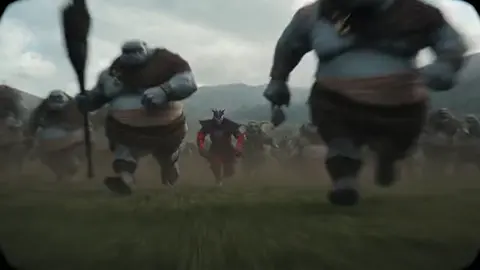
AI Cartoon Animation Video Generation: A Practical Workflow
Oct 15, 2026

Why AI Cartoon Animation Is Now a Real Production Option
A decade ago, a thirty-second animated scene meant storyboards, character model sheets, hand-keyed animation, and a compositing pipeline. Today a small team — or a single determined creator — can produce a stylized animated short in a weekend. The change is not magic. It comes from three converging capabilities: generative models that understand visual style, reference systems that hold a character's look across multiple shots, and editing tools that treat generated clips as ordinary footage.
That shift matters for explainer videos, social shorts, children's content, training modules, and narrative pilots. Cartoon styling is forgiving in ways photorealism is not. Audiences accept flat shading, exaggerated physics, and stylized motion, which means small inconsistencies read as an artistic choice rather than an error. That tolerance is precisely why animation is one of the best on-ramps into AI-assisted video production.
But "possible" is not the same as "easy." The creators who get consistently good results are not the ones with the fanciest tool subscription. They are the ones with a repeatable process: a locked script, a style bible, a disciplined shot list, batch generation, ruthless selection, and a finishing pass that hides the seams. This guide walks through that process end to end, with prompt patterns, review checklists, and decision criteria you can apply regardless of which generator you happen to use.
How AI Cartoon Generators Actually Work
Understanding the machinery at a high level changes how you prompt and how you troubleshoot.
Text-to-video, image-to-video, and hybrid pipelines
Text-to-video models take a written description and synthesize motion frames. They are fast for ideation but weak at consistency, because each generation reinterprets the character from scratch.
Image-to-video models start from a still frame you control. You draw or generate a character pose, then ask the model to animate it. This is the workhorse of cartoon production, because the design decisions — proportions, palette, line weight — are already locked in the input image.
Hybrid pipelines combine both: generate a keyframe with a text-to-image model, refine it manually, animate it with image-to-video, then generate an end frame and interpolate the moments between. This is slower per shot but produces far more controllable results, and it is how most professional-looking AI animation gets made.
What the models do well — and where they break
Generators excel at short bursts of motion with a clear subject: a character turning, walking a few steps, gesturing, reacting. They struggle with anything requiring persistent logic over time — hands interacting with objects, characters handing something to each other, complex camera moves through a populated scene, or dialogue where mouth shapes must match specific phonemes.
Practically, this means you should design shots around what the model can do. Cut around the hard parts instead of fighting them. A reaction close-up cuts as cleanly as a full-body action, and it costs a fraction of the iteration time.
Define the Style Before You Open a Tool
Most disappointing AI animation projects fail at the art direction stage, not the generation stage. If you cannot describe your style in a paragraph, no prompt will rescue you.
Write a style bible with five decisions locked down:
- Line treatment. Clean uniform outlines, sketchy textured lines, or no outlines at all with shape-based silhouettes.
- Shading model. Flat fills, cel shading with one shadow tone, or soft gradient shading.
- Palette. A named set of six to ten colors, with hex values if you are handing work to a collaborator.
- Motion feel. Snappy limited animation, smooth full-motion, or intentionally choppy for a retro look.
- Camera language. Locked-off shots, slow pushes, or dynamic handheld energy.
Once those are fixed, your prompts become short and stable. Instead of describing "a cartoon character" every time, you write "flat cel-shaded character with two-tone shading, clean black outline, muted teal and coral palette, locked-off medium shot."
Consistency across shots is the single biggest quality signal in animated video. A viewer will forgive crude rendering. They will not forgive a character whose face changes shape between cuts.
A Repeatable Workflow From Script to Final Cut
Here is a production loop that scales from a fifteen-second social clip to a three-minute narrative short.
Step 1 — Lock the script and beat sheet
Write the script before generating a single frame. Animation is expensive in time, and every line you cut after generation saves minutes of work. Break the script into beats, then into shots. A useful rule: one idea per shot, four to eight seconds each. Long shots are where consistency breaks down.
Step 2 — Build a style bible and character sheet
Create one reference image per character showing front, three-quarter, and profile views in your final style. Keep the face large enough to read. If your tool supports reference images or character memory features, load these before any scene work. If it does not, keep them open beside your prompt window and describe them in the same words every single time.
Step 3 — Shot list and prompt construction
Build a table with columns for shot number, duration, description, camera, character reference, prompt, and status. This table is your production tracker. It prevents the classic failure mode of generating beautiful clips that do not cut together because nobody planned the coverage.
Step 4 — Generate in batches and select ruthlessly
Generate three to five variations per shot, never one. Evaluate them at thumbnail size first — if a clip does not read at thumbnail size, it will not read at full size. Keep the winners, tag them with the shot number, and move on. Do not endlessly regenerate a shot that is 80 percent right; fix the last 20 percent in editing or with a short second pass.
Step 5 — Motion control and second passes
For hero shots, generate a starting frame and an ending frame, then let the model fill the motion between them. This gives you directorial control over where a movement lands. For secondary shots, accept a good single-pass result. Reserve your iteration time for the shots the audience will actually remember.
Step 6 — Edit, sound design, and finishing
Assemble in whatever editor you already know. Cut on action, not on stillness — a cut placed mid-gesture hides small continuity breaks. Add a subtle grain or texture layer over the whole timeline to unify clips generated at different times. Sound does more continuity work than any visual effect: a consistent room tone, footsteps, and a music bed make disconnected clips feel like one film.
Prompt Patterns That Produce Usable Cartoon Motion
Most prompt failures come from describing a scene instead of describing a shot. A shot description answers four questions: who, doing what, seen how, and in what style.
A reliable template looks like this:
[Style clause] + [Character clause] + [Action verb with direction] + [Camera clause] + [Lighting and mood]
Example: "Flat cel-shaded 2D animation, clean black outlines, muted teal and coral palette. A tall girl in a yellow raincoat walks left to right, arms swinging, rain splashing at her boots. Slow tracking shot, camera moves with her. Overcast soft light, gentle melancholy mood."
A few habits that consistently improve output:
- Use one motion verb per shot. "Turns and walks and gestures" produces mush. Split it into three shots.
- Specify direction. Left, right, toward camera, away from camera. Models default to ambiguous drifting without it.
- Describe speed. A slow turn reads as intentional; an unspecified turn reads as random.
- Name the camera behavior. Locked-off, slow push in, gentle pan, orbit. Camera language is style.
- Add negative guidance. List what you do not want: extra limbs, photorealistic textures, text artifacts, watermarks, morphing faces, rapid cuts.
Keep a personal prompt library organized by scene type — dialogue, walk cycle, reaction, establishing shot, action beat. Reusing proven prompts is faster than inventing new ones and produces a more cohesive film.
Quality Control: The Review Checklist
Before a clip enters the timeline, run this checklist. It takes twenty seconds and prevents the worst kind of rework.
- Identity stability. Does the face and silhouette match the character sheet at the start, middle, and end of the clip?
- Hands and props. Are fingers countable and objects attached to the correct hand?
- Background drift. Does an element in the background slide, duplicate, or melt between frames?
- Motion arcs. Does the movement follow a believable path, or does it snap and stutter halfway?
- Color consistency. Compare the clip against a neighboring clip on the same timeline. Palette shifts are the most common tell.
- Lip sync and expression. For dialogue shots, does the mouth movement land roughly on the syllables?
- Flicker and texture crawl. Watch at full speed, not frame by frame. Flicker is invisible in stills and glaring in motion.
- Resolution and upscaling artifacts. If you upscale, check edges for halo ringing and smeared line work.
Anything that fails two or more checks is a regeneration candidate, not a repair candidate.
Common Mistakes That Waste Time and Renders
Starting with a long shot. Long shots compound every inconsistency. Start with the shortest shots in your film to learn how the tool behaves, then attempt the ambitious ones.
Chasing photorealism in a cartoon project. Stylized rendering hides errors; realism magnifies them. Choose the animation style deliberately and stick with it.
Skipping the ending frame. If you do not know where a movement should land, the model will guess, and you will regenerate five times. Define the endpoint.
Generating without a shot list. This produces a folder of attractive clips and no film.
Over-relying on one perfect generation. Statistically, your best shot will come from variation four, not variation one. Budget for selection.
Ignoring audio until the end. Sound design shapes pacing and often reveals that a shot is too long. Bring a scratch track in early.
Not naming files systematically. Dates and random strings are useless. Use scene-shot-take naming so you can find a specific take weeks later.
Choosing a Stack: Decision Criteria, Not Brand Loyalty
Tool choice should follow your project, not the other way around. Score candidates against these criteria.
- Shot complexity. If you need precise multi-character interaction, prioritize tools with start-and-end frame control and reference-image conditioning over tools with the flashiest demo reels.
- Consistency features. Character reference, style reference, and seed locking are worth more than raw resolution for episodic work.
- Output length and format. Check maximum clip length, aspect ratios, and export codecs against your delivery targets — vertical for social, widescreen for YouTube-style long form.
- Iteration speed. A fast, slightly worse model often beats a slow, better one, because animation quality comes from selection volume.
- Editing integration. Frames-per-second matching matters. Generating at 24 fps and delivering at 30 fps introduces judder you will have to fix later.
- Team skill. If you have no animators, favor tools that generate complete shots. If you have illustrators, favor image-to-video so their work drives the output.
- Cost model fit. Match the pricing structure to your actual usage pattern — bursty project work and steady daily output favor different structures.
Pick two tools, not six. One primary generator and one backup for when the primary fails on a specific shot type is the practical sweet spot for a small team.
Planning Time Realistically
A realistic ratio for beginners: for every ten seconds of finished animation, expect forty to sixty minutes of generation, review, and selection time for simple shots, and two to three hours for hero shots with precise motion. Add script, storyboard, editing, and sound on top.
That estimate improves fast. After roughly a week of focused practice, most creators cut their iteration count in half, mostly because they stop prompting scenes and start prompting shots. Track your own numbers — takes generated per usable shot — and watch the ratio improve. When it stops improving, that is your signal to change technique rather than add tools.
FAQ
Do I need drawing skills to make AI cartoon animation?
No, but visual literacy helps enormously. You need to be able to judge composition, color, and motion, and to describe what you want precisely. If you can storyboard roughly with stick figures, you have enough.
Why does my character's face change between shots?
Because you are generating each shot independently without a shared reference. Fix it by locking a character sheet, reusing identical style clauses in every prompt, and generating a consistent end frame for the previous shot to serve as the next shot's starting frame.
How long should each AI-generated clip be?
Four to eight seconds is the sweet spot for most projects. Shorter clips are harder to cut smoothly; longer clips accumulate drift and artifacts. Build a film from many short, strong clips rather than a few long, fragile ones.
Can I mix AI-generated animation with hand-drawn elements?
Yes, and it usually improves the result. Hand-drawn foreground elements, hand-lettered titles, and manual compositing touches add intentionality and mask generation artifacts. Treat AI as one layer in a traditional pipeline, not a replacement for it.
What frame rate should I work at?
Twenty-four frames per second is the standard for cinematic animation feel. Twenty-four with some motion held on twos or threes gives a classic limited-animation look. Thirty or sixty suits screen recordings and technical content. Decide before you generate, since converting later causes artifacts.
How do I keep backgrounds stable across a scene?
Generate a clean background plate first, then use it as a fixed reference for every shot in that location. Reusing a single background image across multiple generations does more for continuity than any prompt wording.
Is it worth upscaling AI animation output?
Usually yes for hero shots and final deliverables, and usually no for rough cuts. Upscale late, after you have locked the edit, so you are not spending processing time on clips that get cut.
Key Takeaways
AI cartoon animation works best when you treat it as a production pipeline rather than a magic button. Lock a script, define a style bible, build a shot list, generate in batches, review against a checklist, and finish in an editor with real sound design. The tools will keep improving, but the process is what determines whether your project looks like a coherent film or a folder of disconnected clips.
Start small: one scene, three shots, one character. Get those three shots cutting together cleanly before you scale up. Most creators who quit AI animation do so because they attempted a two-minute film as their first project. The ones who finish things started with thirty seconds and a list.

Alexander
More Blogs
Read MoreVidu Q4 Alternatives: 4K AI Video Models Compared (2026)
Vidu Q4 alternatives compared: Kling 4.0, Seedance 2.5, Wan 3.0, and Runway Gen-4 — 4K support, input modes, durations, audio, and what each costs in credits on Domer.
Top 4K AI Image Generators in 2026: 5 Models Compared on Real Costs
The top 4K AI image generators on Domer compared: Flux 3 Klein, Nano Banana 2.1, GPT Image 2.5, GPT Image 2, and Nano Banana Pro — 4K credit costs, reference limits, and speed.
Nano Banana 2.1 vs GPT Image 2.5: Which Image Model Should You Use? (2026)
Nano Banana 2.1 vs GPT Image 2.5 Flare compared: credit costs per resolution, aspect ratios, reference images, text rendering, and which tasks fit each model.