
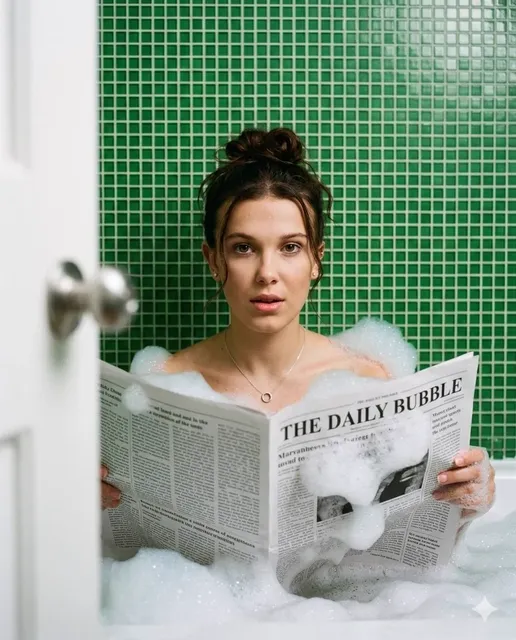
AI Person Video Generator: Build Realistic Avatars
Oct 15, 2026


What an AI Person Video Generator Actually Does
An AI person video generator takes a script, a still photograph, or a short reference clip and produces footage of a human-looking presenter who speaks, gestures, and looks into the lens. The output is not a cartoon mascot or a stylized 3D character. The goal is a person who reads as real enough that a viewer stops noticing the technology and starts paying attention to the message.
That distinction matters because it changes what you optimize for. A stylized avatar succeeds when it is charming and recognizable. A realistic avatar succeeds when nothing breaks the illusion — no drifting jaw, no glassy stare, no hand that dissolves into a blur mid-gesture. Everything in the workflow, from script formatting to render settings, exists to protect that illusion.
The practical uses are broad. Marketing teams produce UGC-style ads without booking talent. Training departments record safety modules in twelve languages without twelve shoots. Solo creators publish daily explainers without setting up lights. Localization teams re-voice a finished video so the presenter appears to speak a new language fluently. In each case the underlying value is the same: human presence without human logistics.
This guide walks through the full production chain — the technology underneath, the anatomy of a believable avatar, the workflow decisions that shape your results, and the quality checks that separate a clip people share from a clip people scroll past.
The Core Pipeline: From Script to Finished Clip
Most tools hide the pipeline behind a friendly interface, but understanding the stages helps you diagnose problems when something looks wrong.
Stage one: script and shot planning
Everything starts as text. Write for the ear, not the eye. Short sentences, one idea per line, and explicit pauses. If your script has a 40-word sentence with three subordinate clauses, the voice model will rush it and the face model will produce a stiff, unblinking stare because there is no natural place to breathe.
Mark your shot boundaries before you generate anything. A two-minute video built from a single locked-off shot feels flat regardless of how good the avatar is. Break the script into 8–15 second beats and decide which beats need a camera change, a graphic overlay, or a cut to b-roll.
Stage two: voice and timing
Voice generation usually happens before video rendering, and for good reason. The audio track establishes the timing map: where each word begins, how long each pause lasts, and where emphasis falls. The video model then aligns the mouth, head, and body to that map.
Generate one audio take per segment rather than one long take for the whole script. Shorter takes give you cleaner prosody and let you re-roll a single awkward line without regenerating everything.
Stage three: rendering and assembly
The render step produces the avatar performance. Assembly is where you add b-roll, captions, music, lower thirds, and color correction. Keep these separate. If you bake graphics into the avatar render, you cannot fix a typo later without re-rendering the performance.
A practical habit: name your files by segment number and take number. When you have generated forty clips, seg-07_take-02.mp4 is the difference between a smooth edit and an hour of scrolling.
Building a Believable Face: Expression, Gaze, and Micro-Motion
The face carries most of the realism burden. Three subsystems do the heavy lifting.
Expression synthesis
Expression is not a single dial. A convincing performance layers a baseline emotional state (calm, curious, enthusiastic), moment-to-moment reactions to the words being spoken, and micro-expressions that flicker for a few frames. Models that only map phonemes to mouth shapes produce the classic "talking mannequin" look: correct lip movement, zero life behind the eyes.
When you evaluate a tool, test it with an emotional script. Ask for a line that is surprised, a line that is apologetic, a line that is amused. If all three produce the same neutral face, the model is doing lip sync, not performance.
Gaze and blink timing
Humans blink roughly every three to five seconds, and the interval shortens under cognitive load. Gaze drifts, then returns to the lens. Eyes make tiny saccades even when holding a stare.
These details are invisible when present and immediately uncanny when missing. A frozen stare reads as unsettling within seconds. If a tool offers a "camera awareness" or "gaze control" setting, use it — and prefer slight imperfection over robotic steadiness.
Skin, hair, and lighting
Skin responds to light: subsurface scattering gives cheeks and ears a warm glow, specular highlights shift as the head turns, and pores and fine hairs catch light unevenly. Hair strands move independently and catch rim light.
Practical takeaway: match your avatar render to your final background lighting. A face lit with soft frontal light placed over a scene lit by a warm window looks composited even when the face itself is flawless. Generate or choose a background plate first, then tune the avatar lighting to match.
Body Language, Framing, and Camera Logic That Sell the Illusion
Amateur AI videos usually fail from the neck down, not the face up.
Framing conventions that hide weaknesses
Medium close-up — head and shoulders — is the safest and most common framing, and it is what most viewers associate with talking-head content. Waist-up framing adds hand gestures. Full-body framing exposes gait, weight shift, and foot placement, which are the hardest things to make convincing.
If you need full body, use static or slow-push shots and give the avatar something to do that does not require precise contact with objects. Standing and speaking works. Walking while typing does not.
Gesture and idle motion
Real presenters are never fully still. They shift weight, tilt the head, raise a hand to emphasize a number, and settle back. Idle motion should be present but subordinate — if the viewer notices the swaying, it is too much.
A useful rule: one deliberate gesture every 8–12 seconds, plus continuous low-amplitude idle motion. More than that and the avatar looks like it is giving a weather report during a hurricane.
Hands are the hardest problem
Fingers have many joints, occlude each other constantly, and interact with objects. This is where realism most often collapses. Two reliable strategies:
- Keep hands out of frame. Frame from the chest up and let the story live in the face and voice.
- Keep hands still and simple. Resting on a desk, folded, or loosely at the sides with minimal movement. Avoid pointing, counting on fingers, and any gesture that brings hands near the face.
If the tool supports a hands-off preset, use it. Consistency beats ambition.
Voice Synthesis and Lip Sync: Where Realism Lives or Dies
Viewers forgive a slightly synthetic image. They do not forgive bad audio. Mismatched lips and sound register as a technical fault, and once a viewer notices, they stop processing your message.
Phoneme alignment
Lip sync works by mapping the audio's phoneme sequence to viseme shapes — the visual mouth positions that correspond to sounds. Plosives like p and b need a clear lip closure. F and v need visible upper-teeth contact. Vowels need the correct degree of jaw opening and lip rounding.
Problems appear at boundaries: fast speech, words with clusters of consonants, and transitions between languages with different mouth mechanics. The fix is usually pacing, not a different tool. Slow the delivery by 5–10 percent on dense segments.
Prosody and pacing
Prosody is the melody of speech — pitch movement, stress, and rhythm. Synthetic voices often fail here by keeping pitch too even. Look for tools that let you control speed, pitch, and pause length per segment, and that support emphasis markup.
Read a line aloud yourself before generating it. The places where you naturally breathe are the places your script should have punctuation or pause markers.
Multilingual output
For localization, decide early whether you want a translated script performed by a new voice, or the original voice adapted into another language. The first is cleaner and more natural. The second preserves vocal identity but can introduce accent artifacts on languages the original speaker never used.
Test with a short paragraph in each target language before committing to a full series. Some phoneme sets are far harder than others, and a tool that excels in one language may struggle in another.
Choosing Your Workflow: Text-to-Video, Image-to-Video, or Performance Capture
There are three broad approaches, and they suit different jobs.
| Approach | Input | Best for | Main limitation |
|---|---|---|---|
| Generative avatar | Text prompt | Fast concept videos, anonymous presenters, high volume | Less visual consistency between clips |
| Image-to-video | One portrait photo | Branding with a specific face, consistent series | Quality depends heavily on the source photo |
| Performance capture | Reference video | Maximum expression fidelity, presenter-led content | Needs decent source footage and more setup time |
Decision criteria
Ask four questions before you pick:
- Does the face need to be consistent across many videos? If yes, anchor on a source image or reference clip.
- How much expression range does the script need? Neutral explainers tolerate generative avatars. Emotional storytelling does not.
- How many videos per week? High volume favors batch-capable pipelines with reusable presets.
- Who approves the final cut? If a legal or brand team reviews output, choose a workflow that produces easy-to-replace segments.
A useful default for most business content: image-to-video with a well-lit portrait, chest-up framing, and a moderate-batch workflow. It balances consistency, realism, and speed better than the extremes.
Style, Branding, and Series Consistency
A single good clip is a demo. A series is a channel. Consistency across episodes is what builds recognition.
Lock these variables and write them down in a short style sheet:
- Framing and crop: same head size and eye line every time.
- Background: same set, or a small rotation of three approved sets.
- Lighting direction: key light from the same side across all episodes.
- Wardrobe palette: two or three colors that match your brand.
- Voice: one primary voice, with a defined secondary for variety.
- Caption style: font, size, position, and safe margins.
- Pace: target words per minute, so episodes feel like siblings.
Keep a reference still from your best episode and compare every new render against it side by side. Small drifts — a slightly different crop, a warmer white balance — accumulate into a channel that feels inconsistent even when each individual video looks fine.
Scaling Production Without Losing Quality
Volume is where AI video pays off, and also where quality quietly collapses. Structure prevents that.
Build a template library
Create templates for each recurring format: the 30-second hook, the 90-second explainer, the 3-minute tutorial, the vertical ad. A template defines shot count, average shot length, caption position, intro and outro timing, and music bed. Starting from a template removes dozens of small decisions and keeps output uniform.
Batch by stage, not by video
Generating one complete video at a time is inefficient because you constantly switch context. Instead, batch: write ten scripts, then generate ten audio tracks, then render ten performances, then assemble ten edits. Each stage uses a consistent mental mode and the same tool settings.
Add review gates
Insert two checkpoints. The first is after audio generation — catch a mispronounced brand name before rendering video. The second is after the first render of each new format — catch systemic problems before you produce twenty clips with the same flaw.
Keep an asset library
Store approved avatars, voice profiles, backgrounds, music beds, lower-third graphics, and caption presets in one place with clear names. The library is the real product; individual videos are just outputs.
Quality Control Checklist and Common Mistakes
Run this list before publishing any avatar video.
- Watch the first three seconds on mute. Does the visual alone create curiosity?
- Watch with headphones. Any clicks, clipping, or unnatural breaths?
- Check lip closure on every p, b, and m sound at normal speed.
- Check blink rate. Fewer than one blink every six seconds looks wrong.
- Check hand placement. Any frame where fingers blur or merge?
- Check eye line. Is the avatar addressing the viewer or the middle distance?
- Check caption safe area on a phone screen, not a desktop monitor.
- Check brand pronunciation and any numbers, dates, or names.
- Check the ending. Does it land on a clear next step?
Common mistakes that cost the most time:
- Writing for reading, not speaking. Long sentences and nested clauses break both voice and face.
- Over-ambitious framing. Going full body too early exposes weak points you cannot fix.
- Ignoring lighting mismatch. A perfectly rendered face over a mismatched background still looks pasted.
- Skipping audio review. Fixing lip sync after rendering wastes the render.
- Chasing perfect realism instead of useful clarity. A slightly stylized avatar that communicates well outperforms a photoreal one that distracts.
- No style sheet. Every episode drifts a little, and the channel feels amateur by episode ten.
FAQ
How realistic can an AI person video generator actually get?
In chest-up framing with good lighting and a well-paced script, modern tools produce results that most viewers accept as real in short clips. Full-body motion, complex hand interactions, and rapid emotional shifts remain the weakest areas.
Do I need a video of myself to create an avatar?
Not always. Many tools generate a presenter from text alone, and image-to-video can animate a single photograph. A short reference clip still gives the best expression fidelity if you want a specific person's mannerisms.
Why does my avatar's mouth look slightly off?
Usually pacing. Dense consonant clusters and fast delivery give the alignment model too little time. Slow the segment, add pauses at natural breath points, and re-render that segment only.
How long should each generated segment be?
Eight to fifteen seconds per segment is a practical sweet spot. Anything longer increases the chance of drift in expression and head position, and makes re-rolls expensive.
Can I use one avatar across many languages?
Yes, and it is one of the strongest use cases. Decide whether you want a new voice performing a translated script or the original voice adapted. Test one short paragraph per language before scaling.
What is the fastest way to improve output quality?
Fix the script and the lighting, in that order. Most disappointing renders trace back to awkward sentence rhythm or a mismatch between avatar lighting and the background plate — not to the model itself.
Should I show hands?
Only if the tool handles them well and the gesture is simple. Resting hands or hands out of frame look far better than busy, intricate gestures that blur under motion.
Where to Start Tomorrow
Pick one format you already produce — a weekly explainer, a product update, a training clip — and rebuild a single episode with an AI presenter. Keep the framing tight, write for the ear, generate audio before video, and give yourself two review gates. Compare the result against your normal production on three axes: time spent, cost of reshoots, and how the audience responds.
If the answer is favorable, turn that episode into a template, then batch the next four from it. That is how AI avatar video stops being a novelty experiment and becomes a reliable part of a content operation: one well-defined format, a locked style sheet, a review process, and a library that makes every following episode faster than the last.

Alexander
More Blogs
Read MoreVidu Q4 Alternatives: 4K AI Video Models Compared (2026)
Vidu Q4 alternatives compared: Kling 4.0, Seedance 2.5, Wan 3.0, and Runway Gen-4 — 4K support, input modes, durations, audio, and what each costs in credits on Domer.
Top 4K AI Image Generators in 2026: 5 Models Compared on Real Costs
The top 4K AI image generators on Domer compared: Flux 3 Klein, Nano Banana 2.1, GPT Image 2.5, GPT Image 2, and Nano Banana Pro — 4K credit costs, reference limits, and speed.
Nano Banana 2.1 vs GPT Image 2.5: Which Image Model Should You Use? (2026)
Nano Banana 2.1 vs GPT Image 2.5 Flare compared: credit costs per resolution, aspect ratios, reference images, text rendering, and which tasks fit each model.