
Criar
AI Video Animation Generators: A Practical Workflow Guide
Oct 15, 2026
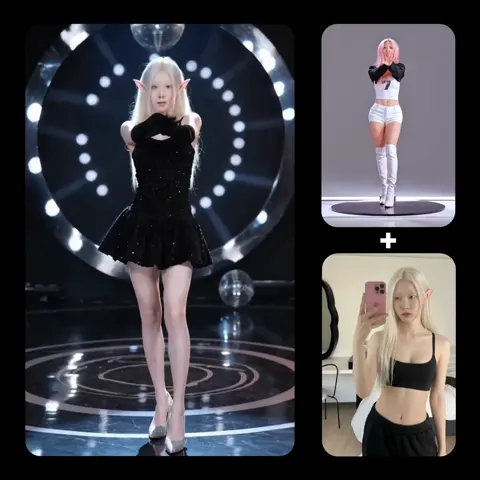

What an AI video animation generator actually does
A video animation generator powered by AI is not a magic "make me a movie" button. It is a shot factory. You give it a description, an image, or an existing clip, and it returns a few seconds of moving pixels that match your intent closely enough to be edited into something larger. The skill is not in pressing generate — it is in directing, sequencing, and repairing those short clips until they behave like a coherent scene.
Most modern generators are built on latent diffusion models extended into the time dimension. Instead of denoising a single still frame, the model denoises a stack of frames at once, which lets it reason about how a pixel should move between frame one and frame twenty-four. That temporal reasoning is what separates a video model from an image model with a pan applied in post. When it works, you get believable cloth physics, hair that trails, water that ripples, and light that shifts as a virtual camera moves. When it fails, you get the classic artifacts: limbs that melt, faces that reshape between cuts, and background geometry that quietly rearranges itself.
Understanding this helps you plan. A generator is good at producing motion within a shot and bad at preserving identity across shots. It is good at cinematic texture and bad at precise choreography. It is good at mood and bad at text, hands, and complex physical interaction. Build your workflow around those strengths and the tool stops feeling unreliable.
There is also a practical ceiling to keep in mind. Most models generate short clips at fixed resolutions, so a finished piece is always an assembly of many takes rather than one continuous render. That means your editing skill matters as much as your prompting skill. The moment you accept that, your standards change: you stop judging individual clips in isolation and start judging them by whether they cut together.
Practical takeaway: treat every generation as a raw camera take, not a finished shot. The edit is where the quality lives.
Choosing the right generator for your project
There is no single best tool. There is a best fit for the type of motion you need, the level of control you want, and the amount of iteration you can tolerate. Four broad categories cover most work.
Text-to-video
You type a description and receive a clip. This is the fastest path from idea to moving image and the best option for b-roll, establishing shots, mood pieces, and concept visualization. The trade-off is control: you describe, you do not place. Expect to generate many variations and keep the one that happens to hold together.
Text-to-video shines when you need breadth. Twenty-five variations of "fog rolling over a pine forest at dawn, slow drone push-in" will give you three or four genuinely usable clips, and that ratio is fine when each generation takes under a minute. It is a poor choice when the composition is contractually fixed by a client or a brand guide.
Image-to-video and keyframe interpolation
Here you supply a still — a storyboard frame, a product photo, an illustrated character — and the model animates from it. This is the single most useful mode for anyone with an existing visual style, because the first frame locks in composition, color, and identity. The model only has to invent motion, not the entire scene.
Keyframe interpolation extends this: give the model a starting frame and an ending frame, and it fills the gap. For product reveals, logo animations, and transition shots, this delivers far more control than pure text prompting. If you can draw or mock up the endpoints, you can nearly guarantee the result.
Video-to-video, style transfer, and motion control
Video-to-video takes an existing clip and re-renders it in a new style or with new content while preserving the original motion. This is how you turn phone footage into animation, apply a consistent art direction to live-action plates, or transfer a performance from one character design to another. Motion control tools — sometimes exposed as a motion brush, sometimes as a skeleton or depth-map input — let you specify exactly which region moves and how much.
If your project needs a specific performance, this category earns its extra setup time. It is also the safest route when you are working with real footage you have already shot and cannot reshoot.
Avatar and talking-head tools
When the deliverable is a person speaking, dedicated avatar tools beat general generators. They handle lip sync, blink timing, and head motion more reliably because they are constrained to a narrower problem. Use them for explainers, training content, localization, and social formats. Do not ask a general text-to-video model to deliver clean dialogue — you will spend more time fixing mouths than you saved.
Pre-production: script, shot list, and prompt design
The biggest quality jump most creators experience comes before any generation, in planning.
Turn the script into shots
Read your script and mark every time the visual subject, location, or action changes. Each mark is a shot. A thirty-second explainer is typically eight to fourteen shots. A sixty-second brand film is fifteen to thirty. Write each shot as a single sentence containing a subject, an action, a setting, and a camera intention.
Bad: "Show how the app helps teams."
Useful: "Close-up of a designer's hands dragging a card across a kanban board, screen glow on the desk, slow push-in."
The second version is directly generatable. The first is a brief you have to interpret, and interpretation is where consistency dies. Build the shot list in a spreadsheet with columns for shot number, duration, prompt, reference image, and status. That single document becomes your production tracker.
Prompt structure that holds up in motion
Most generators respond well to a consistent prompt skeleton:
- Subject and appearance
- Action and how it changes over the clip
- Environment and time of day
- Camera position and movement
- Lighting and color treatment
Write it as a compact paragraph, not a keyword dump. "A woman in a rust-colored coat walks through a rain-slicked market at dusk, camera tracks alongside at shoulder height, warm stall lights reflecting in puddles, shallow depth of field" beats "woman, coat, market, rain, cinematic, sharp, masterpiece."
The difference is that the first version distributes detail across the frame and over time. The second piles adjectives onto a single frozen moment, which is why it produces beautiful stills and twitchy video.
Negative prompts and guardrails
Where the tool supports it, exclude what you do not want: text overlays, watermarks, distorted hands, jump cuts, flicker, duplicated limbs. Also consider constraining aspect ratio and duration explicitly. Many artifacts come from letting the model decide the frame's fate rather than defining it.
Keep a personal library of prompts that worked, with the exact settings that produced them. Reproducibility is worth more than inspiration. A month of logged prompts will teach you more than a year of guessing.
A repeatable production workflow, step by step
Here is a workflow that scales from a solo creator to a small team.
- Lock the script and the runtime. Know the target length before generating anything, because duration determines shot count.
- Build a shot list with one line per shot. Include camera intention.
- Generate a style reference. Create three to five still images that establish palette, lens feel, and lighting. Approve one.
- Convert each shot into a prompt using the skeleton above, and attach the style reference where the tool supports image conditioning.
- Generate three to six variations per shot at low resolution. Judge composition and motion, not detail.
- Select the best take per shot. Note why you rejected the others — this becomes your negative prompt library.
- Re-generate the winners at higher resolution, keeping the seed value fixed so the take does not change.
- Assemble a rough cut with placeholder sound. Watch it end to end. This is where you discover missing coverage.
- Generate pickups: inserts, cutaways, and reaction beats to cover the holes the rough cut exposed.
- Move into finishing: stabilization, frame interpolation, color, sound design, and captions.
The critical habit is step eight. Watching the assembled sequence before you polish individual clips prevents the most expensive mistake in AI video work: perfecting footage you will cut.
A second habit worth building is batching. Group all generations that share a style reference or a subject, and run them in one session. Models drift between sessions, and batching keeps a scene visually coherent.
Directing motion: camera language for AI shots
Models understand cinematography vocabulary surprisingly well, but not all moves are equal.
Moves that hold up
- Slow push-in. Reads as intentional and hides small inconsistencies.
- Lateral tracking. Good for environments and product shots.
- Static locked-off frame with subject motion. The safest option in the entire toolkit.
- Slow crane or rise. Strong for reveals.
- Orbital move around a still subject. Effective, but can warp geometry at extreme angles.
Moves that break
- Fast whip pans. Motion blur becomes mush.
- Complex handheld shake. The model amplifies it into nausea.
- Rapid subject interaction with objects. Hands and contact physics fail first.
- Long unbroken takes with major scene changes. Identity drifts.
- Crowds doing specific things. Individuals blur into one another.
A useful rule: the more the camera moves, the less the subject should. And the more the subject moves, the more the camera should hold still. Give the model one hard problem per shot.
Sound design, voice, and rhythm
AI footage is silent, and silence is where amateur projects reveal themselves. Sound does more to sell a generated clip as real than any resolution bump.
Start with room tone. Every environment has a bed of noise — wind, traffic, ventilation, distant conversation. Lay it under every shot before you add anything else. Then add spot effects synchronized to visible action: footsteps, cloth movement, a door latch, a keyboard tap. Then music. Then dialogue or voiceover.
For narration, generate the voice track first and cut the visuals to it rather than the reverse. Speech has rhythm, and rhythm is easier to match when the audio is fixed. If you are localizing, generate each language version from the same script and reuse the edit — the visuals usually need no changes.
Note that lip-synced dialogue is the hardest thing to fake convincingly. If a shot requires a person speaking on camera for more than about three seconds, use a purpose-built avatar tool rather than a general video generator.
Post-production: where AI footage becomes usable
The edit is where the work is won. A few finishing moves matter more than the rest.
Frame interpolation. Generators often output at lower frame rates than you need. Interpolation smooths motion, but overuse creates a soap-opera look and can introduce warping around fast-moving edges. Apply selectively.
Stabilization. Even locked-off generations can drift. Light stabilization removes the wobble without cropping too aggressively.
Color and grain. Slight grain and a unified color treatment do more for consistency than another round of generation. Grading also hides small differences in lighting between shots.
Speed changes. A generation that looks odd at normal speed often looks excellent at eighty percent or a hundred and twenty percent. Never discard a clip before trying it retimed.
Masks and cleanup. Remove artifacts, logos, or unwanted text with a few keyframed masks.
Captions and safe areas. Most viewing happens on a phone, muted, with captions. Design for it.
Export a master at a generous bitrate and keep your project files. You will want to re-cut for vertical formats later, and regenerating everything to a new aspect ratio is rarely necessary when you can reframe intelligently.
Common mistakes and how to fix them
Generating before planning. Fix: script and shot list first, always.
Over-prompting. Long adjective lists produce incoherent motion. Fix: one subject, one action, one camera move.
Chasing a perfect single clip. Fix: accept a hit rate and generate in batches.
Ignoring aspect ratio early. Fix: decide delivery formats before generating, or generate wider and crop deliberately.
No style anchor. Fix: build a reference image set and reuse it across every shot.
Letting the model handle dialogue. Fix: use avatar tools or shoot live-action for speaking parts.
Skipping sound until the end. Fix: temp sound in the rough cut so pacing is judged honestly.
Never archiving settings. Fix: log prompt, seed, model, and settings for every keeper.
Cutting on generation boundaries. Fix: cut on motion and intent, not on where one clip happens to end.
Decision criteria for teams
When you are choosing how to fit AI generation into a production pipeline, four questions settle most debates.
Control versus speed. If the shot must match a storyboard exactly, favor image-to-video and video-to-video with keyframe inputs. If you need volume and can accept variation, favor text-to-video.
Consistency requirements. Projects with a recurring character or brand look need reference conditioning, fixed seeds, and a strict style guide. Projects with one-off shots do not.
Rights and clearance. Confirm what you are allowed to use commercially, especially for faces, voices, and branded elements. Keep records of what you generated and when.
Where humans stay. The highest-value human roles in an AI pipeline are directing, editing, sound, and quality control. Generation itself is the least scarce skill, so invest training time in taste rather than button-clicking.
A final consideration is review velocity. AI production produces a large volume of candidate material, and someone has to say no quickly. Teams that appoint a single decision-maker on visual consistency ship faster than teams that review by committee.
FAQ
How long should a generated clip be?
Five to ten seconds is the sweet spot for most models. Longer clips drift, so stitch shorter takes in the edit.
Do I need a powerful machine?
Only for local generation. Cloud tools run in a browser, with the trade-offs being queue times and upload limits.
Can I match a specific art style?
Yes, with reference images and consistent prompt language. Style transfer tools help further for live-action plates.
How many generations does a usable shot take?
Plan for five to ten attempts per finished shot when starting out. That ratio improves as your prompt library grows.
Is AI animation good enough for client work?
For b-roll, product, explainer, and social content, yes. For dialogue-driven narrative with precise performance, expect to mix AI with live-action.
What about audio?
Generate or record it separately. Treat the video generator as a camera, not a studio.
How do I keep characters consistent?
Use the same reference image, same seed, same style description, and avoid shots that reveal the character from extreme new angles.
Where should a beginner start?
One ten-second clip, one subject, one camera move, with sound added. Finish it completely. The habit of finishing matters more than any setting.

Alexander
More Blogs
Read MoreVidu Q4 Alternatives: 4K AI Video Models Compared (2026)
Vidu Q4 alternatives compared: Kling 4.0, Seedance 2.5, Wan 3.0, and Runway Gen-4 — 4K support, input modes, durations, audio, and what each costs in credits on Domer.
Top 4K AI Image Generators in 2026: 5 Models Compared on Real Costs
The top 4K AI image generators on Domer compared: Flux 3 Klein, Nano Banana 2.1, GPT Image 2.5, GPT Image 2, and Nano Banana Pro — 4K credit costs, reference limits, and speed.
Nano Banana 2.1 vs GPT Image 2.5: Which Image Model Should You Use? (2026)
Nano Banana 2.1 vs GPT Image 2.5 Flare compared: credit costs per resolution, aspect ratios, reference images, text rendering, and which tasks fit each model.