

How to Automate Your Video Editing Workflow With AI Tools
Oct 15, 2026


Why an AI-Assisted Editing Workflow Pays Off
Editing is rarely slow because of the cut itself. It is slow because of everything around the cut: scrubbing through hours of footage, syncing audio, naming files, hunting for the take where nobody stumbled, building captions, and exporting six aspect ratios for six platforms. In most post-production schedules, assembly and review consume more hours than the creative pass ever does, and nearly all of that time is mechanical.
AI changes that arithmetic in a specific way. It does not replace taste; it removes the repetitive work standing between you and the moment where taste matters. A model can watch a hundred hours of footage, score every second for motion, faces, speech and scene changes, and hand back a shortlist. It can transcribe dialogue in seconds, translate it, and burn in captions. It can lift clean dialogue out of a noisy room. It can generate a B-roll plate that would otherwise have cost a shoot day.
The payoff is not abstract speed. It is that a rough assembly exists by lunchtime, a client reviews it the same afternoon, and the rest of the week goes to the work that actually differentiates you.
The three jobs AI does well
Finding things. Scene detection, speech-to-text indexing, face and object detection, loudness analysis, near-duplicate take detection.
Generating things. Voiceover, music beds, backgrounds, title cards, synthetic B-roll, motion graphics templates.
Fixing things. Noise removal, room-tone matching, stabilization, color matching, upscaling, filler-word and silence removal.
Everything else, from pacing to structure to joke timing to the emotional build, stays with you. Treat these tools as a first-pass assistant that never tires and never argues.
Rough time savings to expect
- Footage review and logging: hours to minutes
- Rough assembly: 1-3 hours to 10-20 minutes plus a human pass
- Captions and subtitles: 30-60 minutes to 2-5 minutes of correction
- Audio cleanup: 20-40 minutes to about 5 minutes of verification
- Multi-format delivery: 30 minutes to one automated export pass
Map Your Pipeline Before You Automate Anything
The most common failure in AI editing is automating a process that was never defined. If your current workflow lives in your head, an automated version of it will produce confident nonsense at scale. Spend an afternoon documenting the six stages below. The document itself is the automation blueprint.
Stage 1: Ingest and organization
Decide a naming convention and stick to it: project, date, camera, take. Generate proxies the moment footage lands. Run a checksum pass so you know a card was copied correctly before it gets wiped. This stage is boring, which makes it the best candidate for automation.
Stage 2: Selects and rough assembly
Define what a "good" moment looks like for your format. A talking-head interview has different criteria than a skate edit or a product demo. Write the rules down as explicit sentences: prefer takes under eight seconds, avoid motion blur above a threshold, require visible faces and clean speech. Those sentences become model prompts or filter rules later.
Stage 3: Story and structure
This is your job. Decide the order of beats, the cold open, the call to action. AI can suggest structures based on the transcript, but the decision is editorial.
Stage 4: Audio
List the chain in order: de-hum, de-noise, de-reverb, EQ, compression, loudness normalization. Order matters. Removing noise before removing hum will smear the hum into the noise floor.
Stage 5: Graphics and finishing
Collect brand assets, fonts, lower-third templates, LUTs and end cards in one folder. Automation only works when the inputs are consistent.
Stage 6: Delivery
Write down every target: aspect ratio, resolution, bitrate, caption format, thumbnail spec. This is where automated exports shine, because the rules never change.
Automated Clip Selection and Sequencing
Sifting footage is the single largest time sink in most projects. Modern analysis models score every frame and every second of audio across several signals at once.
What the models actually measure
- Motion magnitude and direction, useful for sports, action and dance
- Face presence, size and expression, useful for interviews and vlogs
- Speech presence and intelligibility, which filters out dead air and crosstalk
- Sharpness and exposure, which filters out soft or blown-out takes
- Scene boundaries, which create natural cut points
- Audio energy events, laughter, applause, impact sounds
Combine these into a weighted score, and you get a ranked list of candidate moments instead of a timeline you have to watch at 2x.
Transcript-first selection beats visual-first selection
For any video with dialogue, start with the transcript, not the picture. Search for the phrases that carry your argument, mark those spans, and build a paper edit. Then let the tool assemble those spans into a timeline. This flips the work: instead of watching footage hoping to find the good line, you read a document and choose.
Speaker diarization helps here too. If you know which speaker said what, you can pull one clean answer from a two-hour session in about three minutes.
Sequencing rules that produce watchable rough cuts
Give the assembler constraints, not freedom. Useful ones:
- Cut on natural sentence boundaries, never mid-clause
- Keep any single shot between 2 and 7 seconds unless it is a deliberate hold
- Place cut points on musical beats when a music bed exists
- Alternate shot scale: wide, medium, close, close, wide
- Never repeat the same framing twice in a row from the same setup
- Reserve the strongest emotional moment for the final third
A rough cut built with those rules still needs your pass, but it will be structurally sound rather than random.
Where automated selection fails
Models are excellent at technical quality and terrible at emotional quality. They will happily rank a sharp, well-lit take where the speaker is bored above a slightly soft take where the speaker says something true. Always keep a human review step, and always keep the rejected bins so you can go back.
Transitions, Effects, and Motion Graphics at Speed
Smooth transitions and dynamic effects separate amateur output from professional work, but hand-keyframing every one of them is expensive. Automation helps in three specific areas.
Cut-point aware transitions
Instead of applying a transition and dragging its handles, generate transitions that fit the clip pair. A morph or whip-pan works best when the outgoing and incoming frames have compatible motion direction and similar composition. Analysis can detect that and choose accordingly. A good rule: use an effect transition once every 20-30 cuts. Anything more becomes noise.
Masks and rotoscoping
Segmentation models can produce per-frame masks for people, hair, products and backgrounds with very little manual cleanup. That unlocks background replacement, selective color grading, and clean text-behind-subject compositions that used to require a dedicated artist.
Procedural motion graphics
Templates that read clip duration, text length and audio amplitude automatically size themselves. A lower third that fits a two-word name will break with a five-word title unless the template is parametric. Build or buy parametric templates, then let the automation populate them from a spreadsheet of names, titles and timestamps.
Consistency is the hard part
Style drift is the biggest risk. If you generate ten effects independently, they will each look slightly different. Fix a reference frame, a LUT and a motion curve, then apply the same settings across the whole sequence. Consistency reads as craft; variety reads as accident.
Storyboards and Keyframes From Text Prompts
Storyboarding used to mean sketching or hunting for reference stills. Now a shot list can become a visual board in minutes.
From script to shot list
Paste a script and ask for a shot-by-shot breakdown: one line per shot, including framing, subject, action and suggested duration. Then generate a still for each line. The stills will not match your final footage, and they are not supposed to. They exist to test whether the sequence communicates before anyone commits budget.
Keeping character and style consistency
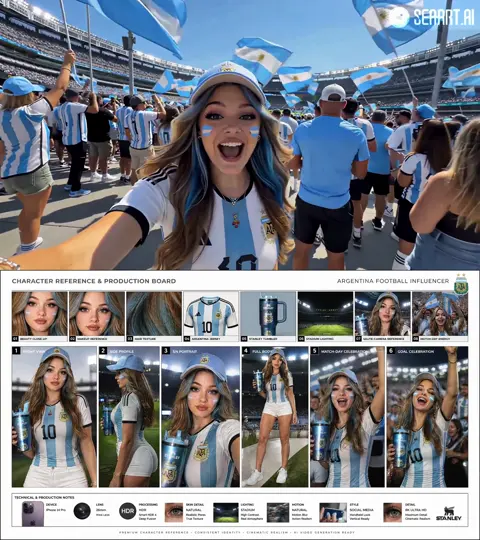
Generate a character reference sheet first: front, three-quarter and profile views, plus wardrobe and palette notes. Reuse that reference in every subsequent prompt. Without a locked reference, faces drift between panels and the board becomes confusing rather than clarifying.
Animatics and client approvals
Drop the generated boards into a timeline, add scratch voiceover, and export a rough animatic. Clients respond to motion far more decisively than to a document. One 90-second animatic approved early prevents three expensive revisions later.
Prompt hygiene
Save every prompt that produced a usable frame. Version them like code. When a client says "make it feel more like the third option," you need to know exactly which settings produced the third option.
Voice, Dialogue, and Audio Repair
Audio is half the viewing experience and the first thing audiences forgive visually but not aurally. A video with slightly soft focus still works; a video with hiss and echoing dialogue gets closed.
Synthetic voiceover that does not sound synthetic
Modern text-to-speech handles prosody well, but pronunciation of names, brands and technical terms still needs review. Add a custom pronunciation dictionary before you generate. Watch for sibilance on S sounds and unnatural pauses at commas. Where possible, generate in short paragraphs rather than one long block, so you can regenerate one bad sentence without redoing the whole read.
Voice cloning and consent
Cloning a voice is a legal and ethical decision, not a technical one. Get written permission, document the scope of use, and be explicit with clients about what was synthesized. Many broadcasters and platforms now require disclosure, so build that into your delivery checklist.
A repair chain that actually works
- De-hum at the specific frequency, usually 50 or 60 Hz plus harmonics
- De-noise with a moderate reduction, checking for artifacts on consonants
- De-reverb only when the room is genuinely problematic
- EQ: high-pass around 80 Hz, gentle dip in the mud range
- Compression: modest ratio, slow attack, fast release
- Loudness normalization to your target
Common targets: around -14 LUFS integrated for YouTube-style delivery, around -16 LUFS for podcasts, -23 LUFS for European broadcast, -24 LKFS for US broadcast. Normalize last, never first.
Dubbing and lip-sync
Dubbing tools can now match mouth shapes to translated audio. The results are good enough for social formats and acceptable for corporate content, but they still struggle with overlapping dialogue and heavy accents. Review every dubbed line that contains a name or a number.
Captions, Subtitles, and Localization
Automatic speech recognition has become genuinely reliable for clear audio. The remaining work is style, not transcription.
Set a caption style guide
- Maximum two lines on screen at once
- Around 42 characters per line
- Reading speed of roughly 15-17 characters per second
- Minimum duration of one second, maximum of seven
- Speaker labels when two or more people talk
- Consistent placement that avoids platform UI overlays
Most captioning tools let you save these as presets. Set them once and every future project inherits them.
Custom vocabulary
Product names, acronyms and surnames are where ASR fails. Upload a glossary before transcription and the error rate drops dramatically. Spend ten minutes building that list once; it pays back on every project.
Translation and cultural adaptation
Translated captions expand. German and Spanish often run 20-30% longer than English, so a subtitle that fits one language will overflow in another. Generate translations first, then re-time to the style guide rather than trusting the original timing. Idioms need human review; a literal translation of a joke is not a joke.
Burned-in versus sidecar files
Deliver both. Burned-in captions guarantee they appear on mute-first platforms like short-form feeds. Sidecar SRT or VTT files serve accessibility requirements, search engines and any broadcaster that needs editable text. Generate both from the same source file so they never diverge.
Choosing Tools: Decision Criteria and a Practical Stack
There is no single tool that does all of this well. Build a stack, and evaluate each component against the same criteria.
Evaluation criteria
- Where it runs. Local processing avoids upload times and keeps confidential footage on your machine; cloud processing scales better for teams.
- Data policy. Does the vendor train on your uploads? Can you opt out in writing?
- Format support. Codec and container compatibility matter more than feature lists. A tool that cannot read your camera's files is useless.
- Round-trip fidelity. Can it export an XML, EDL or project file back into your main editor with markers and cuts intact?
- Automation surface. A public API or command-line interface lets you chain tools together. A GUI-only tool makes you the API.
- Cost model. Per-minute pricing punishes long-form; per-seat pricing punishes large teams. Model your own volume before committing.
- Collaboration. Shared project state, comments and version history matter as soon as a second person touches the project.
- Rights and licensing. Confirm you own or can license whatever the model generates, and that it does not reproduce protected material.
A workable stack by function
- Main editor: your existing NLE, ideally with transcription, scene detection and auto-reframe built in
- Transcription and diarization: a dedicated speech tool with glossary support and word-level timestamps
- Audio repair: a spectral editor or a dedicated denoise plugin
- Generative video: one tool for B-roll plates and one for upscaling or frame interpolation
- Captioning and translation: a subtitle tool that exports SRT, VTT and burned-in versions
- Asset management: a searchable library with tags, so "that drone shot from the coast" is findable in seconds
The integration between these matters as much as the tools themselves. If moving a project between them takes twenty minutes of manual export, the automation has already failed.
A Repeatable Workflow, Start to Finish
Here is the sequence that works reliably for a small team producing regular content.
- Ingest. Offload cards, verify checksums, generate proxies, apply the naming convention automatically.
- Transcribe. Run speech-to-text with diarization and your custom glossary on every audio file.
- Log. Auto-detect scenes and build a shot log with durations, framing notes and quality scores.
- Paper edit. Read the transcript, highlight the strongest lines, and export a marker list.
- Assemble. Let the tool build a rough cut from those markers using your sequencing rules.
- Human pass. Fix pacing, restructure beats, kill anything that does not earn its place.
- Audio. Apply the repair chain, then normalize to target loudness.
- Captions. Generate, correct names and numbers, then translate if needed.
- Graphics. Populate parametric templates from a spreadsheet of names, roles and timestamps.
- QC. Check loudness, caption sync, safe areas, spelling, and every aspect ratio.
- Deliver. Export all versions in one batch, then archive the project with its prompt and settings history.
Total elapsed time for a five-minute video typically drops from two days to roughly half a day, most of which is the human pass and QC.
Mistakes to Avoid and FAQ
Common mistakes
- Automating an undefined process. Garbage rules produce garbage cuts at high speed.
- Trusting the first ranking blindly. Always spot-check the top ten selections against your own instinct.
- Overusing generative transitions. If the viewer notices the transition, it failed.
- Leaving audio until the end. Fix dialogue before you build the edit around it.
- Not versioning prompts and settings. You will want to reproduce a result three months from now.
- Skipping caption QC. One misspelled client name undoes an otherwise flawless delivery.
- Ignoring rights. Know the license terms for every generated asset before it goes to a client.
Does AI editing replace human editors?
No, but it changes what the job looks like. Less time scrubbing, more time on structure and taste. Editors who build these pipelines become the fastest people in the room.
How much time can I realistically save?
For dialogue-heavy content, expect 40-60% of the mechanical time back. For highly stylized work with heavy manual compositing, the savings are smaller because the bottleneck is creative, not repetitive.
Which tasks should I never automate?
Final story structure, client-sensitive tone, anything involving a legal claim, and any edit where the emotional timing is the entire point. Automate the assembly, not the judgment.
Do I need a powerful machine?
If you want to run models locally, yes: a modern GPU with plenty of video memory helps. If you work in the cloud, a mid-range laptop is enough and the heavy lifting happens elsewhere.
How do I keep brand consistency across projects?
Lock a project template with your fonts, colors, lower thirds, LUTs and caption preset. Then lock your generation settings too. Consistency comes from reusing inputs, not from generating from scratch each time.
What about a multi-language release?
Start with a clean transcript, lock the English edit first, then translate and re-time captions per language. Do not translate before the picture is locked, or you will re-time everything twice.
How do I start without rebuilding everything?
Pick one stage, usually transcription or rough assembly, and automate only that. Measure the time saved for two weeks. If it holds, add the next stage. Pipelines built one stage at a time survive; pipelines built in one weekend usually collapse.

Alexander
More Blogs
Read MoreVidu Q4 Alternatives: 4K AI Video Models Compared (2026)
Vidu Q4 alternatives compared: Kling 4.0, Seedance 2.5, Wan 3.0, and Runway Gen-4 — 4K support, input modes, durations, audio, and what each costs in credits on Domer.
Top 4K AI Image Generators in 2026: 5 Models Compared on Real Costs
The top 4K AI image generators on Domer compared: Flux 3 Klein, Nano Banana 2.1, GPT Image 2.5, GPT Image 2, and Nano Banana Pro — 4K credit costs, reference limits, and speed.
Nano Banana 2.1 vs GPT Image 2.5: Which Image Model Should You Use? (2026)
Nano Banana 2.1 vs GPT Image 2.5 Flare compared: credit costs per resolution, aspect ratios, reference images, text rendering, and which tasks fit each model.