

AI Video Generators: Access, Prompts, and Workflow Guide
Oct 15, 2026

Why AI Video Generation Feels Both Exciting and Confusing
Text-to-video has moved from a research demo to a real production tool faster than almost any other creative technology in recent memory. A single paragraph of text can now produce a few seconds of convincing motion, believable lighting, and a camera move that would have required a crew two years ago. That speed is thrilling, and it is also the source of most of the confusion around the category.
Part of the problem is access. The most talked-about systems — Sora-style models, Veo-class generators, Kling, Runway, Luma, Pika — are distributed in wildly different ways. Some sit behind a waitlist, some inside a paid creative suite, some behind a developer API, and some as open weights you can run on your own hardware. Two people can read the same headline about a "new video model" and end up with completely different expectations about what they can actually do today.
The other part of the problem is vocabulary. "AI video" gets used for four different jobs: generating a clip from a text prompt, animating a still image, editing or extending existing footage, and turning a script into a fully assembled sequence. Each job has different tools, different failure modes, and different quality bars. If you do not separate them, you will spend weeks bouncing between tools and never finish anything.
This guide treats AI video generation as a workflow rather than a shopping decision. It covers how to pick an access route, how to plan shots before you prompt, how to write prompts that control motion instead of just describing a picture, how to iterate without burning a whole day, and how to turn raw model output into footage an editor can actually use.
What Modern Video Models Actually Do Well
Before choosing anything, it helps to know where these systems are genuinely strong, because the marketing tends to blur the line between "impressive demo" and "usable asset."
Physical plausibility and camera motion
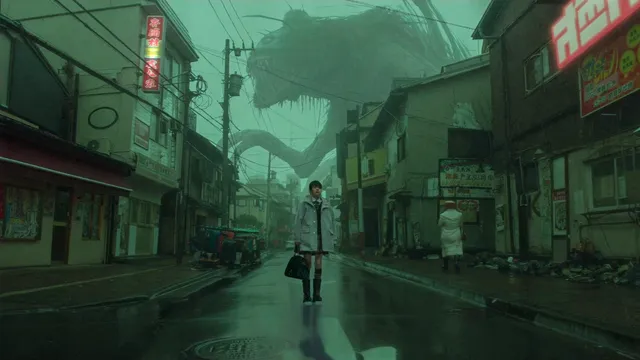
Current generators are excellent at short bursts of physical realism: water splashing, fabric moving, hair shifting in wind, dust catching light. They are also surprisingly good at camera language. A prompt that asks for a slow dolly-in, a handheld follow, or a low-angle push will often produce something that reads as intentional cinematography rather than a random pan.
Lighting is another strength. Golden hour, neon night streets, overcast interiors, and volumetric haze all render convincingly. For mood boards, pitch visuals, and social-first content, this alone can justify the tool.
Short-form narrative beats
Models handle a single beat well: someone opens a door, a product rotates, a character reacts. Where they struggle is sustaining logic across a beat change. A character who picks up a cup in the first second may be holding nothing by the third. A room with two windows may have three by the end of the clip.
Where quality still collapses
Expect trouble with hands in motion, complex text on screen, precise spatial relationships between many objects, and any action requiring causal continuity over more than a few seconds. Crowds tend to melt. Reflections rarely match their source. Fast lateral movement produces smearing. Knowing these limits is not pessimism — it is how you avoid designing shots your tools cannot deliver.
Choosing Your Access Route
There is no single "best" way in. There are three practical routes, and most creators end up using two of them.
Hosted creative suites
Web-based tools bundle generation, image-to-video, extend, and basic editing in one interface. They are the fastest path to a first result, they handle the infrastructure, and they usually include style presets and camera controls that reduce prompt guesswork. The trade-offs are queue times, output caps per generation, and less control over the underlying model.
Pick this route if you need volume quickly, you are producing marketing or social content, or you want to test ideas without maintaining a technical stack.
Developer-facing APIs
API access gives you programmatic control: batching, retries, parameter sweeps, and integration into your own pipeline. This is the right route when you need to generate hundreds of variants, when you want to automate a storyboard-to-clip step, or when your team already has a rendering pipeline.
The cost model is usually usage-based, so the discipline shifts from "is this tool worth a subscription" to "how many attempts per finished shot am I willing to pay for." Track that ratio from day one; it is the single most useful number in AI video production.
Open-weight local pipelines
Open models you run yourself — diffusion-based video systems, image-to-video ecosystems, and community fine-tunes — give you full control over style, data handling, and repeatability. You can train a LoRA on your own product line, keep client footage entirely on your hardware, and regenerate the same scene months later with the same seed.
The cost is setup and iteration speed. You trade convenience for ownership, and you need a GPU with enough memory to be practical.
A quick decision framework
| Situation | Best starting route |
|---|---|
| First AI video project, need results this week | Hosted suite |
| Hundreds of variants, automated pipeline | API |
| Client confidentiality, custom style, repeatability | Local open-weight pipeline |
| Mixed: pitch visuals plus final delivery | Hosted suite for drafts, local or API for finals |
Many teams run exactly that last row: rough concepts in a hosted tool because it is fast, then a second pass in a more controllable environment once the shot is approved.
Plan the Shot Before You Write the Prompt
The most common reason people burn hours on generations is that they start prompting before they know what they are making. A model cannot fix an unclear idea.
Build a shot list
For each shot, write one line containing: subject, action, setting, camera behaviour, lighting, and duration target. That is the same information your prompt needs, and writing it in plain language first makes the prompt shorter and more accurate.
Example: "Ceramic mug on a wooden desk, steam rising, slow push in from the left, soft window light, four seconds, shallow depth of field."
Decide what the model should generate and what you should film
Generators are best at the parts that are expensive, dangerous, or impossible to shoot. A product close-up, a real hand, a genuine location, or a talking head is usually cheaper and better captured conventionally. Use the model for the establishing shot, the impossible transition, the concept visual, the b-roll you cannot travel to get.
Storyboard with stills first
Most strong AI sequences start as images. Generate or photograph keyframes, arrange them in order, and only then animate. Still image control is far more precise than text-only prompting, and it gives you a continuity reference that makes multi-shot sequences hold together.
Prompting for Motion, Not Just Imagery
A prompt that describes a beautiful scene will produce a beautiful still that happens to move slightly. To get actual motion, describe change over time.
Structure that works
Use this order: subject and wardrobe, action with a clear start and end, environment, camera movement, lighting, lens and film stock, mood, then duration. Keeping the order consistent makes it easy to spot which element caused a bad result when you vary one thing at a time.
Use cinematography vocabulary
Terms like dolly in, tracking shot, crane up, whip pan, rack focus, 35mm, anamorphic, shallow depth of field, and handheld are understood by most modern models and give you far more control than adjectives like "cinematic." Say what the camera does, not how the shot feels.
Anchor continuity
For a sequence, repeat the exact same descriptive phrases for recurring elements — the same coat colour, the same window placement, the same time of day. Models have no memory of your previous clip, so consistency has to be re-injected every time.
Constrain, do not just request
Add short constraints: no text overlays, single subject, static background, no camera shake. Negative phrasing reduces the most common artefacts. Keep the constraint list short; long lists of prohibitions tend to dilute the main prompt.
The Iteration Loop: Draft, Diagnose, Refine
Treat generation as sampling, not as a slot machine. A repeatable loop beats random retries.
- Draft wide. Generate six to ten low-effort variants of the same shot with only small prompt changes.
- Score them. Judge three things only: motion quality, subject consistency, and compositional fit. Ignore colour and polish at this stage.
- Diagnose the failure. Was the action wrong, the camera wrong, or the subject unstable? Each points to a different fix.
- Change one variable. Tighten the action description, simplify the scene, or lock the camera. Never change everything at once.
- Lock the seed. Once a variant works, keep the same seed and adjust only the details you need.
- Extend or re-shoot. If the clip works but is too short, extend it rather than regenerating from scratch.
A useful benchmark: a well-specified shot should take five to fifteen attempts to land. If it is taking fifty, the problem is the shot design, not the model.
Post-Production: Turning Clips into Footage
Raw generations are rarely deliverable. They are usually 720p or 1080p, slightly unstable, and silent. A short finishing pass changes the perceived quality dramatically.
Upscale and interpolate
Run clips through an upscaler and, if motion looks choppy, a frame interpolation pass. Then reduce the frame rate back to your project standard — the interpolation is there to smooth artefacts, not to change the delivery format.
Stabilise and reframe
A subtle stabilisation pass removes the micro-jitter that makes AI footage feel artificial. Reframing to your delivery aspect ratio should happen after stabilisation, not before.
Grade for consistency
AI clips from different prompts have different colour science. Apply a shared grade — a base LUT, matched black levels, consistent contrast — so cuts do not jump. This one step does more for perceived quality than any prompt tweak.
Design sound
Sound carries more of the illusion than picture. Add room tone, foley for the actions on screen, and a music bed. A clip that looked synthetic in silence often reads as real once it has believable audio.
Cut for rhythm
AI clips work best in short beats. Trim to the strongest two to three seconds rather than showing the full generation. Cutting on motion is more forgiving than cutting on a static frame, because it hides continuity gaps.
Common Mistakes That Cost Hours
- Prompting a picture instead of a moment. No verb, no motion.
- Cramming three actions into one clip. Split into separate shots.
- Ignoring resolution and aspect ratio until the end. Decide delivery format first.
- Regenerating instead of extending. Extending preserves what already worked.
- Using AI for shots a camera does better. Not every shot needs a model.
- Skipping the still-image stage. Keyframes save dozens of generations.
- Judging drafts on polish. Motion and composition first, colour later.
- No version tracking. Without seeds and prompt notes, you cannot reproduce a good result.
Rights, Ethics, and Disclosure
Practical guardrails matter more than abstract debate. Do not generate identifiable people without consent. Avoid prompts that replicate a living artist's style for commercial work. Check the licence of every model you use and every asset you feed into it. Keep a record of prompts and sources per shot so you can answer questions later.
If generated footage appears in advertising, news, or anything a viewer might mistake for documentary capture, disclose it. Many platforms now require labels for synthetic media, and audiences are more forgiving of clear disclosure than of a discovery.
Frequently Asked Questions
Do I need a subscription to start?
No. Free tiers and open-weight tools are enough to learn prompting and shot planning. Upgrade when queue times or output limits become the actual bottleneck.
How long can a single clip be?
Most systems produce a few seconds per generation, and you build longer sequences by generating shots and extending them. Chaining extensions multiplies artefacts, so insert a cut where the extension drifts.
Why does my character change between shots?
Models have no persistent memory. Use the same reference image, repeat identical descriptive phrases, and keep wardrobe and environment details literally identical across prompts.
Is text-to-video or image-to-video better?
Image-to-video gives you more control and better consistency. Start from a still whenever composition matters.
Can I use generated clips commercially?
It depends on the model licence and your jurisdiction. Read the terms for the specific tool you use, and keep records of the assets you fed in.
What hardware do local models need?
A modern GPU with generous video memory plus enough system RAM to hold the pipeline. Quantised versions reduce requirements at some cost to fidelity.
How do I get consistent lighting across a sequence?
Specify light direction and quality in every prompt, grade all clips with the same base look, and avoid mixing wildly different times of day within one scene.
Building a Repeatable Practice
Improvement in AI video comes from reps with feedback, not from chasing every new release. A simple weekly loop works well: choose one shot type — a product rotation, a walking shot, a dialogue beat — and generate twenty variants of it. Score them, keep notes on which prompt structures held up, and build a personal prompt library organised by shot type rather than by tool.
Over a few months, that library becomes more valuable than any single model, because it transfers. When a new generator appears, you already know how to describe the shot; you only need to test how it responds. The creators who get consistent results are not the ones with early access. They are the ones who plan shots, control motion in the prompt, iterate deliberately, and finish every clip in post-production.

Alexander
More Blogs
Read MoreVidu Q4 Alternatives: 4K AI Video Models Compared (2026)
Vidu Q4 alternatives compared: Kling 4.0, Seedance 2.5, Wan 3.0, and Runway Gen-4 — 4K support, input modes, durations, audio, and what each costs in credits on Domer.
Top 4K AI Image Generators in 2026: 5 Models Compared on Real Costs
The top 4K AI image generators on Domer compared: Flux 3 Klein, Nano Banana 2.1, GPT Image 2.5, GPT Image 2, and Nano Banana Pro — 4K credit costs, reference limits, and speed.
Nano Banana 2.1 vs GPT Image 2.5: Which Image Model Should You Use? (2026)
Nano Banana 2.1 vs GPT Image 2.5 Flare compared: credit costs per resolution, aspect ratios, reference images, text rendering, and which tasks fit each model.