
Criar
Create Whimsical Pixar-Style AI Videos: A Practical Guide
Oct 15, 2026
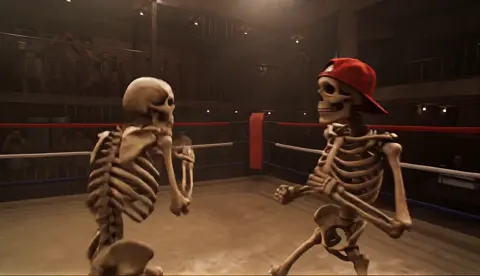

Whimsical animated-feature videos have a recognizable emotional signature: soft shapes, expressive eyes, warm light, and worlds that feel handcrafted but not sketchy. AI video generators can now approximate that look, but the results only become convincing when you stop asking for a magic prompt and start directing a small production pipeline. This guide walks through the creative decisions, model choices, prompt patterns, continuity tricks, and editing habits that turn generic AI clips into a cohesive, family-friendly animated short.
Why the Whimsical Animated-Feature Look Works So Well
The style popularized by modern animated studios is not just cute. It is engineered for emotional clarity. Characters have large, readable eyes, rounded silhouettes, and color-coded costumes. Environments are detailed enough to feel alive but organized enough that the viewer always knows where to look. Lighting is theatrical, often golden, and movement is slightly exaggerated to feel lively rather than realistic.
That combination solves a core problem in AI video: ambiguity. When you prompt a generator for a generic cinematic scene, it has too many possible visual answers. When you prompt for a whimsical animated-feature style, you give the model a tighter target. Rounded forms, warm rim light, painterly textures, and expressive faces become constraints that improve consistency across shots.
The style also travels well across genres. You can use it for a gentle children's story, a workplace comedy with animal characters, a fantasy adventure, or a musical short. The emotional register stays inviting, which makes the output feel shareable and rewatchable. For creators, that means the style is not a gimmick. It is a flexible visual language.
What Actually Defines the Style (and What Does Not)
A lot of people describe the look as simply colorful or cartoony. That is not enough to guide an AI model. The style is a cluster of choices about proportion, material, light, and motion. If you break it down, you can prompt each part more deliberately and fix problems without regenerating entire scenes.
Character appeal comes from clarity, not detail
The most important trait is readability. A character should be identifiable in silhouette. The head-to-body ratio is usually stylized, with larger heads and hands than a realistic human. Eyes are oversized, often with a visible iris, catchlight, and subtle asymmetry. Mouth shapes are simple but emotionally precise. Hair and clothing are simplified into broad shapes rather than thousands of strands.
When prompting, avoid hyperreal skin or individual pores. Ask for smooth stylized skin, soft subsurface scattering, and slightly exaggerated facial features. If the model produces something too realistic, add terms like stylized 3D animation, soft shapes, expressive eyes, and animated-feature character design. If it becomes too flat, add cinematic lighting and detailed material shading.
Environments should feel lived in
Whimsical worlds are not empty backdrops. They have props, layered depth, and small storytelling details. A child's bedroom might include handmade toys, mismatched blankets, and a lamp with a crooked shade. A forest might have mushrooms, winding roots, and light shafts through leaves. These details make the world feel authored rather than generated.
At the same time, the environment cannot compete with the character. Use depth of field, atmospheric haze, and color separation to keep the subject readable. A common mistake is to prompt for maximum detail everywhere. That produces visual noise, and AI video models often turn noise into flicker and texture crawl. Choose a few hero details and let the rest be soft.
Lighting carries emotion
Lighting is the fastest way to make AI footage feel like an animated feature. The style often uses soft key light, warm bounce, gentle rim light, and visible atmosphere. Sunsets are apricot and lavender. Interiors glow with practical lamps. Night scenes are blue but not muddy, with warm accents on faces.
You can prompt lighting separately from content. Instead of one giant paragraph, write a sentence for the subject and a sentence for light. For example: A small fox in a yellow raincoat stands at the edge of a puddle, soft morning light, warm bounce from wet pavement, gentle rim light. That gives the model a clear visual hierarchy.
Choosing the Right AI Video Workflow
Not every tool is equally good at every shot. Some models excel at image-to-video, some at text-to-video, and some at maintaining a character across multiple angles. The smartest approach is usually a hybrid pipeline that uses the right tool for each stage.
Text-to-video, image-to-video, and hybrid shots
Text-to-video is best for discovery. Use it to explore compositions, moods, and camera moves before you commit to a character design. Image-to-video is better for control. Generate a strong keyframe in an image model, then animate it with a video model. That gives you more say over costume, expression, and framing.
A hybrid workflow often looks like this: sketch the beat, generate three or four keyframes, choose one, animate it, then use the final frame as the start of the next shot. This creates visual continuity and reduces the model's tendency to invent new details every few seconds. If you need a camera move that the video model struggles with, animate a simpler version and create the move in editing with scale and position.
Shot-based generation beats long-form attempts
AI video models still struggle with long, complex action. They may forget a character's jacket color, change eye shape, or melt a hand during a fast gesture. Instead of generating a single long clip, build the scene from short shots: a wide establishing shot, a medium reaction shot, a close-up of a decision, and a cutaway to a meaningful object.
Short shots also make pickups easier. If one clip has a flicker or a strange mouth movement, you only need to regenerate a few seconds, not the entire sequence. Think like an editor from the beginning. The model is a camera and a performer, but you are still the director and the cutter.
When a custom model or style adapter is worth it
If you are making one test video, a strong prompt is enough. If you are making a series, a custom style adapter or fine-tuned model can save enormous time. It learns your specific palette, character proportions, and rendering texture, so you spend less effort fighting drift. The trade-off is setup time and the risk of overfitting. A custom model trained on too few images may reproduce the same pose or background in every shot.
Before investing in custom training, build a small style bible and test it across at least five different scene types: interior, exterior, day, night, and action. If the base model can handle those with prompts alone, you may not need customization yet. If the look falls apart every time the camera moves, a style adapter becomes a practical investment.
Build a Style Bible Before You Prompt
The fastest way to improve AI video consistency is to write and collect references before you generate. A style bible is a compact document that defines what your world looks like, how characters behave, and what the camera should feel like. It does not need to be long, but it should be specific.
Reference boards and mood words
Collect ten to twenty images that capture the feeling you want: color palettes, architecture, fabric textures, lighting moods, character expressions. Group them by theme. Then write five to ten mood words that describe the target: warm, handcrafted, gentle, playful, luminous, cozy, storybook, rounded, soft, tactile. These words become the backbone of every prompt.
Avoid using only broad terms like beautiful or cinematic. They are too vague. Pair an emotional word with a visual instruction. Instead of beautiful forest, write a luminous forest with soft moss, rounded trees, and warm sunbeams. The model needs nouns and adjectives that map to pixels.
Character sheets and continuity notes
For each main character, write a one-paragraph description: age, body type, silhouette, hair shape, eye color, skin tone, signature clothing, and two or three personality traits. Then generate a turnaround: front, three-quarter, side, and back. If the model can handle expressions, create a small expression sheet with neutral, happy, worried, surprised, and determined faces.
Continuity notes should include details that AI models often change: which hand holds an object, the color of a scarf, the side of a hair part, and the shape of a bag or hat. These notes are not just for you. They become prompt fragments that you reuse in every shot.
Color scripts and lighting plans
A color script is a simple strip of color blocks that shows the emotional progression of a scene. It helps you decide when to use warm gold, cool blue, or soft green. For a whimsical short, you might start with morning peach, move into clear daylight, shift to amber sunset, and finish with cozy lamplight.
Lighting plans can be equally simple. Write one line per shot: soft key from window, warm bounce on face, gentle rim light from lamp. When you paste that into a prompt, the model has a much better chance of matching the previous shot. Consistency in lighting often matters more than consistency in background detail.
Prompt Engineering for Warm, Expressive Animation
A good prompt is not a spell. It is a shot brief compressed into language. The more you structure it like a director's note, the more control you get.
Structure a prompt like a shot brief
Use a repeatable order: shot type, subject, action, environment, lighting, style, camera, and mood. For example: Medium shot, a young rabbit in a blue apron kneads dough on a wooden table, cozy kitchen, soft morning window light, warm bounce, stylized 3D animation, gentle camera push-in, hopeful mood. That order keeps you from forgetting important constraints.
You can also separate style from content. Put the character and action first, then a style clause, then a camera clause. If the model has a separate negative prompt field, use it to remove unwanted textures, not to add new ideas. Negative prompts work best as guards, not as second scripts.
Useful descriptor clusters
Certain phrases tend to push AI models toward the right visual territory. For character appeal: expressive eyes, rounded features, soft stylized skin, clear silhouette, appealing proportions, readable emotion. For environment: layered depth, handcrafted props, soft atmospheric haze, storybook detail, painterly textures. For lighting: warm key light, gentle rim light, soft bounce, golden-hour glow, luminous atmosphere. For camera: slow push-in, gentle parallax, medium tracking shot, soft depth of field, stable horizon.
Do not pile every phrase into every prompt. Choose four to six that serve the shot. Too many style words can flatten the image or cause the model to ignore the action. If a shot is about a character's sadness, prioritize face, light, and pacing over elaborate background detail.
Negative prompts that protect the look
Useful negative prompts include photorealistic skin, harsh contrast, gritty texture, horror mood, distorted hands, extra limbs, flickering, jitter, oversharpened, and text artifacts. If your model supports it, also exclude live-action camera language that does not fit, such as documentary realism or security camera. The goal is not to ban every possible flaw. It is to keep the model from drifting into a visual register that breaks the whimsical tone.
Character Consistency Across Shots
Character drift is the most common complaint in AI video. A face looks right in one shot and strange in the next. The solution is a mix of preparation, reference use, and post-production discipline.
Seed images, reference frames, and adapters
Start every shot with the same character reference image whenever the tool allows it. Use a neutral expression and even lighting for the reference, not a dramatic pose. If the model supports reference frames or character adapters, use them. If it supports seeds, keep the seed constant across shots that share a character, then change only the action and camera.
For dialogue scenes, generate the same character from multiple angles before you animate. Pick the two or three angles that look most consistent and use them as anchors. If an angle is weak, do not build a shot around it. It is easier to change the storyboard than to fix a model's blind spot.
Turnarounds, expressions, and wardrobe locks
Wardrobe is a powerful continuity anchor. A bright scarf, a round backpack, or a patterned shirt helps viewers track a character even when the face shifts slightly. Lock those details in your prompt and in your reference images. Similarly, lock hair shape and color. AI models often change hair more than faces because hair is complex and ambiguous.
Expressions also need anchors. Generate a small expression sheet and describe each expression in words you can reuse. A worried face might be brows angled inward, small mouth, eyes slightly wide. A joyful face might be raised cheeks, bright eyes, open smile. These phrases help the model reproduce the same emotional beats across shots.
Fixing drift in post
Sometimes the best fix is not another generation. You can stabilize a shot, replace a face with a cleaner frame, or use a short cross-dissolve to hide a transition. If a character's eye color shifts, a targeted color correction can bring it back. If a hand looks wrong, reframe the shot or cut away earlier. AI video is not a single render. It is raw material for editing.
Environment, Camera, and Lighting Recipes
Once characters are stable, the environment and camera determine whether the video feels like a cohesive animated short or a collection of unrelated clips.
Soft depth of field and rounded forms
Whimsical animation often uses depth of field to separate characters from backgrounds. The background can be detailed, but it should be slightly soft and atmospheric. Prompt for soft depth of field, gentle background blur, and layered parallax. Avoid extreme sharpness. Crisp edges everywhere make the image feel digital rather than crafted.
Rounded forms are another signal. Trees, furniture, hills, and vehicles tend to have curved silhouettes. Even a city street can feel friendlier when the architecture has rounded corners and warm materials. Add rounded shapes, soft edges, and tactile surfaces to your style clause.
Golden-hour palettes and bounce light
Warm light is almost a requirement for this style. Use golden-hour light, peach and amber highlights, lavender shadows, and warm bounce from the ground. Interiors can use practical lamps, candles, or firelight to create the same cozy feeling. The key is not to make everything orange. Keep the shadows cool enough to create contrast, then let the warm light guide the eye.
If a scene feels flat, add a rim light. If it feels too digital, add atmospheric haze. If it feels too dark, add bounce light on the face. These small adjustments are more effective than a complete style overhaul.
Camera moves that feel animated
Live-action camera language often feels too shaky or aggressive for this style. Prefer slow push-ins, gentle tracking shots, smooth crane moves, and soft parallax. Let the camera settle on expressions. If you need energy, use a quick but smooth whip pan or a playful zoom, but return to stability quickly.
You can also create camera movement in editing. Animate a still image with subtle scale and position changes, then add a slight rotation. This is often more reliable than asking a video model for a complex move. The audience reads the movement as intentional when it follows the emotional beat.
Editing, Sound, and the Final Ten Percent
The difference between an AI demo and a finished animated short is usually the final ten percent: editing rhythm, sound design, and color polish.
Cut on emotional beats
Do not cut only when the generated clip ends. Cut when the character decides, reacts, or changes direction. A shot can be shorter than the model's output. Trim the beginning and end to remove hesitation and drift. If a line of dialogue needs emphasis, cut to a reaction before the line finishes. The audience will fill the gap.
Layer foley, ambience, and score
Sound sells the style. Add footsteps, cloth movement, birds, wind, room tone, and small prop sounds. Use a gentle score with acoustic instruments. Avoid wall-to-wall music. Let moments breathe. A simple ambient bed and a few well-placed effects can make AI footage feel far more professional.
Color grade for warmth
A light grade can unify shots that were generated separately. Lift the shadows slightly, warm the highlights, and reduce excessive saturation in greens and blues. Add a subtle film grain or texture if the image feels too clean. Be careful not to over-grade. The goal is cohesion, not a heavy filter.
Common Mistakes and How to Avoid Them
Most failures in whimsical AI video come from a handful of preventable habits.
- Overloading prompts with every possible style word. This makes the model ignore the action. Pick four to six style cues and keep the rest for negative prompts.
- Generating long shots instead of scene beats. Short shots are easier to control and edit. Build a sequence from many small pieces.
- Ignoring motion continuity. If a character is walking left in one shot, do not have them walk right in the next without a reason. Track screen direction.
- Using hyperreal textures. Photoreal skin, gritty surfaces, and sharp HDR lighting fight the animated-feature look. Use soft materials and stylized rendering.
- Forgetting story stakes. A pretty clip without a goal is forgettable. Give the character a small, clear want in every scene.
- Changing the character design mid-project. Lock the style bible and only update it for deliberate reasons. Random tweaks create drift.
- Skipping sound design. Silence makes AI footage feel unfinished. Even a simple ambience track changes the emotional read.
FAQ: Whimsical AI Video Creation
Is it legal to imitate a studio style?
Style itself is generally not protected in the same way as specific characters, logos, or copyrighted scenes. However, you should avoid using recognizable protected characters, exact costumes, or trademarked elements. Build your own character designs and worlds. If you plan to publish commercially, consult a legal professional for your jurisdiction.
How many seconds can I generate at once?
Many tools work best in short clips, often a few seconds. Treat each generation as a shot, not a finished scene. You can stitch shots together in an editor. This approach gives you more control over continuity, pacing, and performance.
Do I need a custom model?
Only if you are producing many videos with the same look or characters. Start with a strong prompt and reference images. If you keep fighting the same drift, then consider training a style adapter or fine-tuned model with a well-curated dataset.
How do I keep faces stable?
Use a consistent reference image, keep seeds constant where possible, and reuse the same descriptive phrases for face shape, eye color, and hair. Avoid dramatic angles early in the process. Fix small issues in post rather than regenerating endlessly.
Can I use this for client work?
Yes, if you have the right commercial licenses for the tools you use and you avoid protected intellectual property. Deliver a clear style bible and get client approval on character designs before you animate. That reduces revisions and protects the project from mid-stream changes.
What is the fastest way to improve?
Build a small style bible, generate a reference sheet, and practice a five-shot sequence: wide, medium, close-up, reaction, and detail. Repeat that sequence with different lighting and actions. The repetition teaches you which prompt fragments actually control the look.
Whimsical AI video creation is a craft of small decisions. The model provides raw motion and texture, but you provide the emotional logic. When you combine a clear style bible, short shot-based generation, consistent references, and thoughtful sound design, the result stops looking like an AI experiment and starts feeling like a story. That is the real goal: not to imitate a single frame, but to sustain a warm, playful world across an entire sequence.

Alexander
More Blogs
Read MoreVidu Q4 Alternatives: 4K AI Video Models Compared (2026)
Vidu Q4 alternatives compared: Kling 4.0, Seedance 2.5, Wan 3.0, and Runway Gen-4 — 4K support, input modes, durations, audio, and what each costs in credits on Domer.
Top 4K AI Image Generators in 2026: 5 Models Compared on Real Costs
The top 4K AI image generators on Domer compared: Flux 3 Klein, Nano Banana 2.1, GPT Image 2.5, GPT Image 2, and Nano Banana Pro — 4K credit costs, reference limits, and speed.
Nano Banana 2.1 vs GPT Image 2.5: Which Image Model Should You Use? (2026)
Nano Banana 2.1 vs GPT Image 2.5 Flare compared: credit costs per resolution, aspect ratios, reference images, text rendering, and which tasks fit each model.