
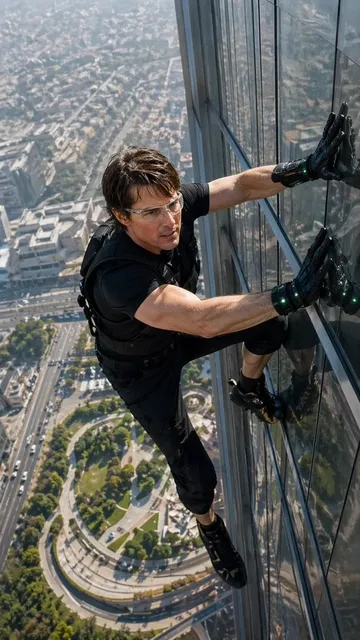
The Future of AI Filmmaking: Photorealistic Video and Character Consistency
Aug 4, 2026
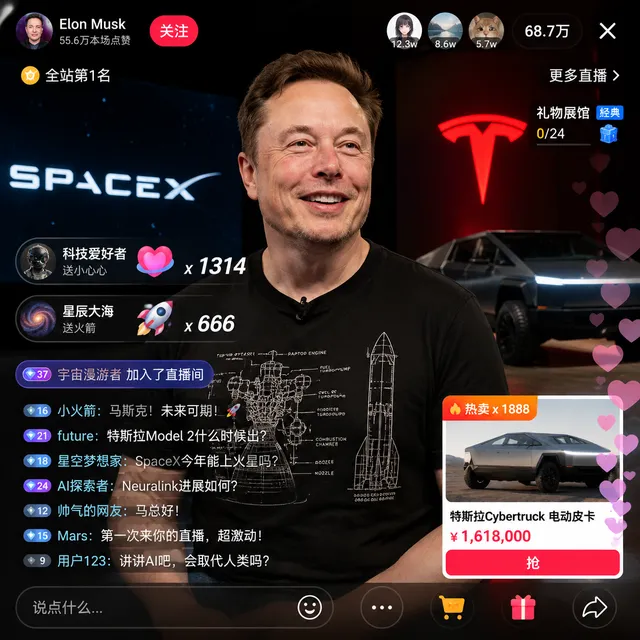
AI Filmmaking Has Crossed the Threshold
For years, AI-generated video was a novelty — impressive in demos, disappointing in practice. The characters flickered. Objects morphed between frames. Nothing stayed consistent for more than a few seconds.
That era is over.
In 2025, AI video generation has crossed a critical threshold: it's now reliable enough for professional production. Independent filmmakers are creating shorts that look like they cost six figures — on laptop budgets. Content creators are producing consistent character-driven series without actors or sets.
The Two Breakthroughs That Changed Everything
Breakthrough 1: True Photorealism
Photorealism in AI video isn't just about high resolution — it's about getting the physics right. How light wraps around a face. How fabric folds when someone moves. How hair responds to wind. The latest generation of models handles these subtleties convincingly enough that casual viewers can't tell the difference.
Key factors driving this improvement:
- Larger training datasets with higher quality curation
- Better temporal coherence algorithms preventing frame-to-frame flicker
- Physics-informed rendering that understands material properties
- Advanced lighting simulation including subsurface scattering for skin
Breakthrough 2: Multi-Image Character Consistency
This is the game-changer for narrative filmmaking. Instead of describing a character with words and hoping the AI interprets consistently, you upload reference images — and the system locks in that character's appearance across every scene.
How it works:
- You create or select 3-5 reference images of your character from different angles
- The AI extracts a "visual fingerprint" encoding facial structure, body proportions, coloring
- Every subsequent video generation injects this fingerprint into the rendering pipeline
- Result: the same character, consistently rendered, across any scene, lighting, or camera angle
What This Means for Independent Creators
Lower Barriers to Entry
A short film that would have required $50,000 and a 20-person crew can now be produced by one person for a fraction of the cost. The implications are profound:
- Pilot episodes can be created to pitch series without studio backing
- Proof-of-concept trailers can secure funding before full production
- Niche stories that wouldn't justify traditional budgets become viable
- Rapid iteration allows experimenting with different visual styles cheaply
New Creative Possibilities
Beyond cost savings, AI filmmaking opens creative doors that were previously closed:
- Blend live-action footage with AI-generated environments seamlessly
- Create impossible camera moves that would require million-dollar rigs
- Generate consistent animated characters without an animation team
- Produce multi-language versions by changing only the audio track
The Production Workflow
Phase 1: Pre-Visualization
Before generating any final video, create a complete visual plan:
- Use an AI image generator to design and finalize every character
- Generate keyframe images for each major scene
- Create a shot-by-shot storyboard with camera directions
Tools like GPT Image 2 excel at creating detailed character reference sheets with consistent features that carry through to video generation.
Phase 2: Scene Generation
Work scene by scene, not shot by shot:
- Start with your most visually complex scene (it sets the standard)
- Generate 2-3 variations per scene and select the best
- Use the multi-image reference system to maintain character consistency
- Review each scene immediately — don't batch-review at the end
Phase 3: Assembly and Polish
- Edit scenes together in a traditional video editor
- Apply color grading for consistent look across AI-generated clips
- Add sound design, music, and voice-over
- Add subtle film grain or texture to reduce the "too perfect" digital look
Common Pitfalls and How to Avoid Them
Pitfall 1: The 10-Second Wall — Most AI video models start degrading after 8-12 seconds. Solution: plan your edit with cuts every 5-8 seconds, using different angles of the same action.
Pitfall 2: The Uncanny Valley — Slightly-off human faces are worse than obviously stylized ones. Solution: if you can't achieve perfect photorealism, lean into stylization deliberately.
Pitfall 3: Prompt Drift — Small prompt changes between scenes cause subtle style shifts. Solution: develop a master prompt template and only modify the action/environment portions.
The Ethical Conversation
AI filmmaking raises important questions the creative community is actively discussing:
- How do we attribute AI-assisted work transparently?
- What constitutes original creation vs. AI generation?
- How do we ensure the technology doesn't displace human creatives but empowers them?
There are no settled answers, but the conversation matters. The most responsible creators are those who use AI as a tool in service of human vision, not as a replacement for it.
Looking Ahead
The trajectory is clear: within 2-3 years, AI-generated video will be indistinguishable from traditionally filmed content for most use cases. The filmmakers who thrive will be those who master the technology now — not as a replacement for traditional skills, but as an additional tool in their creative arsenal.
Start with Domer's AI video generator to experiment with the current capabilities. The learning curve is shorter than you think, and the creative possibilities are genuinely extraordinary.

Alexander
More Blogs
Read MoreVidu Q4 Alternatives: 4K AI Video Models Compared (2026)
Vidu Q4 alternatives compared: Kling 4.0, Seedance 2.5, Wan 3.0, and Runway Gen-4 — 4K support, input modes, durations, audio, and what each costs in credits on Domer.
Top 4K AI Image Generators in 2026: 5 Models Compared on Real Costs
The top 4K AI image generators on Domer compared: Flux 3 Klein, Nano Banana 2.1, GPT Image 2.5, GPT Image 2, and Nano Banana Pro — 4K credit costs, reference limits, and speed.
Nano Banana 2.1 vs GPT Image 2.5: Which Image Model Should You Use? (2026)
Nano Banana 2.1 vs GPT Image 2.5 Flare compared: credit costs per resolution, aspect ratios, reference images, text rendering, and which tasks fit each model.