

Turn One Video Into a Content Library That Keeps Giving
Nov 6, 2026

Why single-video repurposing beats simply posting more
Most creators and small teams treat content production as a volume problem. They assume more posts means more reach, so they schedule more shoots, more edits, more ideas. The result is usually exhaustion, inconsistent quality, and a feed that looks like it was assembled by three different people who never spoke to each other.
Repurposing flips that equation. Instead of trying to produce more raw material, you extract more value from material you already have. One well-planned long-form video can yield a dozen short clips, a handful of caption-driven posts, a carousel, a newsletter section, a set of quote graphics, and a reusable library of B-roll. The creative effort happens once. The distribution happens many times.
The strategic advantage is not just speed. It is coherence. When every asset descends from the same source, your audience gets a consistent point of view across platforms, and your brand becomes recognizable rather than merely present. Repurposing also creates a natural testing loop: the same idea can be delivered in different formats and lengths, so you learn which framing actually earns attention.
This guide walks through the full workflow, from designing a source video that is easy to break apart, to cutting clips that hold attention, to keeping characters and visuals consistent when AI tools enter the process. It is written for solo creators, in-house marketing teams, and editors who need a repeatable system rather than a one-off trick.
Build the master asset before you build anything else
The single most common repurposing failure happens before editing begins: the source video was never designed to be broken apart. It is a 40-minute ramble with three usable moments, shot on a single locked-off camera, with audio that sounds like it was recorded in a hallway. No editing pipeline can rescue that.
Treat the long video as a master asset, not a finished product. Everything downstream depends on how deliberately it was structured.
Design shots for reuse
Shoot with variety you can harvest later. If you record a talking-head segment, capture an alternate angle or a tighter crop of the same take. If you demonstrate a process, record the hands, the screen, and the finished result as separate shots. These alternate looks become the visual foundation for short clips, where a single static frame for 45 seconds feels lifeless.
A useful habit is the "three-layer" rule. Every scene should contain a wide or establishing layer, a mid-shot for the main subject, and a detail layer for inserts. When you cut a vertical clip later, you can switch layers every few seconds without needing new footage.
Keep the script modular
Write the long video in clearly bounded segments, each answering one question in 60 to 120 seconds. That structure gives you natural clip boundaries and lets each segment stand alone. If a viewer jumps into a short clip without context, they should still get a complete thought.
Announce transitions explicitly. Phrases like "the second thing that matters is..." feel slightly mechanical in a long video, but they become invaluable markers when you are scanning a transcript for clip candidates.
Capture clean audio and a clean transcript
Audio quality travels further than video quality in short-form. Record with a dedicated microphone, keep levels consistent, and export a clean audio track alongside your video. Then generate a word-level transcript. That transcript becomes the index for everything else: searching for quotable lines, building captions, writing posts, and choosing clip boundaries.
Name your files predictably. A structure like project_topic_scene_take saves hours when you are assembling twelve clips across four platforms and need to trace one back to its origin.
The pipeline: six stages from source to shelf
A repurposing workflow only works when it is boring enough to repeat. The following six stages form a loop you can run weekly.
1. Ingest and index. Bring the master video, audio, transcript, graphics, and any stills into one project folder. Tag segments by topic and timestamp.
2. Select moments. Read the transcript rather than watching the full video. Highlight candid quotes, surprising claims, short stories, and clear demonstrations. Aim for 15 to 25 candidates from a 20-minute source.
3. Extract. Pull rough clips, isolated audio, and still frames for each selected moment. Do not polish yet. Speed matters at this stage; judgement comes later.
4. Reform. Reshape each extract for a specific destination: vertical crop, hook rewrite, caption styling, opening trim. This is where most of the craft lives.
5. Package. Add captions, titles, thumbnails, cover frames, and on-screen text. Ensure the first two seconds communicate the payoff without requiring sound.
6. Schedule and archive. Publish on a cadence, log what went out, and store the finished assets in a searchable library so you can reuse them months later with a fresh hook.
Run the stages in sequence for a single source, but keep the archive step disciplined. Teams that skip archiving end up re-editing the same footage from scratch, which erases the entire efficiency gain.
Cutting clips that actually hold attention
The mechanics of clipping are easy. Choosing what deserves a clip is the hard part.
Prioritize tension over completeness
A good short clip contains a small conflict: a misconception challenged, a mistake admitted, a result that contradicts expectation. A bad clip is a neat summary. Summaries feel complete and forgettable; tension feels incomplete and demands attention.
Test each candidate against a simple question: would someone stop scrolling for this sentence if it appeared alone on screen? If not, no amount of editing will fix it.
Rewrite the first two seconds
The opening line of the source video often works poorly as the opening line of a clip, because the source has context and the clip does not. Rewrite the hook as a standalone claim or question. Keep it under eight words where possible.
Respect the rhythm of the format
Vertical short-form rewards quick resets. Change something visual every two to four seconds: angle, crop, text overlay, or insert shot. That does not mean frantic editing. It means giving the eye a reason to stay.
Cut the exit, not just the entrance
Ending matters as much as starting. Trim the clip immediately after the payoff line, then add a single sentence of direction rather than a trailing thought. Loose endings cost you completion rate, which is one of the strongest signals platforms use to decide whether to keep showing a clip.
Turning audio into text, captions, and carousels
The transcript is more than a search tool. It is a second content stream.
Start with captions. Word-level timestamps let you produce accurate burned-in captions, which most viewers now expect. Keep caption blocks short, use a readable typeface, and place them away from the platform's interface elements.
Then mine the transcript for text posts. The strongest short-form video moments usually translate well into a short written post: the same claim, the same structure, no video required. Rework the language rather than pasting the transcript, because spoken sentences have filler and written sentences do not.
Carousels and slide decks follow the same logic. Take one clip's argument, break it into five or seven steps, and design each slide as a single idea. The clip becomes the promotional entry point, the carousel becomes the saveable version, and both point to the long video for depth.
Finally, extract stills. A clean frame from a strong moment becomes a quote graphic, a thumbnail, a cover image, or a newsletter header. Save stills at the highest resolution available so they survive cropping.
Reframing, resizing, and platform rules
Every destination has its own grammar. A clip that works on one platform often fails on another not because the idea is weak, but because the framing is wrong.
Vertical formats generally want a subject that fills the frame, generous headroom for text, and safe margins that keep captions away from interface overlays. Horizontal formats tolerate wider establishing shots and longer pauses. Square formats work well for carousels and feed posts where the caption carries more weight than the video.
Rather than exporting one master crop and forcing it everywhere, build a small set of framing presets: one for talking-head vertical, one for demonstration vertical with a picture-in-picture inset, one for horizontal, one for square. Apply the preset, then adjust manually for the shots that break the rule.
Also normalize the technical basics. Loudness should be consistent across clips so viewers do not reach for the volume control. Frame rate should match your source. Color should be corrected at the master level, not per clip, otherwise your feed will look like it was shot on four different cameras.
Keeping the look consistent when AI assists enter the workflow
Generative tools are increasingly useful in repurposing, especially for filling gaps: extending a background, cleaning up a messy frame, generating B-roll you never shot, or producing alternate visual treatments for the same clip.
The risk is drift. When you generate new visuals for each asset, characters, lighting, and color palettes slowly diverge until the feed looks incoherent. Two habits prevent this.
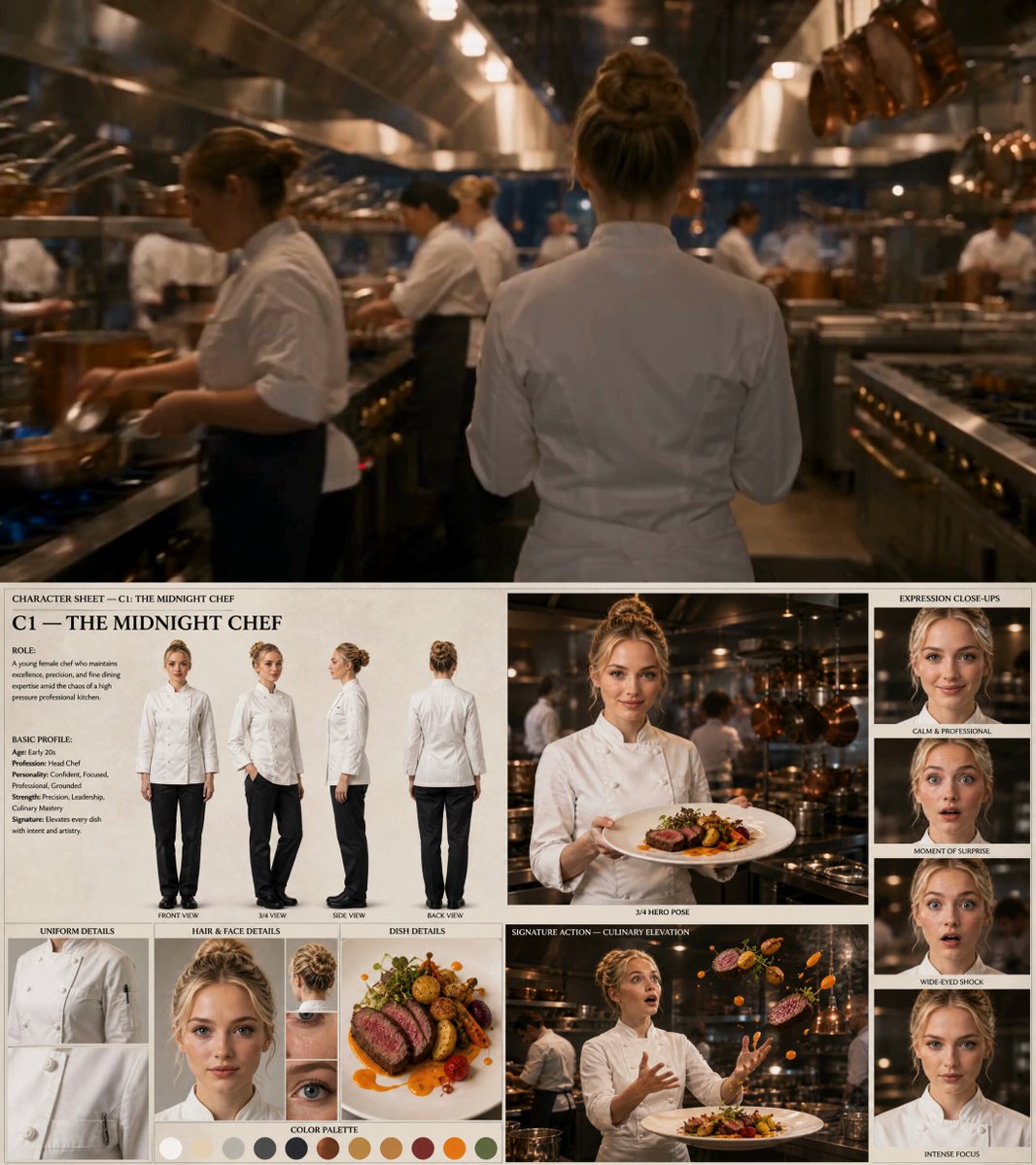
First, define a visual reference kit before generating anything: a character reference sheet, a color palette, a lighting description, a lens and framing preference. Feed the same references into every generation request rather than describing the look from scratch each time.
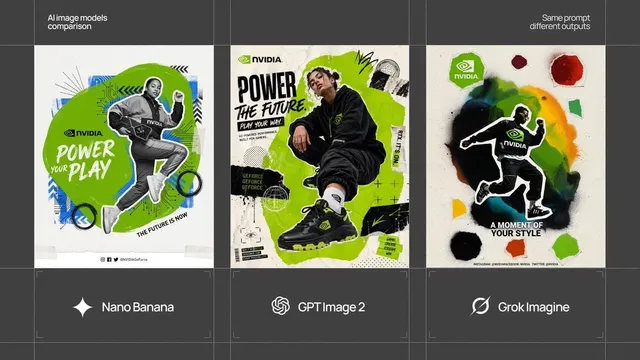
Second, use reference-based generation rather than pure text prompting when consistency matters. Tools that accept multiple reference images, or that support character and style locking, produce far more stable results across a series. If your tool offers a reusable style preset or project-level asset library, use it consistently.
Third, treat generated assets as supporting material, not the main event. The credibility of a repurposed clip comes from the original footage. Generated visuals should solve a specific problem, such as an awkward crop or a missing cutaway, rather than replacing the substance you already recorded.
Finally, keep a simple QA pass. Check hands, text rendering, background continuity, and lip-sync before publishing. Fast generation encourages fast publishing, and small artifacts are the fastest way to lose audience trust.
Shipping, sequencing, and measuring results
A content library is only valuable if it ships. Two operational decisions determine whether it does.
Sequencing. Do not post every clip from one source on the same day across every platform. Spread them across two to four weeks and rotate the angle each time: one clip leads with the story, another with the data, another with the contrarian claim. The same footage can appear three times without feeling repetitive if the entry point changes.
Cadence over intensity. Three posts a week sustained for three months outperforms fourteen posts in one week followed by silence. Repurposing makes cadence affordable, which is the real benefit.
For measurement, resist the urge to judge individual clips. Track three things at the library level: which hooks earned the highest completion rate, which topics generated saves and shares rather than passive views, and which formats drove clicks back to the long-form asset. After a month, you will know which segment types to prioritize when choosing candidates from the next source video.
Keep a simple log with the source timestamp, the clip title, the platform, the publish date, and the top-line result. That log becomes the institutional memory that makes your second and third cycles much sharper than the first.
Mistakes that quietly kill a repurposing workflow
Most failures are structural rather than creative. Watch for these.
- Repurposing without a point of view. If the source video is a generic overview, every derivative asset is generic too. Strong clips come from strong opinions.
- Exporting one crop for every platform. Letterboxed verticals and cropped-off captions signal low effort instantly.
- Polishing every clip to the same standard. Some moments deserve full treatment; others are quick posts. Spending equal time on all of them collapses your throughput.
- Ignoring the archive. Finished clips that are not searchable will never be reused, and reuse is where the compounding value sits.
- Letting generated visuals outnumber real footage. Audiences forgive imperfect framing far more readily than they forgive artificial-looking filler.
- Publishing all derivatives at once. Front-loading exhausts the idea before it has time to find its audience.
- Never reviewing performance. Without a feedback loop, you keep extracting the moments you like rather than the moments that work.
FAQ
How many clips should one long video produce?
A 20 to 30 minute source typically yields 10 to 20 usable short clips, plus 3 to 5 text posts, one carousel, and a set of stills. The limiting factor is the density of strong moments, not the length of the video.
Do I need a dedicated editor?
Not necessarily, but you do need a repeatable template. Preset crops, caption styles, and export settings remove most of the manual work. A single creator with good templates can outperform a small team without them.
Should repurposed clips link back to the original?
Where the platform allows it, yes. The long video builds depth and trust; the clips build reach. Treat the relationship as a funnel rather than a competition.
How do I stop clips from feeling repetitive?
Change the entry point, not the footage. Lead with a different question, a different character, or a different consequence each time. Repetition of substance is fine; repetition of framing is not.
What is the right order to build things?
Master video, transcript, clip candidates, rough extracts, platform-specific reformatting, packaging, then scheduling. Doing the packaging before the selection wastes the most time.
Can older footage be repurposed later?
Yes, and it often performs better the second time. Refresh the hook, update the on-screen text, and reissue it to a different audience segment.
A practical starting checklist
Before your next shoot, decide what the source video must contain: at least three modular arguments, an alternate camera angle, clean audio, and a transcript you can search. After the shoot, block two hours for selection, one afternoon for reformatting, and one hour for scheduling. Archive everything with consistent names.
Run this loop three times and you will have a content library rather than a content calendar. The library keeps producing long after the original recording session is forgotten, which is the entire point of building a repurposing workflow in the first place.

Alexander
More Blogs
Read MoreAI Video Production From Concept to Final Render: A Workflow
A practical guide to AI-assisted video production, from brief and shot list to prompt design, audio, editing, and final quality control.
Free Video Transcription and Editing Workflow: A Practical Guide
Build a reliable free video transcription and editing workflow with practical tool choices, caption tips, quality checks, and AI handoff points.
Automated Video Transcription: A Practical AI Workflow
Learn a reliable automated video transcription workflow with AI, from audio prep and speaker labels to quality checks, captions, and searchable transcripts.