
Crear
프롬프트 엔지니어링으로 배우는 AI 비디오 제작: 샷 디자인부터 완성까지
Aug 2, 2026
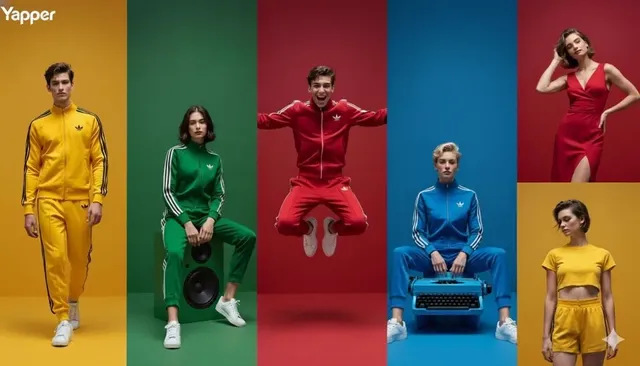
AI와 함께하는 비디오 제작의 새로운 패러다임
비디오 제작의 가장 어려운 부분 중 하나는 샷 디자인입니다. 어떤 구도로, 어떤 움직임으로, 어떤 조명으로 촬영할지 결정하는 것은 전문적인 지식과 경험이 필요했죠. 하지만 이제 AI가 이 과정을 도와줍니다.
프롬프트 엔지니어링을 통해 당신의 비전을 AI에 정확히 전달하고, 원하는 샷을 생성할 수 있습니다.
샷 디자인의 기본
필수 샷 유형
- 와이드 샷 (WS): 장소와 분위기 설정
- 미디엄 샷 (MS): 캐릭터와 주변 환경
- 클로즈업 (CU): 감정과 디테일 강조
- 익스트림 클로즈업 (ECU): 극도의 긴장감
- 오버더숄더 (OTS): 대화 장면
카메라 움직임
- 팬 (Pan): 좌우로 회전
- 틸트 (Tilt): 상하로 움직임
- 돌리 (Dolly): 앞뒤로 이동
- 트래킹 (Tracking): 피사체를 따라감
- 크레인 (Crane): 수직 이동
프롬프트로 샷 디자인하기
기본 구조
[샷 유형] + [카메라 움직임] + [피사체] + [환경] + [조명] + [스타일]
예시
클로즈업 감정 샷:
"Extreme close-up of a woman's eyes, slow dolly in, single tear falling, soft golden hour light, shallow depth of field, cinematic, 8K"
액션 와이드 샷:
"Wide tracking shot following a warrior running through a burning village, handheld camera shake, dramatic orange fire light, dust particles in air, epic cinematic style"
AI 도구 활용하기
이미지 생성으로 시작
AI 이미지 생성기로 먼저 키 비주얼을 만드세요:
- 각 샷의 레퍼런스 이미지
- 캐릭터 디자인 확정
- 배경 및 환경 설정
비디오 생성
- 텍스트 설명만으로 샷 생성
- 이미지를 움직이는 비디오로 변환
- 다양한 카메라 앵글 실험
고급 모델
GPT Image 2와 Seedance 2.0으로 더 정교한 결과물을 얻을 수 있습니다.
실전 워크플로우
1. 스토리보드 작성
각 장면을 간단히 스케치하거나 설명하세요:
Scene 1: 주인공이 빈 거리를 걷는다 (와이드, 트래킹, 황혼)
Scene 2: 발걸음 클로즈업 (ECU, 슬로우모션)
Scene 3: 하늘을 올려다보는 주인공 (로우앵글, 크레인 업)
2. 프롬프트 변환
각 장면을 상세한 프롬프트로 변환하세요.
3. 생성 및 피드백
샷을 생성하고 부족한 부분을 수정하세요.
4. 편집 및 완성
생성된 샷들을 편집하여 완성된 비디오로 만드세요.
자주 하는 실수
- 너무 모호한 프롬프트: "예쁜 장면" 대신 구체적으로
- 하나의 프롬프트에 너무 많은 것: 한 번에 하나의 샷만
- 움직임 설명 부족: 카메라가 어떻게 움직이는지 명시
- 조명 무시: 조명은 분위기의 80%를 결정합니다
프롬프트 라이브러리 구축
효율적인 작업을 위해:
- 잘 작동한 프롬프트를 저장
- 장르별로 분류 (액션, 로맨스, 공포 등)
- 변형을 위한 템플릿 만들기
- 결과물과 프롬프트를 함께 보관
결론
프롬프트 엔지니어링은 AI 시대의 새로운 영상 언어입니다. 샷 디자인의 기본을 이해하고, 정확한 프롬프트로 AI와 소통하는 법을 배우면, 당신의 비전을 정확히 구현할 수 있습니다. 오늘부터 당신만의 프롬프트 라이브러리를 만들어보세요.

Alexander
More Blogs
Read MoreFrom Text to Short Film: A Practical AI Video Workflow
Learn how to turn a written idea into a polished short film with AI video tools: scripting, model choice, shot consistency, sound design, and editing.
AI Transcription and Seamless Video Editing Workflows
Learn how AI transcription enables text-based editing, faster reviews, accessibility, and reliable post-production workflows from rough cut to final delivery.
Photorealistic AI Video Production: A Practical Workflow Guide
Learn a repeatable workflow for photorealistic AI video: model selection, shot planning, prompt design, continuity, audio, and quality control.