

AI Animal Generator Photos: Create Unique Animal Art
Oct 15, 2026

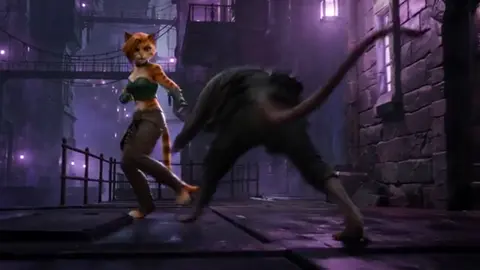
What an AI Animal Generator Actually Does
An AI animal generator takes a written description — and often one or more reference images — and produces a new picture of an animal that does not exist in any photograph. That sounds simple, but the interesting part is what happens between your prompt and the final file. The model is not searching a library for the closest match. It is building the image from noise, guided by your words and by whatever visual signals you feed it.
That distinction matters because it shapes how you work. If you treat the tool like a search engine, you will be frustrated: you type "snow leopard at dusk" and get something that looks almost right but not quite. If you treat it like a collaborator that needs a brief, references, and two or three rounds of revision, you can get images that look like they came from a deliberate art direction.
What these tools do well:
- Inventing plausible creatures. Hybrids, fantasy species, and extinct animals rendered with believable anatomy and fur, feather, or scale detail.
- Restyling an animal. The same subject rendered as a pencil sketch, a studio portrait, a vintage field-guide plate, or a cinematic still.
- Generating sets. Multiple images of the same creature in different poses, seasons, or lighting conditions.
- Filling gaps in a story. Reference art for a novel, a tabletop campaign, a children's book, or a pitch deck.
What they still struggle with:
- Exact anatomical accuracy for rare or unusual species, especially when the reference material in training data is thin.
- Complex multi-limbed or multi-headed creatures where the model has to invent rather than recall.
- Text inside the image, such as a field-guide label or a museum placard.
- Perfect consistency across many images without deliberate technique.
Knowing the boundary between those two lists is the difference between a frustrating afternoon and a portfolio piece.
How Image Models Read an Animal Prompt
Text understanding versus visual understanding
Most modern generators use two cooperating systems. One reads your words and converts them into a mathematical representation of meaning. The other synthesizes pixels conditioned on that representation. When your prompt contains a phrase the text system understands well — "golden retriever puppy," "arctic fox in snow" — the image system has strong signals to follow. When your prompt contains something rare or invented — "a six-legged alpine ungulate with mossy antlers" — the text system has to approximate, and the image system fills the gaps with whatever is statistically nearby.
This is why specificity helps but novelty hurts. You want to describe unusual creatures using familiar building blocks: a known body plan, a known material (fur, keratin, wet skin), a known setting, a known lighting condition.
Control layers: pose, depth, and edges
Beyond text prompts, most serious workflows use control signals. These are secondary inputs that constrain the image:
- Pose guidance from a skeleton or stick-figure diagram, useful when you need a specific stance or gait.
- Depth maps that tell the model what is near and what is far, which improves composition dramatically in action shots.
- Edge or line control that traces a sketch, so you can draw a rough silhouette and let the model render it.
- Image references that carry style, color palette, or surface texture.
If you have ever wondered why two people with the same prompt get wildly different results, control layers are usually the answer. One of them is steering, and the other is hoping.
Why species accuracy is the hardest part
Animal anatomy is unforgiving. A slightly wrong eye placement on a human portrait reads as stylization; a slightly wrong leg joint on a horse reads as a mistake. Predators have specific shoulder structures, birds have specific wing-feather arrangements, and hooved animals have specific ankle geometry. Models trained on broad internet imagery handle common species well and rare species poorly.
Mitigation strategies that actually work:
- Provide a photo reference of the closest real species.
- Name the species explicitly rather than describing it vaguely.
- Add anatomy-clarifying phrases: "four legs," "cloven hooves," "raptor beak."
- Generate at higher resolution when fine anatomy matters, then crop.
- Accept stylization when accuracy is not the point. A painterly treatment forgives anatomy drift in ways photorealism does not.
A Repeatable Workflow, From Idea to Final File
Step 1: Lock the brief before you touch the tool
Write three sentences: what the creature is, where it is, and what the image is for. For example: "A juvenile snow leopard on a granite ledge at first light. The image is a full-body environmental portrait for a field-guide spread. Mood: cold, quiet, observational."
That paragraph determines your aspect ratio, your lens language, your lighting, and your level of detail. Skipping it is the single most common reason people generate fifty images and like none of them.
Step 2: Build a small reference set
Three to six images is usually enough. Mix them deliberately:
- One or two photos of a real animal with a similar silhouette.
- One image that establishes the style or palette you want.
- One image that shows the environment or lighting condition.
Keep the references consistent with each other. If your three references disagree about color temperature, the model will average them into mud.
Step 3: Write the first prompt — then stop writing
Your first prompt should be short enough to diagnose. Subject, action, setting, light. Resist the urge to add twelve adjectives before you have seen anything. A bloated first prompt tells you nothing about which part failed.
Step 4: Iterate in controlled increments
Change one variable per round:
- Round 1: base subject and setting.
- Round 2: fix anatomy by adding a reference image.
- Round 3: adjust lighting language.
- Round 4: adjust composition or aspect ratio.
- Round 5: push style with a reference or a medium descriptor.
If you change four things at once and the result improves, you have learned nothing you can reuse.
Step 5: Refine, upscale, and finish
Generate more candidates than you need, pick the strongest, then refine. Inpainting fixes a bad paw, a malformed ear, or a distracting background element. Upscaling adds resolution. A light grade in an image editor unifies color and contrast. The final ten percent of polish is what separates a generated image from a finished piece.
Prompt Anatomy for Animal Art
A durable prompt has five slots. Fill them in order and you can reuse the skeleton forever.
1. Subject and life stage. "Adult male red fox" beats "a fox." Life stage changes proportions: cubs have larger heads and shorter muzzles, and models will render those traits only if you name them.
2. Action and pose. "Mid-stride crossing wet shale," "curled asleep," "rearing onto hind legs." Static poses are easier; dynamic poses need more guidance.
3. Environment. "Coastal fog over tide pools," "dust-lit savanna at golden hour," "inside a glass museum vitrine." Environment carries most of the storytelling.
4. Light and camera. "Backlit rim light, 85mm equivalent, shallow depth of field" or "flat overcast survey light, documentary framing." Camera language is one of the fastest ways to move away from a generic look.
5. Medium or finish. "Photographic," "gouache illustration," "pencil field sketch with watercolor wash," "museum diorama photograph."
A complete example:
Adult male red fox, mid-stride crossing wet shale, coastal fog over tide pools, backlit rim light, 85mm equivalent, shallow depth of field, photographic, muted teal and rust palette.
That is specific without being bloated. Notice there are no quality-boosting incantations — "masterpiece," "8k," "trending" — which mostly add noise.
Species Playbooks: Real, Extinct, Hybrid, Fantasy
Real, well-documented animals
The model already knows these. Your job is styling and framing, not anatomy rescue. Spend your prompt budget on light, environment, and medium. A wolf in fog is a solved problem; a wolf in fog as a 1970s National Geographic plate is a decision.
Real, poorly documented animals
Deep-sea fish, rare insects, and obscure rodents are where references matter most. Supply photographs from multiple angles, name the species, and describe the diagnostic features in plain language (fin placement, eye size, body ratio). Expect to generate more candidates and cull harder.
Extinct animals
Extinct species sit in an interesting middle ground. Skeletal reconstructions exist, soft tissue is inferred, and the model has seen enough paleoart to have opinions. If you want a specific interpretation — feathered rather than scaled, social rather than solitary — say so explicitly, because the model will otherwise sample from conflicting depictions.
Hybrids
Hybrids work best when you describe a clear division of traits: "the body and gait of a greyhound, the head and mane of a lion, short tawny coat throughout." Vague hybrids produce incoherent mashups. Specify which parent contributes which structure, and specify coat or scale continuity, or you will get visible seams.
Fully invented fantasy creatures
Build them from existing parts and physical logic. A creature that glides needs wing area proportional to mass. A creature that lives in caves probably has reduced eyes or enhanced whiskers. When your description implies function, the model often resolves the anatomy more convincingly than when you list random features.
Consistency Across a Set
Generating one striking image is easy. Generating twelve images that look like the same creature is the real skill, and it is what clients, publishers, and collaborators actually need.
Techniques that hold up:
- Freeze the seed when the tool allows it, so the underlying noise pattern stays similar across generations.
- Reuse the exact same reference set for every image in the series. Do not swap references mid-series.
- Keep a prompt template and change only the pose, environment, or lighting slot. Never rewrite the subject description.
- Build a turnaround first. Generate front, side, and three-quarter views of the creature, pick the one that reads best, and use it as a reference for every subsequent scene.
- Create a style anchor. One polished image that defines palette, contrast, and finish becomes the reference for the whole set.
A useful habit: keep a plain text file with your locked subject description, palette hex values, and lighting language. Copy-paste from it every session. Memory is unreliable across days; a text file is not.
Lighting, Composition, and Camera Language
Animal art lives or dies on light. Three setups cover most needs:
Golden-hour backlight. Warm rim light around fur or feathers, dark foreground, atmospheric haze. Excellent for mammals and birds. Prompt with "backlit," "rim light," "warm haze," and a low camera angle.
Overcast documentary light. Flat, soft, and honest. Best when you want the animal to read clearly and the image to feel observational rather than dramatic. Prompt with "overcast," "diffuse," "even exposure," "field-guide realism."
Studio portrait light. Controlled, often against a plain backdrop. Great for character sheets and creature turnarounds because it removes environmental variables. Prompt with "studio lighting," "seamless backdrop," "softbox key light."
For composition, remember that animals have directionality. A creature moving left-to-right reads as progress; right-to-left often reads as tension or retreat. Eye placement near a third-line intersection gives viewers an anchor. And leave negative space where the animal is looking or moving — cramped framing makes even a beautiful render feel wrong.
Camera language gives you precise control once you learn a few terms. Wide angle exaggerates scale, which is useful for whales, elephants, and dinosaurs. Telephoto compresses distance, which flatters birds and predators. Macro puts the viewer at insect scale. Naming the lens equivalent constrains the model's sense of perspective more effectively than adjectives like "epic."
Common Mistakes and How to Fix Them
Mistake: overloading the prompt. Twelve adjectives fight each other. Fix: cut to five slots and add only what you can defend.
Mistake: contradictory references. A bright reference and a moody reference average into grey. Fix: curate references for a shared palette and light direction.
Mistake: accepting the first plausible result. The first output is rarely the best; it is usually the most average. Fix: generate a batch of at least eight and compare side by side.
Mistake: fighting anatomy with words. If paws keep malforming, more adjectives will not fix it. Fix: use inpainting, add a pose control, or change the aspect ratio so the paws occupy more pixels.
Mistake: ignoring the background. A weak background ruins a strong subject. Fix: describe the environment with the same care as the creature, or generate on a plain backdrop and composite deliberately.
Mistake: inconsistent scale across a set. A creature looks like a house pet in one image and a giant in the next. Fix: include a scale cue — grass blades, fence posts, human footprints, a familiar object.
Mistake: no color discipline. Random palettes make a series look assembled rather than designed. Fix: pick three to five colors and name them in every prompt.
Post-Processing and Export
Generation is the middle of the job, not the end. A short finishing pipeline makes a large difference:
- Cull ruthlessly. Keep maybe ten percent of what you generate. Store the rest in a discard folder in case you need a detail later.
- Repair locally. Inpaint paws, eyes, ears, and edges. Eyes especially: slightly misaligned pupils ruin realism faster than anything else.
- Upscale. Go up in stages rather than one large jump. Add subtle grain or texture after upscaling so surfaces do not look plastic.
- Grade. Unify contrast and color. Slight desaturation of shadows and a warm highlight roll-off instantly reads as photographic.
- Sharpen selectively. Sharpen the eyes, nose, and fur detail; leave backgrounds soft.
- Export for the target. Print work wants high resolution, sRGB or Adobe RGB, and generous margins. Web and social want sRGB, smaller files, and correct aspect ratios.
Keep your layer structure intact in the project file. You will want to revisit the grade after you see the image on a different screen.
Practice Projects That Build Skill
If you want to get good quickly, run these in order:
The field-guide plate. One animal, one plain or neutral background, precise anatomy, small caption area left empty. This teaches discipline and accuracy.
The environmental portrait. Same animal, full habitat, natural light. This teaches composition and atmosphere.
The turnaround. Front, three-quarter, side, and back views of an invented creature. This teaches consistency and forces you to solve three-dimensional problems.
The series. Six images of the same creature across seasons or times of day. This teaches palette discipline and reference reuse.
The restyle. Take your best result and re-render it as three different mediums — oil painting, risograph print, museum diorama photo. This teaches how medium language affects output more than subject language does.
Each project takes an evening. After five, you will have a repeatable process and a portfolio rather than a folder of experiments.
FAQ
Do I need an artistic background to get good results? No, but composition and color fundamentals help enormously. The models reward people who can articulate what they want and recognize what is wrong. Those are learnable skills, and studying photography and illustration speeds up the process faster than studying the tools.
How many images should I generate per final selection? Ten to one is a reasonable starting ratio. Complex or novel creatures push that to twenty or thirty to one. Budget your time accordingly rather than expecting the first batch to be usable.
Why does the same prompt produce different results on different days? Models get updated, settings differ, and any randomized seed changes the starting noise. If you need reproducibility, fix the seed and save your full settings alongside the prompt.
Can I use generated animal art commercially? It depends on the tool's license and your jurisdiction. Read the terms of the specific service you use, keep records of your prompts and references, and be cautious with anything that closely mimics a living artist's identifiable style or a copyrighted character design.
What is the fastest way to fix a bad paw or ear? Inpainting with a tight mask and a short prompt. Regenerating the whole image to fix one detail is a waste of time and usually breaks something else that was working.
Should I use image references or text only? References are almost always better for anatomy and style; text is better for direction and mood. Use both. Text tells the model what you mean, and references show it what you mean.
How do I make a creature look large? Scale cues plus perspective. Wide-angle framing from a low angle, small familiar objects nearby, atmospheric haze between camera and subject, and a slightly compressed tonal range. Adjectives like "giant" do far less work than a fence post in the foreground.
Where should a beginner start? Pick one common species, one lighting setup, and one medium. Generate the same combination thirty times while changing only small variables. You will learn more from that than from sampling twenty different tools.
The tools will keep changing. Briefs, references, controlled iteration, and finishing discipline will not. Build the workflow once and it will carry across whichever generator you happen to be using next year.

Alexander
More Blogs
Read MoreVidu Q4 Alternatives: 4K AI Video Models Compared (2026)
Vidu Q4 alternatives compared: Kling 4.0, Seedance 2.5, Wan 3.0, and Runway Gen-4 — 4K support, input modes, durations, audio, and what each costs in credits on Domer.
Top 4K AI Image Generators in 2026: 5 Models Compared on Real Costs
The top 4K AI image generators on Domer compared: Flux 3 Klein, Nano Banana 2.1, GPT Image 2.5, GPT Image 2, and Nano Banana Pro — 4K credit costs, reference limits, and speed.
Nano Banana 2.1 vs GPT Image 2.5: Which Image Model Should You Use? (2026)
Nano Banana 2.1 vs GPT Image 2.5 Flare compared: credit costs per resolution, aspect ratios, reference images, text rendering, and which tasks fit each model.