
作成
AI Animation Video Workflow: From Script to Finished Cut
Oct 15, 2026
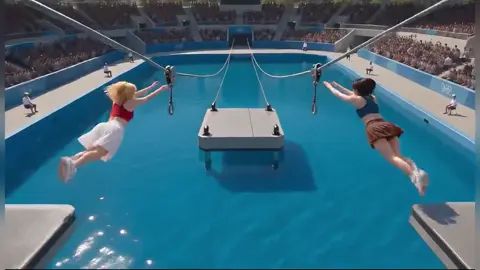

Animated video has always been the most persuasive format on the internet and the most expensive one to produce. That trade-off is finally dissolving. Modern AI animation tools can turn a rough idea into a watchable scene in minutes, which changes not just how fast you ship, but what kinds of videos are worth making at all.
This guide is about the workflow that surrounds those tools: how to plan, prompt, assemble, and review an AI-assisted animation project so the output looks intentional rather than generated. The tools matter, but the process is what separates a video people finish watching from one they scroll past.
Why AI Animation Changed the Production Math
A 60-second animated explainer used to be a scheduling problem before it was a creative one. You needed a script, a storyboard artist, an illustrator, a rigger, an animator, a voice actor, a sound designer, and an editor. Those roles rarely sat in the same room, and the handoffs alone could consume weeks. The result was that animation was reserved for launches, brand films, and moments big enough to justify the cost.
AI generation collapses the middle of that pipeline. Illustration, in-between motion, voice, and cleanup can now happen in a single afternoon. What it does not collapse is judgment. The bottleneck moves from execution to decision-making: knowing what the video is for, what the single takeaway is, and which of twelve generated variations is actually good.
Three practical consequences follow:
- Iteration becomes cheap, so you can test two different hooks instead of arguing about one in a meeting.
- Consistency becomes the scarce skill. Anyone can generate one beautiful scene; holding a style across fourteen scenes is the hard part.
- Review discipline matters more. Fast generation also means fast accumulation of mediocre assets, and someone has to say no.
There is also a commercial layer worth checking early. Every tool has its own terms around commercial use, training data, and ownership of outputs. Decide what your brand can accept before you build a workflow on top of it, not after.
Picking Tools for Each Stage of the Pipeline
There is no single tool that does everything well. The most reliable setups treat AI animation as a pipeline with distinct stages, and pick the best option for each one.
Script and concept
This stage does not need a specialized product. A shared document and a language model for structure are plenty. The output you want is not prose; it is a scene list with one idea per scene, a target duration, and a plain-language narration line.
Storyboard and layout
Image generators handle this well, but so do template libraries with pre-built animated scenes. The deliverable is a shot list: frame reference, camera behavior, approximate duration, and on-screen text. If you skip this stage, you will discover continuity problems in the edit, when they are expensive to fix.
Motion and scene generation
This is where tools diverge most. Some are built for stylized 2D motion graphics, some for character performance from a still image, and some for cinematic, near-photoreal footage. Choose based on the look you need, not on which demo reel impressed you most. Ask three questions: can it hold a consistent style across scenes, does it respect camera instructions, and how long can a single generated clip run?
Voice and sound
Synthetic voice is fine for scratch tracks and often fine for final delivery, depending on brand tone. Keep a human voice option in reserve for flagship pieces. Layer in library music and sound effects; silence reads as unfinished more often than a bad shot does.
Editing and finishing
The edit is where AI output becomes a video. Any competent non-linear editor works. What matters is normalization, caption timing, and consistent frame rates on export.
When comparing options, score them on output aspect ratios, maximum clip length, style control, character consistency, batch generation, and rights. Write those six criteria down once and reuse them for every tool you trial.
A Repeatable Workflow, Step by Step
The following sequence works for explainers, product walkthroughs, social cuts, and internal training videos.
Step 1 — Lock the message before you touch a tool
Write one sentence: after watching this, the viewer will understand or do X. If you cannot fill in X, generation will only produce attractive noise.
Step 2 — Write a scene list, not a script
Divide the message into six to twelve beats. Give each beat a purpose, a visual idea, and a rough duration. Narration comes later; structure comes first.
Step 3 — Build a style anchor
Create one sentence that describes the visual language, then paste it verbatim into every prompt. Something like: flat vector illustration, limited palette of four colors, soft shadows, no outlines, generous negative space.
Step 4 — Generate in short, boring increments
Favor four to six second clips over long ones. Short clips fail less often, are easier to regenerate, and give your editor real choices in the timeline.
Step 5 — Assemble rough, then refine
Drop everything into the timeline with temp audio and no polish. Watch it once, end to end. Most problems reveal themselves here: pacing drags, a scene repeats a previous idea, the hook arrives too late.
Step 6 — Layer audio before visual polish
Replace scratch voice, add music, place sound effects. Audio changes the perceived length of every shot, so polishing visuals first usually means redoing them.
Step 7 — Export masters, not just one file
Keep a high-resolution master plus vertical, square, and captioned variants. One asset should serve several placements without a re-edit.
Prompting for Animated Scenes That Hold Together
A good scene prompt has six parts: subject, action, camera, setting, lighting, and style. That sounds mechanical, and it is, deliberately. Consistency comes from describing the same things the same way every time.
A weak prompt: an office scene, modern, professional, high quality.
A stronger prompt: a single worker in a mustard jacket walks left to right past a bakery window, camera tracks sideways at eye level, soft overcast light, flat vector illustration, limited palette, no text.
The differences are not cosmetic. One action instead of three. One camera move instead of an unspecified dynamic shot. Explicit lighting. A reusable style string. An explicit exclusion for on-screen text, which generators often render as garbled letters.
Three habits help more than any prompt template:
- Use motion verbs that describe physical movement, since they give the model something to animate rather than something to render.
- Never stack actions in one shot. Two actions in a prompt usually produce a morph in the middle of the clip.
- Keep a prompt log. When a scene works, you want to know exactly why, because you will need to reproduce that look in scene nine.
Also decide early whether your video needs lip-synced characters. If it does, plan to record or generate dialogue first and animate to the audio, rather than generating visuals and hoping the timing works out.
Style Consistency Is the Real Bottleneck
Viewers forgive a soft shot. They do not forgive a video that changes art style three times in thirty seconds. Consistency is the difference between something that looks designed and something that looks assembled.
Start with a style anchor and treat it as a contract. Reuse the same palette description, the same shading language, the same camera height. If a tool supports reference images or saved styles, use them. If it supports seeds, reuse the seed for scenes that share a setting.
Create character sheets for recurring figures: one reference image, one written description, one set of clothing details. Then reuse both in every scene that character appears in. When a face drifts, the cause is almost always a rewritten description rather than a broken model.
Do not mix render engines mid-video. A photoreal scene next to a vector scene can work as a deliberate transition, but only if it happens once and clearly on purpose.
Here is a fast test. Put three scenes side by side on a single screen and squint. If the palette, contrast, and line weight still read as one family, you are fine. If one scene jumps out, fix it now, before it influences the rest of the edit.
Audio and Timing: Where Amateur Videos Betray Themselves
Most AI-assisted videos do not fail visually. They fail in rhythm. Narration runs at roughly two and a half to three words per second at a comfortable pace, so a ninety-word script is a thirty-second video, no matter how many scenes you generated.
Build the timeline from audio outward. Lay the voice track first, then cut visuals to it. Keep music roughly twelve to eighteen decibels below the voice and duck it under narration. Put a small beat of silence before each major section; the pause signals a change and gives the viewer a moment to catch up.
Cut on the beat when music is prominent, but do not cut on every beat. A rhythmic edit that never breathes feels like a slideshow with a soundtrack.
Captions deserve real attention. Burned-in captions are often safer for social placements, while uploaded caption files preserve accessibility and editability. Either way, check names, numbers, and technical terms manually. Auto-captions still mangle product names and acronyms.
Finally, mix to a consistent loudness target for your main platform, and verify the result on a phone speaker. That is where most viewers will actually hear it.
Quality Control: A Pre-Publish Checklist
Run the same checklist on every video, even the small ones.
- Watch at full speed once without pausing. Note where attention dips.
- Watch frame by frame around every transition for flicker and morphing artifacts.
- Check hands, faces, and reflective surfaces in each generated clip.
- Verify that any on-screen text is deliberate, spelled correctly, and not a generated artifact.
- Confirm captions match the audio, including numbers and names.
- Check contrast and legibility on a phone at arm's length.
- Confirm safe margins so nothing important sits under platform interface elements.
- Listen for clipped audio, abrupt music cuts, and inconsistent voice levels.
- Confirm the first three seconds state the promise of the video.
- Confirm the ending tells the viewer exactly what to do next.
Two of these catch most real-world defects: the transition frame check and the phone legibility check. If time is short, do those two.
Scaling Up Without Losing the Craft
Once the workflow is stable, the temptation is to produce more. Do it carefully, or quality will fall faster than volume rises.
Build a reusable scene library organized by purpose: openers, data visualizations, transitions, closers. Save brand kits with fonts, colors, and logo placement. Name files with a consistent convention that includes project, scene number, and version, because version confusion wastes more time than generation ever does.
Introduce review gates. A cheap gate is a single side-by-side comparison of the new piece against your best previous piece. If it does not hold up, the problem is usually in the script or the style anchor, not the tools.
For teams, split roles rather than tools: one person owns structure and script, one owns generation and consistency, one owns edit and audio. That division survives tool changes, which happen constantly.
Batch where it makes sense. Generating twelve background variants in one session is efficient. Generating twelve full scenes before reviewing any of them is not; you will repeat the same mistake twelve times at scale.
FAQ
How long does a typical AI-assisted animated video take?
A one-minute explainer with a locked script usually takes one to three working days for a solo creator: half a day for structure and style anchoring, one day for generation and regeneration, and the rest for edit, audio, and review. Complexity comes from consistency requirements, not runtime.
Do I still need a storyboard if the tool generates scenes for me?
Yes, in a lighter form. You do not need polished drawings, but you need a written shot list. Without it, you will generate attractive clips that do not build an argument, and the edit will feel like a montage rather than a story.
Why do my characters change appearance between scenes?
Almost always because the description changed. Models respond to the exact words and reference images you provide. Freeze a character sheet with one image and one fixed description, then reuse both without paraphrasing.
Is synthetic voice good enough for client work?
For tutorials, internal training, and many social placements, yes. For brand films and anything where vocal warmth is part of the message, a human voice still reads as more credible. A practical middle ground is synthetic narration for drafts and a human recording for the final.
How do I stop generated text from appearing in scenes?
Add an explicit exclusion to every prompt and verify at the frame level. On-screen text should be added in your editor, where you control spelling, font, and placement.
What is the most common mistake beginners make?
Generating before deciding. Without a locked message and a style anchor, every scene becomes a separate experiment, and the resulting video looks like a demo reel rather than a coherent piece.
Can one video serve multiple platforms?
Yes, if you plan for it. Design with safe margins, keep important action centered, and export a master plus vertical and square variants with captions. Re-editing for each placement defeats the time savings the workflow was supposed to create.
Where to Start Tomorrow
Pick a single thirty-second concept you already understand well, and run it through the full pipeline once: one message sentence, six scenes, one style anchor, rough assembly, audio, checklist, export. Do not try to build a template library or a brand system on the first pass. The goal of the first project is to learn where your specific workflow breaks.
That first pass will tell you more than any comparison of tools. You will discover whether your weakness is prompting, pacing, audio, or review, and those are different problems with different fixes. Fix the weakest link, run the pipeline again, and only then start scaling. AI animation rewards repetition far more than it rewards tool collecting; the creators who get consistently good results are usually the ones who rebuilt the same boring process twenty times and refined one variable at a time.

Alexander
More Blogs
Read MoreVidu Q4 Alternatives: 4K AI Video Models Compared (2026)
Vidu Q4 alternatives compared: Kling 4.0, Seedance 2.5, Wan 3.0, and Runway Gen-4 — 4K support, input modes, durations, audio, and what each costs in credits on Domer.
Top 4K AI Image Generators in 2026: 5 Models Compared on Real Costs
The top 4K AI image generators on Domer compared: Flux 3 Klein, Nano Banana 2.1, GPT Image 2.5, GPT Image 2, and Nano Banana Pro — 4K credit costs, reference limits, and speed.
Nano Banana 2.1 vs GPT Image 2.5: Which Image Model Should You Use? (2026)
Nano Banana 2.1 vs GPT Image 2.5 Flare compared: credit costs per resolution, aspect ratios, reference images, text rendering, and which tasks fit each model.