

AI Anime Art Generators: A Practical Workflow Guide
Oct 15, 2026
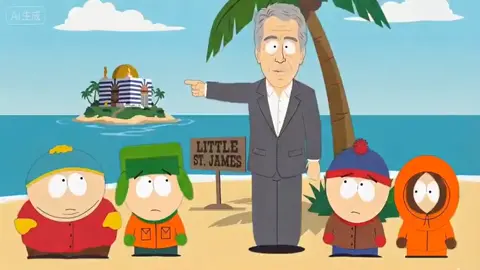

Anime is one of the most demanding styles you can hand to an image generator, and that is precisely why it is such a useful place to learn. The style has a tight visual grammar: crisp line art, flat cel shading, deliberate color palettes, exaggerated expressions, and character designs that readers recognize instantly across hundreds of frames. A tool that can hold that grammar together is a tool you can build real work on.
This guide walks through a practical anime art workflow end to end: choosing a model family, writing prompts that genuinely control the output, keeping a character consistent across a set of images, tuning the trade-off between speed and fidelity, and polishing the final files for export. It is written for people who want usable assets, not just impressive one-off experiments.
Why Anime Is a Great Test Case for AI Image Generation
Anime rewards precision. Unlike photorealism, where slight errors hide inside texture and noise, anime art exposes every mistake. A wobbly jawline, an inconsistent eye shape, an extra finger, or a shadow that lands on the wrong side of the face is instantly visible to any reader who has spent time with the style.
That strictness makes anime an excellent benchmark for three skills you will reuse everywhere:
- Style locking. You need the same line weight, shading logic, and palette across many images, not just one.
- Character identity. Faces, hairstyles, costumes, and silhouettes must survive changes in pose, camera angle, and lighting.
- Compositional control. Panels, covers, and key art need intentional framing rather than whatever the model felt like producing.
Anime also has a huge, well-documented visual vocabulary, which means prompts can be surprisingly compact. Terms like "cel shading," "line art," "three-quarter view," or "bust shot" carry a lot of meaning because the style has decades of consistent convention behind it. Once you internalize that vocabulary, you can describe an image in a sentence or two and get something close to what you pictured.
How the Core Technology Actually Works
You do not need a research background to use these tools well, but a working mental model makes troubleshooting far easier. Almost every modern anime image generator combines three ideas: a denoiser, a text encoder, and some form of conditioning that injects extra information.
Denoising as sculpting
Diffusion-based generators start from random noise and remove it step by step, guided by your prompt. Think of it as sculpting: the first steps set the overall shape and composition, the middle steps establish anatomy and shading, and the final steps refine lines and small details. This is why step count matters so much. Stop too early and you get a soft, muddy image. Run too many steps at a low guidance value and you can get over-baked, contrasty artifacts.
Text encoders and prompt understanding
Text encoders convert your words into a mathematical representation the model can act on. Different models weight language differently. Some respond strongly to comma-separated tags, others prefer flowing natural sentences, and many handle both but with different priorities. If a prompt seems to be ignored, the issue is often not the model's capability but the encoder's ordering preferences. Putting the most important subject early in the prompt is one of the most reliable fixes available.
Conditioning layers, references, and adapters
Pure text-to-image is only the beginning. Most serious workflows layer in extra control:
- Image-to-image uses an existing picture as a starting point, which is ideal for variations and redraws.
- Reference conditioning lets you hand the model a character sheet, a pose, or a color study and ask it to respect those cues.
- Low-rank adapters are small trained files that nudge a base model toward a specific style or character without retraining the whole thing.
- Structural guides such as edge or depth maps preserve composition when you want a new rendering of an existing layout.
Understanding these layers is what separates a hobbyist who rerolls until something works from a creator who gets predictable results on the first or second attempt.
Setting Up Your Anime Art Workflow
Before generating anything, spend ten minutes on setup. It saves hours later.
Step 1: Define the deliverable, not the picture
Write down what you actually need: a character sheet, twelve comic panels, a square cover with space for a title, or a set of profile avatars. Each deliverable implies different constraints on aspect ratio, resolution, and framing. A cover needs negative space at the top. A panel needs the subject offset so speech bubbles can fit. Deciding this first prevents a pile of beautiful images that are all slightly unusable.
Step 2: Pick a model family that matches your reference style
Model families differ dramatically in their default aesthetic. Some lean toward soft, painterly anime; others toward hard-edged, flat-color manga; others toward semi-realistic illustration. Rather than fighting a model's natural bias, sample a few candidates with the same prompt and compare. Generate four images from each candidate, then judge them on line quality, hand and eye anatomy, shading logic, and how well they handle full-body poses.
Step 3: Lock a base style before adding variety
Once you have a model you like, freeze the variables: the checkpoint, the sampler, the step count, the guidance value, and a core style phrase that you will reuse in every prompt. This is your baseline. Every later experiment should change exactly one thing so you can tell what caused the difference. Creators who skip this step end up with a folder of images that look like they came from five different artists.
Prompt Craft for Anime: Structure Beats Keyword Soup
Long tag lists are a crutch. A structured prompt is easier to debug and easier to reuse.
The five-slot prompt frame
Use this order for almost every anime prompt:
- Subject and action. Who or what, doing what. "A young swordswoman mid-lunge."
- Framing and camera. "Full body, low angle, slight foreshortening."
- Style and rendering. "Clean line art, cel shading, limited palette."
- Lighting and mood. "Backlit sunset, warm rim light, cool shadows."
- Quality and technical notes. Resolution hints, level of detail, line weight.
This frame keeps the most important information early, where the encoder weights it most heavily, and it makes the prompt easy to edit. When something goes wrong, you know which slot to adjust.
Negative prompts that do real work
Negative prompts are not magic wands. They steer the model away from patterns it already associates with your description. Broad quality negatives help a little; targeted ones help a lot. If your character keeps getting extra fingers, describe hand errors specifically. If backgrounds turn into mush, negate the blurry descriptors rather than adding more style words. Keep the negative list short and relevant, and revisit it when a specific failure repeats.
Aspect ratio, resolution, and detail budgets
Models are trained on particular aspect ratios and behave best near them. Generating at a very tall or wide ratio often produces stretched anatomy, duplicated limbs, or a subject that drifts out of frame. A reliable approach is to generate near a comfortable ratio, then extend or crop. Similarly, resolution acts like a detail budget. Asking for a full body at the same resolution you use for a portrait forces the model to spread limited pixels across more anatomy, which is when faces get smeared. For full-body images, generate large and downscale rather than the reverse.
Character Consistency Across Dozens of Images
Consistency is the hardest problem in anime generation and the one that decides whether your project ships.
Reference sheets and image-to-image
Start by producing a clean reference sheet: front view, three-quarter view, profile, and a neutral expression, all in flat lighting. This sheet becomes your anchor. From there, use image-to-image with a moderate strength value for new poses, or reference conditioning when your tool supports it. The goal is to borrow identity from the sheet while letting the model handle the new pose.
Seeds, embeddings, and small adapter runs
Reusing a seed keeps the underlying noise pattern stable, which helps with small variations but will not by itself preserve a face across different poses. Textual embeddings and small trained adapters are much stronger. Training a lightweight adapter on fifteen to thirty well-cropped images of one character is often enough to get reliable identity, provided the dataset is consistent in style and lighting. Garbage in, garbage out applies here more than anywhere else.
Stress-testing before you commit
Never assume consistency holds. Build a test grid that pushes the character through the situations your project actually needs: three camera angles, two lighting conditions, one extreme expression, and one dynamic action pose. If the character survives that grid, it will survive your comic. If the face drifts, fix the dataset or the reference weight before generating another hundred images.
Speed vs. Quality: Tuning the Generation Loop
Instant generation is wonderful for exploration and dangerous for final output. The trick is to run two modes deliberately.
Sampling steps and schedulers
Low step counts produce fast, soft results that are perfect for composition checks. High step counts add line definition and detail but cost time and can introduce harshness. Schedulers matter too; some converge quickly, others reward higher step counts. Pick one sampler and one step count for exploration, and a second, slower setting for finals. Do not mix them casually.
Batch strategy for exploration
When you are hunting for a look, generate small batches with meaningful variation rather than large batches of the same prompt. Change the seed, change one framing word, or change one lighting descriptor. Four focused variations teach you more than sixteen identical ones.
Upscaling and line repair
Upscaling is not just about size. A good upscale pass sharpens line art and cleans up small anatomy errors. If your workflow supports it, do a second render pass after upscaling so the model can re-render details at the higher resolution instead of simply interpolating pixels. For line-heavy anime styles, be cautious with aggressive smoothing, which erases the crispness that makes the style readable.
Post-Processing and Final Polish
Even strong generations benefit from a short cleanup pass.
Line cleanup and shading checks
Zoom in on hands, eyes, and hair strands. These are where artifacts cluster. Common fixes include redrawing a single finger, correcting the direction of a shadow, and unifying line weight along an outline. If a model added stray highlights, clone them out rather than regenerating the whole image.
Color grading and export
Unify your set with a light color pass: consistent white balance, consistent contrast, and a shared palette accent. Then export for the destination. Screens want sRGB at moderate resolution; print wants higher resolution with a safe margin; social platforms want a square or vertical crop with the subject centered. Batch your exports so an entire set shares the same treatment.
Common Mistakes and How to Avoid Them
- Chasing one perfect image instead of a working system. A repeatable pipeline beats a lucky result every time.
- Overloading prompts. If you list thirty style tags, the model has no priority order. Cut to the essentials.
- Changing several variables at once. You will never know what fixed the problem.
- Ignoring hands until the end. Check anatomy in the exploration phase, not after you have committed to a composition.
- Using inconsistent reference images. Mixed lighting and line weights in a character dataset produce mixed results in output.
- Skipping the negative prompt entirely. A short, targeted list saves a lot of rerolling.
- Forgetting the deliverable. Beautiful art that does not fit the layout is not finished work.
Practical Project Examples
A webcomic panel set
Define a panel grid with fixed dimensions. Lock one model, one style phrase, and one character reference. Generate the establishing shot first, then work scene by scene, keeping the camera language consistent within a scene. Reserve higher step counts for close-ups where faces carry the emotion, and faster settings for wide shots. Post-process the whole set in one pass for uniform color.
A light novel or ebook cover
Covers need a strong silhouette, readable emotion at thumbnail size, and empty space for typography. Prompts should specify a single focal character, a clear light source, and a simple background. Generate at high resolution, upscale, then crop to leave deliberate headroom. Test the cover at thumbnail size before you commit; if it reads as a blur, the composition is too busy.
A character design portfolio
For design work, consistency across many variations is the entire point. Build a base design, then systematically vary one attribute at a time: costume color, hair length, weapon shape, silhouette. Present the results as a grid so a viewer can compare instantly. This turns a folder of images into a professional presentation.
FAQ
Do I need a powerful GPU to work this way?
No, but you need patience. Cloud and hosted tools remove the hardware barrier entirely. Local generation gives more control and privacy but requires a capable machine for the heavier sampling and upscaling passes.
How many images do I need to keep a character consistent?
For light consistency, a clean reference sheet plus reference conditioning is often enough. For repeated appearances across a long project, plan on a small trained adapter built from fifteen to thirty consistent images.
Why do my anime faces look fine but my hands look wrong?
Hands are structurally complex and often small in frame, so they receive few pixels and little training signal. Generate larger, crop tighter when iterating on hands, and check them during exploration rather than after.
Should I write prompts as tags or sentences?
Try both with your chosen model. Most respond to a hybrid: a natural sentence for the subject and action, then short descriptors for style, framing, and lighting.
How do I stop backgrounds from turning into noise?
Describe the background explicitly with one or two concrete elements instead of abstract mood words, and negate the blurry descriptors that keep appearing. Simpler backgrounds also keep the focus on the character.
Can I mix styles from two different models?
You can, but do it in post-processing rather than by blending checkpoints. Generate a clean pass in each style, then combine the strengths. Blended models often produce unstable line work.
What is the fastest way to improve my results?
Fix your variables and change one thing per test. Most improvement comes from disciplined iteration, not from collecting more prompts.
The tools will keep getting faster and better at understanding what you mean. What will not change is the value of a clear workflow: define the deliverable, lock a style, control the prompt structure, protect character identity, and polish before you ship. Build that system once and every new model becomes an upgrade rather than a restart.

Alexander
More Blogs
Read MoreVidu Q4 Alternatives: 4K AI Video Models Compared (2026)
Vidu Q4 alternatives compared: Kling 4.0, Seedance 2.5, Wan 3.0, and Runway Gen-4 — 4K support, input modes, durations, audio, and what each costs in credits on Domer.
Top 4K AI Image Generators in 2026: 5 Models Compared on Real Costs
The top 4K AI image generators on Domer compared: Flux 3 Klein, Nano Banana 2.1, GPT Image 2.5, GPT Image 2, and Nano Banana Pro — 4K credit costs, reference limits, and speed.
Nano Banana 2.1 vs GPT Image 2.5: Which Image Model Should You Use? (2026)
Nano Banana 2.1 vs GPT Image 2.5 Flare compared: credit costs per resolution, aspect ratios, reference images, text rendering, and which tasks fit each model.