
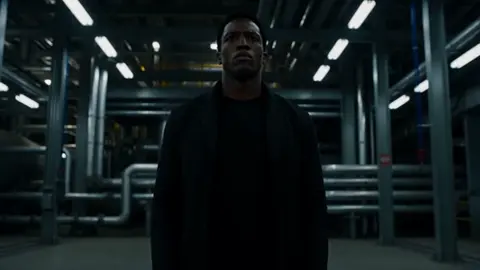
AI Story Generator: Turn Scripts Into Video Scenes
Oct 15, 2026


Why story-first video generation changes the production math
For years, producing a two-minute narrative video meant a script, a shot list, a location or stock-footage hunt, an edit, and a sound pass. That is a week of work spread across several people. Story generation tools collapse the expensive front half of that pipeline. You describe the story, the system proposes a visual interpretation, and you iterate on scenes instead of on a folder of clips. The real shift is not that video became automatic. It is that a first draft became cheap, which changes how many concepts you can test and how quickly you learn whether an idea works at all.
The practical consequence is that story quality now matters more than production access. When anyone can render a plausible scene in a minute, the differentiator becomes narrative clarity: a strong opening image, a character worth following, a turn that lands, an ending that resolves. Tools remove the friction of shooting; they do not remove the need for a story. Creators who get the most from these systems treat them as a fast visualization partner rather than a push-button movie machine.
What follows is a working guide to how narrative generation behaves, how to structure a script for it, which controls matter when continuity breaks, and how to judge output before you publish.
How narrative generation works under the hood
Semantic parsing and shot planning
When you paste a paragraph into a story-to-video tool, the first thing that happens is not rendering. It is interpretation. A language model breaks your text into entities, actions, spatial relationships, and implied mood. The sentence Mara steps off the night train into drizzle gives the system a subject, an action, a setting, a time of day, and a sensory cue. From there, the tool builds a sequence of shots: a wide establishing view, a medium shot of the character, perhaps a close-up of wet pavement under a platform light.
The quality of that shot plan depends heavily on how concretely you wrote. Vague prose produces vague plans, and vague plans are expensive to steer because every generated clip contradicts the next. Specific prose produces something closer to a real storyboard: distinct locations, identifiable props, clear beats. If your output keeps feeling generic, the fix usually lives in the script, not in the settings panel.
Diffusion, temporal consistency, and motion
The rendering stage turns each planned shot into frames. A diffusion model generates images conditioned on the prompt, then a temporal layer keeps identity, lighting, and geometry stable across those frames. Motion is synthesized rather than captured, which is why AI clips can look uncanny when a character turns, crosses a threshold, or interacts with an object. The model has to invent physics it never observed.
The hardest problem is consistency: keeping a face, jacket, car, or room looking like the same one from shot to shot. Different tools handle this differently. Some accept a reference image, some use a character seed, some rely on keyframes you place manually, and some expect you to repeat detailed descriptions in every prompt. Knowing which mechanism your tool uses tells you exactly how to repair drift when it shows up mid-sequence.
Audio as a narrative layer
Sound does more storytelling work than most beginners expect. A quiet room tone with distant traffic reads as loneliness. The same shot with a rising synth reads as dread. Most modern pipelines let you produce voiceover, ambient beds, and music separately, then align them to scene boundaries in the edit.
Treat the audio pass as a rewrite rather than a garnish. If your voiceover cannot carry the story with the visuals muted, the script still needs work. Export a rough cut with sound only and listen to it while doing something else. If you lose the thread, so will your audience.
Building a story-to-video workflow, step by step
Step 1: write a shot-ready script
Write the script as a sequence of beats, not as flowing prose. Each beat should contain one location, one main action, and one emotional note. A beat that reads she remembers her father is a note to yourself; a beat that reads close-up of her hands folding an old paper map on a kitchen table, morning light is a shot the system can render.
A useful rhythm is one sentence of story per shot, three to five sentences per scene. Ten to twelve scenes gives you a two-minute video with room to breathe. Read the script out loud before generating anything. Anything that sounds awkward spoken will sound far worse narrated.
Step 2: lock a style guide before you generate
Pick a visual language and write it down once: lens feel, color palette, lighting direction, level of realism, aspect ratio, and pacing. Then reuse that description verbatim in every prompt. Consistency across a sequence comes far more from identical style language than from any single advanced setting.
A compact style guide might say: 35mm lens, shallow depth of field, cool blue shadows with warm practical lights, documentary realism, 16:9, slow camera movement. That single line, repeated everywhere, prevents the sequence from looking like a compilation of unrelated stock clips.
Step 3: generate in scene blocks, not one long take
Generate each scene independently, then assemble. This gives you three advantages. You can regenerate only the weak scene instead of the whole video. You can fix continuity between blocks by carrying a reference frame forward. And you can adjust pacing during the edit, trimming a slow intro without touching the render.
Keep a simple tracking sheet with columns for scene number, prompt used, reference image, generation settings, and a pass or fail verdict. The sheet becomes your rollback plan the moment a new batch of renders breaks a detail you had already solved.
Step 4: assemble, trim, and sound
Cut on motion and on emotion. If two adjacent clips both move slowly, insert a faster beat. If a scene explains something the audience already understood, delete it. Most first assemblies run about 30 percent too long, which is normal and easy to fix.
Then build the audio in layers: voiceover first, ambient environment second, music last. Layering in that order prevents music from dictating the story rhythm. Add a two-second tail of ambience at the end so the video breathes instead of stopping abruptly.
Prompt patterns that produce coherent stories
Character and continuity prompts
Describe characters with three or four stable, visual attributes and never change them: approximate age, hair, one distinctive clothing item, one physical trait. Fortyish woman, dark curly hair, faded green canvas jacket, a small scar above the left eyebrow travels far better across shots than a paragraph of backstory.
When a character drifts, do not rewrite the whole prompt. Change one variable at a time: first add a reference frame, then strengthen the repeated description, then adjust motion intensity. Randomly changing five things at once leaves you unable to tell what actually worked.
Pacing, transitions, and camera language
Camera language is a pacing tool. Slow push-ins create tension. Static wide shots create distance and let an audience breathe. Handheld drift signals realism and unease. Add one camera instruction per shot, not three, because competing instructions produce mushy motion.
For transitions, decide whether scenes should connect smoothly or cut hard. Smooth transitions suit reflective, continuous stories; hard cuts suit energetic or comedic ones. You can generate most transitions safely by ending a clip on a stable composition and starting the next one on a clearly different framing.
Image-to-video and keyframe control in practice
Image-to-video is the most reliable way to get a specific look. Generate or source a still you like, then animate it with restrained motion: a slight camera drift, a flicker of light, hair movement, rain. Ambitious motion from a single still tends to warp faces and hands, so let the composition carry the scene and keep the movement modest.
Keyframe control works similarly but gives you more authoring power. You define a start frame and an end frame, and the model interpolates. This is ideal for transformation shots, reveals, and any moment where the audience must land on an exact image. The trade-off is cost in time: interpolated shots need more review passes, because the middle frames are where artifacts hide.
A practical habit is to place keyframes at narrative hinges only, not everywhere. Two or three controlled shots in a two-minute video is usually enough to make a sequence feel deliberate.
Matching the approach to your content type
| Content type | Best entry point | What to prioritize |
|---|---|---|
| Explainer or educational | Text-to-video with narration | Script clarity, diagram-friendly framing |
| Brand or product story | Image-to-video from brand stills | Color consistency, logo-safe compositions |
| Short social narrative | Text-to-video, fast cuts | Hooking first three seconds, vertical framing |
| Mood piece or trailer | Keyframe control plus score | Atmosphere, pacing, sound design |
| Training or onboarding | Text-to-video plus on-screen text | Accuracy, repetition, neutral tone |
Explainer content rewards precision over beauty, so spend your effort on the script. Brand work rewards consistency, so lock reference images early. Social storytelling rewards the first three seconds above everything else, which often means generating the hook shot ten times before moving on.
Common mistakes and how to fix them
Overwriting prompts. Long prompts dilute attention. If a prompt runs past two sentences of description, cut it and move the extra detail into your style guide instead.
Mixing realism levels. One photorealistic scene next to a stylized one reads as an error. Decide the realism level once and enforce it in every prompt.
Ignoring the first frame. Viewers judge a video in the first second. Make sure your opening shot is the strongest composition you generated, not simply the one you made first.
Letting music lead. If the score is doing all the emotional work, the visuals are underperforming. Fix the shot, then adjust the track.
Generating without a shot list. Random generation produces random results. A one-page beat sheet costs ten minutes and saves hours of unusable clips.
Skipping the mute test. Watch your cut with sound off. If the story is unclear, add a visual cue rather than a longer narration line.
Never versioning. Keep old renders. When you break continuity at scene seven, an earlier pass is often the fastest repair available.
A pre-publish quality checklist
Run through this list before exporting. Does the first shot communicate the premise without narration? Is the main character visually identifiable in every appearance? Do the colors match across scenes? Is motion speed consistent, or does one clip move noticeably faster than the rest? Are there any warped hands, melting text, or flickering background objects?
Then check the audio: voiceover level even, no clipped peaks, ambience present under dialogue, music ducked during speech. Finally, verify technical delivery: correct aspect ratio, captions burned in or uploaded, and a title card that does not sit so long that viewers scroll away.
FAQ
How long should a story generator video be?
Most AI-generated narratives work best between 30 and 120 seconds. Attention and consistency both degrade past two minutes, and longer pieces require far more reference management.
Can I use real people in generated scenes?
Use reference images you have rights to, and avoid depicting identifiable people without consent. Many platforms also restrict public figures. When in doubt, build a fictional character from described attributes instead.
Why does my character keep changing appearance?
Usually because the description varies between prompts or the tool is not receiving a reference frame. Lock a three-attribute description, repeat it verbatim, and carry a still from a good shot into the next scene.
Do I need editing software if the tool generates everything?
You can publish directly, but a light edit almost always improves results. Trimming dead frames, ordering scenes, and layering audio manually typically lifts perceived quality more than any generation setting.
How many renders should I expect per finished scene?
Budget three to six attempts for an important shot and one or two for filler shots. Tracking which prompt variants worked turns that into a reusable personal library.
Is narration always necessary?
No. Many strong AI narratives use only ambient sound, music, and on-screen text. Narration is a tool for clarity, not a default requirement.
Where AI storytelling is heading
The direction of travel is toward finer control at the story level: specifying emotional beats, character arcs, and pacing curves rather than individual camera instructions. As those controls mature, the craft advantage shifts further toward writers who understand structure, rhythm, and audience expectation.
That is good news for anyone who has an idea and no budget. The barrier between a story in your head and a sequence an audience can watch has never been lower. Treat the tools as collaborators that need clear direction, keep your scripts specific, and iterate in small, controlled steps. The results will look less like a demonstration of technology and more like something a person actually meant to say.

Alexander
More Blogs
Read MoreVidu Q4 Alternatives: 4K AI Video Models Compared (2026)
Vidu Q4 alternatives compared: Kling 4.0, Seedance 2.5, Wan 3.0, and Runway Gen-4 — 4K support, input modes, durations, audio, and what each costs in credits on Domer.
Top 4K AI Image Generators in 2026: 5 Models Compared on Real Costs
The top 4K AI image generators on Domer compared: Flux 3 Klein, Nano Banana 2.1, GPT Image 2.5, GPT Image 2, and Nano Banana Pro — 4K credit costs, reference limits, and speed.
Nano Banana 2.1 vs GPT Image 2.5: Which Image Model Should You Use? (2026)
Nano Banana 2.1 vs GPT Image 2.5 Flare compared: credit costs per resolution, aspect ratios, reference images, text rendering, and which tasks fit each model.