

How to Write AI Video Prompts That Produce Better Clips
Oct 15, 2026
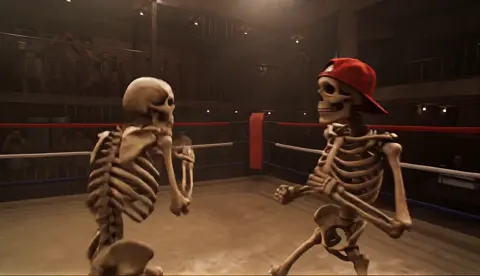


Great AI video rarely comes from a lucky prompt. It comes from a repeatable process: describe one shot clearly, constrain the variables that matter, generate several variants, change one thing at a time, and only then commit to a final clip. Most people who feel let down by text-to-video tools are not working with weak models — they are writing prompts that leave too much to chance, then judging a single attempt as if it were the last word.
This guide walks through how to write AI video prompts that produce usable footage: the anatomy of a strong prompt, a reusable formula, patterns for common formats, how to iterate without burning hours, and the mistakes that quietly ruin otherwise good clips.
Start With the Shot, Not the Story
Text-to-video engines do not understand plot. They resolve a single visual moment — usually a few seconds long — from the description you give them. That is why the first discipline in prompt writing is translation: turn an idea into one shot, then build the story by chaining shots together.
Consider the difference between these two inputs:
- "A detective story set in a rainy city."
- "Close-up of a detective's gloved hand sliding a photograph across a wet metal table, neon signage reflecting in the puddle beside it, shallow depth of field, rain falling steadily."
The first sentence asks the model to invent a film. The second asks it to render a specific frame and action. Only the second is something a video model can deliver reliably.
A practical rule: one subject, one action, one location per clip. If your idea needs two actions — she picks up the cup, then turns to the window — generate two clips and cut them together in an editor. Attempting both inside a single prompt usually produces a smear of motion that satisfies neither beat.
Keep a shot list beside your prompt sheet. A rough list of six to ten shots will teach you more about what each engine handles well than another hour of random generation. When you know shot four is a wide establishing view and shot five is a tight reaction, you also know exactly what to write for each one.
The Anatomy of a Strong Video Prompt
A prompt that consistently works is not a paragraph of adjectives. It is a bundle of decisions, each one narrow enough that the model can execute it. Most effective prompts touch six areas.
Subject and action
Be concrete about who or what is on screen: age range, wardrobe, materials, posture, expression. "A woman" gives the model nothing. "A woman in her forties wearing a charcoal wool coat, shoulders hunched against the wind" gives it a person it can hold steady across frames. Then give a single verb: she is walking, lifting, turning, waiting. One verb, one movement arc.
Camera and lens
Camera language is the fastest way to make AI footage feel intentional. Specify shot size (extreme close-up, close-up, medium, wide, establishing), angle (eye level, low angle, high angle, over-the-shoulder), and lens character (24mm wide, 50mm neutral, 85mm portrait compression, macro). Add the movement: static tripod, slow dolly in, handheld follow, orbit left, crane up, parallax push. Not every engine honors every term, so check the documentation and reuse the vocabulary that tool actually supports rather than inventing new phrasing each time.
Lighting and color
Lighting is where amateur clips and professional clips separate. Name the source and the quality: soft window light, golden hour backlight, single practical lamp, hard overhead noon sun, overcast diffusion. Then name the treatment: warm highlights with teal shadows, muted desaturated palette, high-contrast noir, pastel daylight, film-stock warmth. Two lighting decisions in a prompt will do more than ten mood adjectives.
Motion, pacing, and duration
Describe speed and physics. "Slow push in over four seconds" is a decision; "cinematic" is a wish. Mention ambient motion too — hair moving, fabric rippling, steam curling, dust in the light beam, rain on a surface. Ambient motion is what makes a generated clip feel alive rather than frozen. If the tool lets you set duration, frame rate, or aspect ratio, set them deliberately: vertical for social, widescreen for cinematic b-roll.
Audio and dialogue
Audio support varies widely. Some engines generate only visuals; others produce ambience, sound effects, or speech from the same prompt. Keep audio in a separate field when the tool allows it, and never bury a line of dialogue inside a dense visual description — the model may spend its attention rendering the sentence instead of the shot. When in doubt, generate silent footage and build sound in your editor, where you have real control.
A Reusable Prompt Formula
The fastest way to improve consistency is to stop writing free-form sentences and start filling in a structure. This template works across most modern engines:
[Shot size + angle] of [subject with three to five specific attributes] [performing one action] in [specific location with two or three environmental details]. [Camera movement and speed]. [Lighting and color treatment]. [Mood or reference style]. [Technical constraints: aspect ratio, duration, negative prompt.]
Two worked examples:
Product shot. "Macro shot, 100mm lens, of a matte black travel mug resting on wet slate, steam curling from the lid, condensation beading on the metal rim. Slow 15-degree orbit to the right over five seconds. Soft directional window light from the left, cool grey palette with a single warm highlight. Clean, premium commercial tone. 16:9, no text, no logos, no hands."
Character beat. "Medium close-up, eye level, of a tired nurse in teal scrubs removing her badge in a dim hospital corridor, fluorescent light buzzing overhead, a gurney blurred in the background. Static handheld with slight breathing motion. Cool clinical lighting, desaturated greens. Documentary realism, quiet and exhausted. 2.39:1, no on-screen text."
Notice what neither prompt does: it never says "beautiful," "epic," or "high quality." Those words do not describe anything the model can render. Specific nouns and concrete camera decisions do.
A quick comparison helps make the pattern obvious:
| Weak prompt | Strong prompt |
|---|---|
| "A cool car driving fast" | "Low-angle tracking shot of a silver coupe accelerating along a coastal road at dusk, motion-blurred guardrail, wet asphalt reflections" |
| "Sad person in a room" | "Medium shot of a man in his thirties sitting on the edge of an unmade bed, head lowered, single lamp behind him, deep shadows" |
| "Beautiful nature" | "Wide shot of a fog-filled pine valley at sunrise, slow tilt up, thin mist moving between trunks, muted green palette" |
Prompt Patterns by Use Case
Different formats reward different emphasis. Reuse these starting points and adjust the details.
Product and e-commerce clips
Prioritize surface, light, and controlled motion. Specify the material (brushed aluminum, matte ceramic, clear glass), the lighting setup, and one deliberate camera move. Avoid fast cuts and busy backgrounds; viewers need to see the product. Add explicit exclusions such as "no text, no watermarks, no extra objects" to keep the frame clean.
Vertical social shorts
Vertical formats reward a strong first second. Put the most visually interesting element — a splash, a reveal, a face — at the start of the shot description, and keep the action legible on a small screen. Use wider framing than you think you need so on-screen graphics and captions have room later. Write for a three-to-five-second beat, not a ten-second scene.
Explainers and talking heads
When a person is speaking, lock the framing and minimize motion. Specify a static or gently drifting camera, consistent wardrobe, and a stable background so that cuts between generated clips do not distract. If the engine supports lip-sync from a separate audio track, generate the visual first and add the performance afterward — it gives you far more control over timing.
Cinematic b-roll and atmosphere
This is where camera movement shines. Slow pushes, lateral tracking, and crane rises over environments read as intentional. Describe the environment as layers: foreground element, mid-ground subject, background depth. Atmospheric details — fog, dust, rain, drifting snow — give the model something continuous to animate and hide small artifacts.
Match the Prompt Style to the Engine
Prompts are not portable in a strict sense. Engines differ in how they parse language, and treating them all the same wastes generations.
Long-form narrative engines tend to reward a well-written paragraph in plain prose, with camera language embedded in the sentence flow. With these, write the way you would describe a shot to a cinematographer.
Keyword-oriented engines respond better to comma-separated fragments grouped by category: subject, action, camera, lighting, style. Short phrases reduce ambiguity when the parser does not handle long clauses well.
Image-to-video workflows shift the burden: describe motion and camera only, because the frame's content is already fixed by the reference image. This is the most reliable route to character and product consistency.
Node-based and local pipelines give you control over seeds, motion strength, and frame interpolation, which means your prompt can be shorter and your parameter settings do the rest.
Before committing to an engine, answer four questions: Does it accept negative prompts? Does it expose camera controls as parameters instead of text? Does it support reference images or character locks? Does it allow seed reuse? The answers determine how much of your intent belongs in the prompt and how much belongs in the settings panel.
The Iteration Loop: From Rough Idea to Locked Shot
Generating once and hoping is the most expensive habit in AI video, in both time and money. Treat each clip as a draft in a loop.
- Anchor the shot. Write the prompt with all six areas covered, even loosely.
- Generate three to five variants. Change the seed, not the text, on the first pass. This tells you how much natural variance the model introduces.
- Diagnose the failure. Is the subject wrong, the motion wrong, or the look wrong? Only one of those should change per round.
- Change one variable. New lighting term, new camera move, new wardrobe detail — one at a time, so you learn what actually caused the improvement.
- Log everything. Keep a simple sheet: prompt text, seed, model, settings, verdict, and one-line note. After twenty rows you will have a personal reference guide worth more than any generic tip list.
- Lock and upscale. Once a clip works, stop iterating on it. Upscale or interpolate, export a master, and move to the next shot.
A useful discipline: cap yourself at three rounds per shot on the first pass. If a shot still is not working after three rounds, the problem is usually the shot concept itself, not the wording.
Keeping Characters and Scenes Consistent Across Clips
Continuity is the hardest problem in AI video, and prompts alone rarely solve it. Combine three techniques.
A locked character block. Write a fixed paragraph describing your character — age, hair, wardrobe, build, distinguishing details — and paste it verbatim into every prompt that features them. Rewriting it "fresh" each time guarantees drift.
Reference images or image-to-video. Generate a strong still first, then animate it. This is the single most effective consistency method available in most tools.
Environment and grade locks. Repeat the location description word for word and keep the lighting and color language identical across clips in the same scene. Mismatched color temperature between shots is the fastest way to make an otherwise clean sequence look assembled from unrelated footage.
Build a small continuity checklist: character block matches, wardrobe matches, time of day matches, lens character matches, palette matches, screen direction consistent. Run it before you edit, not after.
Common Prompting Mistakes and How to Fix Them
- Stacking multiple actions in one prompt. Fix: split into separate clips.
- Vague quality words. "Stunning," "amazing," and "4K masterpiece" describe nothing. Fix: replace each with a concrete camera, lighting, or material detail.
- Impossible camera instructions. Asking for a simultaneous dolly in and orbit out confuses motion planning. Fix: one movement per clip.
- Ignoring aspect ratio and duration. A prompt written for a wide cinematic shot will not compose well in vertical format. Fix: state the frame first.
- No exclusions. Unwanted text, extra limbs, and background clutter appear when nothing forbids them. Fix: add a short negative list.
- Random regeneration. Clicking generate repeatedly without a hypothesis wastes time. Fix: change one variable per round and record it.
- Chasing photoreal humans first. Faces and hands are the hardest targets. Fix: start with environments, objects, and silhouettes to learn an engine's behavior.
- Overpaying for premium models too early. Fix: develop the prompt on a cheaper or faster engine, then run the final version on the high-fidelity one.
From Brief to Finished Sequence: A Practical Workflow
Here is a workflow that scales from a single social clip to a multi-shot sequence.
- Write the brief in one sentence. What is this video for, who watches it, and what should they feel?
- Break it into a shot list. Six to twelve shots for a short piece; label each by function (hook, context, detail, reaction, payoff).
- Create a prompt sheet. One row per shot: prompt text, engine, settings, seed, status.
- Generate rough passes. Low resolution, fast settings, three variants per shot.
- Select. Mark one keeper per shot and note why.
- Refine the keepers. Higher resolution, more precise wording, reference images where consistency matters.
- Assemble in an editor. Cut to rhythm, add transitions, and fix pacing problems that no prompt can solve.
- Layer sound. Ambience, effects, and music carry more emotional weight than most people expect from generated visuals.
- Quality check. Review at full size on two devices. Look for identity drift, warped hands, flickering textures, unstable backgrounds, and mismatched color.
- Export variants. Deliver the aspect ratios and durations each platform needs from the same master timeline.
Run a short quality rubric on every shot before it enters the timeline: does it match the prompt, is the motion believable, is the subject consistent with neighboring shots, are there visible artifacts, and would a viewer notice it at normal speed? A shot that fails two of those five questions is usually cheaper to regenerate than to fix in post.
FAQ
How long should an AI video prompt be? Long enough to cover subject, action, camera, lighting, motion, and constraints — usually two to five sentences, or a comparable set of grouped keywords. Longer prompts are not automatically better; vague prompts simply take more words to say less.
Should I use commas or full sentences? Match the engine. Prose-oriented engines handle full sentences well; keyword-oriented engines prefer grouped fragments. Test both with the same idea and compare results before settling on a style.
Why do my clips look soft or mushy? Usually too much motion and too little detail. Slower camera moves, simpler subjects, and stronger lighting descriptions consistently produce sharper results.
How do I stop characters from changing between clips? Use a fixed character description block, keep identical lighting and lens language, and animate from reference stills whenever the tool allows it.
Do negative prompts actually work? On engines that support them, yes — keep them short and specific (unwanted text, extra fingers, watermarks, distorted faces) rather than listing everything you dislike.
How many generations should a single shot take? Three to five variants for exploration, then two or three targeted refinements. If a shot still fails after three rounds, rewrite the concept instead of the wording.
Can I reuse a prompt that worked in one tool in another? You can, but expect changes. Camera terms, negative prompt behavior, and duration handling differ enough that a ported prompt usually needs one round of adjustment.
The prompts that produce the best footage are not the most poetic ones — they are the most decisive. Every sentence in a strong prompt removes a choice from the model and hands it a concrete instruction instead. Build your formula, keep a log, change one variable at a time, and lock shots as soon as they work. That loop, repeated across a shot list, is what turns text-to-video from a novelty into a production tool.

Alexander
More Blogs
Read MoreVidu Q4 Alternatives: 4K AI Video Models Compared (2026)
Vidu Q4 alternatives compared: Kling 4.0, Seedance 2.5, Wan 3.0, and Runway Gen-4 — 4K support, input modes, durations, audio, and what each costs in credits on Domer.
Top 4K AI Image Generators in 2026: 5 Models Compared on Real Costs
The top 4K AI image generators on Domer compared: Flux 3 Klein, Nano Banana 2.1, GPT Image 2.5, GPT Image 2, and Nano Banana Pro — 4K credit costs, reference limits, and speed.
Nano Banana 2.1 vs GPT Image 2.5: Which Image Model Should You Use? (2026)
Nano Banana 2.1 vs GPT Image 2.5 Flare compared: credit costs per resolution, aspect ratios, reference images, text rendering, and which tasks fit each model.