

AI Video Workflow for Social Media Campaigns That Scale
Oct 15, 2026


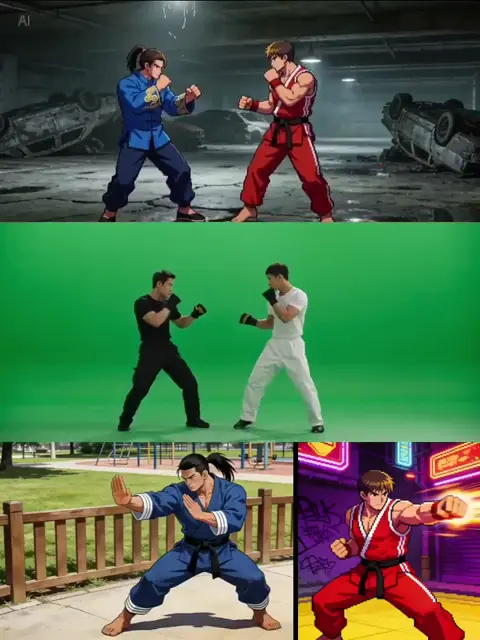
Why Video-First Feeds Reward a System, Not a Single Good Idea
Every major social platform now behaves like a recommendation engine with a social layer on top. Static posts still exist, but they are no longer the primary distribution channel. Watch time, completion rate, replays, saves, and shares decide who sees your next post — and those signals only exist for motion content.
That shift creates a predictable failure pattern. A team produces one strong video, it performs well, and then nobody can reproduce it. The next attempt takes three times as long and lands flat. The problem is rarely talent or tooling. It is the absence of a repeatable pipeline.
A working video system has four properties:
- A brief that fits on one page. Everyone agrees on the single job of the clip before anyone generates footage.
- A generation approach matched to the goal. A cinematic brand film and a reactive daily post should not share the same settings, models, or timelines.
- A packaging layer. Aspect ratios, captions, cover frames, and hooks are treated as part of production, not cleanup.
- A feedback loop. Performance data changes the next brief, not just the next report.
Generative video tools have made the middle of that pipeline dramatically cheaper. They have not removed the need for the pipeline. A prompt is not a strategy, and a folder of impressive clips is not a campaign. The rest of this guide walks through a workflow you can run every week without inflating headcount.
Pre-Production: The One-Page Brief That Saves Hours
Most wasted production time is decided before the first prompt is written. Vague briefs produce vague footage, and vague footage produces endless revision loops.
Define one job per video
Write a single sentence in this format: After watching, the viewer should feel ___ and do ___ . If you cannot fill in both blanks specifically, the video is not ready to produce.
Examples that work:
- "After watching, a small-business owner should feel that invoicing is finally boring, and click the free trial link."
- "After watching, a fitness beginner should feel that ten minutes is enough, and save the post for later."
The second half matters as much as the first. A clip designed to drive saves needs a different ending than one designed to drive clicks.
Write the hook before the script
The first two seconds do more work than the next twenty. Draft at least five hook variants per concept and pick the one that creates an open question. Useful patterns include:
- A counterintuitive claim ("Most ad budgets fail in the first second, not the last.")
- A visible problem the audience recognizes instantly
- A mid-action opening that skips all setup
- A number with a consequence attached to it
Lock a visual language block
Before generating anything, write a short style block: lighting, palette, lens feel, motion energy, wardrobe, and location type. Reuse it verbatim across shots. This single habit solves most consistency problems later, and it makes cross-platform variants feel like one campaign instead of unrelated clips.
Decide the deliverables up front
List every export you owe: vertical 9:16 hero, square 1:1 for feed, horizontal 16:9 for embeds, a silent captioned version, and two alternate hooks for testing. Teams that decide this during pre-production shoot and generate differently than teams that discover it during publishing.
Choosing a Generation Approach: Matching the Tool to the Task
Not every clip deserves maximum fidelity, and treating every clip as a flagship production is the fastest way to burn a schedule. A practical approach is to sort upcoming videos into three tiers.
Tier 1: Cinematic flagship content
Use this for launch films, brand statements, hero ads, and anything that will be watched with sound on a large screen. Prioritize models with strong prompt adherence, stable physics, believable lighting, and coherent motion across a shot. Accept slower render times and more iterations.
Criteria to judge these models on:
- Prompt fidelity — does the output match the described action, not just the mood?
- Temporal stability — do faces, hands, and backgrounds hold together across the shot?
- Motion realism — does movement have weight, or does it glide unnaturally?
- Detail at scale — does it survive being viewed full-screen rather than in a thumbnail?
Tier 2: Fast iteration and volume content
For trend reactions, daily posts, and A/B variants, speed beats polish. Choose faster, cheaper generation paths that let you produce ten variations in the time a flagship shot takes. Slightly softer detail is irrelevant when the clip is watched on a phone at arm's length.
Tier 3: Specialized and stylistic work
Stylized animation, anime-influenced looks, product macro shots, and abstract motion graphics often benefit from narrower, specialist approaches rather than general-purpose models. Specialist tools usually give you stronger stylistic identity but less flexibility, so reserve them for formats where that identity is the point.
A common mistake is using a Tier 1 model for Tier 2 work. It feels safer, but it triples cost per published second and slows the content calendar to a crawl.
Mixing approaches inside one video
Hybrid structures are underused. A strong pattern is: cinematic generated opening (three seconds), screen-recorded or live-action product demonstration (ten seconds), generated stylized ending with a call to action (three seconds). This keeps the expensive generation where it earns attention and uses cheaper, more literal footage where clarity matters more than beauty.
Scene Planning and Narrative Flow with an AI Director
Agent-style planning tools — systems that take a concept and propose shot sequences, transitions, and pacing — are genuinely useful when you treat them as a first-draft editor rather than an oracle.
Build a beat sheet, not a shot list
A shot list tells you what to render. A beat sheet tells you what the viewer should feel at each moment. A reliable eight-beat structure for short social video:
- Disruption — an unexpected visual or claim (0–2s)
- Context — the smallest possible amount of setup (2–5s)
- Tension — the problem sharpened (5–9s)
- Turn — the idea, product, or method appears (9–14s)
- Proof — a demonstration, number, or before/after (14–22s)
- Escalation — a second benefit or a surprising detail (22–28s)
- Resolution — the payoff made visible (28–34s)
- Invitation — one clear next action (34–40s)
You can compress this to fifteen seconds or stretch it to ninety, but skipping beats is what makes videos feel like unrelated clips stitched together.
Enforce consistency deliberately
AI-generated footage drifts. Characters change faces, locations change weather, products change proportions. Three techniques reduce this dramatically:
- Reference-locked generation. Feed a consistent character or product reference into every shot rather than describing it fresh each time.
- Anchor shots. Generate one "master" image per location and derive subsequent shots from it.
- Deliberate discontinuity. When continuity is impossible, cut on a graphic match, a whip pan, or a hard audio transition so the viewer reads the change as intentional.
Use the director layer for pacing, not for ideas
Let the planning tool propose sequencing, transitions, and duration. Keep the creative premise, the claims, and the tone entirely human-owned. When teams outsource the idea itself, output converges on the same generic inspirational montage everyone else is publishing.
Audio, Voice, and Captions: The Layer Most Teams Rush
Viewers forgive imperfect visuals far more readily than bad audio. This is where the difference between amateur and professional output usually lives.
Treat voice as a performance
Synthesized narration has become genuinely usable, but flat delivery still sounds synthetic. Practical fixes:
- Write for the ear: short clauses, contractions, one idea per sentence.
- Insert commas and line breaks where you want a pause — punctuation is your pacing control.
- Generate two or three takes with different energy levels and pick per section rather than per video.
- Keep a consistent narrator identity across a campaign; changing voice mid-series fractures recognition.
Design a sound bed, not a soundtrack
Music should support the beat sheet. Practical rules: start sparse, add a layer at the Turn, drop out entirely two seconds before the payoff, and return for the Invitation. Silence before a key line is one of the cheapest and most effective emphasis tools available.
Burn in captions
A large share of feed viewing happens with sound off. Burn captions into the video rather than relying on platform auto-captions, because auto-captions frequently mangle product names, numbers, and brand terms. Keep captions to two lines maximum, place them in the upper-middle or lower third depending on platform UI, and check them against safe zones before export.
Platform Formatting: One Concept, Many Cuts
Every platform rewards different behavior, and reposting an identical file everywhere is a measurable waste of reach.
Vertical-first, then adapt
Generate and edit in 9:16 first. Crop and reframe outward for square and horizontal versions. Doing it the other way around — starting horizontal and cropping to vertical — nearly always produces unusable compositions.
Design for the first frame
The cover frame is a thumbnail, a landing state, and a hook simultaneously. Design it deliberately: one clear subject, readable text under five words, and enough contrast to survive being seen at 120 pixels wide.
Respect safe zones
Platform interfaces overlay captions, usernames, buttons, and progress bars. Keep critical text and faces out of the bottom 15% and top 10% of a vertical frame. This single check prevents the most common packaging error.
Cut platform-native versions
- Short-form vertical feeds: fastest pacing, strongest hook, captions always on.
- Square feed grids: slightly slower opening, clearer product visibility, more explicit text.
- Horizontal embeds and site placements: allow a longer setup, include a proper title card, and design for sound-on viewing.
- Longer-form video platforms: extend the proof and escalation beats; these audiences tolerate more detail and reward it.
Package the text as carefully as the video
The caption, the on-screen text, and the spoken line should not repeat each other verbatim. Use the caption to add a second angle or a concrete detail, and put the call to action in both the video and the caption text so it survives every viewing context.
The End-to-End Production Workflow
Here is a workflow that holds up for teams publishing several videos per week.
Step 1 — Brief. One page: job, audience, hook candidates, style block, deliverables.
Step 2 — Beat sheet. Eight beats, with target durations and a note on what the viewer feels at each one.
Step 3 — Script or voice track. Record or generate audio first. Editing to a finished audio track is significantly faster than fitting audio to finished visuals.
Step 4 — Anchor generation. Produce one strong anchor image or short clip per location. Approve it before generating anything else.
Step 5 — Shot generation. Generate in beat order, two to three variants per shot, and label files by beat number so assembly is mechanical rather than archaeological.
Step 6 — Assembly. Rough cut to the audio track. Resist polishing individual shots before the structure works.
Step 7 — Sound design and captions. Add music layers, transitions, caption burn-in, and a final loudness check.
Step 8 — Variant export. Produce platform cuts plus two alternate hook versions for testing.
Step 9 — Publish and tag. Tag every asset with concept ID, hook variant, and platform so performance data is interpretable later.
Steps 1 and 2 are usually where teams try to save time and lose it back threefold. A forty-minute pre-production session regularly saves several hours of regeneration.
Quality Control Checklist and Common Mistakes
The pre-publish checklist
- Does the first two seconds work with sound off?
- Is the single job of the video obvious by the midpoint?
- Do faces, hands, and products hold together across every shot?
- Are captions accurate, correctly spelled, and inside safe zones?
- Is the call to action visible and consistent with the caption text?
- Does the export match the platform's required aspect ratio and bitrate?
- Is the audio loudness consistent from the first second to the last?
Mistakes that cost the most
Generating before the audio exists. Pacing drifts, shots get trimmed to fit, and transitions look forced.
One hook for every variant. Without hook variants you cannot learn what actually stops the scroll — you only learn whether the whole video worked.
Chasing perfect realism on content nobody watches full-screen. Spend the fidelity budget where the audience actually notices it.
Ignoring continuity until assembly. Fixing character drift during editing is far more expensive than reference-locking it during generation.
Publishing identical files everywhere. Native cuts consistently outperform reused files, and the extra export time is measured in minutes.
Never reusing winning structures. When a beat sheet performs, treat it as a template for the next three videos rather than starting from a blank page.
Measuring Performance and Feeding It Back Into the Next Video
Track a small number of metrics and assign each one to a decision.
- Two-second hold rate → tells you whether the hook needs work. Fix: new opening frame and first line.
- Completion rate → tells you whether pacing or length is wrong. Fix: cut the weakest beat rather than speeding everything up.
- Saves and shares → tells you whether the content has practical or emotional value. Fix: strengthen the proof beat.
- Click-through and conversion → tells you whether the call to action matches the promise. Fix: align the invitation with the hook's claim.
- Follow rate after viewing → tells you whether the video signals what the account consistently delivers. Fix: clarify the series identity.
Review weekly, not per video. Single-video data is mostly noise; patterns across eight to ten posts are actionable. Keep a running log of which hook patterns, beat lengths, and visual styles performed, and let the next brief start from that log. This is the step that turns a content pipeline into a compounding asset.
FAQ
How long should a social video be?
Long enough to deliver the promised payoff and no longer. Most short-form formats work best between fifteen and forty-five seconds. If a video runs over a minute, it needs a genuine second act, not padding.
Do I need different tools for different platforms?
No. One generation setup can serve every platform if you design vertical-first and export variants. What changes is pacing, text density, and safe zones — not the core tool stack.
How many variants should I test?
Two hooks per concept is usually enough to learn something without fragmenting your reach. Testing more than three at once makes attribution unreliable on low-volume accounts.
How do I keep AI-generated characters consistent across a series?
Reference-lock one anchor image per character, reuse a fixed style block, generate the same character in the same wardrobe and lighting setup, and keep shot descriptions structurally similar. Where consistency breaks, hide it with a deliberate cut rather than fighting it.
Is it worth writing a full script for a fifteen-second clip?
Yes, but not a screenplay. Three to five lines of dialogue or narration, written for the ear, is enough — and it prevents the most common failure, which is a beautiful clip with nothing to say.
What is the biggest time saver in an AI video workflow?
Generating the audio first and assembling to it. It removes guesswork from shot durations and eliminates the trimming loops that consume most editing hours.
How do I avoid every video looking the same?
Vary one variable at a time — the hook pattern, the visual palette, or the beat structure — while keeping the rest of the system stable. Consistency in the pipeline and variety in the creative surface is the combination that keeps an audience engaged without breaking your production speed.

Alexander
More Blogs
Read MoreVidu Q4 Alternatives: 4K AI Video Models Compared (2026)
Vidu Q4 alternatives compared: Kling 4.0, Seedance 2.5, Wan 3.0, and Runway Gen-4 — 4K support, input modes, durations, audio, and what each costs in credits on Domer.
Top 4K AI Image Generators in 2026: 5 Models Compared on Real Costs
The top 4K AI image generators on Domer compared: Flux 3 Klein, Nano Banana 2.1, GPT Image 2.5, GPT Image 2, and Nano Banana Pro — 4K credit costs, reference limits, and speed.
Nano Banana 2.1 vs GPT Image 2.5: Which Image Model Should You Use? (2026)
Nano Banana 2.1 vs GPT Image 2.5 Flare compared: credit costs per resolution, aspect ratios, reference images, text rendering, and which tasks fit each model.