
作成
Gemini Image Generation: A Practical Visual Workflow Guide
Oct 14, 2026

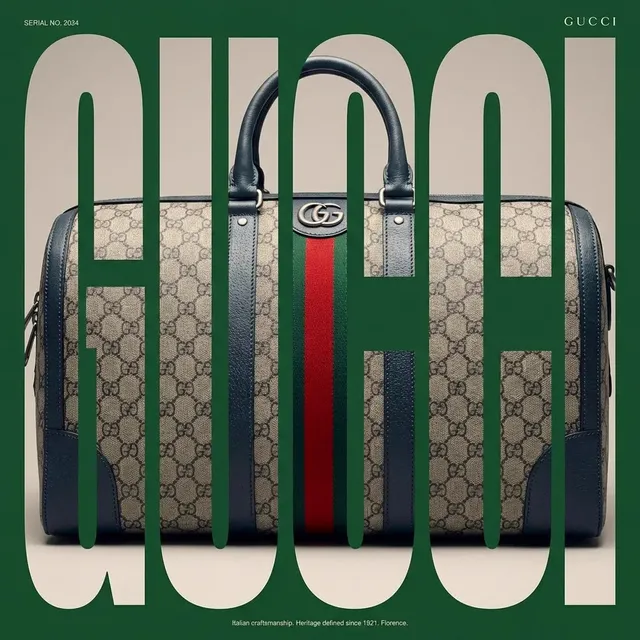
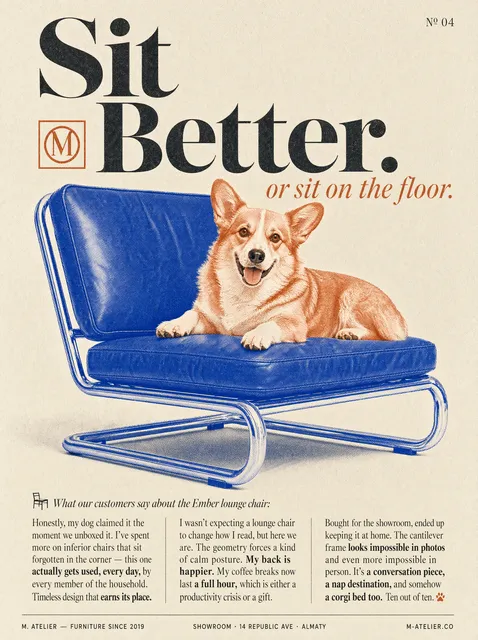
Why Gemini Image Generation Belongs in a Modern Visual Workflow
Every channel a brand owns now competes for the same few seconds of attention, and the visual carries most of that load. A blog post lives or dies by its hero image, a product page by its gallery, a video by its thumbnail. Producing that volume of imagery the traditional way — brief, photographer, shoot, retouch, approval — works, but it only scales to a handful of assets per cycle.
Gemini's image generation changes the economics of the early and middle stages of that pipeline. Instead of briefing one direction, you can explore twenty directions in an afternoon and arrive at a design review with something concrete to react to. That shifts the conversation from "what should we make?" to "which of these is closest, and what do we change?"
The useful mental model is not "AI replaces the photoshoot." It is "AI compresses the distance between an idea and a visual draft." The strongest teams use it for exploration, concepting, placeholder assets, storyboards, editorial illustration, and the long tail of images that never justified a full production budget. Then they spend their real production money where it counts.
Where does it fit most often?
- Blog and article hero images, section dividers, and social cards
- Ad concepts and creative testing matrices
- Thumbnails for long-form and short-form video
- Storyboard frames before an animated or filmed sequence
- Explainers, internal decks, and onboarding visuals
- App store screenshots, mockups, and background textures
- Illustrated elements for emails, landing pages, and campaigns
If your workflow touches two or more of those, an image generation step is worth formalizing rather than improvising.
What the Model Does Well — and Where It Struggles
Instruction following and contextual prompts
Gemini models handle long, conversational prompts well. You can describe a scene, then add constraints in the same breath — "keep the background simple, put the subject on the left third, and leave the upper right empty" — and get something close to the instruction rather than an interpretation of a keyword list. That makes it practical to write prompts the way you would brief a designer.
Text rendering inside images has also improved substantially. Short labels, signage, or a single word on a poster often come out legible, which helps for mockups and concept boards. It still is not a layout engine, so treat any in-image text as a draft.
Style range and aesthetic control
The model moves comfortably between photographic looks, illustration styles, flat vector, watercolor, 3D render, and editorial collage. Control comes from describing medium and technique rather than naming artists: "screen-printed poster with visible halftone dots and two spot colors" gives more usable direction than a list of influences, and it sidesteps the ethics and legal ambiguity of imitation.
Photorealism and detail
For product-adjacent and lifestyle imagery, output quality is high: skin texture, fabric weave, glass, brushed metal, and interior lighting all read convincingly at typical web sizes. Shallow depth of field, window light, and golden-hour warmth are easy to request and usually land.
Where it struggles
Being honest about limits saves hours:
- Precise layout. Alignment, kerning, margins, and grid systems are not what generative models optimize for. Compose in a design tool.
- Exact brand colors. You will get "close to that teal," not your hex value. Correct in post.
- Hard consistency across a large set. Without a locked style block or a reference image, characters and palettes drift.
- Fine-fingered detail. Hands, jewelry, cutlery, and dense small objects still fail at a higher rate than anything else.
- Technical accuracy. Diagrams, charts, architecture, and anything with correct science need a human pass.
- Camera precision. "85mm at f/1.4 from a low angle" nudges the result, it does not command it.
A simple rule: use generation for the parts of an image where interpretation is acceptable, and finish the parts where precision matters by hand.
Anatomy of a Strong Image Prompt
Good prompts are structured, not long for the sake of being long. Six ingredients cover most cases.
1. Subject, action, setting
One clear subject doing one thing in one place beats a crowd of nouns. "A ceramicist shaping a bowl at a wheel in a sunlit studio" gives the model a scene to build. "Pottery, craft, artisanal, workshop" gives it fog.
2. Medium and style cues
Name the medium: editorial photograph, gouache illustration, flat vector with 2px strokes, risograph print, claymation still, architectural render. Add one or two texture words — grain, halftone, paper fiber, matte.
3. Lighting, lens, and composition
Lighting does more for perceived quality than almost any other variable. "Soft diffused window light from the left, gentle falloff into shadow" reads as professional. Then specify framing: wide establishing shot, medium close-up, overhead flat lay, three-quarter portrait. Add lens language if photorealism matters: 35mm, 50mm, 85mm, shallow or deep depth of field.
4. Color and mood
Palettes travel well through prompts: muted sage and sand, high-contrast monochrome, saturated primary blocks. Pair the palette with an emotional word — calm, energetic, nostalgic, clinical — to steer the result.
5. Composition rules for real usage
If a headline goes on top, ask for it: "subject on the right third, generous empty space on the left, low visual noise in the upper third." Designing for the text overlay at prompt time avoids cropping a beautiful image into a mediocre one.
6. Constraints
Keep negative instructions few and specific: "no text, no logos, no watermark." Long lists of things to avoid tend to bleed into the image. Prefer positive specification — instead of "no clutter," say "clean background with a single soft shadow."
A reusable template:
[medium + style], [subject] [action] in [setting],
[lighting description], [lens/framing], [composition note],
[color palette], [mood],
[technical note: aspect ratio, detail level]
avoid: [short list]
Iterate one variable at a time
When an image is 80% right, change exactly one thing — the lighting, or the palette, or the crop. Rewriting the whole prompt restarts the search and often loses what you liked. Keep a prompt log with the version that worked, including the aspect ratio and any seed or reference used.
A Repeatable Workflow From Brief to Finished Asset
Step 1 — define the deliverable before you prompt
Write down: where the image appears, its aspect ratio, the text that sits on or near it, the minimum resolution, and how many variants you need. This takes two minutes and prevents a dozen wasted generations.
| Placement | Ratio | Practical note |
|---|---|---|
| Blog hero | 16:9 or 3:2 | Leave the left or top third quiet for a headline |
| Vertical social | 9:16 | Keep the subject centered; edges get cropped |
| Square feed | 1:1 | Works well for product and detail shots |
| Thumbnail | 16:9 | One subject, high contrast, readable at 200px |
| Slide background | 16:9 | Low contrast, no focal point competing with text |
Step 2 — explore wide, then narrow
Generate eight to twelve rough directions fast, without polishing prompts. Scan them at thumbnail size. Anything that does not read as a distinct idea at thumbnail size is not a candidate. Pick two or three directions worth refining.
Step 3 — refine with targeted edits
Move from broad to specific. Lock the composition, then adjust lighting, then palette, then detail. If the tool supports region-based editing, fix only the part that is wrong instead of regenerating the frame.
Step 4 — finish outside the model
Upscale, crop to the exact ratio, correct color against brand values, composite multiple generations, and add typography in a design tool. This final 10% is what separates "AI-looking" from "designed."
Step 5 — name, tag, and store
Store the final asset with its prompt, ratio, and approval state. Six weeks later, when a teammate asks for "more like that one," the prompt log is the difference between a five-minute job and a five-hour one.
Keeping a Consistent Look Across a Whole Set
Consistency is where most generative workflows break. Sets drift because each prompt is written fresh.
Lock a style header. Write one block of text — medium, palette, lighting, lens, detail level — and reuse it verbatim at the start of every prompt in the series. Change only the subject line.
Anchor characters. Describe permanent traits (age range, hair, wardrobe, silhouette) in the same words every time. If the tool accepts reference images, use the same approved frame as the anchor across the set.
Fix the lighting. One light direction for the whole series. Mixed lighting across a carousel looks like a stock-photo collage rather than a campaign.
Review at scale. Put nine images on one screen at 30% zoom. If the set does not look like it came from one world, the style header is too loose.
From Still Images to Motion: Handing Off to Video
Stills are the cheapest place to make decisions, which makes them an ideal first step in a video pipeline.
Storyboard first. Generate six to ten stills as board frames: establishing shot, subject introduction, detail insert, turning point, resolution. Approve the board before animating anything.
Animate key frames. Take an approved still into an image-to-video tool as the first frame and add a small camera move — slow push in, gentle parallax, subtle drift. Describe one motion, not three. Three to five seconds per shot is plenty; long shots reveal artifacts.
Keep motion small. Animated details like hands, fast action, and complex fabric movement are where image-to-video fails. Choose frames where the movement is simple: a camera move over a still subject, drifting smoke, rippling water, light shifting.
Match aspect ratio and crop safety. Generate at the ratio you will deliver. If you plan 9:16 video, do not generate 16:9 and crop — you lose composition and often the subject's head.
Keep the style block identical. Use the same style header for stills and video prompts. A palette that matches between a thumbnail, an image post, and a video frame makes a channel look intentional.
Separate audio planning. Generate visuals silently, then add voice, music, and sound design in the editor. Prompt-driven audio rarely matches the pacing you need.
Common Mistakes and How to Fix Them
Vague prompts. Fix: add subject, setting, lighting, lens, and composition in that order. If the output feels generic, the prompt was generic.
Prompt stuffing. Five style references and a dozen adjectives create conflicting signals. Fix: cut to two style cues and one mood word.
Fighting the model on typography. Fix: generate clean space and add text in a design tool where you control kerning.
Ignoring the overlay. Fix: design empty space into the prompt so the headline has somewhere to live.
Skipping review. Fix: at 100% zoom, check hands, eyes, reflections, mirrored text, and background signage before approval.
Accepting the first result. Fix: treat the first output as a draft. The second and third passes are usually where quality appears.
Using generated visuals for claims they cannot support. Fix: never use synthetic imagery for product accuracy, testimonials, or documentation of real events.
Choosing the Right Tool for the Job
Evaluate any image generator against the same short list:
- Reference support. Can you feed an approved image and hold a style or character?
- Editing control. Can you change a region without regenerating the frame?
- Output resolution. Is it enough for print or a large hero, or does it need upscaling?
- Text rendering. Good enough for a poster mockup, or a dealbreaker?
- Pipeline fit. Does it connect cleanly to your video, design, or CMS workflow?
- Licensing. Read the terms for commercial use and synthetic-media disclosure.
Use a photographer when the image must be true — real products, real people, real events. Use stock when speed matters more than specificity. Use templates when you need typographic precision. Use generation when you need volume, variety, and concept speed. Most teams end up hybrid: generated imagery for the long tail and concept work, commissioned work for flagship moments.
Quality Control, Attribution, and Review
Before anything ships, run a short checklist:
- Human anatomy passes at 100% zoom.
- No unintended logos, brands, or watermarks.
- Brand colors corrected against real values.
- No recognizable real people or protected characters.
- Composition works with the text overlay at every breakpoint.
- Contrast meets accessibility expectations and alt text is written.
- Provenance recorded: tool, prompt, date, and reviewer.
- Platform disclosure rules followed for synthetic media.
Attribution matters too. Keep an internal record of which assets are generated and which are photographed, so legal, editorial, and social teams can answer questions quickly.
FAQ
Do I need prompt engineering experience?
No. You need clear thinking about composition and light. Write prompts the way you would brief a designer — subject, setting, mood, constraints — and refine one variable at a time.
Why does the same prompt produce different results?
Generation is probabilistic, and small differences in phrasing, aspect ratio, or reference images shift the output. Save the exact prompt and settings you liked, not a paraphrase.
Can generated images be used commercially?
It depends on the tool's terms and your jurisdiction. Review the license for the specific product you use, keep records, and disclose synthetic media where platforms require it.
How do I get consistent characters across a set?
Write permanent traits in identical wording, reuse one approved frame as a reference, and keep lighting, lens, and palette constant for the whole series.
What resolution should I target?
Generate at the highest native resolution available, then upscale if needed. Aim for at least 2000 pixels on the long edge for hero images and web banners.
Can I fix one part of an image instead of regenerating everything?
Yes — use region-based editing or inpainting where available. It preserves the parts you already approved and is faster than restarting.
How many variants should I generate?
Eight to twelve for exploration, three for refinement, one to finish. Anything more at the exploration stage is usually motion without progress.
Should I animate a still or generate video from scratch?
Animate an approved still for control and consistency. Generate from text when you need a shot you cannot build as a frame — abstract environments, rapid transitions, or effects work.
Bringing It Together
The teams that get the most from AI image generation treat it as a stage in a pipeline, not a slot machine. Brief the deliverable, prompt with structure, refine one variable at a time, finish by hand, and log what worked. Do that consistently and the output stops looking like a demo and starts looking like a design system.
Start small: pick one channel, one format, one style header. Prove the workflow on five images before scaling it to fifty. The process, not the prompt, is what makes the results repeatable.

Alexander
More Blogs
Read MoreVidu Q4 Alternatives: 4K AI Video Models Compared (2026)
Vidu Q4 alternatives compared: Kling 4.0, Seedance 2.5, Wan 3.0, and Runway Gen-4 — 4K support, input modes, durations, audio, and what each costs in credits on Domer.
Top 4K AI Image Generators in 2026: 5 Models Compared on Real Costs
The top 4K AI image generators on Domer compared: Flux 3 Klein, Nano Banana 2.1, GPT Image 2.5, GPT Image 2, and Nano Banana Pro — 4K credit costs, reference limits, and speed.
Nano Banana 2.1 vs GPT Image 2.5: Which Image Model Should You Use? (2026)
Nano Banana 2.1 vs GPT Image 2.5 Flare compared: credit costs per resolution, aspect ratios, reference images, text rendering, and which tasks fit each model.