
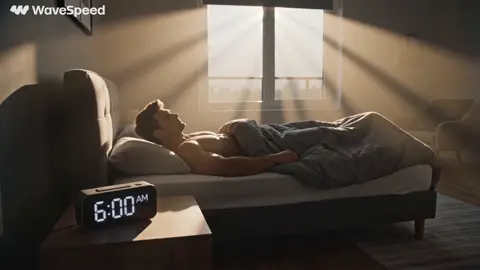
How to Make Instagram Videos That Actually Stop the Scroll
Oct 15, 2026

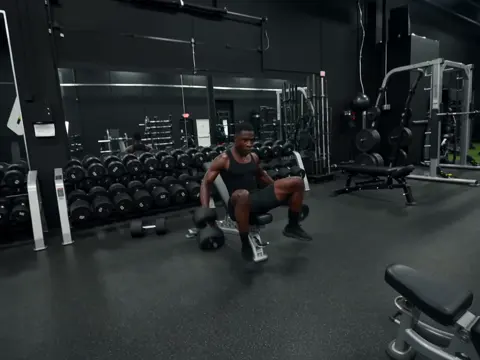

Start With the Format, Not the Footage
Most people open a video tool before they know what they are making. That is backwards. On Instagram, the surface you publish to shapes almost everything else: the aspect ratio, the safe zones, the acceptable length, how much context the viewer already has, and whether sound matters at all.
Before generating a single frame, answer four questions:
- Which surface? Reels, Stories, in-feed video, or a carousel with motion. Each behaves differently.
- What is the viewer's intent? Someone tapping through Stories is in browse mode. Someone watching a Reel from the Explore grid is being interrupted.
- How long should it be? Pick a target duration and defend it. A tutorial that needs 70 seconds should not be squeezed into 15.
- Will it be watched with sound? Assume a large share of viewers start muted, then write for that reality.
The practical differences are worth memorizing:
| Surface | Typical ratio | Viewer mindset | Sound assumption |
|---|---|---|---|
| Reels | 9:16 vertical | Cold, interrupted | Often starts muted |
| Stories | 9:16 vertical | Warm, already following | Usually on |
| In-feed video | 4:5 or 1:1 works well | Browsing a profile | Mixed |
| Carousel with motion | 4:5 | Reading, then watching | Mixed |
A common mistake is treating every video as a Reel. A product demo that lives permanently on your profile grid often performs better at 4:5, where it occupies more vertical space without forcing a letterboxed crop. Stories reward looseness: quick cuts, text overlays, poll stickers, a face talking directly to camera.
This decision costs five minutes and saves an entire render cycle. Make it first.
The Anatomy of an Instagram Video That Holds Attention
Attention on a feed is not earned in one moment. It leaks at specific points, and knowing those points lets you plug them deliberately.
The first two seconds
The opening frame has to answer a question the viewer did not know they had. That usually means motion, a face, a surprising object, or text that promises a payoff. A static logo reveal is the single most reliable way to lose a cold viewer.
The two-to-eight second bridge
The hook buys you a few seconds. The bridge is where you explain why the rest is worth watching. In practice this is one sentence of text or one line of voiceover: "Here is the three-step version" or "The third one is the one nobody uses."
The middle
The middle fails when it repeats the hook instead of delivering on it. Give each beat a visible change: a new shot, a new angle, a cut to a screen recording, a shift in music. If two consecutive shots look the same, one of them is filler.
The close
The close should feel like a landed point, not a fade-out. Options: a summary card, a loop back to the opening frame, or a direct question that invites comments. A loop is especially effective for short Reels because the viewer may watch twice without noticing.
The overlay layer
Captions, stickers, progress bars, and small motion graphics are not decoration. They carry the message for muted viewers. Any video whose meaning collapses without audio is under-designed for Instagram.
Writing Hooks and Scripts That Survive a Silent Scroll
A script for vertical video is not a shortened version of a horizontal script. It is a different document.
Write the end first
Decide the single takeaway. Then write backwards. If the takeaway cannot be stated in one sentence, the video is two videos.
Structure in beats, not paragraphs
A useful template for a 30-second Reel:
- Beat 1 (0–2s): Hook line + strongest visual
- Beat 2 (2–6s): Context or promise
- Beat 3 (6–12s): Step one, with a visible demonstration
- Beat 4 (12–20s): Step two, the most interesting part
- Beat 5 (20–27s): Step three or the result
- Beat 6 (27–30s): Close, loop point, or question
Write for the mute button
Each beat should be readable as a short text overlay of roughly six to nine words. If a beat needs a paragraph, it is a voiceover beat, not an on-screen beat. Alternating between the two keeps the pacing varied.
Read it out loud, once
Read the script aloud at your intended pace with a timer running. Most first drafts run 20 to 30 percent longer than the writer expects. Cut the weakest beat rather than speeding up delivery; rushed voiceover flattens energy.
Keep a hook bank
Maintain a running list of opening lines that worked, grouped by type: curiosity, contrarian, result-first, question, and list. When you sit down to produce, pick a type rather than staring at a blank page.
Storyboarding and Pre-Visualization With AI
Storyboarding used to mean sketches on paper. With AI-assisted pre-visualization, it means generating rough frames that lock composition, lighting, and continuity before you commit to final footage.
Build a shot list first
A shot list is a plain list of what the camera sees, in order. For a 30-second Reel, six to ten shots is typical. Each entry should include the subject, the action, the framing (wide, medium, close), and the camera move (static, push in, pan).
Use AI to test compositions cheaply
Write each shot as a short prompt and generate a still or a low-cost clip. You are not looking for finished quality. You are checking:
- Does this composition read at thumbnail size?
- Is the subject's silhouette clear against the background?
- Does the lighting direction stay consistent between shots?
- Does the subject stay inside the safe zone when cropped to 9:16?
Keep a vertical-first frame
Generate or crop everything to 9:16 from the beginning. Reframing horizontal footage to vertical later usually destroys composition: heads get cut, key objects land under the caption area, and the top third becomes dead space.
Store a visual style reference
Save two or three images that represent the look you want — color palette, contrast, grain, lens feel. Feed those as references consistently across generations. Consistency of look is what separates a channel from a pile of videos.
Generating Shots With AI: How to Choose Between Models
Not all AI video generation does the same job. Choosing well matters more than choosing the newest option. Think in categories.
Text-to-video
Best for backgrounds, abstract motion, atmospheric B-roll, and any shot where you do not need a specific person or product. Strengths: speed, cost, and variety. Weaknesses: unreliable fine detail and hard-to-control hands, text, and logos.
Image-to-video
Best when you already have a still you like — a product photo, a frame from a previous shoot, an AI-generated key visual. This gives you the most control per generation, because composition is fixed before motion is added.
Style transfer and look development
Useful for unifying footage from different sources into one visual language: a consistent film emulation, a hand-drawn treatment, or a specific color grade. Apply it across a series rather than to a single video, so your feed reads as one body of work.
Character and face consistency
If a recurring presenter appears across videos, prioritize tools that preserve identity between shots. Test with three generations before committing; inconsistency in jawline, hairline, or eye distance is obvious to viewers even when they cannot name it.
Lip sync and voice
Some tools handle dialogue-driven shots well; others produce uncanny mouth movement. Test a single sentence before building an entire talking-head sequence.
Upscaling and cleanup
Generated footage often needs a resolution bump and light noise reduction before it holds up at full screen. Keep upscaling as a late step, after editing decisions are locked, so you are not paying the cost twice.
A decision checklist
Ask: Does it need a specific face? Does it need readable text? Does it need physical accuracy? Does it need a camera move? Each yes pushes you toward image-to-video, cleaner sources, or a hybrid approach where the difficult six seconds are shot on a real camera and everything else is generated.
Editing for Pace: The Assembly Workflow
Generation produces raw material. Editing produces the video. Work in a fixed order and you will save hours.
Step 1: Rough cut for structure
Drop all shots on the timeline in script order with no trimming. Watch it once. This is a structure check, not a quality check. If the story does not work here, no edit will save it.
Step 2: Trim to beats
Cut each shot to only the portion that serves its beat. Vertical video typically uses shorter shots than horizontal: two to three seconds for a standard beat, under one second for a punch cut or transition.
Step 3: Cut the first second twice
If the opening frame is not immediately legible, trim into the middle of the action. Starting mid-motion is almost always stronger than starting from stillness.
Step 4: Add captions
Auto-captions then manual cleanup. Fix names, jargon, and numbers. Place captions in the middle band of the frame, away from the bottom interface area and the top profile row.
Step 5: Sound design
Three layers: music bed, voiceover, and effects. Effects — a whoosh on a cut, a click on a text pop — do more for perceived production value than a bigger music library. Duck the music under voiceover by several decibels.
Step 6: Color and consistency pass
Match white balance and contrast across shots. If some shots came from AI generation and others from a phone, this pass is what makes them feel like one video.
Step 7: Watch it on a phone, muted
This is the real review. If the meaning is lost without sound, add overlays. If the pacing drags, cut 10 percent of total runtime and watch again.
Export and Upload Settings That Protect Quality
Instagram re-encodes everything you upload. You cannot prevent that, but you can avoid giving the encoder a bad starting point.
- Aspect ratio: 9:16 for Reels and Stories, 4:5 for feed video.
- Resolution: 1080 x 1920 for vertical; upload at least that, not below.
- Frame rate: Match your source. 30 fps is a safe default; 24 fps for cinematic looks; 60 fps only if you have slow-motion to protect.
- Codec: H.264 in an MP4 container is the most predictable choice.
- Bitrate: Higher than you think you need, then let the platform compress. Crushed files cannot be recovered.
- Audio: Normalize to a consistent level and avoid clipping on effects.
Two more habits that preserve quality: export from the timeline at full resolution rather than screen-recording a preview, and keep a master file so you can re-export for a different surface later without regenerating anything.
Testing, Reading Metrics, and Iterating
Treat each video as a small experiment with one variable.
Metrics worth watching
- Retention at three seconds: how many viewers stayed past the hook.
- Average watch time: the clearest signal of whether the middle delivers.
- Rewatches: high rewatch counts suggest a good loop or a dense moment worth repeating.
- Saves and shares: the strongest distribution signals, because they indicate the viewer expects to need it again or wants to be seen sharing it.
- Follows per view: whether the video converts strangers into an audience.
A simple testing loop
Change one thing per batch. One week, vary the hook type. The next, vary duration. The next, vary whether there is a talking head. Keep the visual style constant so you are testing content decisions, not aesthetics.
Build a repeatable format
Once a structure performs, turn it into a template: same opening graphic, same caption style, same music energy, same closing beat. Recognizable formats compound, because returning viewers already know how to watch them.
Five Mistakes That Kill Reach (and Fixes)
1. Horizontal footage cropped to vertical. Fix: shoot or generate vertical from the start, or design a deliberate letterbox treatment instead of an accidental one.
2. Long intros. Fix: delete the first two seconds of every draft and see whether it improves. It usually does.
3. Captions under the interface. Fix: preview with the platform's interface overlay visible, and keep text in the central band.
4. Inconsistent look across posts. Fix: lock a small style guide — two fonts, three colors, one grade — and apply it every time.
5. No reason to watch to the end. Fix: hold one piece of information back and deliver it in the final beat. That single habit improves retention more than any editing trick.
FAQ: Instagram Video Production Questions
How long should an Instagram Reel be?
As long as the idea justifies and no longer. Short videos are easier to complete, which helps retention rates, but tutorials and story-driven pieces often need more room. Match duration to the number of beats, not to a trend.
Can I make a good Instagram video entirely with AI?
Yes, for many formats: atmospheric B-roll, explainers with voiceover and graphics, product-style shots, and stylized narrative clips. Hybrid approaches work best when a video needs a specific real person, precise product detail, or readable on-screen text.
Do I need a script for a 15-second video?
A single line is enough, but write it down. Improvising the hook is where most short videos lose their first two seconds.
What aspect ratio is best?
9:16 for Reels and Stories, 4:5 for in-feed video. Design for one ratio and export for it, rather than designing in a neutral ratio and cropping later.
Should I post the same video as a Reel and a Story?
You can, but adapt it. Stories benefit from a faster opening and a direct prompt, since the viewer already follows you.
How many videos should I publish to see patterns?
Enough to compare like with like. Ten to fifteen posts with one variable changed per batch will tell you more than a hundred posts with everything changing at once.
Does AI-generated video hurt reach?
Platforms distribute based on viewer behavior, not on how a frame was produced. What hurts performance is a video that looks generic or fails to hold attention, whatever its origin.
How do I keep a consistent style across AI shots?
Fix your references, palette, lens feel, and grading before generating. Reuse the same reference images and the same finishing chain for every video in a series.
What is the fastest way to improve?
Review your last five videos muted, on a phone, at thumbnail size. Note where you would have scrolled away. Then fix that one moment in the next video.
Should I export a master file?
Always. Keeping a clean master lets you re-cut for feed, Stories, or a longer format without regenerating footage or rebuilding the edit.
The whole process — format decision, hook, storyboard, generation, edit, export, review — fits inside a single working session once you have a template. The creators who post consistently are not spending more time; they are spending it in this order.

Alexander
More Blogs
Read MoreVidu Q4 Alternatives: 4K AI Video Models Compared (2026)
Vidu Q4 alternatives compared: Kling 4.0, Seedance 2.5, Wan 3.0, and Runway Gen-4 — 4K support, input modes, durations, audio, and what each costs in credits on Domer.
Top 4K AI Image Generators in 2026: 5 Models Compared on Real Costs
The top 4K AI image generators on Domer compared: Flux 3 Klein, Nano Banana 2.1, GPT Image 2.5, GPT Image 2, and Nano Banana Pro — 4K credit costs, reference limits, and speed.
Nano Banana 2.1 vs GPT Image 2.5: Which Image Model Should You Use? (2026)
Nano Banana 2.1 vs GPT Image 2.5 Flare compared: credit costs per resolution, aspect ratios, reference images, text rendering, and which tasks fit each model.