
作成
Shorts Thumbnails: Design Better Previews for More Clicks
Oct 15, 2026
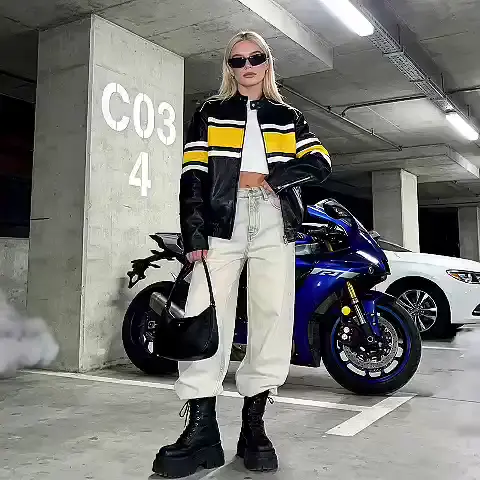


Most creators spend hours polishing a Short and roughly ninety seconds on the single image that decides whether anyone taps it. That image — the thumbnail, the still frame representing your video in search results, channel grids, playlist shelves, and companion surfaces — is a tiny billboard. It competes against dozens of other billboards on a screen the size of a playing card, often while the viewer is walking, commuting, or half-watching something else.
This guide treats that billboard as a designed asset rather than an afterthought. You will get concrete specifications, composition rules that survive a small screen, a repeatable production workflow, testing habits that do not require enterprise tooling, and an honest look at where AI helps and where it only adds noise.
Why the Shorts Thumbnail Is a Real Growth Lever
Short-form feeds are often described as pure algorithmic discovery, which leads creators to conclude that thumbnails do not matter for Shorts. That conclusion is half right and mostly harmful. Inside the swipe feed itself, the video autoplays and the thumbnail is invisible. But the same video appears in many other places where a static image does the selling:
- Search results, where a viewer typed a query and is actively choosing between six visually similar options.
- Your channel's video tab and Shorts tab, where a stranger decides whether your body of work is worth a subscribe.
- Suggested sidebars on desktop and tablet, where a wall of thumbnails competes for a single glance.
- Notifications, community posts, embeds, and external shares, where the preview image travels without your video attached.
Each of those surfaces converts differently. A viewer arriving from search has intent and compares you against alternatives; a viewer scrolling your channel tab is asking "is this creator consistent and interesting?" The thumbnail answers both questions before a single frame of video plays.
There is also a compounding effect. Every extra tap a thumbnail earns feeds watch time, which feeds distribution, which puts the video in front of more people, where the thumbnail does its job again. The thumbnail is not the whole engine, but it is the ignition.
Specifications: What to Prepare Before You Design
Good design decisions start with hard constraints. Get these right once and you will stop discovering them the hard way, after upload.
Dimensions and Aspect Ratio
Vertical video is the source material, but thumbnails are traditionally consumed as wide rectangles. Prepare a 16:9 version at 1280×720 pixels as your baseline. That resolution is sharp on desktop, on large televisions, and on high-density phone screens, and it is small enough that your editor will not choke on it.
If your platform surfaces support a vertical or square still for certain placements, export 1080×1920 and 1080×1080 variants from the same layered file. Design the wide version first, then create the vertical variant by repositioning elements rather than stretching. Never stretch.
File Format, Weight, and Color
PNG for anything with flat color, sharp text, or logos. JPEG at high quality when the image is photographic and you want a small file. Keep files comfortably under a few megabytes; enormous files can fail silently or be downscaled unpredictably by the platform. Export in sRGB. Wider color spaces can look slightly washed out or oversaturated after a platform's transcoding, and you will not be there to fix it.
Safe Zones and Overlay Collisions
This is where most well-designed thumbnails quietly fail. Platforms overlay timestamps, duration badges, progress bars, and sometimes text labels onto preview images. Those overlays cluster in predictable places: bottom edges, lower corners, and occasionally the top right.
Adopt a simple rule: keep every critical element — the face, the key object, the primary text — inside a centered region that occupies roughly the middle 80% of the frame. Treat the outer margin as a bleed zone where only background, texture, and non-essential detail live. Then verify the result by previewing it in an actual mobile feed on an actual phone, not on a 27-inch monitor.
The Three-Second Legibility Test
Before you commit to a design, shrink it to the width of a thumbnail on a phone — roughly the width of your thumb — and look at it for three seconds. Then look away and describe what you saw. If you cannot name the subject, the emotion, and the promise of the video, the design is not finished. This test catches more problems than any analytics dashboard.
Composition That Survives a Tiny Screen
Thumbnail design is not poster design. A poster rewards close reading; a thumbnail is read in a fraction of a second at arm's length.
Contrast Beats Subtlety
Your image competes with a feed full of other images. The eye is drawn to the point of highest contrast, so decide deliberately where that point should be. A bright subject against a dark, desaturated background is the most reliable pattern in short-form design. It works because it creates a clean silhouette the brain parses instantly.
Avoid low-contrast color pairs: dark blue on black, brown on orange, pastel on pastel. Also avoid busy backgrounds with competing high-contrast regions. If the background fights the subject, blur it, darken it, or replace it entirely.
Faces, Eyes, and Emotional Signal
Human faces are the fastest thing a viewer can recognize, and eyes are the anchor point within a face. When a face appears in a thumbnail, viewers involuntarily follow the gaze. Use this. If your subject is looking at something inside the frame, the viewer's attention lands there too — so put your most important visual element where the subject is looking.
Emotion must be unambiguous at small scale. Subtlety becomes invisibility. Surprise, delight, concentration, disbelief, and mild chaos all read clearly. Neutral expressions read as nothing. If you are choosing a frame from footage, scan for the moment with the largest, cleanest expression rather than the moment with the most technical clarity.
Text That Reads at a Glance
Text overlays work when they add a promise the image cannot show. Three to five words, in a heavy sans-serif, is the practical ceiling. Anything longer becomes texture rather than language.
Practical rules that hold up in testing:
- Minimum stroke thickness that survives downscaling — thin fonts disappear entirely.
- High contrast against a deliberately darkened area, not against a busy photograph.
- A subtle shadow or outline so the text separates from whatever sits behind it.
- No more than two type sizes, and no more than two colors besides white and black.
- Text placed away from the bottom edge, where UI overlays live.
If your thumbnail needs a paragraph to make sense, the problem is the video's concept, not the image.
A Repeatable Workflow: From Storyboard to Upload
Ad hoc thumbnails produce inconsistent channels. A workflow produces a recognizable visual identity that viewers learn to trust.
Step 1: Choose the Hook Frame
While editing, mark three candidate frames: the moment of peak emotion, the moment of clearest visual spectacle, and the moment that best matches the video's core promise. Export all three at full resolution. Never choose a frame simply because it is the first frame of the video.
Step 2: Build in Layers
Open your image editor and build four layers, in order: background, subject, text, and accents (arrows, highlights, framing shapes). Keeping layers separate means you can swap the subject without rebuilding the whole image, which is what makes series-level consistency possible.
Step 3: Apply Your Template
Every channel should have two or three thumbnail templates: one for tutorial-style content, one for reaction or entertainment, one for list-style content. Templates should standardize the safe-zone margins, text position, typeface family, and background treatment — not the creativity. A viewer should recognize a thumbnail as yours from across the feed before reading a word.
Step 4: Batch the Work
Producing one thumbnail at a time is slow because setup costs dominate. Batch five to ten at once. You will make faster, more consistent decisions when you can compare designs side by side, and you will notice immediately when four of them look identical.
Step 5: Export, Name, and Verify
Use a naming convention that includes the video identifier and the version number, for example ep042-draft-v3.png. After uploading, check three places: the video page on desktop, the Shorts tab on mobile, and search results. If a critical element is obscured in any of them, fix it.
Testing Without an Analytics Team
You do not need sophisticated tooling to learn what works. You need discipline about what you compare.
What to Measure
Measure impressions relative to taps, not raw views. Raw views tell you how much distribution you got; the ratio tells you how well the image converted the distribution you already had. Compare like with like: tutorials against tutorials, entertainment against entertainment. A channel-wide average hides everything useful.
A Simple Rotation Test
Pick two versions of the same thumbnail with one variable changed — background color, text phrasing, or face versus object. Publish version A, record the ratio after a meaningful window of impressions, then swap to version B and record again. One variable at a time. Two-week cycles are usually enough to see a directional signal, and directional is all you need.
When to Replace a Thumbnail
Replace it when the ratio is clearly below your channel baseline and the video still has life ahead of it — evergreen tutorials, product comparisons, and reference content reward patience. Do not thrash: changing an image every day destroys your ability to learn anything from it.
Signals You Should Ignore
Ignore your own aesthetic preference. Ignore praise from other creators, who consume thumbnails differently from casual viewers. And ignore the temptation to interpret a two-hour sample as a trend.
Where AI Genuinely Helps (and Where It Does Not)
AI image and video tools have changed thumbnail production more than most creators realize, but the useful applications are narrower than the marketing suggests.
Keyframe Selection and Upscaling
Automated frame analysis can surface the frames with the highest facial intensity or the largest visual change, which shortens the hunt for a hook frame. Upscaling models can lift a slightly soft frame from 1080p footage into a crisp 1280×720 thumbnail without visible smearing — a real quality gain when your best emotional frame is not your sharpest one.
Background Replacement and Cleanup
Generative fill is excellent at the unglamorous work: extending a background, removing a distracting object, darkening a busy area behind a subject, or generating a neutral gradient when the original scene is too cluttered to read at small scale. This is where AI-assisted editing saves the most time with the least risk.
Batch Consistency
Style-transfer and reference-based generation can apply consistent lighting, grain, and color treatment across a dozen thumbnails, which is exactly the kind of repetitive labor that erodes human patience. Use it to unify, not to invent.
The Limits
Fully generated thumbnails frequently fail on two counts: they misrepresent the video, and they carry subtle visual artifacts that read as "fake" at small scale. Authenticity still converts. A viewer who taps a hyper-stylized image and lands on an ordinary talking-head video leaves in two seconds and teaches the algorithm that your content disappoints. Use AI as a production assistant, not as a substitute for a real hook.
Mistakes That Quietly Kill Click-Through
These are the patterns that show up repeatedly when a channel's images underperform:
- Reusing the same frame across many videos. Viewers stop distinguishing them and skip the whole cluster.
- Text in the outer margin. It gets covered by interface elements on at least one surface.
- Too many focal points. Two faces, three arrows, and a logo all competing means nothing wins.
- Clickbait that the video does not pay off. A short-term gain traded for long-term channel distrust.
- Ignoring small-screen previews. A design that looks great at full size often reads as mud at thumbnail size.
- Inconsistent treatment. Viewers who cannot recognize your work do not build a habit of tapping it.
- No version history. Without naming discipline, you cannot tell which image produced which result.
Building a Channel-Level System
Individual great thumbnails are luck; a system is a business. Maintain a shared asset library with your standard typefaces, color palette, accent shapes, and background treatments. Keep a swipe file of thumbnails from outside your niche that stopped your own scroll, and note why each one worked.
Establish a review ritual: once a month, open your channel grid in mobile view and scan it as a stranger would. If four consecutive videos look interchangeable, your identity has become wallpaper. If the grid looks like it was made by four different people, you have no identity at all. The target is recognizable variety — a consistent visual voice applied to genuinely different promises.
Finally, keep a one-page internal standard: dimensions, safe zones, font names, maximum word count, file format, and naming convention. A written standard is what lets you hand off thumbnail production to a collaborator without losing quality, and it is what keeps your output steady during busy weeks when shortcuts are tempting.
Frequently Asked Questions
Do Shorts even use custom thumbnails?
Yes, in most cases, if the feature is available for your account and the video qualifies. You can usually select a frame or upload your own image. Even when the swipe feed ignores it, other surfaces use it, so the work pays off.
What is the ideal text length on a thumbnail?
Three to five words. Shorter is almost always better. If the image and the title together already tell the story, zero words is a legitimate and often stronger choice.
Should every thumbnail include a face?
No, but faces are the most reliable attention anchor available. If you work in a niche where faces are absent — screen recordings, abstract data, product shots — use a single high-contrast object as the anchor instead, and keep the composition equally simple.
How often should I change my thumbnail style?
Refresh treatments roughly once or twice a year, or when your tap ratio trends down across multiple videos. Changing everything at once makes it impossible to attribute results; change one element at a time.
Can I use the same thumbnail for the vertical and wide versions?
Create both from the same layered source so the subject, color, and text match. Reposition elements for the vertical crop rather than stretching or cropping the wide version, which usually decapitates your subject.
Does a better thumbnail improve in-feed performance?
Not directly inside the swipe feed, where autoplay dominates. It improves everything adjacent: search, suggested videos, channel browsing, shares, and returning-viewer behavior, which together decide how much distribution your next upload receives.
How do I know a thumbnail is finished?
When the three-second test works, the safe zone is clear, the text is readable at thumb size, and you would tap it if you saw it from a stranger's channel. If any of those fail, keep iterating.
The creators who grow fastest are rarely the ones with the fanciest edits. They are the ones who treat every preview image as a deliberate marketing decision, produce them on a schedule, measure honestly, and refuse to let a good video be represented by a forgettable picture.

Alexander
More Blogs
Read MoreVidu Q4 Alternatives: 4K AI Video Models Compared (2026)
Vidu Q4 alternatives compared: Kling 4.0, Seedance 2.5, Wan 3.0, and Runway Gen-4 — 4K support, input modes, durations, audio, and what each costs in credits on Domer.
Top 4K AI Image Generators in 2026: 5 Models Compared on Real Costs
The top 4K AI image generators on Domer compared: Flux 3 Klein, Nano Banana 2.1, GPT Image 2.5, GPT Image 2, and Nano Banana Pro — 4K credit costs, reference limits, and speed.
Nano Banana 2.1 vs GPT Image 2.5: Which Image Model Should You Use? (2026)
Nano Banana 2.1 vs GPT Image 2.5 Flare compared: credit costs per resolution, aspect ratios, reference images, text rendering, and which tasks fit each model.