
作成
Sound Design Secrets for Film: Effects, Foley and Mixing
Oct 15, 2026


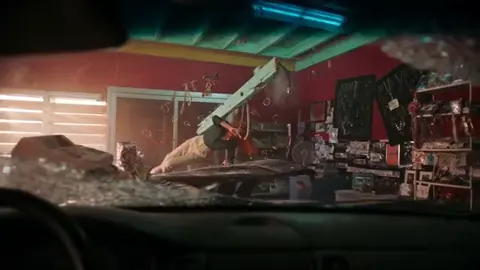
Sound is the invisible half of filmmaking. Audiences will forgive soft focus, a slightly shaky handheld shot, or a color grade that leans a little cool. They will not forgive audio that feels thin, muffled, or emotionally disconnected from the picture. The reason is simple: sound reaches the emotional centers of the brain faster than image does. A door slam tells you something is wrong before you consciously register the actor's expression.
This guide walks through how professional sound design actually gets made — the pillars of a cinematic soundtrack, field recording and foley technique, the editing pass, the mix, and where AI-assisted audio tools fit into a sane workflow. It is written for editors, independent filmmakers, YouTubers, and motion designers who want their audio to stop being an afterthought.
What Sound Design Actually Does for a Scene
Sound design is not decoration. It is storytelling delivered through the ears. When it works, nobody notices it. When it fails, the whole scene collapses.
The job breaks down into three broad responsibilities:
- Reality support — making the world feel physically believable. Footsteps on gravel sound like gravel. A car door closes with the weight of a car door.
- Emotional direction — telling the audience how to feel about what they are seeing. A low sub-bass rumble under an otherwise calm shot creates dread with no visual cause.
- Narrative clarity — making sure the audience understands who is speaking, where they are, and what just happened.
A useful mental model: the picture track shows the story, and the audio track sells the story. A punch that looks fine becomes brutal with the right impact layer. The same punch becomes comic with a wetter, cartoonish slap. The footage has not changed at all.
This is why experienced editors cut picture with sound in mind. They leave room for a beat of silence after a revelation. They avoid cutting on the loudest part of a word. They know that a hard cut in audio feels more violent than a hard cut in picture.
The Four Pillars of a Cinematic Soundtrack
Almost every professional mix, from a festival short to a streaming series, is built from four categories of sound. Understanding them separately makes the whole process far less overwhelming.
Dialogue
Dialogue is the spine. If the audience cannot hear and understand the words, nothing else matters. Dialogue includes production audio, ADR (automated dialogue replacement), voiceover, and any narration.
Good dialogue editing is quiet, unglamorous work: finding the best take of every syllable, smoothing breaths, removing clicks and mouth noise, and matching room tone so the edits are invisible. A dialogue edit that took three hours should sound like it took no time at all.
Hard Effects
Hard effects are the discrete, identifiable sounds: doors, guns, keys, glass, punches, phones, engines. These are the sounds an audience could name if asked.
Hard effects carry most of the sync information. If a footstep lands a frame late, viewers may not consciously notice, but the scene will feel slightly off. Sync accuracy in this category matters more than fidelity in almost any other.
Ambience and Backgrounds
Ambience is the continuous bed: room tone, distant traffic, wind, crowd murmur, forest insects, HVAC hum. It is the glue that holds a scene together and hides the seams between cuts.
A scene with strong dialogue and effects but no ambience sounds like it was recorded in a vacuum. Adding a believable background layer is often the single biggest improvement you can make to a rough cut.
Music and Score
Music does the emotional heavy lifting that dialogue cannot. It sets pace, signals genre, and can recontextualize an entire scene — the same montage is triumphant or tragic depending on the score underneath it.
Music also competes with dialogue for the same frequency range, which is why the mix stage is largely an exercise in deciding who wins at any given moment.
Field Recording and Foley: Building Your Raw Material
Most independent creators start by buying sound libraries, which is a reasonable shortcut. But the moment you record your own material, your work starts sounding like yours rather than like everyone else's licensed pack.
A Starter Foley Kit
Foley is the art of performing sound in sync with picture. You do not need a professional stage. You need a quiet room, a decent microphone, and a collection of objects.
A practical starter kit:
- Footwear — a few pairs of shoes, plus a small tray of gravel, wood planks, tile, and carpet samples
- Cloth — denim, leather, and silk scraps for movement and rustle
- Hard props — keys, coins, ceramic cups, metal bowls, a rolling pin
- Organic props — celery (breaks like bone), melons (impact bodies), cornstarch in a leather pouch (snow crunch)
- Small tools — a wooden dowel, a metal ruler, a screwdriver
Record each action many times, at varying intensities. A character walking across a room needs at least a soft, medium, and heavy version so the editor can match the performance.
Recording Clean Ambience
Ambience recording is where patience pays off. Find a location, record two to five minutes with no interruptions, and capture it at multiple microphone positions: close to the ground, at head height, and pointing away from the loudest source.
Always record at least thirty seconds of pure room tone wherever you shoot dialogue. That single file will save you hours when you need to patch around a noisy line or extend a pause.
Naming and Organizing Files
A sound library is only as useful as its search. Adopt a consistent naming convention early:
category_subcategory_source_take_version
For example: footsteps_gravel_boots_take03.wav. Add metadata for location, microphone, and date. Six months from now, you will not remember which folder held the good version.
The Editing Pass: Layering, Pitch, and Space
Once you have raw material, editing is where it becomes cinematic.
Layering for Scale
Big sounds are almost never single recordings. A convincing explosion might be built from four layers:
- Sub layer — a low sine sweep or synthesized rumble for physical weight
- Body layer — the main midrange crack that gives the sound its identity
- Detail layer — debris, glass, or dirt that adds texture
- Tail layer — a reverb or processed decay that places it in the space
This principle scales down. A coffee cup set on a table can be one clean recording, or a small stack of ceramic tap, low thud, and a light tail. The stacked version almost always feels more expensive.
Pitch and Time Manipulation
Simple pitch shifting is one of the most powerful tools available. Slowing a sound by ten percent makes it feel heavier. Raising it slightly makes it feel smaller, faster, or more anxious. Reversing a sound and placing it just before an impact creates anticipation — the classic "reverse riser" used in trailers.
Be careful with extreme time stretching, which introduces artifacts that read as digital rather than physical. If a sound breaks apart, layer a clean version underneath to anchor it.
EQ and Dynamics
EQ in sound design is about carving, not beautifying. If you have stacked four layers, each one should own a slice of the frequency spectrum. Otherwise you get a muddy wall of sound and no punch.
A rough starting approach:
- High-pass almost everything that is not a sub or a bass element
- Cut competing frequencies in supporting layers rather than boosting the main layer
- Use a fast compressor to add attack and a slow one to control the overall level
Reverb and Spatial Cues
Reverb tells the audience where they are. A small room, a cathedral, a forest clearing, and a car interior all demand different decays and early reflection patterns.
A trick used constantly in professional work: keep effects dry and add an impulse response that matches the production dialogue's space. When the effects and the dialogue share a reverb, the scene locks together instantly.
Mixing for Clarity, Impact, and Delivery
Mixing is where all the elements negotiate with each other. The goal is not to make everything loud; it is to make everything understood.
Dialogue Intelligibility
Dialogue sits roughly between 200 Hz and 4 kHz in terms of presence, with intelligibility concentrated between 1 kHz and 3.5 kHz. Practical moves:
- High-pass dialogue around 80–100 Hz for most voices to remove rumble
- Gently reduce 200–400 Hz if a voice sounds boxy
- Presence boost around 2–4 kHz when a line feels buried
- De-ess when sibilance becomes harsh
Most importantly: automation. Riding the dialogue level syllable by syllable is what separates a professional mix from an amateur one. Set the music down two or three decibels under a quiet line and bring it back the moment the line ends — the audience will never notice, and they will never miss a word.
Dynamic Range by Platform
Theatrical mixes are built loud with wide dynamic range because the room is calibrated. Streaming, social, and broadcast platforms are not, and viewers are often on phone speakers in noisy environments.
Practical guidance:
| Target | Approach |
|---|---|
| Cinema | Wide dynamics, reference level, sub-heavy |
| Streaming | Integrated loudness around -14 to -16 LUFS, controlled peaks |
| Broadcast | Follow the delivery spec exactly; often -23 or -24 LUFS |
| Social and web | Denser, narrower dynamics; consonants emphasized |
Always check a mix on a phone speaker and on cheap earbuds. If the dialogue survives both, you have done your job.
Stems and Deliverables
Deliver stems grouped by role — dialogue, music, effects, ambience — even when only a single mixed file is requested. Stems make revisions cheap, they allow a client to mute music for a trailer, and they protect you when someone asks for "just the dialogue with less reverb."
Using AI in a Sound Design Pipeline
AI-assisted audio tools have moved from novelty to practical utility, but they are not a replacement for taste. Treat them as accelerators, not authors.
Where Generation Genuinely Helps
- Placeholder effects during the edit — generating a rough ambience or impact lets you judge a scene's rhythm long before you have the final sound
- Ambience extension — turning eight seconds of room tone into three minutes without audible loops
- Noise and reverb repair — cleaning a noisy production track or reducing unwanted room reflections on dialogue
- Voice cleanup and matching — tightening a rough voiceover or matching tone between two takes
- Variation generation — producing ten variations of a whoosh or riser to audition quickly
Where It Falls Short
Generated audio still struggles with:
- Precise sync to complex performance timing
- Unusual, specific, or culturally particular sounds
- Long-form narrative continuity across a scene
- Rights clarity for certain training-data-adjacent outputs
Do not build a final mix entirely from generated assets. Use them early, replace them with recorded or licensed material where the scene really matters, and always keep documentation of what came from where.
A Hybrid Workflow That Works
- Rough pass with generated beds. Lay in generated ambience and placeholder effects to establish the scene's sonic identity.
- Audition against libraries. Compare generated assets with recorded material. Keep whichever serves the story, regardless of origin.
- Replace and record. For signature moments — the hero prop, the main character's footsteps, the key impact — record or source deliberately.
- Mix, then re-check. Run the final mix through loudness analysis and listen on at least three playback systems.
The rule of thumb: AI gets you to eighty percent fast. The last twenty percent is where your work becomes distinguishable from everyone else's.
Common Mistakes and How to Fix Them
| Mistake | Fix |
|---|---|
| Over-loud music | Automate music under dialogue; carve 1–3 kHz with a gentle dynamic EQ |
| Every effect at full volume | Build a hierarchy: one hero sound per moment, everything else supports it |
| No ambience | Add a continuous bed, even at very low level |
| Effects that do not move | Pan and automate volume to follow the action in space |
| Everything reverb-drenched | Match reverb to the production space; keep close sounds close |
| Clicks at edit points | Add 2–5 ms crossfades at every cut |
| Mixing only on headphones | Check on speakers, phone, and TV |
| No silence | Silence is a tool; use it before impact |
Building a Reusable Library and Session Template
Once you have completed a few projects, you will notice you are rebuilding the same session structure each time. Stop doing that.
Build a template session with:
- Grouped busses: dialogue, music, effects, ambience, reverb returns, master
- Preconfigured meters and loudness analysis on the master
- A marker track for scene and reel boundaries
- Standard display settings and keyboard shortcuts
Then build a personal library organized by category, not by project. Every time you record something worth keeping, file it. After a year, you will have a searchable, royalty-free collection tailored to the kind of work you actually do — which is far more valuable than a giant generic pack you never fully explore.
Also keep a short document of your go-to settings: dialogue EQ starting points, reverb presets that match your usual shooting locations, loudness targets for each delivery platform. Documentation is the difference between a lucky good mix and a repeatable one.
FAQ
How much of a project's schedule should sound design take?
For a short film, plan for roughly one hour of sound work per finished minute for a polished result, and considerably more if you are recording original foley and composing music. Editing flows fastest when you work in passes: ambience first, then hard effects, then dialogue polish, then music, then final mix.
Do I need expensive gear to start?
No. A single decent condenser or shotgun microphone, a quiet room, and careful gain staging will outperform an expensive microphone used badly. Upgrade your monitoring and acoustic treatment before you upgrade your microphone.
Can I mix on headphones?
You can, and many editors do for speed. But verify on speakers and at least one consumer playback system before delivery. Headphones exaggerate stereo width and hide how a low-frequency build-up will behave in a real room.
What loudness should I target?
Match the platform's specification if one exists. Otherwise, aim for an integrated loudness that keeps dialogue comfortable and peaks well under clipping, and confirm intelligibility on a phone speaker. Consistent loudness across your catalogue matters more than hitting a perfect number.
How do I handle a noisy production track?
Start with the cleanest take. Apply broad noise reduction before EQ, then a subtle spectral repair for specific clicks and hums. Over-processing creates a hollow, metallic quality that is worse than the original noise — use the least amount of reduction that solves the problem.
When should I use silence?
Before anything important. Cut ambience and music entirely for one or two seconds before a reveal, an impact, or a line that changes the story. Removing sound is often the loudest thing you can do.
Bringing It Together
Great sound design is not a plugin, a library, or a single clever technique. It is a process: understand the four pillars, capture good raw material, layer deliberately, place everything in a believable space, and then mix so that the dialogue is never in doubt and the emotion is never accidental.
Start small. Pick one scene you have already edited and rebuild its audio from scratch — fresh ambience, real foley, a proper dialogue pass, and a mix that breathes. The difference will be obvious, and the process you develop while doing it will carry into every project after.

Alexander
More Blogs
Read MoreVidu Q4 Alternatives: 4K AI Video Models Compared (2026)
Vidu Q4 alternatives compared: Kling 4.0, Seedance 2.5, Wan 3.0, and Runway Gen-4 — 4K support, input modes, durations, audio, and what each costs in credits on Domer.
Top 4K AI Image Generators in 2026: 5 Models Compared on Real Costs
The top 4K AI image generators on Domer compared: Flux 3 Klein, Nano Banana 2.1, GPT Image 2.5, GPT Image 2, and Nano Banana Pro — 4K credit costs, reference limits, and speed.
Nano Banana 2.1 vs GPT Image 2.5: Which Image Model Should You Use? (2026)
Nano Banana 2.1 vs GPT Image 2.5 Flare compared: credit costs per resolution, aspect ratios, reference images, text rendering, and which tasks fit each model.