

Stop Motion vs AI Video Generators: Which Looks Real?
Oct 15, 2026

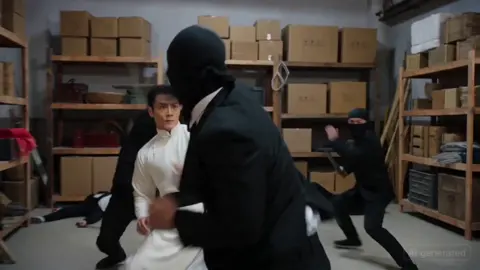
Realism is the quiet currency of video. A viewer decides in under two seconds whether a clip feels trustworthy, and that judgment rarely comes from the script. It comes from how skin catches light, how fabric folds, how a hand moves, how sound lands against motion. Two very different production traditions now compete for that realism: the century-old craft of stop motion, where every frame is a physical act performed by a human hand, and AI video generation, where a model predicts plausible pixels from a prompt, an image, or a reference clip.
Both can produce astonishing results. Both can also produce something that feels uncanny in a way audiences cannot articulate but absolutely feel. This guide compares the two approaches on the dimensions that actually matter in production, then shows how to combine them. It is written for creators, marketers, and small studios who need to ship believable video without a feature-film budget.
Why Realism Became the Deciding Factor in Video
For most of video history, realism was expensive. Practical effects, motion control rigs, and hand-built miniatures existed because there was no alternative. Today, realism is partly commoditized: any creator with a laptop can generate a moving image of a person who never existed. That shift moves the competitive advantage elsewhere. The question is no longer can you make a realistic-looking image. The question is can you sustain realism across sixty seconds, across a series of shots, and across a brand identity that has to stay consistent.
There are three layers of realism that audiences perceive, often without separating them:
- Photographic realism. Does the image obey the physics of light, depth of field, and material texture?
- Behavioral realism. Do bodies, faces, and objects move the way real things move, including the boring in-between movements?
- Narrative realism. Does the sequence make sense, with consistent characters, locations, and props from shot to shot?
Stop motion tends to win on photographic and behavioral realism for stylized subjects and lose on speed. AI generation tends to win on speed and lose on behavioral and narrative consistency. Most disappointing projects fail because the creator optimized for one layer and ignored the other two.
Stop Motion, Explained for Modern Creators
Stop motion is the practice of manipulating a physical object in small increments and photographing it once per increment. When the frames are played back at a normal frame rate, the object appears to move. That is the whole trick, and it has not changed in a hundred years. What has changed is the tooling around it: digital capture, motion control, 3D-printed armatures, and compositing software.
The physical pipeline, step by step
A typical stop motion shot follows a predictable sequence:
- Pre-production and storyboards. Because every second costs hours, boards are unusually detailed. Animatics are common.
- Set and puppet construction. Armatures, interchangeable faces, silicone skins, and miniature sets are built to survive thousands of manipulations.
- Lighting lock. Lights are fixed and documented, because a bumped lamp can ruin an entire day of frames.
- Animation. The animator moves the puppet, takes a frame, checks the monitor, and repeats. A skilled animator produces roughly two to eight seconds of usable footage per day.
- Cleanup and compositing. Rig removal, matte painting, particle effects, and background replacements are added digitally.
- Sound design. Foley carries enormous weight because the visuals are stylized; the audio sells the physicality.
Why stop motion reads as real even when it is obviously artificial
The paradox of stop motion is that audiences accept it instantly. A clay figure with visible fingerprints is not photorealistic, yet nobody questions its existence. The reason is that every frame contains genuine physical evidence: real shadows, real dust, real imperfections, real material response to light. The brain reads those cues as authentic even when the subject is impossible.
Behavioral realism is also unusually strong. Because a human animator chose each pose, stop motion motion carries intentionality. Pauses land where a performer would pause. Weight shifts feel deliberate. Modern animation principles such as squash and stretch, anticipation, and follow-through are applied by hand rather than predicted statistically.
Where stop motion stops being practical
Stop motion is slow, labor-intensive, and difficult to scale. It is also fragile: a broken armature mid-shoot can cost days. Changing a script after animation begins is expensive. Delivering ten localized versions of the same spot means ten times the animation work, unless you separate the animated footage from the localized elements, which is its own technical project. For content calendars that demand weekly output, stop motion is usually the wrong tool.
How AI Video Generation Actually Works
AI video tools do not film anything. They generate frames by predicting patterns learned from enormous collections of existing video. Different tool families approach this differently, and knowing which family you are using prevents a lot of wasted effort.
The three main families of AI video tools
- Text-to-video and image-to-video generators. You describe a shot or supply a still, and the model produces a short clip. Strength: cinematic imagery and style. Weakness: continuity across shots and precise motion control.
- Avatar and presenter tools. You type a script and pick or create a presenter, and the system produces a talking-head video with lip sync. Strength: fast, repeatable, scalable for training and explainer content. Weakness: limited physical realism and a recognizable synthetic feel if overused.
- Assistive tools inside an editing pipeline. These handle upscaling, frame interpolation, rotoscoping, background removal, voice synthesis, and shot extension. Strength: they improve footage you already shot. This is often the highest-value category for real productions.
What realism means inside a generated frame
A generated frame can be sharp, well-lit, and beautifully composed while still failing realism. The tells usually appear in:
- Hands and fingers, which still bend in anatomically improbable ways.
- Teeth and tongue, especially during speech, where the mouth interior becomes a blur.
- Object permanence, where a cup changes shape or a chair disappears between frames.
- Physics of cloth and hair, which move with a dreamlike slowness or snap unnaturally.
- Camera language, where the virtual camera moves in ways no operator or rig could achieve, which reads as artificial even to viewers who have never held a camera.
Failure modes that break the illusion
The most common failure is not visual at all; it is temporal. Individual frames look great, but motion has no coherent through-line. A subject drifts, limbs flicker, and background elements boil. The second most common failure is continuity across shots: the same character has a different jacket, jawline, or hairline in the next clip. Both problems are solvable, but only with a discipline that resembles traditional production planning rather than prompt roulette.
Head-to-Head: Realism, Control, Cost, and Scale
The comparison below assumes a realistic production context rather than a one-off experiment.
| Dimension | Stop Motion | AI Video Generation |
|---|---|---|
| Photographic realism | High for materials and light; stylized subjects | High for single images, variable across motion |
| Behavioral realism | Very high, hand-authored motion | Improving, weakest around faces and hands |
| Shot-to-shot continuity | Excellent, because sets and puppets persist | Difficult, requires reference systems and review |
| Iteration speed | Very slow, changes cost days | Very fast, changes cost minutes |
| Upfront investment | High in build, low in per-frame compute | Low in setup, ongoing in tooling and review time |
| Scalability | Poor for volume, excellent for craft pieces | Excellent for volume, weak for consistency |
| Localization | Expensive; often separate shoots | Cheap for language and voice variants |
| Skill ceiling | Craft-driven, decades to master | Prompt and pipeline driven, weeks to competence |
| Best fit | Brand films, title sequences, art-led pieces | Explainers, social volume, previsualization |
A useful way to read this table: stop motion buys certainty at the price of time. AI generation buys time at the price of certainty, and certainty has to be re-purchased with process.
Decision Criteria: Which Approach Fits Your Project
Skip the debate about which is better and answer four questions instead.
Choose stop motion when
- The visual identity depends on tactile material and handmade texture.
- The piece is a flagship asset that will run for a long time and justify the cost.
- You need motion that carries authored personality rather than statistical plausibility.
- The team already includes animators, or you can partner with a studio.
- Legal or brand rules make synthetic people difficult to approve.
Choose AI video generation when
- Volume matters more than perfection: weekly social, product updates, training modules.
- You need fast iteration on script and messaging before committing to a shoot.
- Localization into multiple languages is required, especially for presenter-led content.
- The subject matter is abstract, conceptual, or impossible to film cheaply.
- You need previsualization to sell an idea internally.
Choose a hybrid when
- You want real footage or real miniatures with AI-assisted cleanup, extension, or background replacement.
- You need a consistent character across many clips and can build a reference library.
- You want the tactile look of practical work but the delivery speed of generated assets.
A Practical Hybrid Workflow, Start to Finish
This is the workflow that consistently produces believable results with limited budgets. It treats AI as a post-production and planning accelerator rather than a replacement for production.
Step 1: Write for the format you can actually finish
Script length should match your pipeline. A sixty-second piece with twelve distinct shots is a different project than a fifteen-second loop. Count shots before you count words.
Step 2: Build a visual reference bible
Collect still images, color scripts, and lighting references. For AI work, this bible doubles as a prompt library. For stop motion, it becomes the art department brief.
Step 3: Lock character or subject design early
Consistency starts with a fixed reference: a puppet, a scan, a set of turnaround images, or a trained character model. Change the design once and every downstream asset shifts.
Step 4: Capture or generate base footage
Shoot practical material where physicality matters, and generate only what you cannot film affordably. Generated shots should be the connective tissue, not the backbone, whenever continuity is critical.
Step 5: Standardize frame rate, color, and grain
Mismatched grain and frame rate are the fastest way to make a hybrid piece feel stitched together. Apply a single grade and a consistent grain pass across both sources.
Step 6: Repair motion before you repair images
Fix temporal flicker, jitter, and drift first using interpolation or stabilization. Image artifacts are easier to judge once motion is stable.
Step 7: Rebuild audio from scratch
Foley and sound design do more for perceived realism than almost any visual adjustment. Add room tone, cloth movement, and small imperfections.
Step 8: Review at real speed, then at half speed
Watch the cut at normal playback to judge believability, then slow it down to catch artifacts. Viewers watch at normal speed, but they notice problems discovered at half speed.
Three Realistic Project Scenarios
Scenario 1: A character piece with a handmade look
You want a short brand film with a puppet-like hero. Build and animate the character practically for hero shots where the tactile quality matters, then use AI tools for background extension, crowd, and atmospheric elements. Keep the puppet in the same lighting environment by matching color temperature and shadow direction. Result: genuine physical presence with a manageable shot count.
Scenario 2: A presenter-led explainer at scale
You need the same three-minute script in six languages, refreshed quarterly. Use a presenter tool for the core delivery, but reduce the synthetic feel by varying camera angles, inserting screen recordings, and adding b-roll. Never let the presenter speak for more than twenty seconds without a visual break. Result: fast updates with enough rhythm to hold attention.
Scenario 3: A product spot built on texture
You are selling a physical product where material matters. Shoot macro footage of the real object, then generate supporting environments and transitions. Keep the product itself practical in every frame; audiences forgive synthetic backgrounds far more readily than synthetic product surfaces.
Mistakes That Quietly Destroy Realism
- Chasing resolution instead of motion. A crisp 4K clip with unstable movement looks worse than a softer clip with coherent motion.
- Ignoring audio. Clean visuals with flat sound feel synthetic immediately.
- Over-lighting. Real environments have falloff, shadow, and uneven exposure. Perfect even light reads as computer-generated.
- Moving the virtual camera too much. Restraint is realism. Let subjects move; keep the camera patient.
- Changing style mid-project. A new tool or prompt style halfway through creates visible seams.
- Skipping continuity checks. Line up frames of the same character side by side before you animate or generate the next shot.
- Generating everything. Practical anchors, even one real object in frame, raise believability across the whole cut.
- Trusting a single take. Always produce alternates for critical shots. Choosing between options is faster than repairing a bad one.
Pre-Publish Quality Checklist
Before delivery, run through this list. It catches the majority of realism failures.
- Does motion remain stable when played at half speed?
- Do hands, faces, and fabric behave consistently across every shot?
- Is the lighting direction consistent between practical and generated footage?
- Does the grain and color grade match across all sources?
- Does the audio include room tone, foley, and natural imperfection?
- Is the camera movement motivated and restrained?
- Can a viewer identify the same character or product in every appearance?
- Does the first two seconds establish the world convincingly?
- Would a viewer notice anything if they watched without sound?
- Have you tested on a phone screen at normal brightness?
FAQ
Is AI-generated video realistic enough for brand work?
For short shots, backgrounds, and supporting elements, yes. For long unbroken human performance, it still needs practical footage or a carefully designed presenter pipeline. The safe pattern is AI as support, not as the entire performance.
Can stop motion be combined with AI video tools?
Absolutely, and this is often the strongest option. Shoot practical animation, then use AI for rig removal, background extension, upscaling, and shot extension. The practical footage anchors realism while AI reduces cleanup time.
Why does generated motion look strange even when frames look perfect?
Because realism depends on temporal coherence, not individual frames. Motion blur, weight, and follow-through are learned statistically rather than authored. Reducing how much movement the model has to invent, by using a reference clip or a locked-off camera, improves results dramatically.
How do I keep a character consistent across many generated clips?
Lock a reference image set first, reuse identical descriptive language for every prompt, and review frames side by side before generating the next shot. Consistency is a process problem, not a model problem.
Which approach is cheaper?
It depends on volume. Stop motion has high upfront cost per second and barely scales. AI generation has lower setup cost but adds ongoing review time, and review time is the hidden expense most teams underestimate. At high volume, AI wins. For a single flagship piece, practical work often delivers better value per finished second.
Do audiences actually notice synthetic footage?
They notice inconsistency more than synthesis. A viewer may not identify a generated clip as generated, but they will feel that something is off when lighting, motion, or continuity breaks. Fixing those three things matters more than choosing one tool.
What is the fastest way to improve realism today?
Improve your audio and reduce camera movement. Both changes are nearly free, both take effect immediately, and both raise perceived realism more than upgrading to a better generator.
The Practical Takeaway
Realism is not a property of a tool. It is the sum of physical evidence, coherent motion, consistent continuity, and sound design that supports the image. Stop motion delivers those qualities through craft and patience. AI video generation delivers them through process and restraint. The teams producing the most convincing work right now are not choosing sides; they are filming what needs to be physical, generating what would be impractical to shoot, and spending their remaining time on motion stability, continuity checks, and audio. Choose your approach based on volume, lifespan, and how much control your story needs, then invest the saved effort in the details that make audiences believe what they are watching.

Alexander
More Blogs
Read MoreVidu Q4 Alternatives: 4K AI Video Models Compared (2026)
Vidu Q4 alternatives compared: Kling 4.0, Seedance 2.5, Wan 3.0, and Runway Gen-4 — 4K support, input modes, durations, audio, and what each costs in credits on Domer.
Top 4K AI Image Generators in 2026: 5 Models Compared on Real Costs
The top 4K AI image generators on Domer compared: Flux 3 Klein, Nano Banana 2.1, GPT Image 2.5, GPT Image 2, and Nano Banana Pro — 4K credit costs, reference limits, and speed.
Nano Banana 2.1 vs GPT Image 2.5: Which Image Model Should You Use? (2026)
Nano Banana 2.1 vs GPT Image 2.5 Flare compared: credit costs per resolution, aspect ratios, reference images, text rendering, and which tasks fit each model.