
Synthesia Alternatives: New AI Avatar Video Workflows
Oct 13, 2026
Why Avatar Video Tools Are Being Replaced by Broader AI Workflows
For years, the fastest way to produce a talking-head explainer without a camera crew was a dedicated avatar platform: paste a script, pick a face, choose a voice, export. That approach still works, and it remains genuinely useful for compliance training, onboarding modules, and product walkthroughs that get re-recorded every quarter.
But the category has widened considerably. General-purpose generative video models now handle shots that avatar platforms never attempted: a presenter walking through a warehouse, a character seen from three different angles, a cutaway to an animated diagram, a slow push-in on a product sitting on a desk. Instead of choosing between a talking-head format and cinematic coverage, teams increasingly build one pipeline where an AI presenter is a single element among many.
The practical consequence is that the question has changed. It is no longer about which avatar tool to buy; it is about what combination of script, reference images, model choice, and editing turns out a finished minute of video at the quality bar you need. The rest of this guide covers how the alternatives differ, how consistency actually gets achieved, and how to assemble a workflow that survives real deadlines.
What an Avatar Video Generator Does Well
Presenter-led explainers and training content
A synthetic presenter removes the largest logistical cost in corporate video: getting a real person on camera, repeatedly, with consistent lighting and delivery. When a script changes often — policy updates, quarterly numbers, new-hire orientation — regenerating one scene is far cheaper than re-booking a studio. The strength of this format is clarity. A well-scripted avatar explains a process in ninety seconds and never fumbles the product name twice.
Localization at scale
Voice pipelines and translation let a single recording become a dozen language variants while keeping the same on-screen presenter. That is a genuine operational advantage for support documentation and global enablement. The catch is lip sync: a translated script rarely matches the original mouth movement frame for frame, so teams either re-render the mouth region or accept a small mismatch — and viewers notice mismatch faster than they notice accent.
Where single-purpose platforms hit a wall
Dedicated avatar tools are optimized for one composition: mid-shot, static background, presenter centered. The moment a script calls for a b-roll insert, a camera move, or a second character interacting with the first, you leave the tool and land in a timeline editor or a generative model. That boundary is exactly where the alternatives compete, and it is why the debate over avatar platform versus generative model is often a false choice.
The New Baseline: Consistency, Control, and Direction
Character consistency across shots
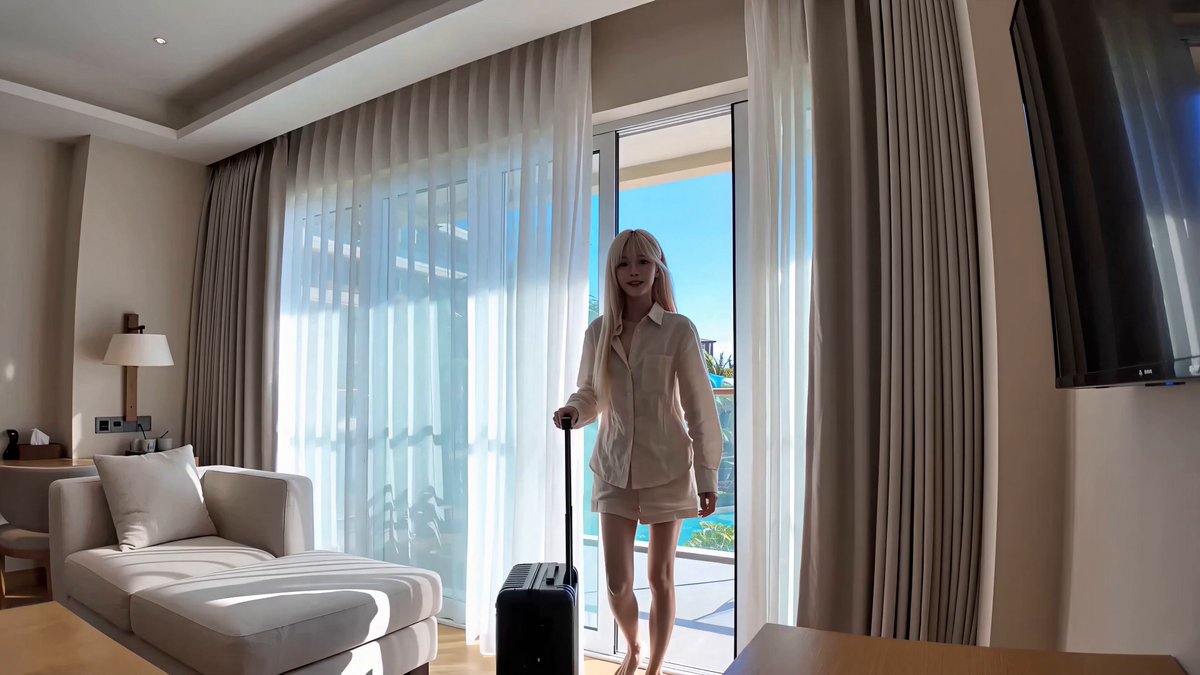
The hardest problem in AI video is keeping a face recognizable from one shot to the next. Early tools solved it by locking you to a stock presenter. Modern workflows solve it with reference conditioning: you supply several images of the same person, and the model fuses them into an identity that holds across angles, lighting, and expression. When that works, a two-minute video can cut between three camera positions without the audience feeling a seam.
Reference-driven generation and identity locking
A workable identity pipeline usually has three parts. First, a still-image model produces a clean, well-lit portrait or full-body reference. Second, motion generation consumes that reference alongside a text prompt describing the action. Third, a seed or identity parameter is reused across shots so each new generation starts from the same anchor. Teams that skip the third step get a character who subtly changes age between scenes — the single most common complaint in AI narrative content.
Thinking in shots, not scripts
Screenwriters write scenes; generative video needs shot descriptions. The instruction to explain the onboarding flow is not a prompt. A medium shot of the presenter at a desk, soft window light, hands gesturing toward a laptop, slow dolly in — that is a prompt. The practical shift for teams is to add a shot-planning step before generation, roughly the size of a storyboard pass. It feels like extra work the first time and saves a full day of regeneration after that.
Choosing a Model: A Practical Decision Framework
Fidelity, speed, and cost per finished minute
Evaluate models on the metric that matters: how many minutes of usable footage do you get per unit of spend and per hour of human time? A model that renders beautifully but rejects nine of ten prompts is expensive. A model that renders acceptably on the first or second attempt often wins on a real production schedule.
Stylistic bias by model family
Every model family has a personality. Some produce photoreal, slightly corporate imagery; others lean cinematic with strong contrast; others excel at stylized, illustrated looks. Text-to-video families such as Runway, Kling, Luma, Pika, MiniMax, Vidu, and Hunyuan each have distinct strengths in motion, physics, and prompt adherence, while still-image models like Flux are often the best way to produce your identity references. Test the same ten-second prompt across three or four candidates before committing to one.
Matching the model to the content type
Training modules reward stability and legible text overlays. Product films reward camera motion and lighting. Social cuts reward fast iteration and vertical framing. Build a small decision table for your team: content type, target model, aspect ratio, maximum acceptable render time. It removes opinion from the room and lets people argue about the script instead.
A Step-by-Step Avatar Video Workflow
Step 1 — Script, then shot plan
Write the script for spoken rhythm, not for reading. Then break it into shots of four to eight seconds. Each shot gets a subject, an action, a framing, and a light description. This list is your production queue and your checklist.
Step 2 — Build a reusable character reference
Generate or photograph five to eight reference images: front, three-quarter, profile, full body, neutral expression, and one with the character speaking. Keep the wardrobe identical. Store them in a project folder with a naming convention, because you will reuse them months later.
Step 3 — Generate motion and protect identity
Generate each shot separately from the same reference set. If a shot drifts — jaw shape, hairline, eye spacing — regenerate it rather than accepting it, because drift compounds across a cut. Keep shot length short; long continuous takes are where generative models show their seams.
Step 4 — Voice, lip sync, and audio beds
Record scratch audio yourself first so timing is human, then replace it with a synthesized or cloned voice. Check consonant clarity on product names and numbers. Add a quiet room tone under every scene; silence between synthesized lines sounds artificial even when the voice itself does not.
Step 5 — Assemble, caption, and quality-check
Cut in a standard editor, add captions, and run two passes: one with sound, one muted. The muted pass catches composition and continuity problems. The sound pass catches pronunciation and pacing. Export at the aspect ratios you actually publish, not just the one you previewed in.
Audio, Lip Sync, and the Uncanny Valley
Viewers forgive imperfect motion far more readily than imperfect mouths. Lip sync errors register instantly because humans are wired to read faces. Three tactics reduce the problem: keep the presenter's mouth small in frame during long sentences, cut away to b-roll on plosive-heavy passages, and prefer medium or three-quarter angles over extreme close-ups in generated speech.
Prosody matters just as much. Synthesized voices that hold one emotional pitch for two minutes feel robotic regardless of timbre. Insert deliberate pauses, vary sentence length in the script, and give the presenter something to do with their hands so the delivery reads as intent rather than recitation.
Finally, normalize loudness. Broadcast targets around -14 LUFS integrated for web delivery, with true peak below -1 dBTP, keep your video consistent with everything else in a feed. A surprising share of uncanny-valley complaints are actually mixing complaints.
Common Mistakes That Undermine AI Presenter Videos
- Prompting a paragraph instead of a shot. Long prompts produce mush. One moment per generation.
- Changing wardrobe or lighting mid-scene. Identity models read clothing as part of the character. A jacket change between shots reads as a recast.
- Accepting drift to save time. Fixing one bad shot takes minutes; explaining a shape-shifting presenter to a client takes weeks.
- Ignoring aspect ratio during generation. Cropping vertical from horizontal later kills framing and headroom.
- Skipping the muted review. Continuity errors hide in plain sight until sound is removed.
- Over-scripting for reading. Sentences that look elegant on paper collapse in speech. Read every line aloud.
- Forgetting disclosure. Label synthetic presenters where your audience, platform, or jurisdiction expects it. Trust is cheaper to keep than to rebuild.
- No version control. Name files with scene, take, and date. Teams lose more time to accidental overwrites than to rendering.
Budgeting, Scaling, and Handoffs
Cost in generative video is best expressed as cost per finished minute, not cost per generation. That number includes rejected takes, human review time, and editing. Track it for two weeks and you will discover that review, not rendering, dominates. Budget accordingly: fewer shots, longer review.
Scaling means turning a one-off into a template. Document the reference-image spec, the prompt structure, the loudness target, and the caption style. Then a second editor can produce a video that matches the first without asking you anything. When a new model arrives — and one will — you swap it into the template rather than rebuilding the process.
Handoffs fail for predictable reasons. The most common is that the person writing prompts is not the person who wrote the script, so tone drifts. Keep a single style note pinned to the project: pacing, vocabulary, presenter wardrobe, color grade. It is a half-page document that prevents a weekend of rework.
Which Tool Category Fits Your Project
| Project type | Best-fit category | Why |
|---|---|---|
| Compliance and onboarding | Avatar platform | Predictable output, fast iteration on scripts |
| Multilingual enablement | Avatar platform plus voice cloning | Same presenter across languages |
| Product story with b-roll | Generative video model | Camera moves, environments, inserts |
| Social shorts at volume | Lightweight generative model | Speed and vertical-native generation |
| Narrative with recurring character | Reference-driven pipeline | Identity stability across shots |
A single production often uses three rows of this table. Treat the categories as stations in a pipeline, not as competitors.
FAQ
Do I still need a dedicated avatar platform if I use a general video model?
Often, yes — for purely presentational content. Avatar platforms handle script-to-video with fewer moving parts, which matters when the script changes monthly and nobody wants to re-storyboard. Use generative models when the video needs environments, motion, or multiple characters.
How many reference images does a consistent character need?
Five to eight is the practical sweet spot: front, three-quarter, profile, full body, and one speaking frame. Fewer than four and the model improvises facial features. More than a dozen rarely improves results and slows generation.
Why does the face change between shots?
Usually because each shot was generated without a shared identity anchor. Reuse the same reference set, keep wardrobe and lighting descriptions identical, and regenerate any take that drifts. Small drift before a cut becomes obvious drift after it.
How long should a generated shot be?
Four to eight seconds. Beyond that, artifacts accumulate and lip sync degrades. Short shots also make regeneration cheap, which is the real advantage of the format.
Is translated speech worth doing without re-animating the mouth?
For internal training, often yes. For public marketing, re-render the mouth region or use a presenter whose lip movement is less prominent in frame. Mismatched lip sync is the fastest way to lose viewer trust.
How do I keep spending predictable?
Set a shot budget per video, measure cost per finished minute for a month, and cap regeneration attempts per shot at three before escalating to human review. Most overruns come from open-ended iteration, not from model pricing.
What about disclosure and rights?
Check your platform's synthetic media policy, your jurisdiction's disclosure rules, and the consent terms attached to any voice or likeness you clone. Get written consent for real people, and label synthetic presenters when the context could mislead.
Where This Is Heading
The distinction between avatar tool and video model is dissolving. Presenters will be one asset type in a library alongside environments, props, and motion presets, assembled by shot lists rather than by choosing a single vendor. Teams that build their workflow around references, shot planning, and measurable quality control will switch models without pain. Teams that build around one interface will rebuild every time the interface changes.
Start small: one script, one character, five shots, one finishing checklist. Get that pipeline repeatable before you add a second language, a second presenter, or a second model. The craft is not in the generation — it is in the consistency.

Alexander
More Blogs
Read MoreVidu Q4 Alternatives: 4K AI Video Models Compared (2026)
Vidu Q4 alternatives compared: Kling 4.0, Seedance 2.5, Wan 3.0, and Runway Gen-4 — 4K support, input modes, durations, audio, and what each costs in credits on Domer.
Top 4K AI Image Generators in 2026: 5 Models Compared on Real Costs
The top 4K AI image generators on Domer compared: Flux 3 Klein, Nano Banana 2.1, GPT Image 2.5, GPT Image 2, and Nano Banana Pro — 4K credit costs, reference limits, and speed.
Nano Banana 2.1 vs GPT Image 2.5: Which Image Model Should You Use? (2026)
Nano Banana 2.1 vs GPT Image 2.5 Flare compared: credit costs per resolution, aspect ratios, reference images, text rendering, and which tasks fit each model.