
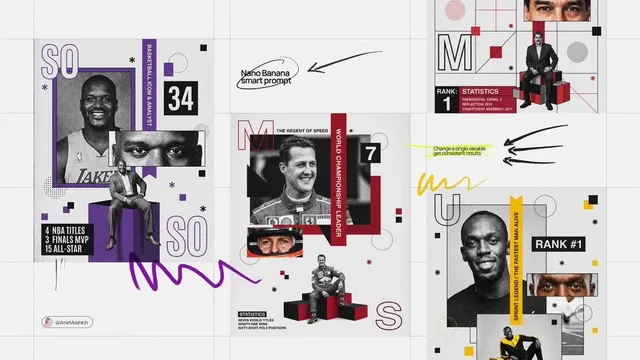
Future-Proof Your Content Strategy With AI Video Workflows
Nov 6, 2026

Future-proofing means building a pipeline, not buying a tool
Every content team eventually hits the same wall. Video demand keeps climbing — for landing pages, paid social, product updates, onboarding, recruiting, internal comms — while the resources to produce it stay flat. Traditional production scales linearly: more videos means more shoot days, more editors, more review cycles. That math stops working long before the demand curve flattens.
AI video generation changes the math, but not in the way most teams expect. The value is not that a single tool replaces a crew. The value is that a well-designed pipeline lets a small team produce a high volume of good enough or better footage without a proportional increase in cost. Teams that treat AI video as a curiosity get scattered clips and frustrated editors. Teams that treat it as infrastructure get a repeatable production line.
Future-proofing, in practical terms, means three things:
- Model independence. No single generation model stays best at everything. Your workflow should let you swap models shot by shot without rebuilding the whole process.
- Asset discipline. Scripts, keyframes, style references, and approved outputs need a home and a naming system, or the pipeline collapses under its own output.
- Human editorial judgment. Generation is cheap; taste is not. The bottleneck moves from shooting to selecting, and selection is where quality actually lives.
This guide walks through a neutral, tool-agnostic workflow you can adopt whether you produce three videos a month or thirty.
The four stages of an AI-assisted video pipeline
Instead of thinking in tools, think in stages. Each stage has a distinct input, output, and failure mode. Once the stages are named, you can assign owners and measure where time is actually going.
Stage 1 — Concept and script compression
AI video rewards brevity. A 90-second script with six ideas will produce six mediocre clips; a 30-second script with one idea will produce something people finish watching. Before generating anything, compress the concept into a single sentence: who is this for, what changes in their understanding, and what do we want them to do next?
Then write the script in shot-sized beats. Each beat should be describable in one line of visual action. If a beat needs three sentences to explain, split it or cut it. This is the cheapest stage to iterate in and the most expensive to skip — a weak script generates weak footage no matter which model you use.
Stage 2 — Look development
Look development is where AI video workflows differ most from traditional ones. You are not scouting locations; you are establishing a visual contract that every later shot must honor.
Produce three to five reference frames — a hero shot, a product detail, a person or character, an environment, and a graphic treatment. Generate them as stills first. Stills are fast and cheap to iterate, and they give you a concrete target for motion generation. Approve them internally before a single second of video exists.
Stage 3 — Shot generation and iteration
Now generate motion. The productive pattern is short clips, many attempts, fast culling:
- Generate 4–8 second clips per shot.
- Review at thumbnail size first — if a clip does not read at thumbnail size, it will not read at full size.
- Keep the best two, label them, discard the rest immediately.
- Only upscale or extend clips that survive the first cut.
The most common time sink here is polishing a clip that will not make the edit. Cull aggressively and early.
Stage 4 — Assembly, sound, and finishing
Generation is maybe half the perceived quality. Sound design, pacing, music, captions, and color unification do the rest. Assemble in a normal editor (DaVinci Resolve, Premiere, Final Cut), unify the grade across shots, and add a subtle grain or halation layer — mismatched sharpness between shots is the fastest way to make an AI-assisted video look synthetic.
Captions deserve special mention: most viewers watch muted, and burned-in captions measurably improve retention on social. Build caption styling into your template rather than adding it at the end.
Choosing a model per shot, not per project
The biggest workflow upgrade is moving from "which tool do we use?" to "which tool for this shot?". Models differ meaningfully in motion realism, prompt adherence, character consistency, lip sync, camera control, and generation speed. A single project can legitimately use three or four.
The three practical tiers
Premium / slow / high-fidelity. Best for hero shots, human faces in close-up, complex physical motion, and anything that will be seen large. Expect longer render times, more failed attempts, and higher per-second cost. Use sparingly — usually 10–20% of total runtime carries 80% of the perceived quality.
Mid-tier / fast / good-enough. Best for B-roll, abstract motion, backgrounds, transitions, and social cutdowns. Fast enough to iterate in a meeting, cheap enough to generate twenty variants without a budget conversation.
Specialized. Lip sync, voice cloning, image-to-video from an approved product render, upscaling, background removal, rotoscoping, and frame interpolation. These solve one problem well and should be slotted into the pipeline at a fixed point rather than chosen ad hoc.
A simple decision rule
Ask three questions per shot:
- Will the viewer's eye rest here? If yes, premium tier.
- Does it include a face or a real product? If yes, use image-to-video from an approved reference, not text-to-video.
- Is it under 1.5 seconds on screen? If yes, generate fast and do not over-invest.
Test clips before committing
Keep a private "benchmark reel" of five standard prompts — a person walking, a product rotating, a camera push-in, a hand interacting with an object, and a text-heavy graphic. Run new models against it when they appear. Twenty minutes of benchmarking saves weeks of accidental pipeline rewrites, and it gives you objective evidence when someone asks why the team uses three tools instead of one.
Solving consistency, the real production problem
Any single AI-generated clip can look impressive. Twenty clips that look like they came from twenty different productions do not. Consistency is the discipline that separates a demo from a deliverable.
Lock characters and products with reference images
Text descriptions of a person drift between generations. Approved reference images do not. Build a small library: two angles of each recurring character, a hero product render from three angles, and a logo lockup on a neutral background. Feed these into image-to-video or reference-conditioned generation rather than re-describing them in prose.
Write a style bible — one page, not ten
A style bible captures the decisions that would otherwise be re-litigated every project:
- Lens language. Focal lengths you use, and which you forbid.
- Camera behavior. Locked-off, slow dolly, handheld — pick two and stick to them.
- Color. A palette with three named colors and one accent.
- Light. Direction, hardness, and time of day.
- Motion budget. How much moves in a frame at once.
- Negative list. Things that must never appear: warped hands, floating objects, unreadable text, generic stock-photo smiles.
Preserve continuity editorially
Some inconsistency is unavoidable at the generation stage and fixable in the edit. Use cutaways, match cuts on motion direction, and short shot lengths to hide small discontinuities. A consistent color grade and a shared soundtrack do more for perceived continuity than pixel-perfect character matching.
Prompt and asset hygiene that saves weeks
Most teams lose more time to file chaos than to model limitations. Two lightweight systems fix it.
Naming conventions
Adopt a flat, sortable pattern: project_shot###_version_take. Example: spring-launch_s04_v03_t2. It should be obvious from the filename which shot a clip belongs to and which take survived review. Store generated clips in a per-shot folder, and move rejects to an archive folder rather than deleting them — you will want a rejected take back roughly once a week.
Prompt templates
Write prompts as a fixed structure so results are comparable:
[Shot size and lens] + [subject and action] + [environment] + [lighting] + [camera movement] + [style reference] + [negatives]
Example: Medium close-up, 50mm; a woman in a grey knit sweater turns toward a window; minimal apartment interior; soft overcast daylight from camera left; slow handheld drift; muted documentary tone; no text, no logo, no exaggerated expressions.
Keep a running document of prompts that worked, tagged by shot type. New team members should be able to produce an on-brand clip in their first week by copying a template rather than inventing one.
Governance: rights, disclosure, and brand safety
AI video sits inside legal and reputational territory that traditional production does not. Three policies are worth writing down before you scale.
Rights and likeness. Do not generate recognizable real people without consent. For synthetic presenters, keep signed documentation of the voice and likeness rights, and store it with the project. If you train or fine-tune on your own footage, confirm the contracts allow it.
Disclosure. Decide where AI-generated footage needs a label — regulated advertising, health and finance claims, and content that could be mistaken for documentary footage are the usual candidates. Internal and clearly stylized content usually does not, but pick a rule and apply it consistently.
Brand safety. Add a review gate before publishing anything featuring people, product claims, or text rendered inside the frame. AI models still mangle on-screen text; a five-second check prevents an embarrassing re-upload.
Throughput math: how to plan capacity
AI video planning fails when teams estimate in "videos" instead of "shots". Model it in shots.
A worked example for one 60-second social video:
- 18 shots, average 3.3 seconds each
- ~6 attempts per shot for acceptable quality → ~108 generations
- 15% of shots need premium-tier generation → ~16 premium generations
- Review time: roughly 45 seconds per generated clip when culling at speed → about 80 minutes
- Assembly, sound, captions, grade: 3–4 hours
That is roughly half a working day for one finished minute once the style bible and templates exist. Before they exist, assume two to three times that. Track your own real numbers for a month — attempt-per-shot ratio is the single most useful metric, because it tells you when a new model is worth adopting and when a brief is simply too ambitious.
Seven mistakes that stall AI video pilots
- Starting with the hardest shot. Teams test on a close-up human face with dialogue, get a bad result, and conclude the technology is not ready. Start with B-roll and product beauty shots.
- One tool for everything. Model lock-in guarantees mediocre output on at least a third of shots.
- No approved reference frames. Text-only prompting produces drift; reference conditioning produces consistency.
- Skipping the script stage. Generation speed tempts teams to improvise. Improvisation produces unstructured footage.
- Polishing rejects. Set a hard rule: if a clip fails twice, change the prompt, not the take.
- Ignoring sound. Silent rough cuts always feel worse than they are. Add temp music early.
- No owner. A pipeline without a named owner accumulates orphaned files and abandoned experiments within a month.
A 30-day rollout plan
Week 1 — Baseline. Pick one real deliverable, not a demo. Write the script, generate reference stills, and produce a rough cut with whatever tools are already available. Measure attempt-per-shot and total hours.
Week 2 — Systems. Write the one-page style bible and the prompt template. Set up folder structure and naming. Build the reference library for recurring people and products.
Week 3 — Model bench. Run the five-prompt benchmark across three models. Assign tiers to shot types based on results. Document the decision rule so anyone can choose without asking.
Week 4 — Scale test. Produce two videos in parallel using the system. If the second is meaningfully faster than the first, the pipeline is working. If it is not, the failure is usually in asset organization, not generation quality.
FAQ
How many shots should we generate per finished minute?
Plan for 15–20 shots per finished minute for social, fewer for explainer content where graphics and screen recordings carry more weight. More shots means more cuts, which means more places for inconsistency to hide — but also more editorial flexibility.
Do we still need editors?
More than ever. Generation shifts the work from acquisition to selection, pacing, sound, and finishing. The editorial judgment that decides which 12 seconds of 40 survive is the scarcest skill in the pipeline.
What resolution and aspect ratio should we generate at?
Generate at the highest native resolution your chosen model supports, then master in the aspect ratio you publish most. If you need multiple formats, frame for the tightest crop during look development so the vertical cut still works.
How do we stop output from looking generic?
Specificity. Generic prompts produce generic footage. Reference real materials, name the light source and direction, specify the lens, and add a negative list. The most distinctive AI videos usually come from tightly constrained prompts, not elaborate ones.
Is it worth fine-tuning a model on our own footage?
Only once you have a stable pipeline and a clear recurring style that off-the-shelf models consistently miss. Fine-tuning adds maintenance overhead and locks you to one model family — the opposite of the model-independence principle that makes a workflow durable.
How do we keep costs predictable?
Budget by shot tier rather than by project. Reserve premium generation for the 10–20% of runtime the viewer actually studies, and cap attempts per shot with a hard rule. Predictability comes from process constraints, not from choosing cheaper tools.
What is the first thing to fix if results look inconsistent?
Color and sharpness. Unifying the grade and softening mismatched detail across shots improves perceived continuity more than regenerating footage — and it takes minutes instead of hours. Then check whether your reference frames are actually being used in the prompts.
The durable version of an AI video strategy is unglamorous: a script discipline, a reference library, a tiered model bench, a naming convention, and a review gate. Build those, and the tools can change underneath you without your content strategy noticing.

Alexander
More Blogs
Read MoreAI Video Production From Concept to Final Render: A Workflow
A practical guide to AI-assisted video production, from brief and shot list to prompt design, audio, editing, and final quality control.
Free Video Transcription and Editing Workflow: A Practical Guide
Build a reliable free video transcription and editing workflow with practical tool choices, caption tips, quality checks, and AI handoff points.
Automated Video Transcription: A Practical AI Workflow
Learn a reliable automated video transcription workflow with AI, from audio prep and speaker labels to quality checks, captions, and searchable transcripts.