
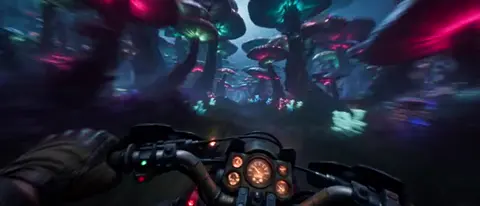
Master Cinematic Storytelling with AI Video Creation
Aug 4, 2026

Storytelling is the Difference
Anyone can generate a video with AI. But creating a video that moves people — that makes them feel something — that's a different skill entirely. It's the difference between a tool operator and a storyteller.
This guide bridges classic filmmaking wisdom with modern AI video tools like Domer's AI Video Generator.
The Language of Cinema (For AI Prompts)
Shot Types and When to Use Them
| Shot | Description | When to Use | Prompt Example |
|---|---|---|---|
| Extreme Wide | Character is tiny in frame | Establishing location | "vast desert landscape, tiny figure walking, scale" |
| Wide | Full body visible | Setting the scene | "full body shot, character in doorway" |
| Medium | Waist up | Dialogue, interaction | "medium shot, two people talking at cafe" |
| Close-up | Face fills frame | Emotion, reaction | "tight close-up on eyes, tears forming" |
| Extreme Close-up | Single detail | Intensity, focus | "macro shot of finger on trigger" |
Camera Movement Vocabulary
- Dolly In: Camera moves toward subject — building intimacy or tension
- Dolly Out: Camera pulls away — revealing context, creating distance
- Pan: Camera rotates horizontally — following action, revealing space
- Tilt: Camera rotates vertically — showing scale, vulnerability, power
- Tracking Shot: Camera moves alongside subject — immersion, journey
- Dutch Angle: Camera tilted — unease, disorientation, tension
Incorporate these directly into Text-to-Video prompts: "slow dolly in on character's face as realization dawns."
Lighting: The Mood Setter
Three-Point Lighting in Prompts
Describe lighting setups like a DP (Director of Photography):
High-Key (Bright, even):
"Bright studio lighting, soft fill light eliminating shadows, clean and commercial look"
Low-Key (Dramatic, shadowy):
"Single key light from side, deep shadows on opposite half of face, film noir aesthetic"
Natural/Golden Hour:
"Late afternoon sunlight, warm golden tones, long soft shadows, golden rim light on subject's hair"
Color Temperature
- Warm (3200K): Nostalgia, comfort, romance
- Cool (5600K): Clinical, tension, isolation
- Neutral (4500K): Natural, documentary feel
Composition Rules That Work with AI
Rule of Thirds
Place your subject at intersection points: "Subject positioned at left rule-of-thirds intersection, negative space on the right showing distant mountains."
Leading Lines
"Railway tracks leading eye from foreground to vanishing point where character stands."
Framing Within Framing
"Character seen through window frame, creating frame-within-frame composition, voyeuristic feel."
Depth and Layers
"Foreground: out-of-focus leaves. Midground: character in sharp focus. Background: blurred city skyline. Deep depth composition."
Narrative Structure for Short Videos
The 3-Act Structure (Condensed)
Even a 30-second video can have three acts:
Act 1 (0-8 sec) — Setup: Establish the world and character. "Who is this? Where are they?"
Act 2 (8-22 sec) — Conflict: Something happens. A problem. A discovery. "What changed?"
Act 3 (22-30 sec) — Resolution: The outcome. The lesson. The punchline. "What now?"
Emotional Arc
Plan the feeling you want at each moment:
0s: Curiosity (hook)
5s: Empathy (connect with character)
15s: Tension (conflict rises)
25s: Relief / Joy / Surprise (resolution)
30s: Call to Action
AI-Specific Cinematic Techniques
Maintaining Visual Continuity
When generating multiple shots, use consistent descriptors. Seedance 2.0 excels at maintaining character consistency across scenes.
Scene Transitions
AI can generate transitions if you describe them:
"Match cut: close-up of eye transitions to moon in night sky, seamless morph transition."
Combining Tools for Cinematic Quality
- Storyboard with GPT Image 2 — high-quality still frames
- Animate key scenes with Image-to-Video
- Fill gaps with Text-to-Video
Practice Exercise
Take this simple scene and elevate it cinematically:
Basic: "A man walks into a bar."
Cinematic: "Low-angle tracking shot following man's boots on wet pavement, reflection of neon sign in puddles, pushing open heavy wooden door, warm interior light spilling out, silhouetted figure pausing in doorway, smoke atmosphere, film grain, anamorphic lens flare."
See the difference? That's cinematic storytelling.
FAQ
Do I need film school to use these techniques?
No. Just learn the vocabulary and incorporate it into your prompts. AI handles the execution.
Which Domer tool is best for cinematic videos?
AI Video Generator for all-in-one access. Seedance 2.0 for character-heavy narratives.
Conclusion
AI gives you the brush. Cinematic storytelling teaches you how to paint. The tools at AI Tools are powerful — but your understanding of visual language is what will make your work stand out.

Alexander
More Blogs
Read MoreVidu Q4 Alternatives: 4K AI Video Models Compared (2026)
Vidu Q4 alternatives compared: Kling 4.0, Seedance 2.5, Wan 3.0, and Runway Gen-4 — 4K support, input modes, durations, audio, and what each costs in credits on Domer.
Top 4K AI Image Generators in 2026: 5 Models Compared on Real Costs
The top 4K AI image generators on Domer compared: Flux 3 Klein, Nano Banana 2.1, GPT Image 2.5, GPT Image 2, and Nano Banana Pro — 4K credit costs, reference limits, and speed.
Nano Banana 2.1 vs GPT Image 2.5: Which Image Model Should You Use? (2026)
Nano Banana 2.1 vs GPT Image 2.5 Flare compared: credit costs per resolution, aspect ratios, reference images, text rendering, and which tasks fit each model.