
Creating Consistent AI Characters: Anime, Photorealism, and Everything Between
Aug 4, 2026

The Challenge of Character Consistency
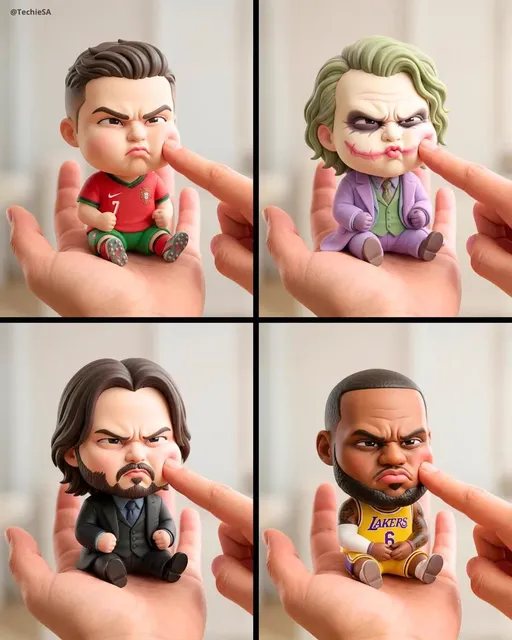
Creating a character once is easy. Creating that same character across dozens of scenes, angles, and expressions — that is the real challenge in AI art. Whether you are designing anime characters or photorealistic portraits, consistency separates amateur work from professional output.
Building Your Character Reference Sheet
Start with a comprehensive reference sheet. Generate your character from multiple angles: front, profile, three-quarter view, and back. Use AI image generator to create these reference images. The more detailed your references, the better your results will be.
Key Features to Lock Down
Define these elements clearly: facial structure, eye shape and color, hair style and color, body type, clothing style, and any distinctive accessories or markings.
Tools for Consistent Generation
GPT Image 2 excels at maintaining character consistency across different prompts and contexts. Feed it your reference images and it will preserve the essential features while adapting to new scenes.
From Static Characters to Animated Scenes
Once your character design is locked, bring them to life. AI video generator can animate your characters with natural movement. Image-to-video is particularly useful for turning character stills into motion sequences.
Style Exploration
Experiment with different art styles for the same character. Test anime, semi-realistic, and photorealistic versions to find what works best for your project. Text-to-video helps quickly visualize different style treatments.
Conclusion
Character consistency is achievable with the right workflow and tools. Build your reference library today. More techniques on the Domer blog.

Alexander
More Blogs
Read MoreVidu Q4 Alternatives: 4K AI Video Models Compared (2026)
Vidu Q4 alternatives compared: Kling 4.0, Seedance 2.5, Wan 3.0, and Runway Gen-4 — 4K support, input modes, durations, audio, and what each costs in credits on Domer.
Top 4K AI Image Generators in 2026: 5 Models Compared on Real Costs
The top 4K AI image generators on Domer compared: Flux 3 Klein, Nano Banana 2.1, GPT Image 2.5, GPT Image 2, and Nano Banana Pro — 4K credit costs, reference limits, and speed.
Nano Banana 2.1 vs GPT Image 2.5: Which Image Model Should You Use? (2026)
Nano Banana 2.1 vs GPT Image 2.5 Flare compared: credit costs per resolution, aspect ratios, reference images, text rendering, and which tasks fit each model.