

How to Generate Cinematic Quality Clips with AI in 2025
Aug 4, 2026


The democratization of cinematic video
Cinematic quality used to mean expensive cameras, professional lighting rigs, and years of experience. In 2025, AI has fundamentally changed this equation. What once required a film crew now requires a well-crafted prompt and the right tools.
But make no mistake: tools alone don't make cinema. Understanding the principles of visual storytelling is what separates stunning AI-generated clips from generic ones. This guide covers both — the tools and the craft.
The elements of cinematic quality
Composition that tells a story
Cinematic shots aren't just pretty — they communicate. Rule of thirds creates balance. Leading lines guide the eye. Shallow depth of field isolates the subject. Deep focus reveals context. Every compositional choice should serve the story you're telling.
When prompting AI, don't just describe what's in frame. Describe the composition: "wide establishing shot, low angle, subject in left third, negative space on the right" — this level of direction produces cinematic results.
Lighting as emotion
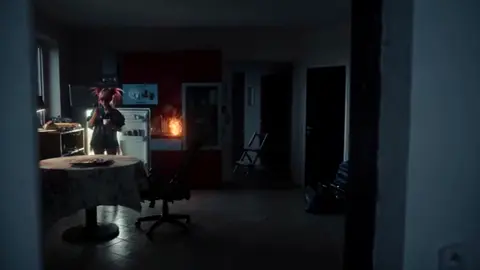
Light is the language of cinema. High-key lighting signals comedy or optimism. Low-key lighting creates mystery and tension. Backlighting adds drama. Practical lights in frame add realism. AI responds remarkably well to specific lighting directions.
Domer AI Video Generator lets you specify lighting conditions in your prompts for professional-looking results.
Camera movement with purpose
Every camera move should have motivation. A slow push-in builds intimacy. A whip pan adds energy. A static frame conveys stability. Don't add movement just because you can — add it because it means something.
Building cinematic sequences
Start with a strong reference
Before generating video, create still reference images that define your visual style. Use Domer AI Image Generator to lock in your color palette, lighting style, and composition approach. These references become your north star.
Master the establishing shot
Every sequence needs context. Start wide — show the environment, set the mood. Then move closer. Wide → Medium → Close-up — this progression is the backbone of cinematic storytelling.
Pay attention to transitions
How you move between shots is as important as the shots themselves. Match cuts based on action, shape, or color. L-cuts where audio leads the visual. These techniques elevate AI-generated clips from montage to cinema.
Technical excellence
Resolution and aspect ratio
Generate at the highest resolution available. You can always downscale, but you can't add detail later. Choose aspect ratios deliberately: 2.35:1 for epic cinema, 16:9 for modern video, 4:3 for vintage feel.
Color grading consistency
Apply consistent color treatment across all clips in a sequence. Even AI-generated clips benefit from a unified grade. Warm tones for nostalgia, cool tones for tension, desaturated for gritty realism.
Audio completes the picture
Cinema is audiovisual. GPT Image 2 for stunning visuals, but don't neglect sound design. Ambient sound, foley effects, a compelling score — these elements complete the cinematic experience. The best AI-generated visuals fall flat without proper audio.

Alexander
More Blogs
Read MoreVidu Q4 Alternatives: 4K AI Video Models Compared (2026)
Vidu Q4 alternatives compared: Kling 4.0, Seedance 2.5, Wan 3.0, and Runway Gen-4 — 4K support, input modes, durations, audio, and what each costs in credits on Domer.
Top 4K AI Image Generators in 2026: 5 Models Compared on Real Costs
The top 4K AI image generators on Domer compared: Flux 3 Klein, Nano Banana 2.1, GPT Image 2.5, GPT Image 2, and Nano Banana Pro — 4K credit costs, reference limits, and speed.
Nano Banana 2.1 vs GPT Image 2.5: Which Image Model Should You Use? (2026)
Nano Banana 2.1 vs GPT Image 2.5 Flare compared: credit costs per resolution, aspect ratios, reference images, text rendering, and which tasks fit each model.