

The Best Free Online Video Editor for Quick Social Media Reels in 2025
Aug 4, 2026

Why Quick Editing Tools Matter for Short-Form Video
Short-form content continues to demand more from creators. In 2025, the vertical video market is projected to keep climbing; industry estimates show it could exceed $150 billion by 2027. That means more brands, influencers, and independent creators are competing for attention on Instagram Reels, TikTok, and YouTube Shorts. The only way to keep up is to produce content quickly without sacrificing quality.
This is why free doesn't have to mean feature-light. The best free online video editor for quick social media reels should let you trim footage, add text overlays, apply transitions, and export in a vertical 9:16 format. It should also be fast enough to support trend-driven publishing, where timing is everything. If a tool is clunky, slow to render, or difficult to learn, it becomes a bottleneck rather than an asset.
Creators also need to think about consistency. Posting once a week is not enough to build momentum. A reliable free editor helps you maintain a consistent cadence. And when you're producing multiple reels per week, even small time savings add up.
What to Look for in a Free Online Video Editor
Template Depth and Vertical Formatting
The easiest way to speed up reel creation is to start from a template that already matches a 9:16 canvas. The best free tools maintain a rotating library of templates for fashion, travel, food, fitness, business, and more. Templates handle the visual structure, so you only need to swap in your own video clips and text. A robust template library is the fastest route from raw footage to publish-ready content.
Captioning and Typography
Auto-captions are no longer optional for social media. Many viewers watch without sound, so accurate, eye-catching captions are essential. Look for editors that offer automatic speech recognition and allow you to customize font, color, and position. The ability to export subtitle styles that match your brand gives you a professional look without manual assembly.
Royalty-Free Music and Sound Effects
Trending audio is important on platforms like TikTok and Instagram. But you also need a library of background music that won't trigger copyright claims. Free editors often include a small set of tracks; the stronger ones refresh those tracks each month. If you can filter music by mood, tempo, and genre, you can create a consistent audio identity for your channel.
Export Quality and Rendering Speed
Any editor that caps exports at 720p or adds a giant watermark is going to hurt your content. A few free editors let you export in 1080p without a watermark, while others use watermark-free exports as a reward for watching tutorials or sharing the tool. Rendering speed matters too. If you have to wait twenty minutes for a thirty-second clip, the tool is not optimized for quick social media reels.
Common Pain Points in Free Editing Workflows
Free editors have improved significantly, but they still have gaps:
- Limited advanced tools: Functions like keyframing, motion tracking, and custom masking are usually locked behind a paid plan.
- Cloud storage constraints: Some browser-based editors require uploading files to their servers, which raises privacy concerns and slows down large projects.
- Inconsistent mobile experience: A tool might work great on desktop but poorly on mobile, forcing creators to switch devices.
- Outdated trend templates: If the template library isn't refreshed to match current audio trends, your reels will look stale.
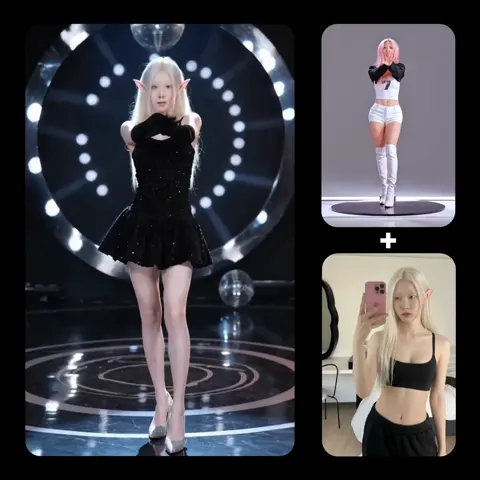
When these gaps get in the way, consider pairing a traditional editor with AI-powered video tools. For example, Domer's text-to-video workflow lets you generate clips from written prompts, while image-to-video brings still images to life with motion. That way, you're not relying on the free editor to be perfect at everything.
The Role of AI in Fast Reel Production
AI is changing what creators expect from an online editor. Instead of manually cutting every clip, you can use AI to detect highlights, suggest pacing, and automatically adjust aspect ratios. Some platforms already generate entire videos from a text prompt, including camera angles, character actions, and ambient audio. This approach is especially useful for creators who need B-roll, establishing shots, or background scenes.
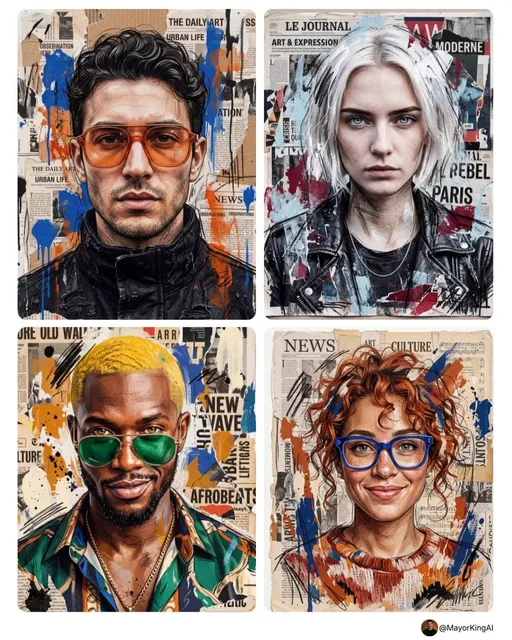
Models like Seedance 2.0 are built for high-quality video generation from text and images. Similarly, GPT Image 2 helps with visual assets and thumbnails, letting you maintain a strong visual identity across every post. These tools don't replace your creative judgment; they give you more material to work with in less time.
When you combine a fast editing tool with AI content generation, you can build a workflow that feels less like work and more like creative expression. The key is to pick tools that integrate cleanly into your process. For that reason, Domer's AI image generator is a great complement to any video editing routine.
How to Test Free Editors Before You Commit
Before settling on one tool, run a simple test. Create a short video that uses a template, includes captions, and mixes at least two clips. Export at the highest available quality and inspect the output on your phone. Watch for color shifts, blurry text, and excessive compression artifacts.
Also consider how the editor feels under real deadlines. If you're trying to publish during a breaking trend, you need an editor that responds instantly. Spend a few minutes practicing with keyboard shortcuts and timeline navigation. If it feels awkward, move on to the next candidate.
Building a Hybrid Workflow for Better Reels
No single editor needs to do everything. The most productive creators often use a one-two punch: a reliable free editor for final assembly and AI tools for generating assets. For instance, you can generate a striking intro frame with Domer's AI image generator, create a dynamic background clip with Domer's AI video generator, and then use your editor to combine everything with captions and music.
This hybrid approach is especially useful if you're producing content for multiple platforms. Create the core edit in vertical 9:16, export it, then use your editor's automatic reframing features for square or landscape versions. That way, every platform gets the same high-quality content without you having to rebuild the project from scratch.
Final Thoughts
The search for the best free online video editor for quick social media reels starts with knowing what you're willing to trade off. Free tools can handle the basics capably, but they often fall short on advanced features, export quality, and AI assistance. For creators who want speed without sacrificing polish, a hybrid workflow that combines a free editor with AI-powered generation is the most practical path forward.
Start small. Pick one free editor, test it with a real post, and identify where you lose the most time. Then look for an AI tool that solves that specific problem. By building a repeatable workflow, you can keep your content fresh, stay ahead of trends, and publish reels with confidence.

Alexander
More Blogs
Read MoreVidu Q4 Alternatives: 4K AI Video Models Compared (2026)
Vidu Q4 alternatives compared: Kling 4.0, Seedance 2.5, Wan 3.0, and Runway Gen-4 — 4K support, input modes, durations, audio, and what each costs in credits on Domer.
Top 4K AI Image Generators in 2026: 5 Models Compared on Real Costs
The top 4K AI image generators on Domer compared: Flux 3 Klein, Nano Banana 2.1, GPT Image 2.5, GPT Image 2, and Nano Banana Pro — 4K credit costs, reference limits, and speed.
Nano Banana 2.1 vs GPT Image 2.5: Which Image Model Should You Use? (2026)
Nano Banana 2.1 vs GPT Image 2.5 Flare compared: credit costs per resolution, aspect ratios, reference images, text rendering, and which tasks fit each model.