
Consistent Characters in AI Video: The Complete Multi-Image Fusion Guide
Aug 4, 2026


The Character Consistency Challenge
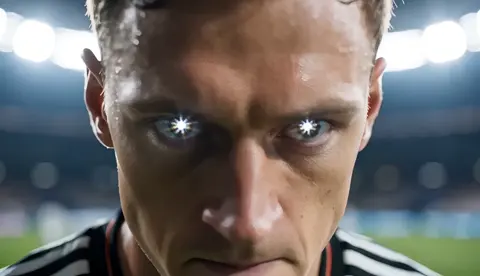
You prompt an AI to generate a video of a detective walking through a rainy street. The result looks great — but in the next scene, the detective has a completely different face. Sound familiar?
Character inconsistency is the number one complaint from AI video creators. Multi-image fusion solves this problem by anchoring the AI to reference images of your character.
How Multi-Image Fusion Works
Instead of relying solely on text descriptions, you provide the AI with 3-7 reference images of your character from different angles. The AI analyzes these images to understand:
- Facial features and proportions
- Skin tone and hair color
- Clothing and accessories
- Lighting and style
Every generated frame then maintains consistency with these references.
Step-by-Step Workflow with Domer
Step 1: Create Reference Images
Use AI Image Generator to generate high-quality character portraits from multiple angles. GPT Image 2 delivers photorealistic quality ideal for reference images.
Step 2: Generate Video with Fusion
Upload your reference images to Image-to-Video and describe the desired motion. The AI will use all reference images as visual anchors.
Step 3: Add Cinematic Motion
Enhance natural movement with Seedance 2.0 for fluid character animation. For film-quality output, pair with Kling 3.0.
Step 4: Expand with Text Prompts
Use Text-to-Video for background scenes and establishing shots, then blend with your character footage.
Best Practices
- Diverse angles: Front, profile, three-quarter, and close-up shots
- Consistent lighting: Match lighting across all reference images
- High resolution: Minimum 1024x1024 for best results
- Clean backgrounds: Remove distracting elements from references
Applications
- Short films: Independent creators can produce series with consistent protagonists
- Brand mascots: Maintain your brand character across all marketing videos
- Educational content: Create a consistent presenter for course videos
- Social media series: Build recognizable characters for episodic content
Troubleshooting
If your character still drifts between scenes:
- Add more reference images (up to 7)
- Ensure reference images share the same art style
- Use more specific prompts describing the character
- Try different model combinations
The key to success is treating reference images as the source of truth. Explore all tools at AI Tools.

Alexander
More Blogs
Read MoreMontaggio video rapido: transizioni e software per l'AI
Guida pratica al montaggio video rapido con AI: transizioni fluide, software, workflow, coerenza visiva, errori da evitare e FAQ operative.
Building an AI Video Production Workflow From Concept to Cut
A practical guide to planning, generating, editing, and finishing AI-assisted videos with consistent characters, clear shot lists, and reliable review loops.
A Repeatable Post-Production Workflow for Polished AI Video
Build a repeatable AI video post-production pipeline: organize assets, cut story-first, design transitions, refine audio, and review versions calmly.