
作成
Mastering Short-Form Video with AI: Prompts and Techniques for Viral Success
Aug 3, 2026


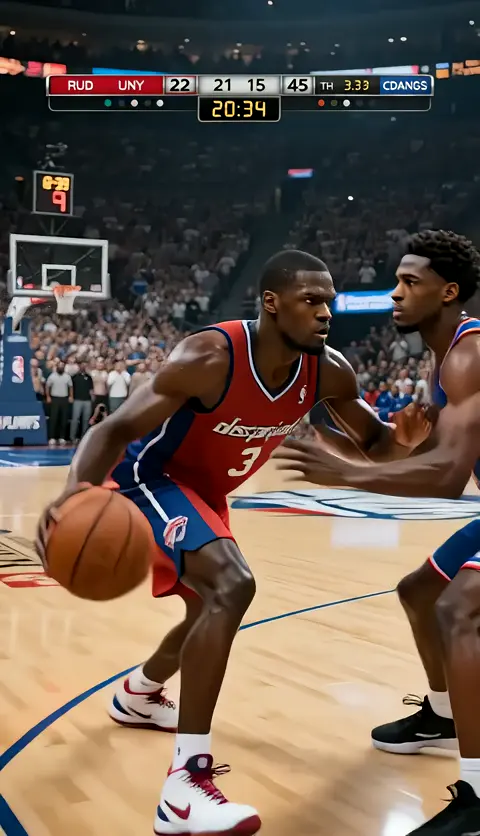
Short-form video now sits at the center of digital culture. A single 15-second clip can introduce a brand to millions, yet the audience is more demanding than ever. Generic transitions and stock-like AI outputs no longer hold attention. The edge belongs to creators who combine fast production cycles with cinematic polish and consistent visual identity. Advances in AI video generation mean that a well-structured prompt can now deliver the kind of framing and motion that used to require a full film crew.
Start with a deliberate hook prompt
The first three seconds determine nearly everything. If the opening does not visually or emotionally interrupt the viewer, the algorithm will see an early drop. That makes hook design a technical craft as much as a creative one.
Temporal prompting is a technique for describing exactly what should happen inside a specific time window. Instead of "a person walks into a room," think in terms of instants. For example: "First second: extreme close-up on wet eyes. Second to fourth: rapid zoom out to reveal a storm-damaged hallway. Fifth: tungsten light flickers once." Action verbs and explicit camera terms give the model less room to guess, and less guesswork means stronger first-generation results.
You can also push pacing with emotional keywords. A short-form cut may need to go from calm to panic in three seconds. Put that shift explicitly in the prompt. This is the sort of precision that makes a clip feel intentional, and intention reads as production value.
Build visual consistency with reference assets
Short-form series work best when characters and environments stay recognizable across many clips. The easiest way to guarantee that is to stop relying on text alone and start using reference assets. A set of high-fidelity images from multiple angles gives the generation model a locked target for appearance, lighting, and costume.
A multi-image workflow is especially useful when you switch between models or styles. If one tool handles the photorealistic close-up and another manages wide establishing shots, feeding the same reference set into both keeps the character from becoming a different person mid-scene. This kind of chaining is much easier when you first generate a consistent character sheet. Modern image models, such as Domer's GPT Image 2, can produce those reference sheets quickly and with strong detail.
When building a reference library, include more than one mood. A character who only appears smiling will default to that expression in every video. Provide focused, surprised, anxious, and neutral versions so the AI has range to work with.
Let an AI director handle pacing and composition
Most creators are not cinematographers. The good news is that AI agents now exist specifically to translate cinematic rules into prompts. These agent directors can take a short narrative outline and produce a shot-by-shot breakdown, including framing decisions, lighting moods, and transitions.
Instead of telling the system "make a dramatic video," you give it a three-act outline: setup, tension peak, pay-off. The AI director then chooses a wide shot for the setup, a dolly zoom at the emotional peak, and a tight close-up for the pay-off. This is not the same as a static prompt. The director chains decisions across the entire sequence, which is why the result feels structured rather than random.
As a creator, you retain high-level control. If the first version feels too fast, you tell the director to hold the middle beat longer. The director updates all related prompts rather than forcing you to reword everything manually.
Chain-of-thought prompts keep stories on track
Generative models are getting better at long-range coherence, but a single complex prompt can still drift. Chain-of-thought prompting solves this by forcing the model to work through smaller logical steps before producing the final image or video. For story-driven clips, you can structure each prompt as a mini-sequence:
- Set the environment.
- Place the character in the scene.
- Define the action and the resulting emotional shift.
- End with the camera transition.
This sequence makes it easier for the system to keep spatial relationships and story logic intact from frame to frame. It is especially useful for time-bounded tasks like first-frame-to-last-frame generation. Because the model knows exactly where the scene begins and where it must land, the interpolation between those points has fewer chances to invent something visually confusing.
Negative prompting is a hidden quality filter
A great prompt describes what you want. A great negative prompt describes what you refuse to accept. For video and image generation, negative prompting is essential for suppressing classic AI tells: extra fingers, warped facial features, plastic skin, and unintended text.
You should treat your negative prompt list as a reusable asset. Maintain a standard set of artifact exclusions and append project-specific constraints when necessary. If you are working in a heavily stylized aesthetic like 1980s film grain, your negative prompt should also reject "modern digital smoothness." This keeps every frame aligned with the intended style. In a multi-model pipeline, this type of negative prompting also prevents stylistic bleed, where one model's visual tendencies start contaminating another model's output.
Use scene fusion to smooth transitions between clips
Post-production is still important, but the goal is to reduce the number of cuts that need manual repair. Scene fusion refers to techniques for carrying key information across separate generated clips. Temporal anchor points act as seams: the exact frame where one clip ends is the frame where the next begins. By defining those anchors in advance, you avoid jarring jumps in lighting or position.
Object persistence is another layer. If a character is holding a neon sign in one clip, the sign should still be there in the next shot, even when the camera angle changes. Using reference maps for recurring elements keeps props and side characters from mutating. For platforms that support image-to-video workflows, you can push an existing keyframe directly into the next motion sequence and preserve spatial continuity.
Optimize for the algorithm with quick iteration
Viral growth is not only about craft; it is also about testing many angles under tight deadlines. AI tools democratize experimentation. You can now generate several high-quality versions of an ad concept in the time it takes to book a studio. Abandon weak concepts quickly, keep the strongest one, then refine.
For expensive or high-stakes launches, save your most detailed prompts for the final stage. Use lightweight variations or broader models to explore concepts early. Then, once a direction wins, lock the characters, color palette, and camera language with more specialized models. This staged approach is a solid resource strategy for creators and small teams.
Use AI analytics to prepare for distribution
A video that is perfectly edited but poorly packaged will still struggle. AI tools extend beyond generation into trend analysis and content planning. Many creators now use generative AI to draft scripts around proven viral structures, produce multiple thumbnails, and test opening lines.
At the same time, human judgment remains the core. AI can surface patterns in viewer retention, but it cannot decide which story deserves the next production slot. The strongest workflow is a loop: draft with AI, analyze performance data, then feed those insights back into the next prompt batch. Creating short-form video at scale is now a matter of orchestration. To get started with the visuals themselves, explore an AI video generator, and as your pipeline grows, keep your prompt architecture modular. Clear hooks, consistent reference sets, and negative prompting will always be the foundation of viral-ready content.

Alexander
More Blogs
Read MoreVidu Q4 Alternatives: 4K AI Video Models Compared (2026)
Vidu Q4 alternatives compared: Kling 4.0, Seedance 2.5, Wan 3.0, and Runway Gen-4 — 4K support, input modes, durations, audio, and what each costs in credits on Domer.
Top 4K AI Image Generators in 2026: 5 Models Compared on Real Costs
The top 4K AI image generators on Domer compared: Flux 3 Klein, Nano Banana 2.1, GPT Image 2.5, GPT Image 2, and Nano Banana Pro — 4K credit costs, reference limits, and speed.
Nano Banana 2.1 vs GPT Image 2.5: Which Image Model Should You Use? (2026)
Nano Banana 2.1 vs GPT Image 2.5 Flare compared: credit costs per resolution, aspect ratios, reference images, text rendering, and which tasks fit each model.