

Advanced Video Marketing AI: A Practical Content Workflow
Oct 1, 2026
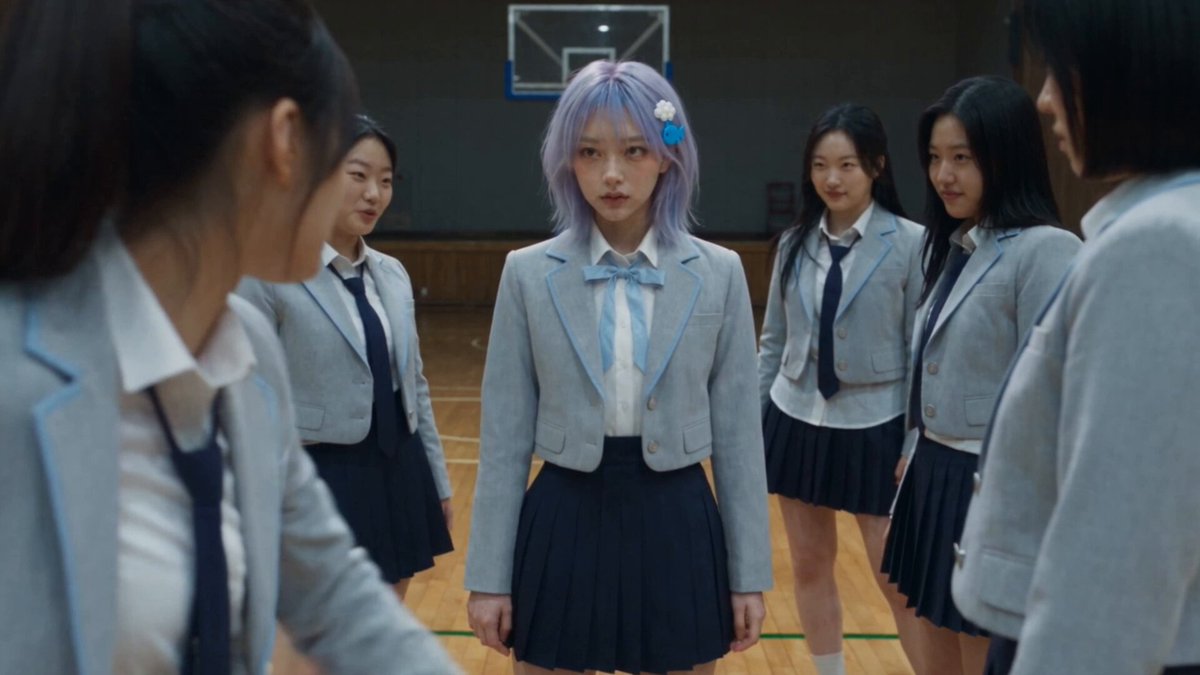

Video has stopped being the expensive asset at the end of a campaign and become the campaign itself. Teams that once produced four hero films a year now need forty variants a quarter, and the bottleneck has moved from cameras and crew to coordination, iteration, and versioning. Advanced video marketing AI does not replace creative judgement, but it removes most of the friction between an idea and a rendered clip that is good enough to test.
The practical question is no longer whether generative video belongs in your content strategy. It is how to build a pipeline that produces consistent, on-brand video at a pace your media buying team can actually use, without turning your creative department into a prompt factory. This guide walks through that pipeline layer by layer, with decision criteria, workflow detail, and the mistakes that quietly waste the most time.
What Advanced Video Marketing AI Actually Changes
The current landscape is defined by a move from manual creation toward assisted direction. A marketer now writes a brief, generates a first pass in minutes, reviews it against brand rules, and decides whether to reshoot, revise, or ship. That loop used to take weeks because it depended on scheduling, studio time, and edit suites. Now it takes an afternoon, which changes the economics of creative testing entirely.
Three shifts matter most:
- Cost per variant collapses. The marginal cost of a second, fifth, or twentieth variation of the same concept is a fraction of the first. That makes message testing affordable at a level that used to require a dedicated budget line.
- Iteration speed becomes the competitive edge. When a hook can be rewritten and re-rendered before a campaign flight ends, media buying stops being a set-and-forget exercise and becomes a continuous optimisation loop.
- Localisation stops being a project. The same visual base can carry different voice tracks, captions, and on-screen text for six markets without six separate productions.
What AI does not change is strategy. If your positioning is muddy or your offer is weak, faster production simply produces more convincing evidence that the message is not landing. Generative video amplifies a clear idea and multiplies a confused one in equal measure.
It also is not always the right tool. Product demonstrations with precise tolerances, interviews with real customers, and anything requiring legal attestation usually belong with a camera crew. Use AI where the value is in speed, volume, or visual imagination, not where it is in documented reality.
The Four Layers of a Repeatable AI Video Pipeline
Most teams fail not because a model underperforms but because they treat generation as a single step. A durable pipeline separates into four layers, each with its own inputs, review points, and fallback options.
Layer 1 — Script and Message Architecture
Start with the message before the visuals. Define one primary claim, one supporting proof point, and one call to action per video. Write three hook variants that say the same thing in different registers: the problem-first hook, the result-first hook, and the contrarian hook. Keep each under twelve words so the opening seconds stay readable.
Produce the script in a structured document rather than a chat thread. Columns for shot number, visual description, voice line, on-screen text, and duration give you a shot list that survives handoffs between writers, editors, and media buyers.
Layer 2 — Visual Generation and Asset Locking
This is where most of the generation work happens. Break the script into shots of three to five seconds each. Short shots are easier to control, easier to regenerate individually, and cut together more naturally than one long continuous take.
Once a shot passes review, lock it. Store the final file, the prompt, the seed or reference image, and the model version in a naming convention that a colleague can decode without asking you. Locked shots become reusable assets for future campaigns; unlocked shots become orphan files nobody can reproduce.
Layer 3 — Audio and Voice Synthesis
Voice is where AI video most often reveals itself as machine-made. Record a reference performance if you can, choose a voice with consistent pacing, and normalise every track in the project. A short read at a natural pace beats a long read rushed to fit a fixed duration — trim the script instead of speeding up the delivery.
Layer 4 — Assembly, Captions, and Delivery Formats
Finish once, export many. Build a master in the widest aspect ratio you need, then create vertical and square crops from the same timeline so the framing logic stays consistent. Burn in captions for sound-off viewing, but keep a clean master without them for platforms that render their own.
Model Selection: Matching the Model to the Moment
No single generative model wins every category. Build a short internal shortlist and assign each model a job description.
- Cinematic establishing shots: prioritise motion realism, depth, and lighting coherence. Accept slower render times.
- Product and pack shots: prioritise prompt adherence and crisp detail on hard surfaces. Look for models that handle reflections and text-like geometry without warping.
- Talking-head and presenter content: prioritise lip synchronisation, facial stability across cuts, and natural micro-expressions.
- Stylised and animated content: prioritise style transfer strength and frame-to-frame stability, since stylised frames show flicker far more than photographic ones.
- Image-to-video and reference-driven work: prioritise how faithfully the model respects a supplied first frame, since this is the lever you use for brand consistency.
When evaluating a new model, do not judge it on a demo prompt. Run a standard test: the same fifteen-word prompt across three models, scored on motion fidelity, prompt adherence, subject consistency, artefact frequency, and render time. Keep the scores in a shared sheet. After a few months you will have a defensible internal benchmark rather than a preference based on whoever demoed best.
Also check the boring constraints before you commit: maximum clip length, supported aspect ratios, whether it accepts multiple reference images, whether it supports negative prompts, and whether you can export at a resolution that survives a large screen. A beautiful model that only outputs eight-second square clips is a liability for a paid social programme.
Prompt Engineering for Campaigns, Not One-Offs
Single prompts produce single clips. Campaigns need prompt systems. The reliable approach is a parameterised template with fixed slots, so only the variable you are testing changes between renders.
A workable structure:
- Subject: who or what, with two or three defining attributes.
- Action: one clear verb phrase, not a sequence.
- Environment: location, time of day, weather, background detail.
- Camera: shot size, angle, movement, and speed.
- Lighting: source, direction, quality, and contrast.
- Look: lens character, film or digital texture, colour grade.
- Exclusions: artefacts to avoid, such as warped hands, floating objects, or text.
Then convert the parts you reuse into variables. A campaign might hold subject, environment, lighting, and look constant while swapping action and camera to create variety. Another might hold everything constant and swap only the environment to create localised versions.
The most common prompt failures are predictable. Vague subjects produce generic output. Stacked concepts — a person walking while also opening a laptop while also looking at the camera — produce mush, because the model averages several actions into one. Conflicting camera instructions, such as a slow dolly and a handheld shake in the same prompt, produce neither. And prompts that describe mood without describing anything visible give the model nothing to render.
Keep a prompt log with the date, the model, the prompt text, the seed, and a one-line verdict. It feels bureaucratic for the first week and becomes the most valuable document on the team by the third month.
Visual Consistency Across a Series
Consistency is what separates a campaign from a collection of clips. Audiences do not consciously notice a brand system, but they notice its absence immediately.
Build three reference artefacts before you generate anything at scale:
- A character sheet. Four to six reference images of the same person from different angles, with wardrobe, hair, and colouring locked. Use the same references across every shot featuring that character.
- A location bible. Reference frames for each recurring setting, with the lighting direction and palette documented so a new shot can be matched rather than guessed.
- A look guide. A short description plus two or three example frames for your brand's visual signature: contrast level, colour temperature, grain or cleanliness, and how much negative space the framing tends to leave.
For sequences that must connect, chain the shots. Use the final frame of one clip as the first frame of the next where the model supports it, or generate a still first and animate from it. This single habit eliminates most of the continuity problems that make AI video feel assembled rather than directed.
Finally, consider whether a consistent presenter identity is worth establishing. A recurring synthetic presenter builds recognition across placements, but it also requires governance: who approves its appearance, how it is disclosed, and what happens when the underlying model changes and the face drifts.
Audio, Voice, and the Final 20 Percent of Polish
Picture gets the attention; audio decides whether people stay. Three details do most of the work.
Voice casting. Audition at least five voices with the same line. Listen for breath, consonant clarity at speed, and whether the voice smiles when the script is warm. Synthetic voices read punctuation literally, so write for speech: short sentences, deliberate pauses, and no subordinate clauses that a listener cannot track.
Pronunciation control. Names, brands, and technical terms need a lexicon. Document how each is pronounced and check every render, because a mispronounced brand name is worse than an obvious synthetic voice.
Sound design under the voice. A thin music bed with a few well-placed effects — a whoosh on a transition, a subtle impact on a claim — lifts perceived production value more than any visual upgrade. Keep music comfortably below the voice, and normalise the final mix to a consistent loudness level so nothing is punishing on phone speakers.
Caption readability is part of audio, in practice. Most viewers watch with sound off, so captions and on-screen text must carry the message alone. Re-read the script with the audio disabled: if it does not make sense, the video does not either.
Review, Brand Safety, and Approval Workflows
The faster you generate, the more you need gates. Three review points are usually enough:
- Concept gate: message, hook, and CTA approved before any generation starts. This is the cheapest place to reject an idea.
- Asset gate: generated footage reviewed for artefacts, brand rule compliance, and continuity before assembly.
- Final gate: legal, claims, likeness, and disclosure checks before anything is scheduled.
Set explicit rules for the things that cause real trouble: using real people's likenesses, depicting customers without consent, reusing trademarked packaging, depicting medical or financial outcomes, and implying endorsements. Document how synthetic talent is disclosed in your market, because requirements vary and they change.
Keep naming conventions rigid. A file called final_v3_actual_final.mp4 is a symptom, not a joke. Use a scheme that encodes campaign, concept, shot, version, aspect ratio, and date, and enforce it at upload rather than at delivery.
Measuring What Matters for AI-Generated Video
AI video earns its place when it improves a metric, not when it wins an argument about art. Track creative-level performance rather than account-level averages:
- Hook rate — the share of viewers who stay past the first three seconds. This is where AI variants shine, because hook swapping becomes cheap.
- Hold rate — the mid-video retention curve. A sharp drop usually points to a weak second beat, not a weak opening.
- Watch-through and completion — how many finished the video, segmented by length.
- Click-through rate and downstream conversion cost — the only metrics that settle debates between two visual approaches.
Run a weekly iteration loop: review the top and bottom performers, form one hypothesis about why, generate a small batch of variants that test only that hypothesis, and ship. Change one variable at a time. Teams that change everything at once learn nothing, no matter how many clips they produce.
Avoid the vanity trap of counting generated minutes. Volume is a production statistic, not a marketing one. If a week of generation produced no learning about the audience, the pipeline is running without a purpose.
Common Mistakes, Fixes, and FAQ
Generating before the message is set. The most expensive mistake, because it multiplies indecision. Fix it with a concept gate that requires a written primary claim, proof point, and CTA.
Treating prompts as disposable. Undocumented prompts make successful clips irreproducible. Log everything that ships.
Chasing realism when stylisation would work better. Photoreal generation invites comparison to camera footage and often loses. A deliberate visual style is more forgiving and more memorable.
Ignoring the sound-off experience. Captions, on-screen text, and visual storytelling should carry the whole message independently.
One generator for everything. Different models are better at different jobs. Assign a shortlist and score it regularly.
Skipping disclosure and rights checks. Rules about synthetic media labelling, likeness, and music rights are not optional, and retrofitting compliance after a launch is expensive.
How long should an AI-generated marketing video be?
Match length to placement and intent. Vertical paid social usually performs best between six and twenty seconds, with the first three seconds carrying the hook. Longer explainer formats can run sixty to ninety seconds, but they need a clear second and third beat to hold attention.
Can AI video replace a full production shoot?
For brand films, product demonstrations requiring accuracy, customer testimonials, and anything with legal attestation, no. For concept testing, hook exploration, localisation variants, and stylised creative, it often replaces the shoot entirely and does the job faster.
How do I keep characters and products consistent across many clips?
Lock references first: a character sheet, a location bible, and a look guide. Reuse the same reference images, reuse seeds where the model supports them, chain shots frame-to-frame, and regenerate at the shot level rather than the sequence level when something drifts.
What is the minimum team for an AI video workflow?
One writer who owns the message, one editor or producer who owns assembly and quality control, and one media buyer who owns performance feedback. A single generalist can run all three roles at small volume, but the feedback loop breaks if nobody owns measurement.
How do I avoid a synthetic look?
Shorten shots, vary the pacing, add intentional imperfection such as grain or handheld drift, and invest in audio. Most perceived artificiality comes from a flat voice track and uniform shot length, not from the image itself.
How often should we revisit our model choices?
Quarterly for the primary shortlist, and whenever a major version releases. Run the same standard test prompt each time so comparisons stay meaningful, and retire models that stop earning their place.
Turning the Pipeline Into a Habit
Advanced video marketing AI rewards teams that treat it as an operating system rather than a novelty. The winning combination is unglamorous: a clear message architecture, a parameterised prompt system, locked reference assets, disciplined audio, three review gates, and a weekly measurement loop.
Start smaller than feels impressive. Pick one campaign, one character or product, and one placement. Build the pipeline end to end with that single case, document what you learn, and only then scale the volume. Teams that begin with a broad rollout usually spend their first month managing chaos; teams that begin with one disciplined workflow spend it building an asset library that pays for itself on every campaign that follows.

Alexander
More Blogs
Read MoreAutomating Video Creation from Transcripts: A Practical Workflow
Turn raw video transcripts into scripts, shot lists, voiceover, captions, and polished video with a repeatable AI workflow that keeps quality high.
Unified AI Video Workflow for Social Media and Web Teams
Learn how to build a unified AI video workflow for social media and web: planning, asset management, generation, consistency, adaptation, QA, and publishing.
Global Video News Agency Workflow: AI, Verification, Speed
Learn how global video news agencies source, verify, package, and distribute footage with AI-assisted workflows that protect speed and trust.