
Create
AI Animation Generators: Practical Workflow and Tool Guide
Oct 13, 2026
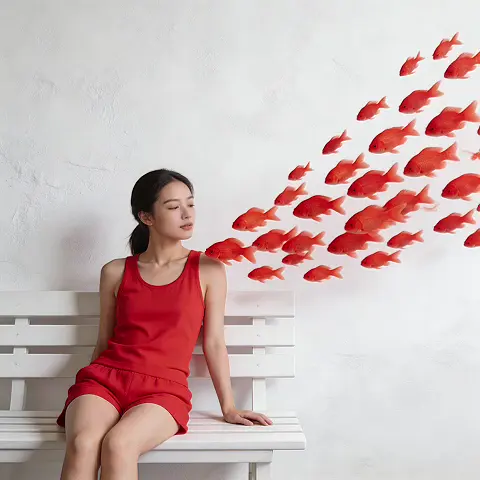

What an AI Animation Generator Actually Does
An AI animation generator is a system that takes a text prompt, a still image, or an existing video clip and produces new moving footage. The user supplies intent; the model supplies motion. That simple exchange hides a lot of machinery, and understanding the machinery is what separates people who get usable shots on the first few attempts from people who burn an afternoon generating unusable mush.
Most modern generators share the same broad pipeline. A prompt is converted into a numerical representation. A diffusion or transformer-based model starts from noise and gradually resolves that noise into frames. A temporal layer then tries to keep those frames consistent with each other so the result reads as motion rather than as a flickering slideshow. Finally, an upscaler or frame interpolator may smooth the output before it reaches an editor.
Where tools differ is in how much control they expose over each stage. Some are pure prompt boxes. Others let you lock a camera path, mask a region, drive motion from a reference clip, or define a character sheet that persists across shots. The amount of control you need depends entirely on whether you are making a five-second loop for social media or a sixty-second narrative sequence with recurring characters.
Text-to-video, image-to-video, and video-to-video
These three modes are not interchangeable, and choosing the wrong one is the single most common source of wasted effort.
Text-to-video generates everything from a written description. It is the fastest way to explore ideas and the worst way to reproduce a specific look. Use it for mood boards, concept exploration, and abstract transitions where exact framing does not matter.
Image-to-video animates a still you already approved. This is the workhorse mode for commercial and narrative work, because you can art-direct the frame in a traditional tool first — a render, a photo, a painted keyframe — and then ask the model only to add motion. The composition stays where you put it.
Video-to-video restyles or transforms existing footage. It is useful for stylization passes, rotoscoped effects, and turning live-action plates into animated looks while preserving the original timing and performance.
Where the output is strong, and where it breaks
AI animation excels at atmospherics: drifting smoke, rain, crowd movement, camera pushes, particle effects, and stylized abstraction. It struggles with precise physical interaction — hands meeting objects, liquids pouring into specific containers, characters walking on a defined path through a complex set. It also struggles with text and fine detail, which tends to shimmer or morph between frames.
A useful mental model: the model is a brilliant improvising animator who has never seen your storyboard. Give it freedom where the story does not depend on precision, and take control back wherever a specific action must land.
The Core Technology in Plain Language
You do not need to read papers to use these tools well, but a working vocabulary helps you predict failures before you spend time on them.
Diffusion, transformers, and temporal consistency
Diffusion models learn by reversing a process that adds noise to training data. After enough training, the model can start from pure noise and denoise it into something plausible. Video diffusion extends this to sequences, which is dramatically harder because each frame must be plausible on its own and coherent with its neighbours.
Transformer architectures, originally built for language, turned out to be excellent at modelling long-range relationships. Applied to video, they help the model remember what happened several frames ago, which is why contemporary generators can hold a shot together for longer than the flickering loops of a few years back. Temporal consistency — the property that a character's jacket stays the same colour, and their face stays the same face — is the result of these mechanisms working together with carefully curated training data.
Why motion coherence is the hardest problem
Every frame is generated with some uncertainty. Small errors compound. A hand that drifts two pixels in frame one may drift twenty pixels by frame forty. This is why you see limbs that melt, backgrounds that breathe and warp, and objects that subtly change shape while the camera is static.
The practical consequence: shorter clips are more reliable than long ones. Generating six four-second shots and cutting between them almost always beats generating one twenty-four-second shot. The edit hides the seams that a continuous take would expose.
How to Choose the Right Tool for the Job
Tool selection is a project decision, not a brand loyalty decision. Answer these questions before you open anything.
A decision checklist
- What is the deliverable? A vertical social clip, a product explainer, a stylized short film, or a background plate for compositing all imply different strengths.
- How much control do you need? If exact framing matters, you need image-to-video plus camera controls. If you are exploring, text-to-video is fine.
- Do characters need to persist? Recurring characters demand reference-image support or a trained style/character model.
- What is your iteration speed tolerance? Some tools return results in seconds at lower fidelity; others take minutes for higher quality. Your workflow should match your patience and your deadline.
- Where does it fit in the pipeline? A generator that exports clean, high-bitrate files with alpha or predictable frame counts is worth more than one with prettier demo reels.
- What does the surrounding ecosystem look like? ComfyUI-style node graphs, API access, and integration with editing software matter more than single-shot quality once you are producing regularly.
Matching tool class to deliverable
For fast social content, prioritize tools with strong vertical framing presets, quick turnaround, and reliable stylization. For explainers, prioritize controllability and the ability to animate clean product renders without warping logos. For narrative work, prioritize character consistency, camera language, and the ability to generate multiple angles of the same scene. For VFX plates, prioritize resolution, motion realism, and how well the output composites over live action.
A reasonable starter stack for most creators: one general-purpose text-to-video model for exploration, one image-to-video model for controlled shots, a node-based environment such as ComfyUI for repeatable pipelines, and a traditional editor for assembly. Add specialized tools only when a specific problem repeats.
A Repeatable AI Animation Workflow
Tools change monthly. A workflow survives. Here is one that scales from a single clip to a full sequence.
Step 1: Script and shot list
Write the piece as words before generating anything. Break it into shots, and for each shot write one sentence describing action, one describing camera, and one describing mood. This forces you to be specific and gives you ready-made prompt material.
A shot line might read: The character turns from the window toward the desk; slow dolly in; warm late-afternoon light, dust in the air. That sentence contains subject, motion, camera, and lighting — four of the five things most prompts are missing.
Step 2: Reference and style frames
Generate or source still images for every shot before you animate. Approve them as a batch. It is far cheaper to iterate on stills than on video, and it locks your composition and colour before motion enters the picture.
Build a small reference pack: a colour palette, two or three lighting examples, and any character references. Attach them mentally to every prompt you write for the project.
Step 3: Generate in short clips
Produce clips of three to six seconds. Review at low resolution first, keep only the takes that read correctly at thumbnail size, then re-render the survivors at full quality. Sorting before upscaling saves enormous time.
Generate two or three variations per shot rather than one perfect attempt. Variation is cheap; rework is expensive.
Step 4: Assemble, upscale, and finish
Bring clips into an editor, cut to rhythm, and only then upscale or interpolate frames. Frame interpolation applied to a bad take just produces smoother badness. Once the cut works, apply upscaling, colour grading, grain, and sound.
Sound deserves more attention than it usually gets. Ambience, foley, and music carry the illusion of continuity when visual seams remain. A subtle whoosh over a cut can make two mismatched shots feel like one scene.
Prompting for Motion, Not Just Images
Most prompt guidance is written for still images. Video needs a different emphasis.
Describe camera, subject, and pacing
A strong motion prompt answers three questions. What is the camera doing? What is the subject doing? How fast does it all happen?
Weak: a woman in a forest, cinematic.
Stronger: slow tracking shot following a woman walking left to right through a misty forest; she glances over her shoulder; steady pace; shallow depth of field; soft morning light.
The second version tells the model where to place attention and how much movement to produce. When motion is underspecified, models invent it — often as a slow zoom, drifting particles, or a swirling camera that has nothing to do with your intent.
Common prompt failures and their fixes
Everything moves at once. Fix by naming one primary motion and explicitly stating that the background stays still.
The camera has a mind of its own. Fix by naming the camera move first, before the subject, and using locked-off language such as static camera when you want no movement at all.
Style drifts mid-clip. Fix by using shorter clips, repeating the style phrase in every prompt, and, where supported, anchoring to a reference image.
Faces morph. Fix by keeping faces small in frame, avoiding rapid turns toward camera, and using character references or trained models.
Text and logos shimmer. Fix by compositing those elements in post rather than asking the model to render them.
Consistency, Characters, and Style Control
Consistency is the difference between a demo and a deliverable.
Building a style bible
Write down your palette, lighting direction, lens language, and grain level. Then describe those same properties the same way in every prompt. Inconsistency in your own writing produces inconsistency on screen, and it is the most fixable problem in the entire pipeline.
Keeping characters recognizable across shots
Options, in rough order of effort: keep characters at a distance so faces are small; use reference-image conditioning; train a lightweight character model on a handful of approved images; or generate in a single long take and cut around it. Many productions combine approaches — a trained model for hero shots, and silhouette or back-of-head framing for everything else.
Maintaining a consistent world
Backgrounds drift more subtly than faces and are often noticed only in the edit. Lock your environments by generating a master plate first, then using it as an image reference for every shot in that location. Alternatively, keep the background out of focus so the model has less surface area to corrupt.
Quality Control and Post-Production
Spotting artifacts early
Watch your clips at full speed, then again frame by frame on the first and last ten frames. Most failures live at the edges of a clip: objects entering, objects leaving, and the moment the model runs out of coherence. If the first and last frames are clean, the middle usually is too.
Keep a running list of recurring artifacts in your project notes. Patterns reveal whether the problem is your prompt, your reference images, or a genuine model limitation.
Upscaling, interpolation, and grading
Upscale after the cut is locked. Interpolate only when the motion is already smooth enough that doubling the frame rate will not create warping around fast-moving edges. Grade last, and consider adding a light film grain — it unifies mismatched shots remarkably well and hides compression and interpolation artifacts.
Audio and timing
Build a scratch soundtrack early. Cutting animation to music is far easier than finding music for a finished cut. If you have dialogue, generate or record it first and animate to its rhythm, not the other way around.
Common Mistakes That Waste the Most Time
- Starting with video instead of stills. Iterating on frames is cheaper and faster at every stage.
- Writing prose instead of direction. Prompts are shot descriptions, not short stories.
- Requesting long continuous takes. Short clips plus editing outperform long generations almost every time.
- Skipping sound design. Silence makes every visual flaw audible.
- Upscaling before sorting. You pay in time for polish on clips you will never use.
- Chasing a single perfect generation. Sampling several variations is faster than refining one prompt endlessly.
- Ignoring the edit until the end. Editorial rhythm solves problems that generation cannot.
- Never documenting what worked. A prompt that produced a great shot is an asset. Save it with the clip.
Scaling Up Without Losing Quality
When you move from a single clip to a weekly output, process discipline matters more than any one model.
Standardize file naming, resolution, and frame rate. Keep a prompt library organized by shot type — establishing shot, insert, character close-up, transition. Build templates for your most common projects so you are never starting from a blank page.
Batch your work by stage rather than by shot: write all prompts, generate all stills, animate all approved stills, then edit. Context switching between creative and technical tasks is expensive, and batching reduces it.
Finally, keep a fallback plan for every shot that matters. If the model cannot deliver a specific action after a reasonable number of attempts, have an alternative: a practical insert shot, an animated still with a move applied in your editor, or a suggested-offscreen moment covered by sound. Productions that plan for failure ship on time.
FAQ
Do I need an expensive GPU? Not necessarily. Many tools run in the browser or via hosted APIs. Local node-based setups offer more control and privacy but require capable hardware and patience with installation.
How long should a generated clip be? Three to six seconds is the sweet spot for most projects. Longer clips are possible but coherence degrades, and you will often cut them down anyway.
Can AI animation replace traditional animation? It replaces specific tasks — background motion, atmospheric effects, in-between exploration — far better than it replaces the whole craft. Hybrid workflows, where humans control story, timing, and key poses, consistently produce the best results.
Why does my character look different in every shot? Because each generation is independent. Solve it with reference images, trained character models, consistent framing, and repeated style language.
Is image-to-video always better than text-to-video? For controlled work, yes. For ideation, no. Text-to-video is faster for exploring directions you have not yet visualized.
What about commercial usage and licensing? Terms vary by tool and change over time. Check the current terms for the specific tool and plan you rely on before you ship client work, and keep records of which model produced which shot.
How do I stop the camera from drifting? State the camera behaviour explicitly and early in the prompt, use image-to-video with a locked reference, and prefer shorter clips so drift has less time to accumulate.
Where to Start This Week
Pick one short sequence — three shots, fifteen seconds total. Write the shot list. Generate stills. Animate them with an image-to-video model. Cut it to a piece of music. Add ambience. Watch it on a phone and on a large screen.
That single exercise teaches more than a month of reading tool comparisons, because it forces you through every stage where real problems appear: consistency, motion control, pacing, and finishing. Once you have a workflow that survives contact with a deadline, the specific generator you use becomes a detail you can swap when something better arrives — and something better always does.

Alexander
More Blogs
Read MoreMontaggio video rapido: transizioni e software per l'AI
Guida pratica al montaggio video rapido con AI: transizioni fluide, software, workflow, coerenza visiva, errori da evitare e FAQ operative.
Building an AI Video Production Workflow From Concept to Cut
A practical guide to planning, generating, editing, and finishing AI-assisted videos with consistent characters, clear shot lists, and reliable review loops.
A Repeatable Post-Production Workflow for Polished AI Video
Build a repeatable AI video post-production pipeline: organize assets, cut story-first, design transitions, refine audio, and review versions calmly.