

AI Anime Art Generator: Build a Reliable Creative Workflow
Oct 15, 2026

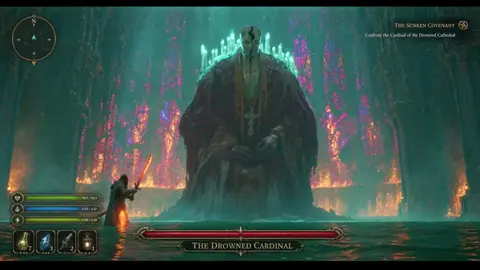
What an AI Anime Art Generator Really Does
Most people meet these tools through a single text box: type a sentence, press generate, and get a portrait with oversized eyes and wind-swept hair. It is tempting to conclude that the software knows how to draw anime. A more useful model is that it denoises random noise while being nudged toward patterns learned from enormous collections of captioned images. When much of that material is animation cels, manga pages, key visuals, and fan illustration, the default output drifts toward those conventions: flat cel shading, crisp line art, graphic hair highlights, and simplified anatomy.
That distinction tells you where control actually lives. You are not steering a drawing hand; you are steering conditioning. You condition on text, reference images, pose skeletons, depth maps, and the masks that decide which pixels get repainted. Every technique in this guide is a variation on one question: how do I make my conditioning more specific?
Anime also punishes imprecision differently than photorealism. A realistic portrait absorbs soft cheeks, an odd ear, or a muddy background and still reads as believable. Anime is a visual language with strict rules around line weight, eye construction, hair silhouette, and color scripting. A broken line at the elbow or a highlight on the wrong side of an eye reads as wrong instantly. That is why anime work rewards disciplined prompts, careful reference selection, and a genuine finishing pass.
How Anime Image Synthesis Works Under the Hood
The denoising loop
A diffusion model starts from noise and removes it in steps, consulting the text conditioning at each one. Step count, guidance strength, and the scheduler that sets step sizes are creative dials, not trivia. Lower step counts give soft, painterly results; higher counts add crispness until extra steps only add render time. Guidance that is too low ignores your prompt, while guidance that is too high bakes in contrast and produces crunchy edges and repeated motifs.
Latent space and why detail is cheap
Most systems generate in a compressed latent representation and decode to pixels at the end. That is why four images cost barely more than one, and why batching is the fastest way to explore a style. It also explains a common frustration: fine details such as hands, jewelry, and small text are decided in a space where they barely exist. Plan to repair small anatomy in a second pass instead of hoping a bigger batch solves it.
What personalization adds
A base model knows anime broadly; it does not know your character. Adapters trained on a small curated set, or reference-driven techniques that inject features at generation time, turn a generic style into a consistent cast. Twenty to forty carefully captioned images beat a hundred loosely chosen ones, because inconsistent training data teaches nothing stable.
Choosing the Right Generation Mode
Text to image
Best for exploration, mood boards, backgrounds, and one-off illustrations. Fast and forgiving, and the right place to discover the palette and lighting you want before committing to a cast.
Image to image and reference-driven work
Best for keeping a character or composition recognizable. You supply an image and control how far the model drifts. Low strength preserves silhouette and layout; high strength reinterprets. Use it to push a sketch toward a finished cel or to explore color variations on a locked composition.
Structural control
Pose skeletons, depth maps, and line-art inputs let you dictate composition while the model handles rendering. This is the most reliable way to get a specific gesture, such as a sword swing or a two-character standoff, without describing anatomy in words and hoping.
Where video fits in
Image models give you a frame; video models give you motion. For animatics, loops, and social clips, generating a strong key frame and animating it usually beats prompting motion from scratch, because the model inherits a composition you already approved.
Writing Prompts That Actually Produce Anime
Use a repeatable structure
Subject, action, framing, style, medium, palette, lighting, background. For example: single character, teenage swordswoman mid-swing, three-quarter view, medium shot, cel-shaded anime style, bold clean line art, two-tone flat shading, teal and coral palette, backlit, plain sky background. The order matters less than the discipline of covering every slot each time you write.
Anchor style with production words
Terms like cel shading, key visual, line art, flat color, screentone, watercolor background, and retro OVA aesthetic do more heavy lifting than adjectives such as beautiful or detailed. Style anchors describe a method of production, and the model has seen thousands of images that match that method. Adjectives describe taste, which the model interprets inconsistently.
Take negative prompts seriously
Most anime failures are anatomy failures. Useful negative entries include extra fingers, fused limbs, mutated hands, watermark, signature, blurry, low contrast, photorealistic, and 3D render. Keep the list short and specific. Overlong negative lists start fighting your positive prompt and flatten the output.
Use batches as your sketching tool
Generate four to eight variations at a fixed seed before changing anything else. Change one variable per batch: palette, or lighting, or framing. One-variable-at-a-time testing is the only way to learn what your prompt actually controls.
Keeping Characters Consistent Across a Set
Fix the seed, then fix the tags
A locked seed stops composition from jumping between runs, but seeds alone do not create a character. What creates a character is a stable tag block: hair color, eye color, hairstyle, outfit pieces, accessories, and signature details, written identically every time. Copy and paste the block rather than retyping it.
Build reference sheets
Generate or draw front, side, and three-quarter views with a neutral expression and flat lighting. Keep them as a canonical sheet. Every new shot should be conditioned on that sheet somehow, whether through a trained adapter, an image prompt, or a pose transfer.
Train a small adapter for recurring casts
If a character will appear in dozens of images, train a lightweight adapter on a curated set. Caption each image with only what varies, such as expression, angle, and action, and let a trigger word carry the identity. Overly descriptive captions force the model to relearn the face from words instead of pixels.
Accept controlled variation
Perfect pixel identity across angles is not what commercial animation delivers either. Aim for a recognizable silhouette, the same color script, and consistent proportions, then repair continuity errors in a second pass instead of restarting the generate loop.
A Repeatable End-to-End Workflow
Step 1: define the deliverable
Decide resolution, aspect ratio, image count, and whether the output must survive print or only a screen. A social loop, a light novel cover, and a character turnaround have almost nothing in common technically, and choosing the wrong baseline wastes hours.
Step 2: assemble a reference board
Collect eight to fifteen images that match the target style, plus pose references for anything dynamic. Studying references before generating saves more time than any prompt trick you will find. Save the board next to your project file so it travels with the work.
Step 3: lock the style with a small test batch
Generate twelve to twenty low-resolution images, varying only style words and palette. Pick two favorites, save their exact settings, and treat those settings as your project baseline. Low resolution keeps this exploratory stage cheap.
Step 4: scale generation
Produce a broad batch at working resolution using the locked baseline, plus pose control where the composition matters. Keep a naming convention that records seed, prompt version, and model. Future you, or a collaborator, will need that information.
Step 5: curate brutally
Select roughly one image in ten. Tag each keeper with what needs fixing: hands, background, expression, line breaks, color drift. A short fix list is faster to work through than an open-ended revision session.
Step 6: refine with inpainting
Fix one problem at a time. Mask tightly, use a low strength for subtle corrections and a higher one for reworked regions, and review results at full size rather than trusting a thumbnail. Inpainting is where most perceived quality gains come from after the concept stage.
Step 7: finish and export
Upscale, clean line art, correct color, and export in the format the deliverable requires. This final stage is where amateur and professional AI art separate most visibly, because everything downstream inherits the flaws you leave in place.
Common Mistakes and How to Fix Them
- Prompting with adjectives instead of methods. Beautiful detailed anime girl produces generic output. Replace adjectives with production terms and explicit framing.
- Changing five things between runs. You lose the ability to attribute improvement. Change one variable and keep notes.
- Ignoring aspect ratio. Wide prompts at square resolutions produce cramped crops. Set the ratio before generating, not after.
- Trusting thumbnails. Artifacts hide at reduced zoom. Review every keeper at full resolution before approving it.
- Overloading negative prompts. Long negative lists flatten creativity. Restrict negatives to anatomy problems, watermarks, and unwanted media types.
- Rendering finals too early. Explore at low resolution and upscale only approved frames.
- Forgetting continuity. Maintain a character bible with exact tag blocks and hex palette values.
- Skipping the post pass. Ten minutes of cleanup on line art and hands changes perceived quality more than another hundred generations.
Where Each Type of Tool Fits
Hosted, prompt-only generators are the fastest route from idea to image. They are excellent for mood boards, thumbnails, and social content, and weakest at structural control, since you cannot easily dictate a pose or preserve a face across many outputs.
Local diffusion interfaces with node-based pipelines offer the most control: masking, pose transfer, adapters, batch scripting, and reproducible settings. The tradeoff is setup time and a steeper learning curve, plus hardware requirements.
Raster editors with generative plugins excel at repair rather than creation. They are the right place to inpaint a hand, extend a background, or correct a line that broke during upscaling.
Dedicated upscalers and frame interpolators handle the finishing stage better than general-purpose models, and animation or video tools handle motion. Feed video models an approved key frame and they behave far better.
Choose tools by stage rather than by hype: exploration, control, repair, finishing, motion. Most creators need one tool per stage, not one tool for everything.
Finishing: Upscaling, Cleanup, and Export
Fix line art before upscaling
Upscalers amplify mistakes. Repair broken lines, stray strokes, and misaligned fills at native resolution first, or you will spend twice as long cleaning an enormous file.
Upscale in two gentle passes
A single large jump often produces plastic texture. Two moderate passes with mild denoise preserve cel-shaded flatness better. Test on one image before running an entire batch.
Match the export to the destination
For web and social, use a standard color space, moderate compression, and the correct aspect ratio. For print, work at higher resolution, check for halos around line art, and verify how flat color areas hold up on paper. For animation, keep frame naming consistent, use standard codecs, and compare the first and last frame for color drift.
Rights, Disclosure, and Client Work
Model licenses vary widely. Some permit commercial use, some restrict it, and some limit what you may train on top of them. Read the license for the exact model and version you used, and keep a record of that version per delivered asset.
When working with clients, disclose AI involvement according to the contract, avoid prompting to imitate a named living artist, and get written permission for any reference art the client supplies. If the output will be published on a platform, check that platform's policy on synthetic media before you upload, because requirements around labeling differ.
Never promise a client that generated output is free of third-party claims. The honest position is that you controlled the process, documented it, and used tools whose terms you verified.
FAQ
How many images does it take to get one good result?
At low resolution, expect one keeper in ten to twenty when starting a new style, improving to roughly one in five once your baseline is locked. Spend your budget on broad cheap batches first, then invest in refinement of the survivors.
Can an AI anime generator match an existing art style?
It can get close on broad conventions such as cel shading, line weight, and palette. Distinctive personal signatures are harder and raise ethical and legal questions. The safer and more durable route is to define your own style anchors instead of chasing one artist's name.
Why do faces look great while hands look broken?
Faces dominate training data and occupy a large share of the frame. Hands are small, frequently occluded, and extremely variable in shape. Fix them with tight masking, a dedicated inpainting pass, or by generating the problem area at a tighter crop.
Do I need an expensive GPU?
For hosted tools, no. For local pipelines, a mid-range modern GPU handles working resolutions comfortably, while a more powerful card mainly buys speed and larger batches rather than better art.
How do I keep a character identical across a whole comic?
Combine three things: a frozen tag block, a canonical reference sheet, and a trained adapter for the character. Then use pose control for new angles and inpaint only what breaks, rather than regenerating the whole frame.
Is AI anime art safe to sell?
It depends on the model license, your jurisdiction, and your client contract. Read the license for the specific model version, keep generation records, and disclose AI assistance when terms require it. Treat licensing as a checklist you verify per project, not as a one-time decision.
What is the fastest way to improve output quality?
Improve your inputs before adding tools. A specific reference board, a locked tag block, correct aspect ratio, and one-variable testing will raise quality more than switching models or buying more compute.

Alexander
More Blogs
Read MoreVidu Q4 Alternatives: 4K AI Video Models Compared (2026)
Vidu Q4 alternatives compared: Kling 4.0, Seedance 2.5, Wan 3.0, and Runway Gen-4 — 4K support, input modes, durations, audio, and what each costs in credits on Domer.
Top 4K AI Image Generators in 2026: 5 Models Compared on Real Costs
The top 4K AI image generators on Domer compared: Flux 3 Klein, Nano Banana 2.1, GPT Image 2.5, GPT Image 2, and Nano Banana Pro — 4K credit costs, reference limits, and speed.
Nano Banana 2.1 vs GPT Image 2.5: Which Image Model Should You Use? (2026)
Nano Banana 2.1 vs GPT Image 2.5 Flare compared: credit costs per resolution, aspect ratios, reference images, text rendering, and which tasks fit each model.