
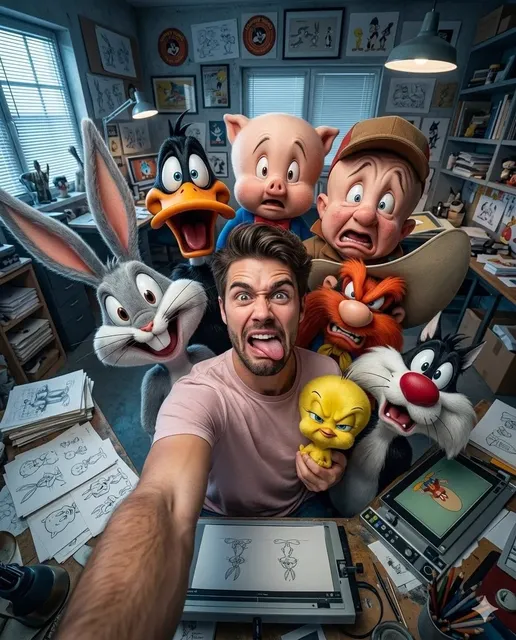
Directing With an AI Co-Pilot: A Practical Video Workflow
Oct 14, 2026

Why an AI Co-Pilot Changes the Shape of Video Work
Video production used to be gated by three expenses: equipment, crew, and calendar time. Those gates shaped everything about how stories were planned — you storyboarded heavily, shot conservatively, and protected footage because reshooting was expensive. That constraint has largely dissolved. A single creator with a laptop can now produce a short film, a product demo, or a full ad campaign without renting a stage or booking a crew.
What replaces the old constraint is decision-making. When you can generate a shot in minutes, the bottleneck moves from "can we afford to try this?" to "which of these twenty directions is actually right?" An AI co-pilot is useful precisely because it shortens the distance between a creative decision and seeing its result. You describe an idea, you see it, you judge it, you refine it. That loop — propose, preview, decide — is the real shift, and it is far more consequential than any single generation feature.
Practically, this changes how projects get planned. Instead of locking every visual choice before production, you lock the story and the tone, then explore visuals in parallel with the edit. Teams that adapt well to this model spend less time arguing about a shot in the abstract and more time looking at two versions side by side and picking one.
For solo creators, the benefit is obvious: access to capabilities that used to require specialists. For studios, the benefit is different but just as real — more concept iterations before committing budget, faster animatics for client approval, and cheap exploration of alternative endings, alternate casts, or entirely different visual styles before anyone books a stage.
The catch is that speed without method produces a folder full of disconnected clips. A co-pilot amplifies whatever process you bring to it. Bring a good one and the results compound; bring none and you will spend your evenings regenerating the same shot.
What an AI Co-Pilot Does Well — and What Still Needs You
The most common disappointment with AI video comes from expecting it to make creative decisions instead of executing them quickly. Understanding the division of labor is the single most valuable skill in this workflow, and it is also the one most tutorials skip.
Task types that benefit most
- Rapid shot ideation: generating a dozen visual interpretations of one scene description.
- Stylized inserts and b-roll: abstract texture shots, transitions, and atmosphere pieces that would be tedious to film.
- Animatics: turning a script into a rough moving version before committing to a full production plan.
- Alternate takes: testing a line reading, a camera move, or a costume choice in several variations.
- Localization variants: adapting the same story for different markets or languages.
- Repetitive production: product angles, talking-head cutaways, and template-driven series content.
- Transcript-driven work: subtitles, rough cuts built from dialogue, and searchable footage indexes.
Where human judgment still wins
Story structure, pacing, and tone remain deeply human problems. So does performance nuance — the small hesitation before a line that makes a scene land. Editing rhythm is another: knowing when to cut two frames earlier is a judgment call, not a prompt. Finally, anything touching brand compliance, cultural sensitivity, legal clearance, or accessibility needs a person who is accountable for the decision.
A useful mental model: the co-pilot handles volume and variation, while you handle selection and meaning. If you cannot state in one sentence why a shot is in the cut, no amount of generation quality will save the sequence.
Pre-Production: Briefs, Look Development, and Reference Assets
The one-page brief
Before generating anything, write a single page containing: logline, target audience, emotional tone, target duration, aspect ratios, delivery platforms, and a short list of things to avoid. The avoid list matters more than people expect — it prevents an entire class of wasted generations, from unwanted text overlays to camera moves that fight your tone.
Look development
Collect three to five reference frames that capture the visual direction you want: lighting quality, lens character, color palette, contrast, grain. Then describe each reference in plain language. That written description becomes your reusable look language across every prompt in the project, and it is what keeps a twenty-shot sequence feeling like one film rather than twenty.
Asset preparation
- Character reference sheets with consistent wardrobe and hair.
- Location and prop references, including any signage that must read correctly.
- Brand fonts, colors, and logo-safe areas.
- Audio notes: music mood, sound effects that must appear, dialogue languages.
| Deliverable | Aspect ratio | Typical length | Notes |
|---|---|---|---|
| Social vertical | 9:16 | 15–45s | Hook in the first 2 seconds |
| Product demo | 16:9 | 60–120s | State the benefit early |
| Explainer | 16:9 | 90–180s | Chaptered structure |
| Narrative short | 2.39:1 or 16:9 | 3–8 min | Continuity is critical |
The Directing Workflow, Step by Step
Step 1 — Break the script into beats and shots
A beat is a change in information or emotion. A shot is the smallest unit you can describe visually. Most beginners try to generate a scene; professionals generate shots and assemble scenes. Keep shots short — three to six seconds is a comfortable default for generated footage, longer when the camera is static and the subject barely moves.
Step 2 — Write shot-level prompts before generating anything
Write the prompt for every shot first, in one document, before you generate a single clip. This forces you to notice gaps in coverage: missing establishing shots, no reaction shots, unclear transitions. It also makes the project resumable after a week away, which matters more than it sounds.
Step 3 — Generate in batches and select deliberately
Generate several variants per shot, then evaluate them quickly and consistently. Score each take on composition, motion quality, continuity, and whether it serves the beat. Reject fast — you can always regenerate. What you should not do is fall in love with a beautiful shot that does not serve the story. Beautiful footage that breaks the rhythm of a sequence is worse than plain footage that holds it.
Step 4 — Track continuity as you go
Keep a running continuity sheet: which reference images were used, wardrobe state, time of day, screen direction, and any props that must persist between shots. This is unglamorous work, and it saves entire projects.
Step 5 — Assemble, then trim
Bring selections into your editor and cut for rhythm before polishing anything. Generated footage often works better with a slightly faster cut than you initially planned, because viewers need less time to understand a synthetic image than a real one. Watch the sequence once without sound, then again with sound.
Step 6 — Sound, color, and finishing
Sound design carries more weight in AI-assisted video than in conventional footage, because it establishes physical reality that generated imagery sometimes lacks. Add room tone, footsteps, cloth movement, and subtle ambience. Grade for consistency across shots, since lighting varies more between generations than between camera setups. Then finish captions, titles, and export settings.
Prompting Techniques That Raise Output Quality
Describe in layers
A reliable prompt order: subject, action, environment, camera behavior, lighting, mood, then format details. Changing the order rarely breaks anything, but keeping it consistent makes debugging far easier when a shot goes wrong.
Use motion verbs deliberately
"Walks," "turns," "reaches," "pauses," and "glances" produce very different results than static descriptions. If a shot looks frozen, add motion. If it looks chaotic, remove it. Motion is usually the first thing to adjust and the fastest way to rescue a take.
Constrain as clearly as you describe
List what you do not want: extra fingers, text overlays, lens flare, fast camera movement, dramatic slow motion. Constraints are more effective than most people assume and cost nothing to include in a prompt template.
Change one variable at a time
When a shot is not working, resist the urge to rewrite everything. Adjust lighting first, then camera, then subject. You will learn what actually controls the output, and your prompt library becomes genuinely reusable instead of a pile of lucky one-offs.
Keep a prompt journal
Record which prompts worked and which failed, along with the shot they produced. After a few projects, this journal is worth more than any tutorial, because it is tuned to your style, your references, and your tools.
Continuity and Character Consistency Across Shots
Consistency is the hardest part of multi-shot AI video and the place where amateur projects most often fall apart. The audience may not be able to name what feels wrong, but they will feel it within seconds.
Use reference images wherever your tool supports them, and reuse the same reference for every shot featuring that character. Lock wardrobe choices in writing. Keep lighting direction consistent — if the key light comes from the left in the master shot, it should come from the left in the close-up unless you are deliberately breaking continuity for effect.
Watch screen direction. If a character moves left to right in one shot, they should keep moving left to right in the next, or the audience will register a collision even if they cannot articulate why. The same applies to eyelines: two characters in conversation should look toward each other consistently across cuts.
Finally, review continuity at playback speed rather than frame by frame. Small inconsistencies that look glaring when paused often disappear in motion — and spending an hour fixing something invisible to the audience is a poor trade. Save the pixel-level scrutiny for hero frames and title cards.
Building a Collaborative AI Video Pipeline
Roles that matter more than job titles
In small teams, four functions cover almost everything: direction (what the story is), prompt craft (how it is described), asset management (what references and versions exist), and review (what actually ships). One person can hold several roles, but each function needs an owner. Unowned functions are where projects slow down.
Versioning and naming
Adopt a boring, obvious scheme: project, scene, shot, version. Boring naming is what lets you find the right file in a hurry months later, and it prevents the classic disaster of editing against the wrong version of a clip.
Review gates
Review at three points: after the shot list, after the first assembly, and before the final sound mix. Feedback at each gate should be specific and timecoded. "Make it more emotional" is not actionable; "hold the close-up two seconds longer before the cut" is. Written, timecoded notes also reduce the number of meetings a project requires.
Quality Control: A Pre-Publish Checklist
Run this before every publish:
- Hands, faces, and anatomy look natural at normal viewing size, not just zoomed in.
- Text on signs, screens, and packaging is correct or intentionally obscured.
- Props and wardrobe stay consistent between shots.
- Dialogue sync is tight, with no audio pops or clipped syllables.
- Loudness is normalized for the target platform.
- Captions are accurate and readable at mobile size.
- Aspect ratio and safe areas match each platform's requirements.
- The first three seconds establish subject, tone, and reason to keep watching.
- Music and footage rights are cleared for commercial use.
- Accessibility: contrast, caption timing, and no reliance on color alone to convey meaning.
Common Mistakes and How to Avoid Them
Generating a whole scene at once. Break it into shots. You get more control, better continuity, and the ability to replace one bad moment without rebuilding everything.
Chasing a perfect take instead of cutting around a flaw. Sometimes the fastest fix is a different shot, a cutaway, or a slightly tighter trim. Editing is cheaper than perfection.
Leaving sound until the end. Sound shapes pacing decisions. Rough sound early keeps the edit honest and stops you from over-cutting silent footage.
No continuity system. Even a simple spreadsheet prevents the slow drift that makes a sequence feel off by the final shot.
Generating without a brief. Vague input produces generic output. A one-page brief improves results more than any prompt trick you will find online.
Over-stylizing. Strong visual treatment can carry a thirty-second piece but often fights the story over several minutes.
Skipping captions. A large share of viewers watch muted, especially on social platforms, and captions also improve comprehension for everyone else.
Treating the first output as final. The first generation is a draft, not a deliverable. Budget time for two or three passes and the quality difference will be obvious.
Tool Selection Criteria and FAQ
What to compare before committing
Look at control over camera and motion, reference-image support, resolution and aspect ratio flexibility, export formats, commercial licensing terms, collaboration features, iteration speed, and how well the tool fits your existing editor. Also check how the tool behaves when a generation fails — clear errors and predictable retries matter more than a long feature list, because you will hit failures constantly during a real project.
Frequently asked questions
How long should a first AI-assisted project be? Aim for 30 to 60 seconds. It is long enough to practice continuity and short enough to actually finish.
Do I need editing experience? Not formal experience, but editing skill is the highest-leverage thing you can learn. Cutting, pacing, and sound do more for perceived quality than generation settings ever will.
Will the result look artificial? Generated footage reads as artificial most often when motion is unnatural, lighting shifts between shots, or sound is missing. Fixing those three things solves the majority of the problem.
How many takes per shot? Three to six is a practical range. Beyond that, you are usually avoiding a decision rather than improving a shot.
Can I mix generated footage with camera footage? Yes, and it is often the strongest approach. Use generated footage for what is expensive or impossible, and shoot the human moments yourself.
What about rights and disclosure? Check the licensing terms of every tool you use, keep records of your generated assets, and follow platform disclosure rules for synthetic media in your region.
A closing note on practice
The creators who get the most from an AI co-pilot are not the ones with the longest prompt library. They are the ones who decide quickly, cut ruthlessly, and treat generation as one step inside a production process rather than the whole of it. Start with a short piece, run the checklist, publish it, and write down what to change next time. That loop, repeated, is what turns a tool into a workflow — and a workflow into work you are proud to put your name on.

Alexander
More Blogs
Read MoreVidu Q4 Alternatives: 4K AI Video Models Compared (2026)
Vidu Q4 alternatives compared: Kling 4.0, Seedance 2.5, Wan 3.0, and Runway Gen-4 — 4K support, input modes, durations, audio, and what each costs in credits on Domer.
Top 4K AI Image Generators in 2026: 5 Models Compared on Real Costs
The top 4K AI image generators on Domer compared: Flux 3 Klein, Nano Banana 2.1, GPT Image 2.5, GPT Image 2, and Nano Banana Pro — 4K credit costs, reference limits, and speed.
Nano Banana 2.1 vs GPT Image 2.5: Which Image Model Should You Use? (2026)
Nano Banana 2.1 vs GPT Image 2.5 Flare compared: credit costs per resolution, aspect ratios, reference images, text rendering, and which tasks fit each model.