

Compelling AI Content for Marketing Videos: A Workflow Guide
Oct 1, 2026

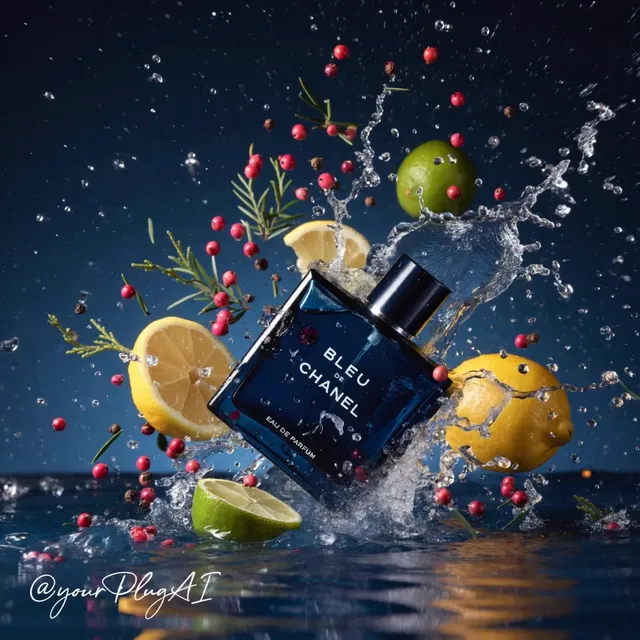
The Real Shift: From Shooting Days to Shot Lists
When marketing teams describe their video bottleneck, they rarely talk about ideas. The ideas are usually there: a product story, a customer moment, a seasonal push. The bottleneck is the translation layer between idea and finished footage — casting, locations, permits, weather, reshoots, and the weeks of scheduling that sit between a concept and a first cut.
Generative video compresses that layer. A concept can become a moving image in minutes, and a rough sequence in an afternoon. That does not make cameras obsolete. It means the expensive, slow part of production — exploring variations before committing — is now cheap.
The practical consequence is a shift in which skills matter. The most valuable people on an AI-assisted marketing team are not the ones who can generate the flashiest single clip. They are the ones who think in shot lists, hold a visual identity steady across twenty deliverables, and judge quickly whether a clip earns its place in the edit.
This guide walks through a working production process: how to brief, which generation mode to use, how to direct models with prompts, how to keep consistency, how to build a fast test loop, how to handle audio, how to edit down for each platform, and how to review before publishing. It is written for marketers and small production teams, not for researchers.
Start With the Brief, Not the Model
The one-sentence promise
Every marketing video should reduce to one sentence: who this is for, what it shows, and what changes in the viewer's mind. If you cannot say it in one breath, generated footage will not rescue the concept — it will just produce attractive noise faster.
Write that sentence at the top of the project file and check every creative decision against it. When a clip is beautiful but does not serve the promise, the clip loses.
Deliverables before generation
List every version you will need before you generate a single frame. A typical campaign needs:
- a 16:9 hero cut for the website and YouTube
- a 9:16 vertical cut for short-form feeds
- a 1:1 or 4:5 version for social grids
- a silent six-second loop for autoplay placements
- a 30–60 second explainer for landing pages and sales decks
- still frames exported for thumbnails, email headers, and paid creative
Generating with those formats in mind changes your framing decisions. A shot designed for widescreen with important detail at the far left and right will be destroyed by a vertical crop. If you know a vertical cut is coming, compose with a generous vertical safe area from the start.
Constraints that belong in the brief
Add three lines most teams forget:
- Brand colors that must appear somewhere in the grade.
- Text that must never be rendered by the model — logos, claims, prices, legal lines. Add those in the editor.
- Tone boundaries: what this brand would never show or say.
Those three lines prevent more rework than any prompt improvement.
Matching the Generation Mode to the Job
Different models excel at different jobs. Choose per shot, not per project.
Text-to-video
Best for establishing shots, abstract backgrounds, mood pieces, and lifestyle B-roll where the exact subject is flexible. Weakest at precise control over a specific product or a recurring character. Use it for atmosphere, not for the hero product moment.
Image-to-video
Best for product shots, brand-consistent visuals, and animating a designed still. You lock composition with an image you control, then add motion. This is usually the fastest route to a shot that looks intentional.
Video-to-video and restyling
Best for changing the look of existing footage, extending a clip, or matching new material to an archive library. Useful when you already have rights-cleared footage and only need a visual refresh.
Motion-first and camera-move tools
Some tools specialize in controlled camera movement or a locked-off frame with a single moving element. These are ideal for product reveals and slow, premium-feeling hero shots.
Talking-head and avatar tools
Best for explainers, localization, and spokesperson variations where you need the same message in several voices or languages. Keep expectations realistic: close-up human faces still degrade fastest under scrutiny, so favor medium shots, natural gestures, and shorter on-screen durations.
A simple decision rule
Ask three questions for each shot: Does the exact subject matter? Does the composition need to match an existing asset? Is there human dialogue? If the answer to the first is no, text-to-video is fine. If the second is yes, start from an image. If the third is yes, plan to shoot it or use an avatar tool deliberately rather than hoping a general model will handle it.
Prompting That Works Like Directing
A good prompt reads like a shot note handed to a camera operator, not like a wish list.
The five-part prompt
- Subject and action — who or what, doing precisely what.
- Setting and time — location, weather, time of day, era.
- Camera — shot size, angle, lens feel, movement, duration.
- Light and color — source of light, contrast, palette.
- Mood plus constraints — pace, energy, and what must not appear.
A working example:
Medium close-up of a woman in a linen shirt opening a matte black box on a wooden counter, morning light from a window on the left, slow dolly in, shallow depth of field, warm neutral palette, calm and confident pace, hands fully in frame, no text on screen.
That prompt describes one shot, not a sequence. One idea per prompt keeps the model from splitting its attention.
Camera language models actually understand
Useful phrases include "slow dolly in," "handheld follow," "static locked-off frame," "aerial push forward," "orbit around the subject," and "slow tilt up." Naming a lens changes framing in predictable ways: a 35mm feel reads wider and more environmental, an 85mm feel compresses and flatters. Adding a duration hint — two seconds, five seconds — helps you plan the edit before you generate.
What to leave out
Very long prompts dilute the important parts. If a detail matters, put it early. Avoid stacking contradictory instructions such as "fast motion" and "serene atmosphere." And do not rely on negative instructions alone; describing what is in the frame is stronger than listing what is not.
Keep a prompt library. Once a shot works, save the prompt with a short note about what made it work. Over a few campaigns, that library becomes your team's real production asset.
Keeping a Campaign Visually Consistent
Consistency is what separates a campaign from a folder of nice clips.
Reference frames beat adjectives
Words like "cinematic" or "premium" mean different things to different people and different models. A reference frame means one thing: this. Establish two or three reference stills for the campaign — one hero, one product, one lifestyle — and reuse them as starting points for image-to-video work.
Character and product consistency
If a person appears in more than one shot, fix their look in an image first, then animate variations from that image rather than generating the person fresh each time. For products, photograph or render the item once, then build every shot around that asset. Small details — a label position, a seam, a color — are the first things to drift.
Locks you should write down
Create a one-page visual lock sheet:
- color palette with hex values
- grade direction: warm neutral, cool clinical, high contrast
- grain and texture level
- preferred lens range
- motion signature: slow and steady, or handheld energy
- typography used for on-screen text
Give that sheet to everyone generating clips, including freelancers.
Versioning and naming
Adopt a naming convention on day one: campaign_shot_version_variant. It sounds trivial until you have 200 files. Name by shot and purpose, not by generation order, and keep the prompts in the same folder as the exports.
Building a Fast, Low-Risk Iteration Loop
Speed comes from judging early and cheaply, not from generating more.
Storyboard before you animate
Sketch or generate still frames for the whole sequence first. Stills cost a fraction of motion renders and reveal composition problems instantly. Only animate the frames that already work as images.
The three-round rule
- Round one: 8–12 quick variations of a single shot at low resolution, fast settings.
- Round two: two or three variations refined for framing and motion.
- Round three: final quality with upscaling, color, and stabilization.
Most teams waste the most time by jumping straight to round three on a shot they have not validated.
Track spend per shot
Whatever your tool charges, record the cost per finished shot alongside the time spent. Patterns appear quickly: one category of shot is always expensive, one model is always fast, one editor is always the bottleneck. That data lets you plan the next campaign instead of guessing.
Parallel work beats sequential work
While motion renders, write captions, prepare the edit timeline, and pull music options. The team that batches work finishes campaigns in days rather than weeks.
Sound, Voice, and Captions
Silent footage is a rough draft. Audio is what makes it a marketing video.
Music first or picture first?
For short-form performance creative, music first usually wins: choose the track, cut to its beat, and let the rhythm dictate shot lengths. For explainers and product walkthroughs, picture first is safer, then commission or license music that supports the pacing without fighting narration.
Voiceover decisions
Synthetic voices are now good enough for certain jobs — localization, internal previews, quick variations for ad testing — but a brand's main spot often benefits from a real voice. If you use a synthetic voice, direct it like a performance: write for the ear, use short sentences, mark pauses, and test a phone speaker rather than studio headphones.
Caption craft
Most social viewing is silent at the start. Burn in captions with a consistent style: high contrast, one or two lines, safe margins so platform UI does not cover the words, and timing that lets each line rest for at least a second. Keep an accessible version with a proper subtitle file for web embeds.
Loudness and mix
Target roughly -14 LUFS integrated for social platforms, keep dialogue clearly above the music bed, and check the mix on a phone. If the viewer cannot hear the value proposition in a noisy room, the edit has failed.
Editing, Cutdowns, and Platform Formats
Generation ends; editing decides.
Cut on motion
Trim clips so the cut lands during movement — a hand reaching, a camera move, a light change. Hiding cuts inside motion makes generated footage feel far more continuous than it is.
Own the first two seconds
The hook should be visible before any logo. Show the product doing something, show the customer's problem, or show an unexpected visual. Save branding for after attention is earned.
Build a cutdown ladder
Edit the longest version first, then derive shorter cuts with a purpose for each length:
- 60s: full story for landing pages
- 30s: problem, product, proof
- 15s: single benefit, one visual idea
- 6s: loopable, silent, no dialogue
Each cutdown should stand alone, not feel like a trailer for a video nobody will watch.
Export specs worth standardizing
Keep a preset per platform: resolution, frame rate, bitrate, and safe areas for vertical. Standard presets remove an entire category of last-minute mistakes.
Quality Control Checklist Before You Publish
Run the same review every time:
- Watch once with sound, once muted, once on a phone.
- Check hands, faces, text-like artifacts, and reflections for warping.
- Confirm brand colors and logo placement in the final frame.
- Verify every claim and price is added in the editor, not generated.
- Check captions for spelling and sync.
- Confirm safe margins on vertical and square cuts.
- Confirm music and voice licenses cover paid media, not just organic.
- Confirm the first frame works as a thumbnail.
- Confirm the file name and version are correct before uploading.
Two people should sign off: one creative, one who owns brand or legal. Skipping the second signature is how avoidable problems reach the public.
Common Mistakes and a Short FAQ
Mistakes that cost the most time
Writing novel-length prompts. Precision beats volume. Cut anything that does not change the image.
Ignoring aspect ratio until the end. Reframe-safe composition is a generation decision, not an editing fix.
Letting the model render text. It almost always looks wrong. Add typography in post.
Generating a sequence from a single prompt. One prompt, one shot. Build sequences in the timeline.
Trusting the preview screen. Check on a phone, in daylight, at arm's length.
Skipping disclosure norms. Follow platform rules and local advertising guidance for synthetic media. When in doubt, be transparent.
Overusing one impressive clip. A single shot repeated in four placements makes a campaign look thin.
FAQ
How many shots does a 30-second marketing video need?
Roughly 10–18 for a brisk social cut, fewer for a calm brand piece. If a shot contributes nothing to the promise sentence, cut it.
Should I use one model or several?
Several, matched to the job. A single model rarely wins at product shots, human motion, and stylized backgrounds simultaneously.
Do I need a video editor if I generate clips?
Yes. Generation produces material; editing produces meaning. The edit is where pacing, story, and brand voice live.
How do I keep a spokesperson consistent across clips?
Fix the person in reference images first, then animate from those images. Reuse the same lighting and lens language in every prompt.
What is the fastest way to test a concept?
Generate stills, assemble an animatic with a temp voiceover and music, and watch it end to end. If the animatic does not work, no amount of render quality will save it.
How do I stop spending too much on one shot?
Set a limit — for example, three refinement rounds — and if the shot still fails, reboard it. Some ideas simply resist the tool and are cheaper to redesign than to force.
Can AI video carry an entire brand campaign?
It can carry a large share of it: B-roll, product moments, backgrounds, localization, and testing variations. High-stakes hero moments with real people often still benefit from a camera. The strongest campaigns mix both.
A closing workflow in one paragraph
Write the promise, list the deliverables, lock the visual rules, choose a generation mode per shot, prompt like a director, validate with stills, refine in three rounds, add sound and captions, cut on motion, export per platform, and run the checklist with two sign-offs. Teams that follow that loop consistently ship more video, with fewer reshoots and far less drama, than teams chasing the single perfect generation.

Alexander
More Blogs
Read MoreFrom Text to Short Film: A Practical AI Video Workflow
Learn how to turn a written idea into a polished short film with AI video tools: scripting, model choice, shot consistency, sound design, and editing.
AI Transcription and Seamless Video Editing Workflows
Learn how AI transcription enables text-based editing, faster reviews, accessibility, and reliable post-production workflows from rough cut to final delivery.
Photorealistic AI Video Production: A Practical Workflow Guide
Learn a repeatable workflow for photorealistic AI video: model selection, shot planning, prompt design, continuity, audio, and quality control.