
Create
AI Directing: Craft Emotionally Compelling Video Workflows
Oct 13, 2026
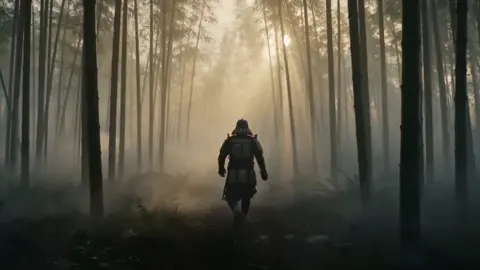

Why Emotional Direction Beats Visual Novelty
Every new generation of video tools produces the same first wave of output: fast cuts, glowing effects, morphing creatures, impossible camera moves. It looks impressive for about eight seconds. Then the viewer scrolls.
The clips that survive that scroll are rarely the loudest ones. They are the ones that make a person feel something specific — recognition, tension, relief, longing, amusement, embarrassment, hope. Emotion is what converts a clip into a memory, and memory is what converts a viewer into a fan.
AI has changed the economics of production. It has not changed the psychology of attention. You can now generate a rain-slicked street at dusk in ninety seconds, a shot that once required a crew, a permit, and a night of waiting for weather. But a beautiful frame with no dramatic pressure is still wallpaper. The directing work — deciding what the audience should feel at each moment, and what to withhold — remains the scarce skill.
That is the real promise of AI-assisted directing: it compresses the distance between an idea and a watchable scene, so directors can spend their hours on interpretation instead of logistics. The workflow below is designed around that idea. It treats generative tools as a fast camera and a fast art department, not as an author.
What AI Can and Cannot Direct
Before building a workflow, be honest about the division of labour. Most disappointment in AI video comes from asking a model to do a job that belongs to a human.
AI is genuinely strong at:
- Generating variation. Twenty lighting options in the time it takes to describe three.
- Continuity bookkeeping. Tracking wardrobe, props, time of day, and colour across shots.
- Translating descriptive language into images, including abstract mood words like "brittle" or "wistful."
- Rapid iteration on framing, lens choice, and palette before anything is final.
- First-pass sound: scratch voice, temp score, ambience beds, cleanup.
AI is weak at:
- Taste. It can produce a hundred options but cannot tell you which one is right for the story.
- Restraint. Left alone, it adds. It rarely subtracts.
- Subtext. A model will happily illustrate the line of dialogue instead of playing against it.
- Cultural specificity. Default outputs drift toward a generic international look unless you push hard.
- Performance nuance. Micro-hesitations, listening, and the pause before a reaction still need human direction.
A useful decision rule: use AI wherever a choice is cheap and reversible, and reserve your own judgement for choices that are expensive or irreversible. Generating twelve versions of a shot is cheap. Committing to the emotional meaning of a scene is not.
A Repeatable Production Workflow
The following six stages work for a fifteen-second social spot and for a ten-minute brand documentary. Scale the time, not the order.
Stage 1 — Intent and the One-Line Feeling
Write a single sentence that names the emotion and the change: A daughter returns home and realises her father kept every letter. If you cannot write that sentence, no amount of generation will save the project. Keep it visible during the entire edit.
Stage 2 — Script and Beat Sheet
Break the sentence into beats: setup, disruption, escalation, turn, resolution. Assign each beat a target feeling and an approximate duration. For a sixty-second piece, six to eight beats is plenty. Write dialogue only where silence cannot do the job.
Stage 3 — Look Development
Generate still frames, not motion. Lock palette, time of day, lens character, and texture. Build a small reference board — a colour script plus three or four hero frames. This board becomes your prompt library and your argument-ender when a stakeholder asks for something off-brief.
Stage 4 — Previsualization and Animatics
Turn the board into a rough animatic with temp voice and temp music. Time the beats against real audio. This is where you discover that your beautiful three-shot opening takes eleven seconds and kills the hook.
Stage 5 — Generation and Coverage
Generate motion only after the animatic is approved. Aim for coverage, not perfection: a wide, a medium, a close, and one insert per beat. Keep every generation, and organise rejects into a folder you can mine later for accidents.
Stage 6 — Assembly, Sound, and the Final Pass
Cut picture to audio, not the other way around. Then do a dedicated sound pass, a colour pass, and a stillness pass where you remove anything that does not earn its place.
Designing the Emotional Arc Before You Generate
An emotional arc is simply a curve of intensity over time. Sketch it on paper: horizontal axis is time, vertical axis is intensity, and the line rises, dips, and rises again. If your line is flat, your video is a list of features. If it only rises, the ending feels numb, because contrast creates feeling.
Three practical rules:
- Give the audience one thing to want early. A question, a deadline, an unanswered glance. Curiosity is the cheapest form of attention.
- Break the pattern once. If everything is soft and warm, one hard cut of silence reads as a shock. If everything is fast, one long static shot reads as grief.
- Resolve, then release. After the emotional turn, give the viewer a beat of air. Endings are remembered more than middles, so protect the last three seconds.
When prompting, translate the arc into concrete levers: shot length, camera stillness, colour temperature, music density, and the amount of visible human face. A close-up with no dialogue at second forty does more work than any effect. Write these levers into your shot list so the arc survives contact with production.
Storyboarding and Previsualization at Speed
Previsualization is where AI pays for itself fastest. Instead of drawing, you describe. Image models such as Midjourney, Flux, or Stable Diffusion with ControlNet can produce a usable board for a thirty-shot sequence in an afternoon. The trick is to standardise your prompt grammar so the frames look like one film:
- Fixed block: subject, wardrobe, location, time of day, palette, film stock or texture.
- Variable block: shot size, camera angle, action, emotional beat.
- Negative block: what to avoid — modern logos, extra fingers, glossy stock-photo lighting.
Keep a consistent aspect ratio that matches delivery. Boards that are 16:9 but delivered in 9:16 will lie to you about composition. For vertical work, storyboard vertically from the start and keep faces in the upper third where platform interface elements do not cover them.
Then build the animatic. Drop the boards into an editor at the target durations, add scratch voice, and lay a temp track. Watch it three times: once for story, once with your eyes closed to hear pacing, and once on a phone at arm's length. Almost every previsualization problem shows up in that third pass.
For motion tests, choose two or three hero shots — never the whole film. A single five-second test from a video model such as Runway, Kling, Luma, Veo, Pika, or Sora will tell you whether your look survives movement. If the hero shot fails after three attempts, change the approach rather than the seed.
Character Consistency and Performance
Nothing breaks emotional engagement faster than a face that changes between shots. Fix this before you direct performance.
Consistency toolkit:
- Build a character sheet: front, three-quarter, profile, plus two expressions.
- Train or attach a reference (a style adapter or character model) and reuse it for every shot.
- Lock wardrobe, hair, and one distinguishing prop. Viewers track people by silhouette and colour, not by eyelashes.
- Keep a shot log of the exact prompt and seed for every approved frame.
Performance direction is where AI still needs a human eye. Instead of prompting "she is sad," describe behaviour: she exhales, looks down, then forces a small smile. Behaviour reads as emotion; adjectives read as acting. Build a small library of reusable micro-behaviours — a blink, a swallow, a step back, a hand closing — and deploy them at beat changes.
For voice, cast deliberately. Choose whether the character speaks or is heard in voiceover, and match the delivery to the beat rather than to the brand. A flat read over a tense image can be powerful; a breathy read over a tense image is usually noise. Check lip sync on a large screen, not a phone, and always review the hands and the eyes — they are where audiences unconsciously detect falseness.
Blocking, Camera Language, and Visual Storytelling
Blocking is the arrangement of people and objects in space, and it is how you say things without saying them. Two people on opposite sides of a doorway is a thesis. One person blocking another's exit is a thesis. AI can render either; only you can choose it.
Practical camera language to feed into prompts:
- Shot size carries intimacy. Wide for context and loneliness, medium for conversation, close for interiority.
- Movement must be motivated. A push-in means realisation or pressure. A pull-back means withdrawal or scale. A drift means unease.
- Respect the line. Keep characters on consistent sides of the frame across a conversation, or the audience will feel disoriented without knowing why.
- Use negative space. A subject pressed into the corner of the frame signals imbalance more efficiently than any dialogue.
- Plan inserts. Hands, objects, thresholds, and textures are the connective tissue of an edit and are the cheapest shots to generate.
When prompting movement, be specific about speed and rig: slow dolly-in, 35mm, shallow depth of field, subject slightly out of focus at frame edge. Vague prompts produce unmotivated camera moves — the most common tell of AI video. If a shot does not need to move, say so explicitly: static tripod shot, no camera movement.
Finally, build a colour script. Assign a palette per emotional beat and keep it consistent. Colour is the fastest way to signal that the story has changed without a single word.
Post-Production: Where Emotion Is Actually Built
Directors often hand over footage too early. The edit is not assembly; it is the final rewrite.
Cut to sound first. Lay voiceover, dialogue, ambience, and music before fine-cutting picture. Then trim picture to the audio rhythm. J-cuts and L-cuts (audio leading or trailing the image) create continuity and smooth the seams between generated shots.
Design silence. Remove the music for four seconds before the turn. The absence does more than any crescendo.
Layer the mix. Foley, room tone, and a low bed make generated footage feel physical. AI tools can clean dialogue, generate ambience, and produce a scratch score, but the placement decisions are editorial.
Grade for consistency. Generated shots rarely match out of the box. Match black levels, skin tones, and grain. A light grain overlay can unify shots from different models better than any colour node.
Do a stillness pass. Mute everything and watch. Note the exact moment attention drifts, and cut there. Then watch on the smallest screen you can find and confirm the hook lands in the first two seconds.
Common Mistakes and How to Fix Them
Prompting for beauty instead of meaning. A gorgeous frame with no dramatic function wastes runtime. Fix: every shot must answer a story question or change a feeling. If it does neither, cut it.
Too many shots. AI generation makes variety easy, so first cuts bloat. Twenty shots in thirty seconds is a trailer, not a story. Fix: cap shot count per beat and delete the weakest.
Inconsistent characters and locations. Audiences forgive a lot, but not a changing face. Fix: lock references early, and reshoot a bad shot rather than settling.
Unmotivated camera moves. Constant drifting reads as amateur. Fix: justify each move with an emotional function, and default to static.
Ignoring sound. Silent-first edits hide pacing problems but also produce flat films. Fix: temp audio from the animatic stage onward.
Over-generating and decision fatigue. Endless options destroy taste. Fix: three variants per shot, pick one, move on. Keep a two-minute timer for small decisions.
Forgetting the delivery format. Cropped faces, missing captions, and buried hooks kill otherwise good work. Fix: design in the target aspect ratio, burn in readable captions, and front-load the emotion.
Skipping rights and releases. Music, voice likeness, and identifiable people all need clearance, even in synthetic media. Fix: keep a simple asset log from day one.
How to Judge Whether It Worked
Quantitative signals matter, but they are proxies. Look at three-second retention to test your hook, average view duration to test pacing, replays to test craft, and saves and shares to test emotional value. Comments are the richest signal: if viewers describe a feeling rather than a feature, the emotional arc worked.
Add a human test. Show the film to five people outside the project and ask them to describe it back in one sentence. If their sentence matches your one-line feeling, you directed it. If they describe the visuals but not the story, you generated a demo.
FAQ
Do I need a video model with the most features? No. You need one that produces consistent characters and motion you can predict. A simpler model you understand will out-perform a complex one you are fighting.
How many generations should a shot take? Budget three. If the third fails, the shot is probably wrong for the tool — change the framing, simplify the action, or split it into two shots.
Can AI write the emotional arc for me? It can suggest structures and generate variants of an outline, but the emotional thesis has to come from you. Treat generated outlines as brainstorming, not as decisions.
How do I keep a consistent look across models? Standardise your prompt grammar, fix a colour script and grain treatment, and finish everything with one colour pass. Consistency is a post-production habit as much as a generation setting.
What is the ideal length for an AI-directed brand film? As short as the story allows. Sixty to ninety seconds is a comfortable range for narrative work; fifteen to thirty seconds for social. Longer pieces need more variety in pacing and more human performance.
Does AI direction replace a storyboard artist or editor? It changes their tools, not their value. Judgement about what to keep and what to remove is still the job.
How do I avoid an uncanny result? Reduce screen time on faces when they are not essential, keep movement motivated, use realistic light, and let sound carry the emotion at the moments where synthetic performance is weakest.
Where should a beginner start? Pick a thirty-second scene with one emotional turn. Write the one-line feeling, board six shots, generate three, cut it to sound, and study what broke. One finished small film teaches more than twenty unfinished tests.

Alexander
More Blogs
Read MoreVidu Q4 Alternatives: 4K AI Video Models Compared (2026)
Vidu Q4 alternatives compared: Kling 4.0, Seedance 2.5, Wan 3.0, and Runway Gen-4 — 4K support, input modes, durations, audio, and what each costs in credits on Domer.
Top 4K AI Image Generators in 2026: 5 Models Compared on Real Costs
The top 4K AI image generators on Domer compared: Flux 3 Klein, Nano Banana 2.1, GPT Image 2.5, GPT Image 2, and Nano Banana Pro — 4K credit costs, reference limits, and speed.
Nano Banana 2.1 vs GPT Image 2.5: Which Image Model Should You Use? (2026)
Nano Banana 2.1 vs GPT Image 2.5 Flare compared: credit costs per resolution, aspect ratios, reference images, text rendering, and which tasks fit each model.