
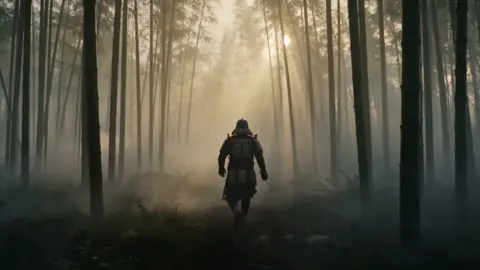
AI Music-Game Style Promo Videos: A Workflow for Agencies
Oct 15, 2026

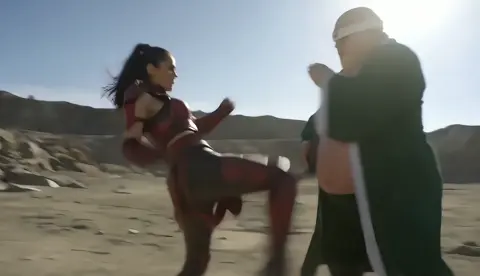
Why rhythm-game energy works in modern promotional video
Short-form feeds reward the first second. Rhythm-game visuals — a lane of falling notes, a strum bar, a crowd roaring on the chorus — are engineered for exactly that moment. They communicate that something is about to happen before a single word of copy lands. For agencies, that is a gift: you hook attention with motion, then deliver the brand message on the beat instead of fighting for it.
The format also solves a persistent problem in promotional content: showing progress. Most products are abstract — a subscription, a service, a piece of software. Rhythm-game mechanics are not. The lane fills, the combo climbs, the crowd reacts. Every visual element is a status indicator your audience already understands, even if they have never played a music game in their life. You are borrowing a visual grammar, not a game.
There is a production benefit too. Rhythm visuals are inherently music-led, which means the edit is decided by the soundtrack rather than by a shot list. That reverses the usual pressure. Instead of cutting music to fit footage, you place footage to fit a beat grid you control. It is faster, cheaper, and it produces clips that feel intentional at every frame — which matters enormously when an AI-generated shot has to sit next to a live-action one in the same campaign.
Finally, the format is brand-safe at scale. A glowing note lane, a silhouetted crowd, and a pulsing stage can be re-skinned for almost any vertical: a fintech launch, a fitness app, a sneaker drop, a B2B software migration announcement. The mechanics stay the same. Only the palette, the props, and the copy change.
Mapping rhythm-game mechanics to brand messaging
The mistake most teams make is treating the game layer as decoration. It is not. Each element is a slot where a specific message belongs. Decide the mapping before you prompt anything.
Note lane and beat grid: your core value proposition
The lane represents the path. Every note is a step the user takes. If your product is a learning platform, notes are lessons. If it is a logistics service, notes are shipments. If it is a savings app, notes are deposits. When you write the concept, finish this sentence: each note is one ________ . If you cannot fill the blank quickly, the metaphor is too loose and the video will read as noise.
Combo meter: cumulative progress and loyalty
The combo counter is the single most useful piece of UI you can add, because it turns an abstract benefit into a number that climbs. A client with a retention problem wants to show a streak. A client with an onboarding problem wants to show speed. A combo meter does both in under two seconds of screen time and requires no voiceover.
Crowd and stage: social proof
A silhouetted audience reacting on the downbeat is social proof rendered as light and motion. It works for community platforms, marketplaces, events, and consumer brands that want to signal momentum. Render the crowd out of focus and let the light bloom do the work — sharp background faces are where AI footage starts to look uncanny.
Fail states: the problem you remove
A missed note is a storytelling device. Show one brief, deliberate miss — the loading spinner, the missed deadline, the dropped call — then let the combo rebuild. This gives the video a tiny narrative arc, which is what separates a promo from a screensaver.
Pre-production: from client brief to one playable concept
Reduce the brief to a single sentence
Agencies lose weeks because the creative brief and the video concept are two different documents. Force them together: one sentence, subject plus action plus payoff. Something like: a warehouse manager turns a chaotic week into a clean combo streak. That sentence determines the protagonist, the environment, the props, and the beat map.
Choose three visual anchors and no more
AI video generation degrades when a prompt carries too many competing ideas. Pick three anchors — for example: neon lane, wet asphalt, warm rim light. Every prompt in the project repeats those anchors. Consistency across shots comes from repetition of a small vocabulary, not from elaborate description.
Lock runtime and aspect ratios before generating
Decide the deliverables up front: a 30-second hero cut, a 15-second vertical, a 6-second bumper, and a static thumbnail. Vertical 9:16 and square 1:1 should be generated natively rather than cropped from a 16:9 master, because the note lane is a compositional element and cropping destroys its rhythm. Budget your generation time accordingly — a single hero concept usually needs 60 to 120 generated clips to produce 25 usable seconds.
Build a reference board, not a mood board
Mood boards communicate a feeling. Reference boards communicate a shot. Collect frames that show scale, lens, and light direction, and annotate each one with the specific visual anchor it demonstrates. When a client asks why the first draft looks a certain way, you can point at the reference rather than argue about taste.
The AI production pipeline, stage by stage
Stage one: build the music bed first
Everything downstream depends on tempo. Start with a licensed or commissioned track, or generate one from an AI music tool, then extract the tempo and mark the downbeats. You want a track with a clear four-on-the-floor pulse and a defined drop or chorus. A track without dynamic contrast will produce a flat edit no matter how good the footage is.
Stage two: generate keyframes as stills
Do not start with video. Generate still images first, because stills are cheap, fast to iterate, and easy to show a client. Aim for eight to twelve approved stills that cover the story beats: the empty stage, the first note, the build, the miss, the recovery, the finale. Only when the still sequence reads as a story should you move on.
Stage three: animate with image-to-video
Feed each approved still into an image-to-video model with a short motion instruction. Keep instructions physical and simple: slow push in, camera drifts left, crowd lights pulse, hair moves slightly. Complex motion instructions are where artifacts multiply. Generate three to five variations per still and keep a running spreadsheet of which prompt produced which output — you will forget within an hour.
Stage four: assemble, grade, and overlay
Cut in a timeline editor to the beat grid, not to the clip boundaries. Add the game overlay — lane, notes, combo counter — as vector graphics in post, never baked into the generation. Baking UI into AI footage guarantees wobbling edges and unreadable numbers. Then grade everything to a single look, add a light bloom pass, and finish with sound design: note hits, combo ticks, and a crowd swell on the final frame.
Prompt patterns that produce usable, high-energy footage
Camera and lens language
Model-friendly camera phrases are short and physical: low-angle tracking shot, 35mm, shallow depth of field, handheld drift, whip pan. Avoid stacking three camera moves in one prompt. If you need a whip pan, generate the whip pan and nothing else.
Lighting, palette, and material cues
Lighting drives perceived energy more than subject matter. Phrases like hard rim light, volumetric haze, neon spill on wet concrete, practical stage lights, and backlit silhouette consistently produce dramatic results. Name two or three colors maximum and repeat them across every shot: for instance amber, indigo, and a single white highlight.
Negative prompts and failure modes
The most common failures are text artifacts, extra fingers on hands gripping a controller, melting instruments, and floating crowds. Add negatives for visible text, logos, deformed hands, duplicated limbs, and warped instruments. If a model keeps generating an unreadable guitar, generate the hands as a silhouette instead — silhouettes hide almost every generation flaw and read better on a small screen anyway.
The prompt template that scales
A reliable structure is: subject, action, environment, three visual anchors, camera, lighting, and mood. Written out: a performer mid-strum, arms extended, on a rain-slicked rooftop stage, neon lane reflections, amber and indigo palette, low-angle tracking shot, hard rim light, electric and kinetic. That template is repeatable, easy to localize, and easy to hand to a junior editor.
Designing the game overlay without borrowing anyone's IP
A music-game aesthetic is a genre, not a property. What you must avoid is copying a recognizable interface: the specific shape of a note lane, a trademarked controller silhouette, a distinctive score font, or a signature color combination. Those are the elements that turn inspiration into a legal conversation.
Instead, design a HUD from first principles. Ask what information the viewer needs: direction of travel, current streak, and urgency. Then invent a visual language for it. A vertical bar of soft rectangles, a single sweeping line, a ring that fills — all of these read as rhythmic feedback without resembling anyone's product.
Practical rules that keep you safe and looking sharp:
- Build overlays as vector shapes in your editor so they stay crisp at every resolution.
- Use one accent color for notes and a neutral for the lane; more colors fragment attention.
- Animate opacity and scale on the beat, never continuously — continuous motion reads as generic.
- Keep text out of the AI generation entirely and add all copy in post.
- If a client insists on a specific instrument, use a generic silhouette rather than a branded body shape.
Music, beat-sync, and the licensing decisions
Sync licensing is the single most common cause of a promo video being pulled at the last minute, so handle it before you generate a single frame. Three paths exist, and each has trade-offs.
Commissioned or library tracks give you a clean, documented license and predictable cost, but you are limited to what exists. AI-generated music gives you unlimited iteration and can be timed to an exact runtime, but you should confirm the platform terms and document the generation details for your client. Original composition is the safest and most expensive option, and it is usually worth it for a hero spot that will run for months.
Once the track is locked, build a beat sheet: a simple document listing timecode, beat number, and what happens visually. Share it with the client alongside the storyboard. It is remarkable how many rounds of revision disappear when everyone agrees on where the drop lands.
For sound design, layer three elements — a low pulse for body, a mid-range tick for the combo, and a high transient for note hits. Duck the music slightly under each tick so the rhythm feels tactile rather than thin.
Choosing tools for an agency AI video stack
You do not need the largest model catalogue. You need a stack that survives client review. Judge any tool against these criteria:
- Image-to-video quality on your own stills. Test with three of your real keyframes, not demo prompts.
- Consistency controls. Look for reference images, style locking, or seed control. Without these, a twelve-shot sequence will drift.
- Resolution and aspect ratio support. Native vertical generation saves rework.
- Commercial usage terms. Confirm what you can deliver to a paying client and what documentation you receive.
- Speed per iteration. A model that produces a usable clip in ninety seconds beats a better model that takes ten minutes when you are iterating on a deadline.
- Interoperability. Exports should land cleanly in your editor of choice with alpha channels where you need them.
- Team access. Shared projects and comment threads matter more than one extra generation slot.
A practical stack usually combines one strong image model, one strong image-to-video model, a music generator, and a traditional editor. Specialists beat generalists here, because each stage has a different failure mode and you want to isolate it.
Review loops, versioning, and repurposing one hero edit
Client review is where AI projects die quietly. Reduce the risk by presenting stills first, then an animatic, then the finished cut. Each stage should be cheap to change. If the client first sees motion on a fully finished timeline, every note becomes expensive.
Version discipline is equally important. Name files with concept, shot number, model, and version — for example stage-pushin-v3. Keep a running log of the prompt that produced each approved clip so you can regenerate a variation six weeks later without guessing.
Once the hero cut is approved, repurposing is nearly free. The same beat sheet supports:
- A 15-second vertical cut that opens on the drop instead of the build.
- A 6-second bumper using only the finale and the logo.
- Silent versions with burned-in captions for feed environments.
- A static keyframe set for paid social and email headers.
- A nine-by-sixteen story sequence that ends on a swipe prompt.
Because the overlay is vector and the music is licensed, every one of these variants is a timeline edit, not a new generation job.
Common mistakes, measurement, and FAQ
Mistakes that flatten the energy
The most frequent problem is a missing beat grid: the editor cuts on clip length and the whole piece feels soft. The second is over-prompting, which produces beautiful but unrelated shots. The third is baking the HUD into generated footage. The fourth is generating in one aspect ratio and cropping, which breaks the lane composition. The fifth is skipping sound design, leaving the music naked and the motion weightless. The sixth is presenting finished motion before the concept is approved.
What to measure
Track three-second view rate, completion rate, and click-through to the landing page. For a rhythm-led edit, the most diagnostic metric is where viewers drop off relative to the beat map. If people leave at the first miss, your fail state is too long. If they leave right after the drop, the payoff is arriving too late. Feed those findings back into the beat sheet for the next round and the format gets sharper every cycle.
FAQ
Can this work without music? It loses most of its power. If audio is not available, replace the beat grid with a rhythmic visual pulse so the edit still has a spine.
Do we need a game or a controller on screen? No. The lane, the streak, and the crowd light do all the work. Controllers introduce hands, and hands are where AI generation struggles most.
How many shots does a thirty-second piece need? Roughly twenty to thirty, with several frames per second during the build and a longer held shot on the finale.
Is the format suitable for B2B? Yes, with restraint. Keep the palette corporate, drop the crowd, and use the combo meter as a progress indicator for a multi-step process.
How do we keep multiple cuts consistent? Lock three visual anchors, reuse the same palette, and generate every variant from the same approved keyframes.
What is the realistic timeline? Two days of concept and keyframes, one to two days of generation and assembly, and one day of review and finishing for a single hero spot.
The underlying idea is simple: rhythm gives structure to motion, and structure is what makes AI-generated footage feel deliberate instead of accidental. Once you have a beat sheet, a three-anchor palette, and a vector overlay, you can rebuild this format for any client in a matter of days — and reuse the engine for every campaign that follows.

Alexander
More Blogs
Read MoreVidu Q4 Alternatives: 4K AI Video Models Compared (2026)
Vidu Q4 alternatives compared: Kling 4.0, Seedance 2.5, Wan 3.0, and Runway Gen-4 — 4K support, input modes, durations, audio, and what each costs in credits on Domer.
Top 4K AI Image Generators in 2026: 5 Models Compared on Real Costs
The top 4K AI image generators on Domer compared: Flux 3 Klein, Nano Banana 2.1, GPT Image 2.5, GPT Image 2, and Nano Banana Pro — 4K credit costs, reference limits, and speed.
Nano Banana 2.1 vs GPT Image 2.5: Which Image Model Should You Use? (2026)
Nano Banana 2.1 vs GPT Image 2.5 Flare compared: credit costs per resolution, aspect ratios, reference images, text rendering, and which tasks fit each model.