
Create
AI Picture Animation Generator: Turn Stills Into Motion
Oct 15, 2026

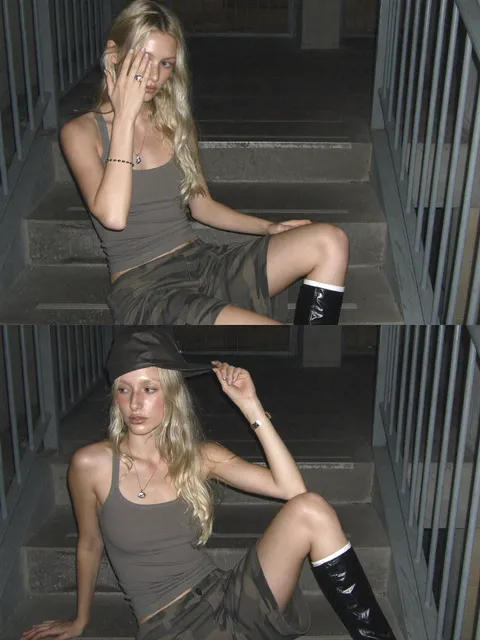
Why Stills Are the Fastest Route Into AI Video
Most teams that try AI video start the wrong way. They type a long prompt, wait, and get back something that looks almost right but has no connection to their brand, their product, or their story. Then they do it again, and again, burning hours chasing a result they could have reached from a single photograph in a fraction of the time.
Starting from a still image flips the whole process. You already control the composition, the lighting, the wardrobe, the product placement, and the color palette. The AI is not inventing your scene — it is animating a scene you already approved. That single change removes most of the randomness that makes generative video frustrating.
An AI picture animation generator takes one or more static images and produces a short video clip: a portrait that blinks and turns its head, a product shot where light sweeps across the surface, a landscape where clouds drift and water ripples, an illustrated character that walks. The technology behind it has matured quickly, and the practical question is no longer whether it works but which approach fits your project, your deadline, and the level of control you need.
This guide covers how these tools actually work, how to choose between them, a repeatable production workflow, and the mistakes that waste the most time.
How AI Image Animation Actually Works
From pixels to motion fields
Early animation tools moved pixels around using simple rules: push this region left, parallax that layer, warp this edge. The results read as cheap because they had no understanding of what was in the frame. A face could slide like a sticker on glass.
Modern systems use deep learning models trained on enormous collections of video. They learn statistical patterns about how objects move, how fabric folds, how hair behaves, how light changes when a camera moves. When you feed in a still, the model does not merely displace pixels — it predicts a plausible future for that scene and renders frames that did not exist.
That prediction is where both the magic and the failure modes live. The model guesses based on what it has seen before, so an unusual object, a strange angle, or an ambiguous shadow can produce warping, melting, or objects that appear and disappear between frames.
Text-to-video versus image-to-video
Text-to-video generates the whole scene from a description. It is excellent for mood boards, abstract backgrounds, and quick concepts, but it gives you almost no control over specifics. You cannot reliably reproduce the same character twice.
Image-to-video animates an existing frame. You keep authorship of the visual and delegate only the motion. For commercial work — advertising, ecommerce, brand social — this is almost always the better starting point because it preserves approved assets.
There is also a hybrid worth knowing: some workflows use a text prompt to guide motion while the image anchors appearance. You describe the camera move and the action, and the image keeps everything else stable.
What "consistency" really means
Consistency gets used loosely. In practice it has three separate meanings, and tools handle them differently:
- Temporal consistency — the same object should look the same from frame to frame. Failures here look like flickering textures or a jacket that changes shape.
- Identity consistency — a character's face should remain recognizably the same person across multiple shots.
- Style consistency — grain, color grading, and rendering style should match across a sequence stitched from several clips.
Most disappointing AI videos fail on one of these three, not on raw image quality. When you evaluate a tool, test each one deliberately rather than judging a single beautiful demo clip.
Choosing the Right Tool: Decision Criteria That Matter
Demos are marketing. Your checklist should be practical.
Control over motion. Can you specify a camera move, a subject action, or a duration, or are you limited to a single free-text prompt? The more granular the controls, the fewer generations you waste.
Maximum clip length. Many systems produce short bursts. If your edit needs an eight-second continuous shot, you need either a tool that generates longer or a clear strategy for extending and blending.
Resolution and aspect ratio. Vertical for social, wide for web hero sections, square for feeds. Check whether the tool outputs natively or requires upscaling afterward.
Reference support. Can you supply multiple images of the same subject so the model learns the face or product from several angles? This dramatically improves identity consistency.
Iteration speed. A weaker model that returns results in seconds is often more useful than a stronger one that takes many minutes, because animation is an iterative craft.
Licensing and commercial rights. Confirm what you are allowed to do with outputs, especially for client work.
Export and pipeline fit. Frame-accurate export, alpha channels, and standard codecs matter more than you expect once you move into an editor.
A useful rule: pick two tools, not one. Use a fast model for exploration and a high-fidelity model for final renders.
A Practical Workflow: From Reference Photo to Finished Clip
Step 1 — Prepare the still
Garbage in, garbage out applies here more than anywhere. Before animating:
- Crop to the target aspect ratio so the model is not guessing what is outside the frame.
- Clean up compression artifacts and noise; models amplify them.
- Separate the subject if you need independent control later.
- Make sure the lighting direction is unambiguous. Flat, shadowless images give the model no depth cues.
- Keep some headroom and background around your subject, because animation needs room to move.
Step 2 — Write a motion brief, not a scene description
The image already defines the scene. Your prompt should define only what changes.
Weak prompt: "A beautiful woman in a city, cinematic, highly detailed."
Strong prompt: "Slow push-in on the subject, subtle head turn to the right, hair moving gently in the wind, background traffic blurring past, shallow depth of field, no camera shake."
The second version works because it separates camera motion from subject motion and explicitly rules out artifacts.
Step 3 — Generate short, then extend
Start with the shortest duration the tool allows. Evaluate motion quality, artifact count, and identity stability. Only after you have a clip you like should you extend it or generate a longer take.
If the tool supports continuation, extend from the final frame rather than regenerating from scratch — you keep the established look and get a natural progression.
Step 4 — Stabilize and upscale
Generated motion often carries micro-jitter. A stabilization pass, even a subtle one, makes footage feel intentional rather than synthetic. Follow with an upscale step if you need delivery resolution, and do the upscale before color grading so grain is applied consistently.
Step 5 — Assemble, grade, and sound
Cut clips on motion — a push-in should end on a movement beat, not mid-drift. Grade the whole sequence together so style consistency is enforced at the timeline level. Then add sound: ambience, whooshes, footsteps, music. Sound is the single fastest way to make AI animation feel real, because viewers forgive visual imperfection far more readily than mismatched audio.
Prompting Motion: What Actually Changes the Output
Small wording changes produce large output changes. These are the levers worth learning:
Camera language. "Slow dolly in," "static tripod shot," "handheld drift," "crane up" — camera vocabulary is far more reliable than adjectives like "cinematic."
Action specificity. One clear action beats three vague ones. "She turns her head and smiles" will render; "she looks thoughtful and moves naturally" will not.
Negative instructions. Explicitly excluding what you do not want — extra fingers, morphing faces, text overlays, sudden zooms — measurably reduces those artifacts.
Motion intensity. Many tools accept a strength or motion-amount parameter. Low values preserve the original image closely; high values create more drama but more distortion. For product shots, stay low. For landscapes, you can push higher.
Style anchors. Mentioning the medium ("35mm film," "cel animation," "claymation") keeps the render consistent across clips.
Keep a running document of prompts that produced good results. Prompt libraries compound in value quickly on a team.
Keeping Characters and Products Consistent Across Shots
This is the hardest problem in AI video, and it is where most projects visibly break.
Build a reference set. Collect six to twelve images of your subject from different angles and lighting conditions. Tools that accept multiple references generate far more stable identities than single-image inputs.
Lock the character description. Write one canonical description — age range, hair, distinguishing features, wardrobe — and paste it verbatim into every prompt. Paraphrasing introduces drift.
Change one variable at a time. When moving from a medium shot to a close-up, keep lighting, wardrobe, and palette identical. Direct the camera, not the world.
Use the last frame as the next first frame. Chaining clips through their boundary frames is the most reliable way to preserve continuity across a sequence.
Accept controlled imperfection. A slight variation in a background extra is invisible to viewers. A shifting face is not. Spend your consistency budget on faces, logos, and hero products.
Test with an animatic. Before expensive high-quality renders, produce a cheap low-resolution version of the entire sequence. You will catch continuity problems at a fraction of the time cost.
Common Mistakes and How to Avoid Them
Overprompting. Long, poetic prompts dilute control. Short and specific wins.
Animating a bad image. If the still looks wrong standing still, it will look worse in motion. Fix the source first.
Ignoring aspect ratio. Generate in your delivery ratio. Cropping afterward throws away resolution and composition.
Chasing one perfect take. Generate variations in batches, then pick. Iterating on a single seed for an hour rarely beats ten quick alternatives.
Skipping sound design. Silent AI video feels like a tech demo. Sound makes it a piece of content.
Overusing motion. Everything moving at once reads as noise. Movement needs contrast — a static moment makes the next camera move feel powerful.
Forgetting continuity across clips. Colors, grain, and wardrobe must match at the sequence level, not the clip level.
No version control. Name files with the prompt, seed, and settings. You will want to reproduce a result and will not remember how you got it.
Where This Fits in Real Production
Marketing and social. Turn a single product photo into a scroll-stopping three-second loop. Reformat one hero image into vertical, square, and wide versions without a reshoot.
Ecommerce. Animate fabric movement, light sweeps, and subtle rotation to make static catalog photography feel alive. Motion increases dwell time measurably when it stays subtle.
Storyboarding and pitch work. Animating storyboard frames into a rough animatic communicates timing and mood to stakeholders far better than a slide deck of stills.
Historical and archival work. Bring old photographs into motion for documentary segments — with an ethical note that sensitive subjects deserve care and disclosure.
Education and explainers. Animate diagrams and illustrations so concepts move in step with narration, which improves retention.
Game and app assets. Generate looping environmental motion from concept art for menus, loading screens, and promotional pages.
Music and fashion. Stylized looping clips from editorial photography, where imperfection reads as intentional aesthetic.
Budgeting Time and Quality Realistically
Think in terms of iterations rather than minutes. A typical short clip needs three to eight generation passes to look good, plus editing time. Plan generously: the first pass is exploration, the middle passes fix artifacts, and the final pass is polish.
Define a quality floor before you start. If a clip must pass a client review at full screen, test at full screen early — artifacts that vanish in a small preview become glaring on a large display.
Batch similar work. Generating ten variations of one shot is far more efficient than generating ten different shots one at a time, because your evaluation criteria stay fresh and consistent.
Finally, decide what you will not fix. Some artifacts are cheap to remove in post; some are not. Knowing when to regenerate versus repair in the editor is the skill that separates fast creators from slow ones.
FAQ
Do I need artistic skill to use these tools?
Not for drawing, but a good eye helps enormously. The people who get the best results understand composition, lighting, and motion timing — skills that transfer directly from photography and filmmaking.
Can I animate a photo of a real person?
Technically yes, but consent and disclosure matter. Get permission, avoid implying someone said or did something they did not, and follow platform policies on synthetic media.
How long should my clips be?
Long enough to establish the motion and short enough to avoid displaying drift. For social, two to five seconds per shot is usually plenty when edited together.
Why does my subject's face change over time?
The model is extrapolating. Feed more reference images, reduce motion strength, shorten the clip, and chain from the last frame instead of regenerating.
What resolution should I generate at?
Generate at the highest your tool supports comfortably, then upscale for delivery. Generating low and upscaling two steps loses detail fast.
Should I animate from illustration or photography?
Both work. Illustrated sources are more forgiving of stylization; photographic sources demand more precision but feel more credible.
What is the best way to learn?
Animate the same image twenty times with small prompt variations. You will learn more about the model's behavior in one afternoon than from any tutorial.
Can I combine AI animation with real footage?
Yes, and it is often the strongest approach. Use animation for establishing shots, abstract transitions, or impossible camera moves, and keep real footage for anything requiring performance or dialogue.
Getting Started This Week
Pick one image you already own. Write a motion brief with a single camera move and a single action. Generate short, evaluate honestly, and extend only what works. Add sound. You will have a usable clip in under an hour, and a repeatable process in under a week.
The tools will keep improving, but the craft — clean source images, precise motion direction, ruthless iteration, and continuity discipline — is what makes AI picture animation look intentional rather than accidental. Build the workflow once and every future project gets faster.

Alexander
More Blogs
Read MoreVidu Q4 Alternatives: 4K AI Video Models Compared (2026)
Vidu Q4 alternatives compared: Kling 4.0, Seedance 2.5, Wan 3.0, and Runway Gen-4 — 4K support, input modes, durations, audio, and what each costs in credits on Domer.
Top 4K AI Image Generators in 2026: 5 Models Compared on Real Costs
The top 4K AI image generators on Domer compared: Flux 3 Klein, Nano Banana 2.1, GPT Image 2.5, GPT Image 2, and Nano Banana Pro — 4K credit costs, reference limits, and speed.
Nano Banana 2.1 vs GPT Image 2.5: Which Image Model Should You Use? (2026)
Nano Banana 2.1 vs GPT Image 2.5 Flare compared: credit costs per resolution, aspect ratios, reference images, text rendering, and which tasks fit each model.