

How AI Product Demos Transform E-commerce Video Marketing
Oct 15, 2026

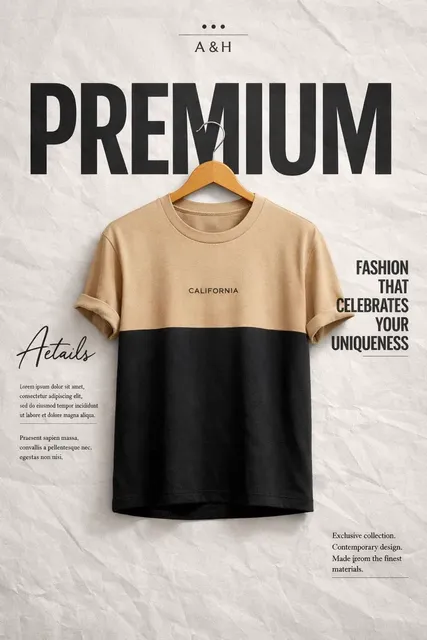
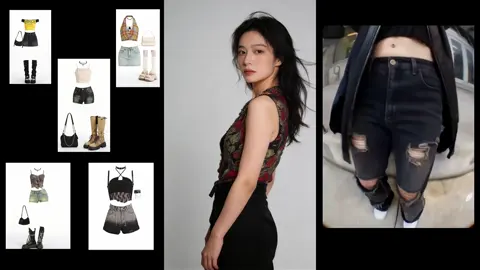
Why AI Product Demos Are Reshaping E-commerce Video
E-commerce teams face a hard truth: static product pages answer questions, but video creates desire. A shopper can read a spec sheet, compare materials, and scan reviews. What they cannot do from text alone is see how a jacket moves, how a lamp glows in a room, or how a blender handles frozen fruit in real time. Product demos close that gap. They turn features into felt experience, and they give buyers the confidence to click add to cart.
The problem is that traditional demo production does not scale. A single polished video can require a studio, talent, lighting, editing, motion graphics, voiceover, and weeks of coordination. Multiply that by product variants, audiences, regions, and campaign angles, and most teams cannot keep up. AI video workflows change the economics. They let brands turn existing photos, product data, and brand guidelines into multiple demo formats quickly, then iterate based on performance instead of guessing.
The shift from one-off production to repeatable systems
The most important change is not that AI can generate a clip. It is that AI can support a repeatable system. Instead of treating every video as a custom project, teams can build a pipeline: collect assets, define the message, generate scenes, lock the style, review, publish, and measure. That pipeline becomes an operational asset. It reduces dependence on a single editor or agency, and it makes testing practical. When a new product launches, the team is not starting from zero. They are feeding the system with new inputs.
This shift matters because e-commerce is continuous. Products go in and out of stock, prices change, seasons turn, and competitors move. A repeatable video system keeps messaging fresh without a full production reset. It also makes personalization possible. If the system can produce ten variants as easily as one, the team can test different hooks, formats, and audiences without doubling the workload.
What a modern AI product demo includes
A modern AI product demo is more than a generated clip. It usually combines several layers:
- A clear conversion goal, such as explaining a feature, overcoming an objection, or showing a use case.
- Product visuals drawn from photography, 3D renders, screen recordings, or existing video.
- A consistent visual style that matches the brand, including color, lighting, typography, and pacing.
- A narrative structure, often problem to solution to proof to call to action.
- Voiceover, music, captions, and on-screen text that work with sound off.
- Variants for different platforms, languages, and audience segments.
- Measurement hooks so the team can see which version performs best.
When these layers are managed together, AI video becomes a marketing capability rather than a novelty. The goal is not to replace every human creative decision. It is to remove the friction that keeps good product stories from reaching the right buyer.
The Core Workflow: From Product Data to Publishable Video
A reliable AI demo workflow has six phases. The exact tools can vary, but the sequence protects quality and keeps the team aligned.
Phase 1: Define the conversion job
Before generating anything, write down the job the video must do. A demo for a high-consideration purchase, such as a laptop or mattress, may need to answer durability and return-policy questions. A demo for an impulse buy, such as a phone accessory, may need to create a fast emotional hook. The conversion job determines length, pacing, script, and call to action.
Useful conversion jobs include:
- Explain how the product works in under fifteen seconds.
- Show the product in three real-life contexts.
- Compare two models without confusing the viewer.
- Reduce uncertainty around sizing, setup, or compatibility.
- Support a seasonal promotion with a clear offer.
When the job is vague, the video becomes a collage of features. When the job is specific, every scene earns its place.
Phase 2: Assemble source assets
AI video quality depends heavily on input quality. Gather product photography from multiple angles, lifestyle images, packaging shots, logo files, brand fonts, color values, approved claims, customer reviews, and any existing footage. For products with complex mechanisms, include 3D files or exploded-view renders if available.
Organize assets by product, use case, and audience. A simple naming system prevents the common mistake of generating a beautiful clip with the wrong color variant. Also create a fact sheet with dimensions, materials, compatibility notes, and legal disclaimers. The fact sheet becomes the source of truth for scripts and captions.
Phase 3: Generate first-pass scenes
This is where AI video tools enter. Depending on the asset type, you can use text-to-video for conceptual scenes, image-to-video for animating product photos, or multi-image fusion to combine several angles into one coherent sequence. Tools such as Runway, Pika, Luma, Kling, and similar platforms each have strengths. Some excel at realistic motion, others at stylized effects, and others at fast iteration.
Generate rough scenes before polishing. The first pass is about story and composition, not final quality. Create a shot list with short descriptions: hero shot, in-use shot, detail shot, comparison shot, and closing card. Then generate two or three options for each shot. This keeps the process creative without turning it into an endless slot machine.
Phase 4: Control consistency
Consistency is the difference between a professional demo and a random collection of clips. Characters, products, backgrounds, and lighting should feel like they belong to the same world. Use style references, seed values, image conditioning, and character-locking features when available. If the platform supports custom model training, train on approved brand assets so the output stays closer to your visual identity.
Consistency also applies to product accuracy. A generated video must not invent a feature, change a logo, or show a color that is not for sale. Keep a product accuracy checklist beside the timeline. Every scene should pass it before moving forward.
Phase 5: Localize and personalize
Once the core demo works, create variants. Localization may involve translating captions, replacing voiceover, changing currency symbols, or adjusting cultural references. Personalization may involve different hooks for different audience segments, such as first-time buyers versus returning customers. A modular approach helps: keep the product footage stable and swap the opening hook, testimonial, or closing offer.
Do not over-localize by stereotypes. Use real customer data and market research. A variant that feels forced can damage trust faster than a generic version.
Phase 6: Review, approve, publish
Set a review gate before publishing. Check claims, captions, audio levels, aspect ratios, thumbnails, and destination requirements. Different platforms have different specs: vertical for social, square for some feeds, horizontal for product pages, and silent autoplay for many placements. Export the right versions rather than cropping a single master at the last minute.
After publishing, tag the video with campaign, product, audience, and variant information. That metadata makes later analysis possible. Without it, the team learns very little from a successful or unsuccessful launch.
Personalization at Scale Without Losing Brand Control
Personalization is one of the strongest arguments for AI-assisted video. Instead of showing every shopper the same demo, teams can match the message to the moment. But personalization only works when it is built on a clear strategy.
Segmenting by intent, not just demographics
Demographics can inform tone, but intent is more useful for product demos. A shopper comparing two models needs different information than a shopper who already knows the product and is looking for a reason to buy now. Intent segments might include:
- Researchers who need comparison and proof.
- Ready buyers who need reassurance and speed.
- Gift shoppers who need occasion-based inspiration.
- Returning customers who need accessory or refill ideas.
- Mobile viewers who need a fast visual answer.
Each segment suggests a different opening, length, and call to action. AI makes it practical to produce these variants without a full reshoot.
Dynamic creative building blocks
Think of each demo as a set of blocks: hook, problem, product reveal, feature proof, social proof, offer, and closing. AI tools can generate or assemble these blocks quickly. The team can then test which combination performs best. For example, a home goods brand might test a problem-first hook against a room-transformation hook. A skincare brand might test a texture close-up against a before-and-after sequence.
The key is to keep brand blocks locked. Logo placement, color palette, typography, and product claims should not vary randomly. Only the variables under test should change.
Guardrails that protect the brand
Set guardrails before scaling. These include approved claims, banned phrases, required disclaimers, product accuracy checks, and a human approval step for anything that makes a health, safety, or financial promise. AI can accelerate production, but it should not be allowed to invent facts. A strong workflow treats generation as a draft engine, not an autonomous publisher.
Consistency, Style, and Character Locking
Consistency is a technical challenge and a brand challenge. Viewers may not articulate why a video feels off, but they notice when a product changes shape, a model changes face, or the lighting shifts from warm to cold between scenes. Those inconsistencies reduce trust.
Why consistency matters for product trust
A product demo is a promise. It shows what the buyer will receive. If the video looks unstable, the product may feel unstable too. Consistent characters, settings, and product details make the demo feel credible. This is especially important for fashion, furniture, electronics, and beauty, where appearance and fit are central to the purchase decision.
Practical techniques for consistent AI video
- Use a reference image for every scene that includes the product or presenter.
- Keep a fixed seed or style setting when the tool supports it.
- Generate all scenes for one concept in the same session or project.
- Use color grading and overlays to unify scenes after generation.
- Create a brand look book with approved lighting, backgrounds, and camera angles.
- Train a custom style model on approved assets if the platform allows it.
- Review at thumbnail scale to catch obvious inconsistencies quickly.
When to use a human presenter vs AI presenter
AI presenters are useful for scalable explanations, synthetic voiceovers, and scenarios where a human model would be expensive or impractical. Human presenters are stronger when the product depends on genuine emotion, expert credibility, or nuanced demonstration. Many successful workflows combine both: AI-generated b-roll and product scenes with a human host recorded separately.
Repurposing Product Photos into Video
Most e-commerce brands already have a deep library of product photography. That library is fuel for AI video. Instead of treating photos as static assets, teams can animate them, combine them, and place them into generated scenes.
Multi-image fusion and motion inference
Multi-image fusion takes several still images and uses them to create a more complete visual understanding of the product. The AI can infer depth, angle, and context, then generate motion that feels natural. A shoe photographed from five angles can become a rotating hero shot. A coffee maker photographed on a counter can be placed into a morning routine scene. A handbag can move from studio background to street scene without a new shoot.
The results are not always perfect, so review carefully. Product edges, logos, textures, and reflective surfaces are common problem areas. Use fusion for establishing shots, transitions, and lifestyle context, and keep the sharpest stills for moments when product detail matters most.
Shot list for e-commerce demos
A practical shot list might include:
- Opening hook that shows the problem or desire.
- Product reveal with clean hero angle.
- Feature close-up that proves a key claim.
- In-use scene that shows scale, fit, or context.
- Comparison or variant shot if the product has options.
- Social proof moment using reviews or ratings.
- Closing card with offer and next step.
This structure works for many categories because it mirrors how shoppers evaluate a purchase. It moves from attention to understanding to confidence.
Asset quality checklist
Before generating, check resolution, lighting, background cleanliness, color accuracy, and legal usage rights. Blurry inputs produce blurry outputs. Inconsistent color temperature across photos creates jarring transitions. A few minutes of asset cleanup can save hours of regeneration.
Cost, Speed, and Production Quality Trade-offs
AI video is not automatically cheaper or better. It changes the shape of the cost curve. Traditional production has high upfront costs and slow turnaround. AI workflows have lower marginal costs per variant, but they require review, editing, and strategy to be useful.
Where AI wins
AI is strong when the goal is speed, volume, or rapid testing. It is also useful for concepts that would be expensive to shoot, such as fantasy environments, animated explainers, or multiple seasonal versions. Small teams can compete with larger budgets by producing more iterations and learning faster.
Where hybrid production still wins
Hybrid production wins when the product requires precise demonstration, human emotion, or regulated claims. Food texture, fabric drape, medical devices, and complex software interfaces often need real footage or screen recordings. AI can still support the workflow through storyboards, rough cuts, captions, and variant generation.
Decision matrix
Ask four questions before choosing a production path:
- Does the viewer need to trust the exact physical product?
- Is the message more about emotion, mechanism, or information?
- How many variants and platforms must be supported?
- What is the cost of a mistake in terms of returns or brand trust?
If trust and accuracy are high stakes, keep humans in the loop and use AI for support. If speed and iteration matter most, let AI lead the first pass and refine from there.
Analytics and Iteration: Making AI Demos Accountable
AI video can produce many versions, but volume without measurement is noise. The workflow should connect each demo to a metric and a hypothesis.
Metrics that map to revenue
Useful metrics include click-through rate, add-to-cart rate, conversion rate, average watch time, completion rate, return rate, and revenue per visitor. For product pages, also track scroll depth and video play rate. For social placements, track thumb-stop rate and shares. The right metric depends on the conversion job.
A/B testing workflow for AI video
Test one variable at a time. Common variables include hook, length, presenter type, music, caption style, product angle, and offer. Run the test long enough to reach a reasonable sample, and avoid declaring a winner based on a few hours of data. If the platform supports it, keep the product footage constant and swap only the element under test.
Attribution and feedback loops
Tag every variant with a consistent naming convention. Feed performance data back into the creative brief. If problem-first hooks outperform product-first hooks for a category, make that the default. If a certain style underperforms, retire it. The goal is to build an institutional memory of what works, not just a folder of generated clips.
Common Mistakes and How to Avoid Them
Mistake 1: Chasing novelty over clarity
AI can create spectacular visuals, but spectacle does not always sell. A demo should make the product easier to understand. If a generated scene distracts from the product, cut it. Clarity beats cleverness in most e-commerce contexts.
Mistake 2: Ignoring audio and captions
Many viewers watch with sound off. Captions are not optional. Music should support the mood without overwhelming the voiceover. Audio levels should be consistent across variants. A great visual demo with bad audio feels amateurish.
Mistake 3: Too many variants without a hypothesis
Generating fifty versions does not guarantee learning. Each variant should test a specific idea. Otherwise the team cannot tell why one version won. Start with a few meaningful tests and expand as patterns emerge.
Mistake 4: Platform spec neglect
A vertical video cropped into a horizontal player loses impact. Export correctly for each destination. Check safe zones for captions, thumbnails, and interface overlays. A strong workflow includes a spec sheet for every placement.
Mistake 5: Unreviewed claims and compliance risk
AI can generate persuasive copy quickly, including claims the brand cannot support. Always review for accuracy, legal compliance, and cultural sensitivity. In regulated categories, require expert review before publishing.
Tool Selection Criteria for AI Video Workflows
There is no single best AI video tool. The right choice depends on the product, team, and output requirements.
What to evaluate
- Output quality for your specific product category.
- Consistency controls such as style references and character locking.
- Image-to-video and multi-image capabilities.
- Custom training options for brand-specific looks.
- Collaboration features for review and approval.
- Export options for different aspect ratios and resolutions.
- Integration with your asset library and analytics stack.
- Licensing terms for commercial use.
Build, buy, or hybrid
Buying a ready-made platform is fastest. Building a custom pipeline offers more control but requires technical resources. A hybrid approach is often best: use established tools for generation, then add custom review, tagging, and distribution layers. This keeps the team flexible without reinventing every component.
Tool recommendations by job
For fast concept generation, tools like Runway, Pika, and Luma are common choices. For image animation and product photo repurposing, image-to-video features in Kling and similar platforms can work well. For editing, captions, and social cuts, CapCut, Descript, and Adobe Premiere remain practical. For design systems and branded templates, Canva and Figma support consistency before and after generation. The best stack is the one your team can operate repeatedly.
FAQ
How long should an e-commerce product demo be?
Most product page demos work best between fifteen and forty-five seconds. Social demos may need to be shorter, often six to fifteen seconds, to stop the scroll. Complex products can support longer videos, but the first few seconds must earn attention. Put the clearest benefit or visual hook at the very beginning.
Can AI video replace product photography?
Not entirely. Product photography still provides accurate color, texture, and detail. AI video is better at extending that photography into motion, context, and variants. The strongest approach uses photography as the source of truth and AI as the motion layer.
How do I keep AI-generated product demos accurate?
Create a product fact sheet and an accuracy checklist. Use reference images, review every scene against the real product, and require human approval before publishing. Never let AI invent specifications, materials, or performance claims.
What is the best workflow for small teams?
Start with one product and one clear conversion job. Use existing photos to generate a short demo, add captions and music, and publish in two or three placements. Measure the results, keep one variable to test next, and build a reusable template from what works. Small teams win by iterating consistently, not by generating the most clips.
How do I test AI video without risking brand trust?
Keep the product footage and claims locked while testing creative elements like hook, pacing, or music. Use a review gate before publishing. If a test involves a new style, run it in a low-risk placement first, such as a social channel or email, before putting it on a high-traffic product page.
Do I need a custom model?
Only if generic tools cannot match your brand look closely enough. Custom training can help with consistent characters, product styles, or recurring environments. For many teams, a well-organized asset library, strong reference images, and a disciplined review process deliver most of the benefit without custom training.

Alexander
More Blogs
Read MoreVidu Q4 Alternatives: 4K AI Video Models Compared (2026)
Vidu Q4 alternatives compared: Kling 4.0, Seedance 2.5, Wan 3.0, and Runway Gen-4 — 4K support, input modes, durations, audio, and what each costs in credits on Domer.
Top 4K AI Image Generators in 2026: 5 Models Compared on Real Costs
The top 4K AI image generators on Domer compared: Flux 3 Klein, Nano Banana 2.1, GPT Image 2.5, GPT Image 2, and Nano Banana Pro — 4K credit costs, reference limits, and speed.
Nano Banana 2.1 vs GPT Image 2.5: Which Image Model Should You Use? (2026)
Nano Banana 2.1 vs GPT Image 2.5 Flare compared: credit costs per resolution, aspect ratios, reference images, text rendering, and which tasks fit each model.