
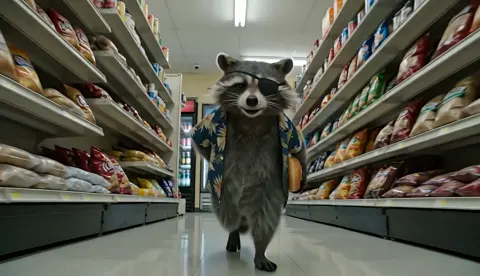
Level Up Your Edutainment: AI Storytelling Prompts for the Classroom
Aug 4, 2026
Are you an educator looking to make lessons stick? AI-powered storytelling is transforming classrooms by turning dry facts into visual narratives your students will actually remember. With a few well-crafted prompts, you can create short video stories, character-consistent animations, and interactive "what-if" scenarios that boost engagement and deepen understanding. This guide covers the essentials of AI prompt engineering for edutainment—from choosing the right visual style to building your own classroom video projects. No advanced technical skills required.
Why AI Storytelling Works in the Classroom
Traditional slide presentations often lose students within minutes. AI-generated narratives, on the other hand, tap into our innate love for stories. Research shows that narrative-driven video content can achieve significantly higher recall rates compared to static text or images. When students see a historical figure come to life or watch a scientific process unfold in a coherent visual sequence, the lesson becomes easier to comprehend and retain. The key is using AI to create consistent characters and settings across multiple scenes, so students don't get distracted by shifting visual styles.
Modern AI video generators make this possible. Instead of stitching together separate images, you can generate full story sequences from text prompts. Many platforms now offer multi-image fusion, allowing you to lock in a character's appearance and carry it through different scenes, lighting conditions, and even different model generations. For educators, this means you can create a recurring avatar for a historical figure, a science mascot, or a fictional guide that appears in every lesson module.
Craft a Visual Style That Matches Your Subject
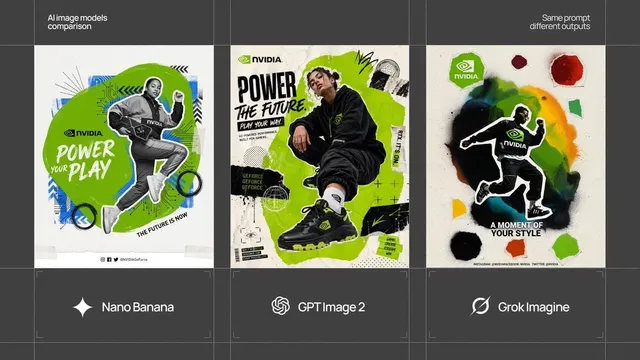
Not all AI models render content the same way. Some specialize in photorealism, ideal for biology dissections or architectural history. Others lean into stylized, artistic interpretations, which work better for abstract concepts like quantum mechanics or philosophical debates. The right style helps students immediately understand the tone of the lesson.
If you're teaching something concrete, choose a photorealistic renderer. For example, Domer's AI video generator can produce lifelike scene sequences from text, making it easier for students to visualize real-world environments. For more imaginative topics, consider a model like GPT Image 2 for generating stylistic visuals that make abstract ideas tangible. Think about your learning objectives: do you want students to feel like they're observing a documentary, or do you want them to engage with a symbolic recreation? Your model choice shapes their emotional response.
Build Prompts That Enforce Learning Goals
A generic AI prompt like "show me the water cycle" will produce generic results. Effective classroom storytelling requires structured prompts that embed factual constraints, narrative direction, and visual cues. Here are three layers to include:
- Learning objective: Start with the specific outcome you want. For example, "Students must explain how evaporation drives the water cycle, so show a clear visual sequence of a droplet from ocean to cloud."
- Contextual detail: Add dates, locations, scientific laws, or character names. The AI needs specific hooks to avoid hallucinations. For a lesson on Elizabethan England, specify clothing, architectural styles, and actual historical events.
- Visual direction: Describe the camera style and pacing. Instruct the AI with vivid language: "Use a slow zoom over the Forth Bridge, with dramatic lighting at sunset" produces a more purposeful shot than "make a video about bridges."
You can also give the AI a first frame and a last frame to define the narrative arc. Many tools now support first-last-frame prompting, where you upload a starting image and an ending image to guide the sequence. This is powerful for demonstrating cause-and-effect relationships in science or showing the progression of a historical conflict.
Use Feedback Loops and Iteration
Your first AI output is rarely perfect. The good news is that you can refine it in a systematic cycle. Generate a rough draft with a fast, low-cost model to test the narrative structure. Review the results, note any flaws in pacing, lighting, or factual representation, then adjust your prompt or switch to a higher-fidelity model for the final render.
This iterative workflow is a great way to save time and resources. You don't need to generate a finished movie in one pass. Start with quick storyboard frames, experiment with different visual styles, and then commit to a full video render only once you're satisfied with the direction. Iterating at the prompt level also helps you build a library of reusable prompts that you can share with colleagues or adapt for different topics.
Integrate AI Narratives into Your Curriculum
AI videos are not just a replacement for PowerPoint slides. They can be woven into your curriculum as interactive learning objects. Here are some assessment ideas that go beyond typical quizzes:
- Spot the inaccuracy: Show students two AI-generated videos on the same topic—one factually correct, one with a subtle error. Ask them to identify the error using their subject knowledge.
- Prompt reconstruction: After watching an AI-generated sequence, have students write the prompt they think would produce that exact video. This teaches them to think critically about how AI works and communicate clearly.
- Character motivation analysis: When using AI to recreate historical speeches or dialogues, ask students to analyze the AI-generated non-verbal cues. Does the facial expression match the tone of the speech? What mood does the lighting create? This develops media literacy alongside historical empathy.
Such assessments test higher-order thinking skills, pushing students from passive viewers to active critics.
Get Students Creating Their Own AI Stories
One of the most exciting developments is students moving from consumers to creators. With user-friendly AI tools, middle and high schoolers can learn prompt engineering as a core digital skill. Start with simple projects: ask students to visualize a scene from a novel, reenact a chemical reaction as a short story, or create a "day in the life" video from a historical figure's perspective.
Workshops can begin with basic text-to-image tools. For example, Domer's AI image generator lets students create character portraits or scene keyframes quickly. From there, progress to full motion sequences using dedicated video models like Seedance 2.0, which excels at natural, coherent motion. As students become more advanced, they can combine images and videos to produce a multi-scene narrative, following the same character across time and location.
Encourage students to share their prompts and discuss why certain wordings produce better results. This collaborative approach fosters peer learning and builds a classroom community of AI-literate creators.
Final Thoughts
AI is not here to replace teachers; it's here to give you unlimited creative potential for your lessons. By learning to craft structured prompts, choosing the right model for your subject, and using an iterative workflow, you can create a library of engaging, curriculum-aligned edutainment in minutes. The future of education is hybrid—human empathy combined with machine generation. Start small, experiment often, and let your students' imaginations be the judge.
If you're ready to dive deeper, explore Domer's AI video generator or text-to-video tools to begin your first classroom story project today.

Alexander
More Blogs
Read MoreVidu Q4 Alternatives: 4K AI Video Models Compared (2026)
Vidu Q4 alternatives compared: Kling 4.0, Seedance 2.5, Wan 3.0, and Runway Gen-4 — 4K support, input modes, durations, audio, and what each costs in credits on Domer.
Top 4K AI Image Generators in 2026: 5 Models Compared on Real Costs
The top 4K AI image generators on Domer compared: Flux 3 Klein, Nano Banana 2.1, GPT Image 2.5, GPT Image 2, and Nano Banana Pro — 4K credit costs, reference limits, and speed.
Nano Banana 2.1 vs GPT Image 2.5: Which Image Model Should You Use? (2026)
Nano Banana 2.1 vs GPT Image 2.5 Flare compared: credit costs per resolution, aspect ratios, reference images, text rendering, and which tasks fit each model.