
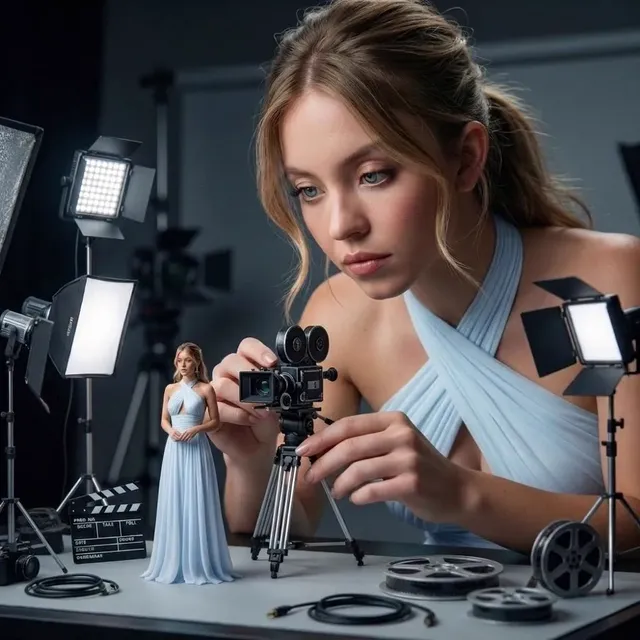
AI Video Campaigns for Social Media: A Practical Workflow
Oct 15, 2026
Video is no longer one of several formats a social team can pick from. It is the format the platforms are built to reward, the format audiences expect in their feed, and the format most brands still struggle to produce at a consistent pace. Generative video tools have changed the economics of that problem, but they have not removed the craft. What follows is a practical workflow for planning, generating, editing, and measuring AI-assisted video campaigns without losing the thing that makes people stop scrolling: a recognizable brand and a clear reason to watch.
Why AI video is now the baseline for social campaigns
The case for AI-assisted video used to rest on novelty. Today it rests on three operational realities.
First, feed volume has grown faster than most creative teams can match. A brand that used to publish four videos a month is now competing against accounts publishing four a day. Generative tools let a small team produce enough variants to stay visible without hiring a production crew for every concept.
Second, personalization has become a performance lever rather than a nice-to-have. The same core idea can be re-cut with different openings, different spokespeople, different languages, and different offers, then matched to specific audience segments. Doing that with traditional shoots means paying for every version. Doing it with generated footage means paying mostly in review time.
Third, iteration speed compounds. A hook can be rewritten, regenerated, and retested within a day. Teams that treat creative as a continuous experiment rather than a quarterly deliverable tend to find winning angles earlier and retire losing ones faster.
None of this lowers the quality bar. If anything, the bar rises, because audiences are now fluent in the visual grammar of generated video. Slightly melted hands, shifting facial features between shots, and unmotivated camera moves read as noise. The workflow below is designed to keep output high while keeping those signals out of the final cut.
Designing the pipeline before you generate anything
Most failed AI video projects fail before generation starts. The team opens a tool, prompts something attractive, and then has to reverse-engineer a campaign around it. A better order is brief, skeleton, generation, assembly, distribution. Each stage gets a gate, and nothing moves forward until the gate is passed.
Stage one: brief, hook, and script skeleton
Write the hook before you write the shot list. A hook is one sentence that states what the viewer gets, what it costs them, or what they will see that they have not seen before. From there, sketch a five-beat skeleton: hook, context, demonstration, proof, call to action. On a vertical platform, each beat is roughly three to six seconds.
At this stage you should also define the constraints that generation cannot fix later: aspect ratio, target duration, caption style, whether the piece needs music or spoken audio, and which claims require substantiation. Getting legal or brand sign-off on the claim set here saves a full regeneration cycle later.
Stage two: generation, selection, and asset hygiene
Generate in batches, not one clip at a time. For each beat, produce four to eight options with deliberately varied framing and pacing, then select on a simple rubric: does it read instantly, does it match the style kit, and does it hold up when captioned. Immediately rename selects with a consistent convention such as campaign-beat-take-version, and delete rejected generations so the library does not fill with near-duplicates that confuse editors later.
This is also where you check for the artifacts that matter most: inconsistent eye direction between reverse shots, wardrobe or hair changes between angles, background objects that appear or vanish, and text renders that are almost but not quite legible. Regenerate rather than repair when the problem is structural. Repair when it is a crop, a color mismatch, or a timing issue.
Stage three: assembly, captions, and platform variants
Edit in a timeline tool rather than inside a generation tool, even if the generator offers a built-in editor. Timeline editing gives you frame-accurate trims, audio ducking, and reusable templates. Burn in captions for the first version of every clip, because a large share of feed viewing happens with sound off, then keep a clean version for platforms that auto-caption well.
Export one master at the highest sensible resolution, then derive the platform variants from it. Lock the master before you start cutting verticals, or you will find yourself re-editing the same 20 seconds five times.
Matching the right model to the right shot
No single generative engine is best at everything. Building a small, intentional toolkit beats chasing every new release. Think in terms of three job types.
Cinematic narrative and dialogue-driven scenes
When a sequence needs believable human performance, controlled camera language, and continuity across several shots, favor engines that handle longer, more deliberate generations and support reference-driven consistency. These are the right choice for brand films, founder stories, and any piece where the audience must believe the person on screen is a person.
Expect to spend more time per second here. That is the trade: slower generation in exchange for footage that does not need heavy masking to be usable.
Motion, loops, and short-form energy
For product spins, abstract transitions, kinetic typography backplates, and three-second loops, choose engines optimized for motion coherence and speed. Short clips hide continuity problems, so you can accept a faster, less polished model as long as movement reads cleanly and the loop point is invisible.
Image-to-video and style-controlled shots
When you already own the exact frame you want, start from that frame and animate it. Image-to-video workflows are the most reliable way to keep a product looking like the actual product, since the model is constrained by your reference rather than inventing geometry. The same logic applies to style: supplying a reference image or a tight style prompt keeps a series visually coherent across an entire campaign.
| Job type | What matters most | Where teams go wrong |
|---|---|---|
| Cinematic narrative | Continuity, performance, camera control | Expecting one prompt to deliver a full scene |
| Short-form motion | Loop quality, speed, readable movement | Over-detailing the prompt and losing motion |
| Image-to-video | Fidelity to the source frame | Feeding a low-resolution or poorly lit reference |
| Style series | Consistent palette and texture | Changing models mid-campaign |
A practical rule: pick two or three engines per campaign and stay with them until the campaign ends. Switching engines mid-flight produces a visual patchwork that no amount of color grading fully hides.
Keeping a brand recognizable at high output volume
Volume dilutes identity unless identity is encoded. Two mechanisms do most of that work.
Character and scene locking
If a campaign features a recurring person or location, lock it. That means creating a reference set, using it consistently as input, and documenting the exact settings that produced each approved frame. When a new variant is needed, start from the locked reference rather than from a fresh text prompt. This is the difference between a campaign that feels like a series and one that feels like a stock montage.
Keep a written continuity sheet: wardrobe, hair, props present, time of day, lens feel. Even a few lines prevents the classic failure where a character's jacket changes color between two shots that run back to back.
Style kits: color, type, motion signatures
A style kit is a small document that defines the palette, the type treatment, the caption position, the music character, and the motion signature, which is the way your brand moves. Some brands always push in. Some always cut on the beat. Some always use a specific transition. Repeating one motion signature across a campaign makes clips feel related even when their content differs.
Apply the style kit in the edit, not only in generation. Generated footage is raw material; grading, caption placement, and sound design are where cohesion is actually built.
Hook craft: earning the first two seconds
Short-form platforms decide your reach in the opening moments, so treat the first two seconds as the most important shot in the piece. Four patterns work repeatedly.
- Pattern interrupt. Show something visually unexpected that still relates to the product.
- Specific claim. Replace vague promises with a concrete number, timeframe, or outcome.
- Visual contradiction. Show the problem in an exaggerated but recognizable way before showing the fix.
- Implied stakes. A question that makes the viewer aware of something they might be losing.
What fails is remarkably consistent: a slow logo animation, a title card that explains the premise, a wide establishing shot, or on-screen text that repeats the voiceover verbatim. Generated video makes it tempting to open with the most beautiful shot rather than the most arresting one. Resist that. Beauty earns admiration; tension earns attention.
Build hook variants deliberately. Generate the same five-beat skeleton three times with different openings, holding everything else constant so that when one outperforms, you know why.
Testing and measurement that actually informs creative
Creative testing in social video is often run badly: too many variables, too little volume, and conclusions drawn from a single day of data. A cleaner approach is sequential testing.
Hold the body of the ad constant and test one variable at a time. Start with hooks, because they drive the top of the funnel. Once you have a winning hook, test the call to action. Then test the visual treatment. Within each round, run at least three variants and let them accumulate enough impressions that early noise does not decide the outcome.
Track a short set of metrics that map to different points in the journey:
- Three-second hold tells you whether the hook worked.
- Completion rate tells you whether the pacing worked.
- Saves and shares tell you whether the content had standalone value.
- Click-through and cost per result tell you whether the offer landed.
- Assisted conversions or post-purchase survey responses tell you whether the campaign actually sold anything.
Attribution is imperfect on every platform, so combine platform reporting, consistent UTM naming, and at least one self-reported signal such as a checkout question. Treat the numbers as directional and use them to rank creative, not to declare precise causality.
One more thing: archive the raw generations behind every winning clip. When a top performer emerges, the fastest path to a follow-up is usually a variation of the same footage, not a fresh concept.
Reformatting and distribution without re-shooting
A single master can serve six placements if you plan the derivatives. Vertical, square, and landscape crops are the baseline; beyond that, consider a short cut for feeds, a longer cut for platforms that reward watch time, and a caption-heavy cut for sound-off environments.
Respect safe zones. Interface elements at the bottom and top of vertical screens will cover your captions and your call to action if you ignore them. Keep the subject centered enough that a crop does not decapitate the composition, and shoot or generate with extra headroom and side margin so reframing stays possible.
Publish in batches rather than one clip at a time. A batch makes it easier to keep visual consistency, and it gives you enough simultaneous data to compare hooks rather than guessing from a single post.
Common mistakes and how to avoid them
Chasing every new model. A rotating toolkit destroys visual consistency and wastes setup time. Pick two or three engines per campaign and finish the work.
Skipping the style kit. Without defined colors, type, and motion, high-volume output looks like a collection of unrelated clips.
Treating audio as an afterthought. Sound design, music pacing, and voice consistency do as much for perceived quality as the visuals.
Letting the AI look dominate. Audiences recognize the default generated aesthetic. Grading, grain, and real product footage mixed into the sequence reduce that tell.
Publishing unverified claims. Generated footage can illustrate a claim, but it cannot substantiate one. Route every factual statement through the same review it would get in any other channel.
Forgetting disclosure. Where a platform requires synthetic media to be labeled, label it. Where a claim depends on a testimonial, use a real one.
No review gate. A single person approving every clip before publish catches continuity breaks, caption typos, and compliance issues far more cheaply than a post-publish cleanup.
FAQ
How many videos should a small team aim to produce per campaign?
A useful starting point is one master concept expanded into three hook variants and three placement crops, which yields nine or more publishable assets from a single production cycle. Scale up only when your review process can keep pace.
Do I need multiple generative engines?
Two or three is usually enough: one for cinematic and character work, one for fast motion and loops, and optionally one for image-to-video fidelity. More than that adds coordination cost without proportional gains.
How do I keep characters consistent across shots?
Build a reference set, lock the settings that produced your approved frames, and start every new generation from the reference rather than from a text prompt alone. Keep a continuity sheet covering wardrobe, props, and lighting.
Is generated video good enough for paid advertising?
It can be, provided the footage is graded, captioned, and reviewed like any other asset. Many brands use generated footage for b-roll, transitions, and concept variants while keeping real product shots and real testimonials in the mix.
How long should a short-form ad be?
Long enough to complete the five-beat skeleton and no longer. Many effective pieces land between fifteen and thirty seconds. If the idea needs more, consider a longer cut for one platform and a tightened cut for the rest.
What should I measure first?
Three-second hold. It isolates the hook, which is the highest-leverage variable and the cheapest one to change, since it usually requires regenerating a few seconds rather than a whole scene.
How do I avoid continuity errors?
Generate in batches from a locked reference, watch each beat in sequence before exporting, and review at full size rather than in a grid of thumbnails where small shifts are invisible.
What does a sustainable weekly cadence look like?
One production day that generates all footage for the week, one editing day that produces masters and crops, and a short daily check to publish and record results. Batching keeps consistency high and prevents the daily scramble that leads to off-brand output.
Bringing the workflow together
The teams getting the most from generated video are not the ones with the longest list of tools. They are the ones who wrote down a hook structure, built a style kit, locked their characters and settings, tested one variable at a time, and archived the footage behind their winners. Generative engines keep improving, and new ones will keep arriving. A workflow that treats them as interchangeable suppliers inside a disciplined creative process will keep producing good campaigns long after the novelty of any single model has worn off.

Alexander
More Blogs
Read MoreVidu Q4 Alternatives: 4K AI Video Models Compared (2026)
Vidu Q4 alternatives compared: Kling 4.0, Seedance 2.5, Wan 3.0, and Runway Gen-4 — 4K support, input modes, durations, audio, and what each costs in credits on Domer.
Top 4K AI Image Generators in 2026: 5 Models Compared on Real Costs
The top 4K AI image generators on Domer compared: Flux 3 Klein, Nano Banana 2.1, GPT Image 2.5, GPT Image 2, and Nano Banana Pro — 4K credit costs, reference limits, and speed.
Nano Banana 2.1 vs GPT Image 2.5: Which Image Model Should You Use? (2026)
Nano Banana 2.1 vs GPT Image 2.5 Flare compared: credit costs per resolution, aspect ratios, reference images, text rendering, and which tasks fit each model.