
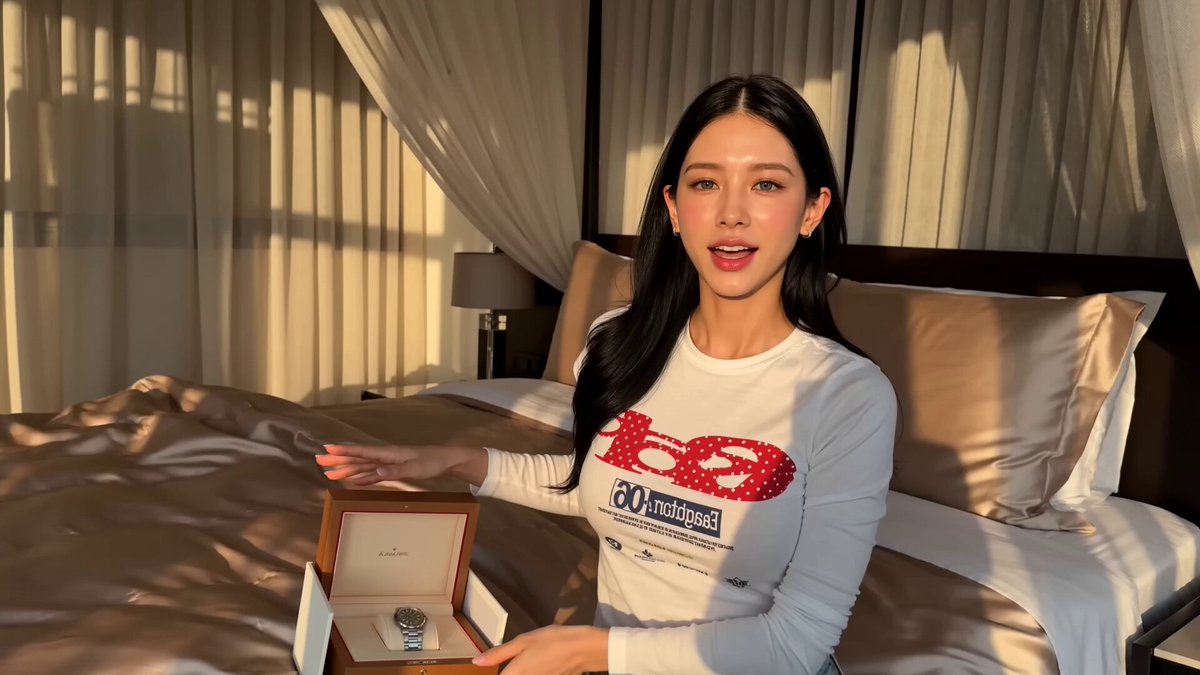
AI Video From Script: A Practical Marketing Workflow
Oct 1, 2026
Why Script-First AI Video Became a Marketing Default
Most marketing teams do not have a video problem. They have a throughput problem. A single product launch needs a hero film, three vertical cuts, a handful of testimonial clips, an animated explainer, and localized variations for every market the brand sells into. Traditional production answers that with a shoot day, an editor, a motion designer, and a week of review cycles. The script, which is the cheapest artifact in the entire process, sits at the front of that queue and bottlenecks everything behind it.
Generative video changed the arithmetic. Once a model can render a plausible five-to-ten-second shot from a written sentence, the script stops being a document that describes a future video and becomes the thing that produces it. That is a bigger shift than it sounds. When the script is the production input, iteration becomes cheap: you can test three hooks before lunch, re-render a shot because the lighting felt wrong, or swap a wardrobe detail without booking a studio.
The teams getting the most out of this are not the ones with the largest budgets. They are the ones who treat scripting as an engineering discipline — structured input, predictable output, systematic review — rather than a creative free-for-all. This guide walks through that discipline end to end: how the pipeline works, how to write a script an AI model can actually direct, how to keep characters and products looking right across shots, and how to get from raw generations to something you would actually put a brand name on.
How the Script-to-Video Pipeline Actually Works
Almost every AI video workflow, regardless of which generation tool sits at the center, follows the same three stages. Understanding them separately is what lets you debug a bad output instead of just re-rolling and hoping.
Stage 1 — Convert the script into structured data
A plain screenplay is written for humans. It implies things. "INT. KITCHEN — MORNING" assumes a reader who knows what that looks like. A generation model needs those assumptions made explicit: who is on screen, what they are doing, what the camera is doing, where the light comes from, and what visual style governs the frame.
The practical move is to break the script into shots and give each shot a fixed set of fields. A workable minimum:
- Shot ID — a stable label like S03 so feedback stays attached to the right clip
- Duration — usually 4–8 seconds for generation, longer if the model supports it well
- Subject — the person, product, or environment in frame
- Action — one clear verb phrase, not three
- Camera — static, slow push-in, handheld follow, aerial reveal
- Light and mood — golden hour, overcast, neon night, soft studio
- Style — photoreal, editorial, 3D animation, illustrated
- Audio intent — voice-over line, ambient bed, music cue, or silence
Filling this table takes twenty minutes and saves hours. It also becomes the document you hand to a client for approval, because it reads like a storyboard in text form.
Stage 2 — Plan shots and map assets
Before generating anything, decide which shots need consistency assets. A talking-head testimonial needs a locked character reference. A product demo needs a clean product image and a defined angle. A lifestyle montage might need nothing at all.
This is also where you decide what not to generate. Some shots are faster to shoot on a phone, some are better as motion graphics, and some are simply unnecessary. AI video is excellent at atmosphere, transitions, abstract product contexts, and B-roll. It is still unreliable at precise text, complex hand interactions, and multi-person dialogue.
Stage 3 — Generate, assemble, finish
Generation produces clips, not a video. The finishing stage is where most of the perceived quality lives: selecting the best take from three or four candidates, cutting to the beat, adding voice-over, balancing audio, and layering captions. Teams that skip this stage and publish raw generations usually conclude that AI video looks cheap. It does not look cheap — it looks unfinished.
Writing Scripts That AI Can Direct
Set beat length before you write dialogue
Short-form video lives and dies on the first two seconds and then on rhythm. Before writing a single line of copy, decide the target length and how many beats fit inside it. A 30-second spot comfortably holds four to six shots; a 15-second cut holds two or three. Writing twelve shots for a 15-second video guarantees you will either cut good material or overstuff the edit.
Write in prompt blocks a model can parse
A useful habit is to write each shot as a compact block with a consistent order. Something like:
Subject and action. Setting. Camera movement. Lighting and time of day. Style reference. Aspect ratio.
Keeping that order stable across every shot does two things. It makes your script easier to scan during review, and it reduces the chance that you forget a field on shot nine that you included on shot one — a common cause of jarring continuity breaks.
Draft voice-over and captions in the same pass
Do not treat voice-over as a separate project. Write it alongside the shot list so the timing matches. If a line takes six seconds to read at a natural pace, the shot under it needs to be at least six seconds or the audio will get clipped or rushed.
Captions deserve the same attention. A large share of viewers watch with sound off, so the on-screen text has to carry the message independently. A simple rule: if someone reads only the captions and never hears the voice, they should still understand the offer, the benefit, and the call to action.
Consistency: Characters, Products, and Locations
Inconsistency is the fastest way to make an AI-assisted campaign look amateur. A character whose face shifts between shots, a product that changes color, a kitchen that rearranges itself — these read as errors even to viewers who cannot articulate why.
Character sheets and reference images
Create a small reference pack before generating: two or three angles of the character, a consistent wardrobe description, and a short written identity block you paste into every prompt. Keep the wording identical. Paraphrasing "mid-thirties, short dark hair, olive jacket" into "a man in his thirties with a green coat" will produce a different person.
Product shots that stay on-model
Products are stricter than people. Logos, proportions, and packaging details need to match reality. For hero shots, generate the environment and composite the real product into it rather than asking a model to invent the packaging. That hybrid approach delivers the production value of generated footage with the accuracy a brand requires.
Location and lighting continuity
If a sequence happens in one place, lock the lighting description. "Late afternoon, warm light from the left window" repeated across shots keeps a scene coherent. Changing the phrasing halfway through usually changes the light direction, which is exactly the kind of detail that makes an edit feel broken even when the viewer cannot name the problem.
Choosing Models and Tools
There is no single best video model, and chasing whichever one leads a leaderboard this month is a poor use of time. Different models have genuinely different strengths, and the strongest workflows route each shot to the model that handles it best.
Decision criteria that actually matter
- Shot type fit — does it excel at human motion, product detail, landscapes, or stylized animation?
- Duration per generation — short clips mean more stitching; longer clips mean less control
- Aspect ratio support — native vertical beats cropping a widescreen render
- Reference input — can you supply images to lock character or product identity?
- Motion control — camera directives like dolly or orbit, and how faithfully they are followed
- Iteration speed — how long one render takes, which determines how many experiments you can afford
- Editing integration — export formats and whether the output drops cleanly into your editing timeline
Matching the model to the shot
| Shot type | What to prioritize | Practical approach |
|---|---|---|
| Talking-head testimonial | Facial stability, lip sync | Generate body and background, record real voice, sync separately |
| Product hero | Detail accuracy, texture | Composite real product over generated environment |
| Lifestyle B-roll | Natural motion, atmosphere | Generate multiple takes, pick for rhythm |
| Abstract transitions | Style coherence | One model for the whole set to avoid style drift |
| Explainer segments | Text clarity | Generate visuals, add all text in the editor |
Pair this with a dedicated voice tool for narration, a captioning tool for transcript timing, and a standard editor for the final assembly. The generation model is one component, not the whole studio.
Audio, Pacing, and the Edit
Audio is where the perceived quality gap between amateur and professional AI video is widest. Two things matter most: a consistent voice and deliberate pacing.
For voice-over, pick one voice and keep it. Switching synthetic voices between videos in the same campaign destroys brand recognition faster than almost any visual mistake. If you use a synthetic narrator, write for it: shorter sentences, natural pauses, avoid tongue-twisters and long strings of numbers.
For pacing, cut on motion. If a shot ends with a hand reaching for something, cut as the hand moves. Cuts that land on stillness feel sluggish. Music should be chosen before the final edit, not after, because the beat grid dictates where cuts land.
Do not neglect the layers underneath. A faint room tone under an interior scene, a low ambience under an outdoor shot, and a subtle whoosh under a transition all add up. Silence between clips is one of the clearest tells of a rough assembly.
One Script, Many Platform Cuts
A single script should produce a family of assets, not one file. Build the master at the highest resolution and longest duration you need, then derive everything else from it.
- Master cut — widescreen, full narrative, for landing pages and YouTube
- Vertical cut — 9:16, hook moved to the first second, captions burned in
- Square cut — for feed placements that still favor 1:1
- Six-second bumpers — the single strongest visual plus one line of copy
- Silent version — captions carry the whole message
- Localized versions — same visuals, new voice-over and captions
To make this work, shoot for vertical natively. Framing a subject slightly off-center with headroom left intact gives you room to crop to 9:16 without losing faces. If you generate only widescreen content and crop later, you will lose important parts of the frame on every vertical export.
Quality Control and Common Mistakes
Run the same checklist before every publish. It takes four minutes and prevents most embarrassing releases.
- Faces do not morph between shots in the same sequence
- Hands and fingers look anatomically plausible, or are out of frame
- Any on-screen text is added in the editor, not generated
- Product colors and packaging match the real item
- Captions are synced, spelled correctly, and readable at phone size
- Audio levels are consistent between voice, music, and effects
- The first two seconds contain a reason to keep watching
- The call to action is visible and unambiguous
Now the mistakes worth avoiding, roughly in order of how often they appear:
Overloading a single prompt. Three actions in one shot produces mush. One action per shot, always.
Generating in the wrong aspect ratio. Cropping is not composition.
Skipping the selection pass. Publishing the first render instead of the best of four is the single largest quality loss in most workflows.
Letting style drift. A sequence that switches between photoreal and illustrated halfway through looks like two different campaigns.
Ignoring the mute test. If the video only works with sound, it fails on most feeds.
No approval checkpoint. Review the shot table before generating, not the finished video after. Fixing a script line is free; re-rendering a sequence is not.
FAQ
How long should an AI-generated marketing video be?
Match the platform and the intent. Short-form feeds reward 15–30 seconds for awareness and 30–60 seconds for a considered offer. Longer formats work on landing pages and YouTube where the viewer has already opted in.
Do I need a full script before generating anything?
Yes, if you want predictable results. Even a rough shot table outperforms generating clips by feel. The script is what makes revision possible without starting over.
How do I stop characters from changing between shots?
Use reference images, keep the character description word-for-word identical in every prompt, and reduce the number of distinct characters in a sequence. Fewer characters means fewer chances for drift.
Can AI video replace a real shoot?
It replaces a specific slice of work: B-roll, atmosphere, abstract explainer visuals, and concept testing. It does not replace product-accurate hero photography, real testimonials, or anything requiring precise text in frame.
Why does my AI video look cheap?
Almost always because of editing, not generation. Unbalanced audio, no sound design, cuts that land on stillness, and inconsistent color between shots are the usual culprits. A careful edit can make modest footage look expensive.
How many takes should I generate per shot?
Three to four is the practical sweet spot. Fewer leaves you choosing between bad options; more burns time you could spend on the edit, which affects the final result more.
What is the most common workflow mistake?
Approving the concept after generation instead of before. Lock the script and shot table first, then generate. Revision at the script stage costs minutes. Revision at the render stage costs hours.

Alexander
More Blogs
Read MoreAI Video Production From Concept to Final Render: A Workflow
A practical guide to AI-assisted video production, from brief and shot list to prompt design, audio, editing, and final quality control.
Free Video Transcription and Editing Workflow: A Practical Guide
Build a reliable free video transcription and editing workflow with practical tool choices, caption tips, quality checks, and AI handoff points.
Automated Video Transcription: A Practical AI Workflow
Learn a reliable automated video transcription workflow with AI, from audio prep and speaker labels to quality checks, captions, and searchable transcripts.