

AI Video Generation Workflow: From Prompt to Polished Cut
Oct 15, 2026
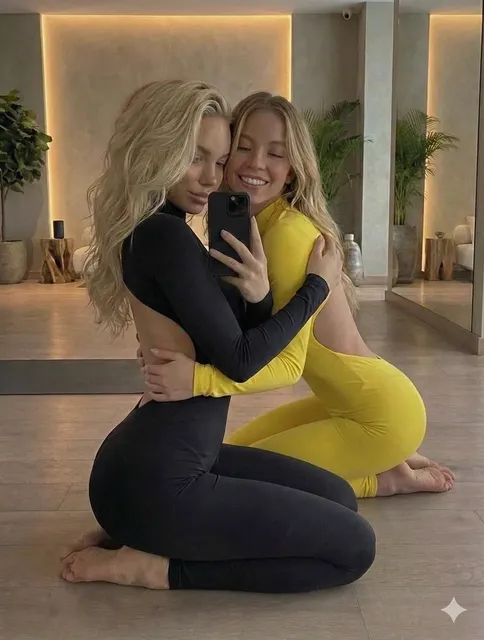
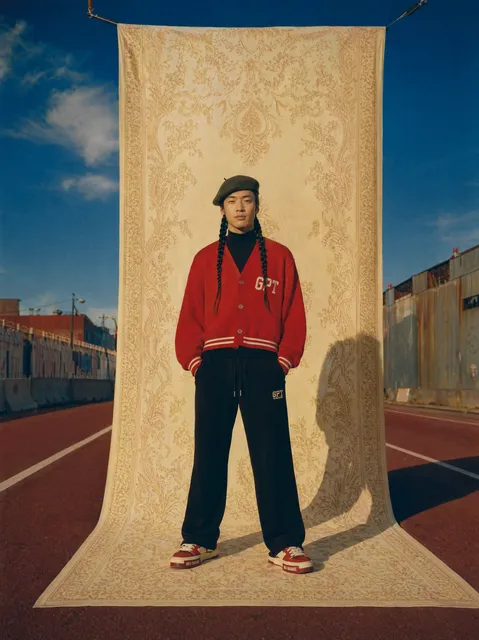

AI video tools have moved from novelty demos into everyday production equipment. A clip that once needed a camera, a lighting setup, a location, and a week of editing can now begin as a paragraph of text and end as a finished vertical cut in an afternoon. That shift is not magic — it is a workflow change. The teams getting the strongest results treat generative models as one stage inside a pipeline, not as a push-button vending machine.
This guide walks through that pipeline end to end: choosing between text-to-video and image-to-video, writing prompts that survive the render, keeping characters and color consistent across shots, cleaning footage in post, and picking tools without locking yourself into a single vendor. It also covers the mistakes that eat the most time, because most wasted hours in AI video come from a handful of repeatable errors.
Why AI Video Generation Rewired the Production Pipeline
The economics of short-form video changed first. When a five-second shot costs a prompt instead of a shoot day, experimentation becomes cheap. Directors can generate twelve variations of an opening beat before lunch, and marketers can test three tonal directions of the same ad without booking talent twice.
But cheap generation does not mean free production. Editing, sound, pacing, and story still decide whether anyone watches past the third second. The bottleneck simply moved downstream: from capturing footage to curating and finishing it.
What the models actually do
At a technical level, most modern video models learn a mapping between language (or a still image) and short sequences of frames. They do not "understand" a car chase; they have learned statistical patterns of how light, motion, and texture co-occur. That is why they excel at atmosphere, camera movement, texture, and mood — and why they struggle with precise physical logic, hands, and text on screen.
Where they still fall short
- Long continuous action. Most models are strongest in the two-to-eight second range. Longer clips drift.
- Exact choreography. "Person picks up the red cup with their left hand and sets it on the second shelf" will usually be approximated, not obeyed.
- Legible on-screen text. Typography should almost always be added in an editor, not generated.
- Repeatable characters. Identity consistency requires reference images and deliberate technique.
Knowing these limits up front saves you from fighting the model. Design shots around its strengths: movement, light, texture, and mood.
Text-to-Video vs Image-to-Video: Choosing Your Entry Point
Both modes have a place, and the choice usually comes down to how much control you need over the first frame.
Text-to-video
Text-to-video is fastest for ideation. You write a description, generate a batch, and pick the take with the best energy. It is ideal for mood boards, B-roll, abstract transitions, and any shot where the exact composition matters less than the feeling.
The trade-off is unpredictability. Composition, subject placement, and framing are suggestions rather than instructions, and getting a very specific layout from text alone can take many attempts.
Image-to-video
Image-to-video starts from a still you already approve. Because you control the first frame, you control framing, subject, wardrobe, palette, and composition. The model's job is reduced to motion, which it does far more reliably than full scene construction.
This is the single highest-leverage habit in AI video production: approve the frame before you animate it. Generate or shoot stills first, refine them until they are exactly right, then bring them to life.
The hybrid route most teams settle on
A workable default for most projects:
- Sketch the shot list in text.
- Generate stills for every shot.
- Animate only the shots that genuinely need motion.
- Use text-to-video for texture, transitions, and abstract inserts.
- Keep the rest as stills with slow push-ins or parallax added in the editor.
Half of a good AI video is often stills with motion applied in post. A slow zoom on a strong image frequently reads better than a mediocre generated animation.
Prompt Craft That Survives the Render
Prompting for video is closer to writing a shot list than writing a poem. The goal is not beautiful prose; it is unambiguous direction.
The five slots every shot prompt needs
- Subject — who or what, with one or two defining details.
- Action — what happens across the clip, in the simplest verb you can use.
- Camera — static, slow push-in, handheld, drone orbit, tracking.
- Light and atmosphere — time of day, source, contrast, weather, haze.
- Style and lens — film stock feel, color grade, focal length, aspect ratio.
A prompt that fills all five slots reads like this: "A lone cyclist on a rain-slicked coastal road, riding away from camera, slow drone pull-back, overcast dawn light with wet reflections, muted teal grade, 35mm anamorphic look, 16:9."
Two worked examples
Product shot: "Matte black ceramic mug on a concrete pedestal, steam rising slowly, static camera with micro push-in, soft window light from the left, shallow depth of field, neutral warm grade, 9:16."
Character beat: "A bakery owner in her fifties wiping flour from the counter, glancing up and smiling faintly, handheld medium shot, warm morning light through a storefront window, documentary style, 16:9."
Both are short. Both are specific. Neither uses vague adjectives like "epic" or "cinematic masterpiece," which tend to pull results toward generic stock footage.
Prompt mistakes that waste renders
- Stacking too many actions into one clip. One shot, one idea.
- Describing two camera moves at once ("orbit while zooming while panning").
- Omitting camera language entirely, which leaves framing to chance.
- Using emotional abstractions ("sadness," "innovation") instead of visible details.
- Forgetting aspect ratio, then cropping badly later.
A Repeatable Workflow, Step by Step
Here is a pipeline that scales from solo creators to small teams.
Step 1 — Brief and shot list
Write the script or beat sheet first. Then break it into shots of two to eight seconds. Aim for a shot count that matches your runtime: a 30-second piece typically needs 6–12 shots, not 30.
Step 2 — Generate stills before motion
Produce still frames for each shot. Reject anything with broken anatomy, muddy composition, or wrong color temperature. This is the cheapest place to make decisions.
Step 3 — Animate only what needs to move
Animate the stills where motion carries meaning: a reveal, a turn, a gesture, a camera move. Leave static shots static or add motion in the edit.
Step 4 — Assemble, sound, and caption
Bring clips into an editor. Cut for rhythm, add music before you add anything else, then layer ambience and sound effects. Captions belong here — burned into the frame for social, separate files for anywhere else.
Step 5 — The review pass
Watch the whole thing once with sound off, then once with picture off. If the story does not read in either pass, the problem is structure, not generation.
Keeping Characters, Style, and Color Consistent
Consistency is the hardest part of AI video, and the one most likely to make a project look amateur.
Reference images and seeds
Generate a character sheet first: front, three-quarter, and profile views in consistent lighting. Use those images as the starting frame for every shot that character appears in. Where a tool offers a seed or reproducibility setting, lock it. Change one variable at a time.
Build a style bible
Write down the rules you will not break:
- Palette: three or four named colors with hex values.
- Lens and framing: focal range, height, distance.
- Light: source direction and quality.
- Grade: contrast curve and saturation level.
- Texture: grain amount, halation, sharpness.
Paste this block into every prompt. It costs seconds and saves entire reshoots.
When drift appears
If a character's face changes between shots, shorten the shot. Identity holds better in brief clips. If the color shifts, apply a shared grade in post to unify everything — a single color pass can rescue a scattered set of clips.
Post-Production: Where Raw Clips Become Watchable Video
Generation is roughly half the job. The finishing pass is what separates a demo reel from something people actually share.
Upscaling, interpolation, and cleanup
Upscale to your delivery resolution, then add frame interpolation if motion looks stepped. Be conservative: aggressive interpolation creates smeared artifacts around edges. Remove small glitches with a quick patch or by trimming a few frames rather than trying to fix them with filters.
Pacing and the cut
Generative clips tend to feel floaty. Tightening your cuts by 10–20% usually fixes it. Cut on motion, not on stillness, and let music accents drive transitions.
Sound design and voice
Sound carries more perceived quality than picture. Add a bed of ambience — room tone, wind, traffic — even under dialogue-free shots. If you use synthetic voiceover, keep sentences short and re-generate individual lines rather than whole paragraphs.
Text, captions, and overlays
Add all typography in the editor. Titles, lower thirds, and captions should use one or two fonts and consistent margins, positioned inside the safe area for the target platform.
Choosing Tools Without Getting Locked In
Tool choices should follow your workflow, not the other way around. Four criteria matter most.
Output quality and control surface
Look for reference-image support, camera-motion controls, seed locking, and aspect ratio options. A slightly weaker model with better controls often beats a stronger model you cannot steer.
Rights, licensing, and disclosure
Check what commercial use is permitted, who owns the output, and whether the tool trains on your uploads. Keep a record of which assets were generated and with what. Some platforms and some clients now require disclosure of synthetic media — build that into your delivery checklist rather than scrambling later.
Cost structure and iteration speed
Iteration speed matters more than unit price. A workflow that lets you test ten options in five minutes will beat a cheaper one that takes an hour per attempt. Track how many attempts a typical finished shot requires; that number, multiplied by your volume, is your real budget.
Export formats and handoff
Confirm codecs, resolution, frame rates, and whether alpha channels or audio stems are exported. If you edit in a standard NLE, make sure files drop in cleanly without transcoding headaches.
Where AI Video Pays Off First
Not every use case benefits equally. These are the ones where the approach already pays for itself.
Social shorts and ads
Vertical short-form is the natural fit. Fast iteration, multiple variants, and quick hook testing all play to the strengths of generative tools. Produce three hooks and two endings for every concept and let performance data decide.
Product and explainer content
Stills with subtle motion cover most product needs: a slow push across a device, steam rising from a cup, light shifting across a surface. Combine generated inserts with real screen recordings for demos.
Training, internal comms, and prototypes
Pre-visualization is an underrated use case. Generating a rough version of a sequence lets stakeholders react to pacing and structure before anyone commits budget to a shoot.
Common Mistakes and How to Fix Them
Faces that melt mid-shot
Shorten the clip, use image-to-video from a clean still, keep the subject at a consistent distance from camera, and avoid fast head turns. If it persists, reframe so the face is smaller in frame.
Flicker and crawling texture
Reduce grain and fine detail in the prompt, lower motion intensity, and apply a light temporal denoise in post. Busy textures like foliage, crowds, and fine patterns are the usual culprits.
Shots that run too long
If a clip plateaus after three seconds, cut it at three seconds. Viewers rarely notice brevity; they always notice drag.
Audio that fights the picture
Mute the generated audio unless it is genuinely good, and rebuild the soundscape in the edit. Music plus ambience plus one or two effects is usually enough.
Ignoring rights and platform rules
Verify commercial terms, avoid recognizable real people and trademarks, and label synthetic content where the destination requires it. This is a pre-production step, not an afterthought.
FAQ
How long should an AI-generated clip be?
Two to eight seconds is the sweet spot for most models. Anything longer tends to drift in anatomy, lighting, or background continuity. Build length through editing, not through single long generations.
Do I need a powerful computer?
Often no. Many tools run in the browser. Local setups offer more control and privacy but require a capable GPU, and the trade-off is usually tinkering time versus subscription cost.
Should I generate stills first, or go straight to video?
Generate stills first. It gives you a cheap approval step, better composition, and a reference frame that improves motion quality. It is the most reliable upgrade to any AI video workflow.
How do I keep a character looking the same across shots?
Create a reference sheet, use image-to-video from those frames, lock seeds where available, keep shots short, and apply a single color grade across all clips in post.
Can I use AI video commercially?
It depends on the specific tool's terms. Read the license for each model you use, keep records of generated assets, and disclose synthetic media where platforms or clients require it.
What is the fastest way to improve my results?
Cut your shot length in half, add explicit camera language to every prompt, and spend twice as long on sound. Those three changes improve perceived quality more than any model upgrade.
Do generated clips need editing?
Almost always. Trimming, speed adjustments, grading, captions, and sound design are what turn raw output into finished video. Treat generation as footage acquisition, not as delivery.
What to Do Next
Pick one short project — fifteen seconds, one idea — and run it through the full pipeline: shot list, stills, selective animation, edit, sound, captions. Finish it rather than perfecting individual clips. The lessons from completing one small piece will teach you more about prompt structure, consistency, and pacing than weeks of isolated experiments.
Then systemize what worked. Save your style block, your prompt templates, and your export presets. The teams that ship consistently are not using better models than everyone else — they are reusing a workflow they have already debugged.

Alexander
More Blogs
Read MoreVidu Q4 Alternatives: 4K AI Video Models Compared (2026)
Vidu Q4 alternatives compared: Kling 4.0, Seedance 2.5, Wan 3.0, and Runway Gen-4 — 4K support, input modes, durations, audio, and what each costs in credits on Domer.
Top 4K AI Image Generators in 2026: 5 Models Compared on Real Costs
The top 4K AI image generators on Domer compared: Flux 3 Klein, Nano Banana 2.1, GPT Image 2.5, GPT Image 2, and Nano Banana Pro — 4K credit costs, reference limits, and speed.
Nano Banana 2.1 vs GPT Image 2.5: Which Image Model Should You Use? (2026)
Nano Banana 2.1 vs GPT Image 2.5 Flare compared: credit costs per resolution, aspect ratios, reference images, text rendering, and which tasks fit each model.