

AI Video Generator Platforms Compared: A Practical Guide
Oct 13, 2026
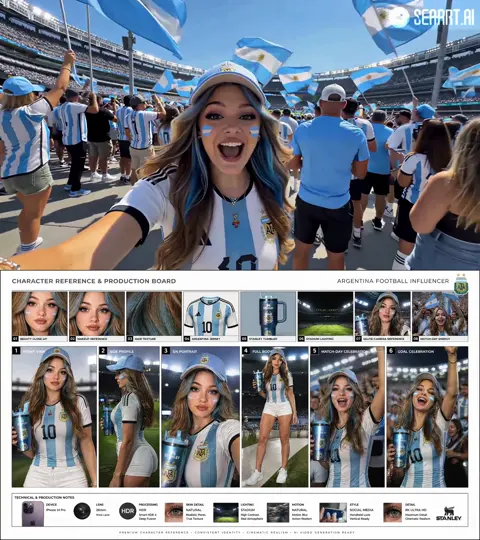
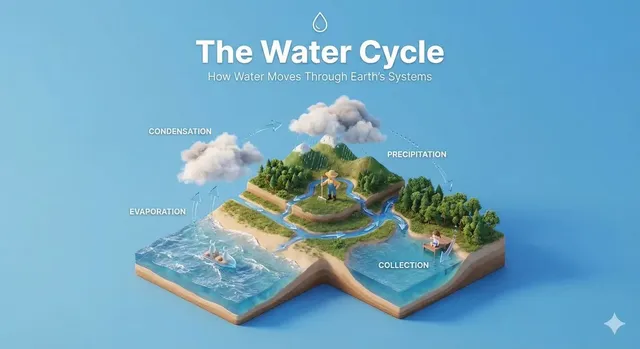

AI video generation has moved from a novelty demo to a routine production tool. What once required a camera crew, a lighting setup, and a week of editing can now begin with a written prompt and a storyboard sketch. The market has fragmented in the process: some platforms chase cinematic realism, others optimize for fast social-first iteration, and a third group targets brand-safe enterprise pipelines with review and compliance built in.
This guide compares the major approaches, explains the capability layers that determine what you can realistically ship, and gives you a repeatable workflow for selecting and using a generator without burning weeks on the wrong tool.
Why AI Video Generators Became a Core Production Tool
The demand curve for video has been steep for years, but production capacity has not kept pace. Every channel — paid social, organic short-form, product pages, onboarding flows, internal training — now expects motion. Traditional pipelines handle that badly. A single product spot can consume a scriptwriter, a shooter, an editor, a colorist, and a sound designer, and it still takes days to turn around.
Generative video changes the economics for a specific slice of work: concepting, previsualization, variant testing, explainer inserts, background plates, and localized versions of existing footage. It does not replace a well-run live shoot for a hero brand film. It does replace the five-day wait for a rough animatic that gets rejected anyway.
The practical win is iteration speed. When a rough sequence costs minutes instead of days, creative teams test more directions, kill weak ideas earlier, and arrive at a shoot day with a locked visual language.
The Five Capability Layers That Actually Matter
Marketing pages list dozens of features, but most decisions hinge on five capability layers. Judge any platform by how well it handles each one, and how cleanly the layers connect.
Text-to-Video Generation
Text-to-video is the headline capability: describe a scene and receive a sequence. Quality varies enormously in three dimensions — motion coherence, subject consistency across shots, and physical plausibility. A model that produces a beautiful five-second clip with a warping face is less useful than one that produces a slightly flatter clip where the subject stays recognizable for the full duration.
For planning, ask a simple question: how many attempts does a typical prompt need before you have a usable take? That number, not the demo reel, defines your real throughput.
Image-to-Video and Reference Control
Animating a still is often the fastest path to a controlled result. You already know the composition, the wardrobe, the product angle. Image-to-video adds motion without redesigning the frame. It is the workhorse for product shots, character continuity, and turning a photo library into B-roll.
The key variable is adherence. A strong implementation respects the source image and adds only the motion you asked for. A weak one gradually drifts into a different scene, which forces constant babysitting.
Editing, Inpainting, and Visual Fusion
Modern tools increasingly bundle editing: remove an object, extend a frame, replace a background, blend two plates, or restyle an existing clip. This matters because generation is rarely the last step. You generate a base, then fix the details.
Look for non-destructive edits and the ability to export intermediate assets. If a platform only lets you edit inside its own timeline, you lose flexibility the moment your project moves to a real post house.
Audio and Voice
Silent clips are rarely finished clips. Voice synthesis, background scoring, and clean sound design elevate perceived quality more than most visual tweaks. The differentiators are pronunciation control, pacing, emotional range, and how easily the voice track syncs to picture.
If you produce content in multiple languages, test a few lines in each target language before committing. Prosody is where synthetic voices fall apart.
Motion Control and Keyframes
This is the layer that separates casual tools from production tools. Camera moves, start and end frames, motion strength, and per-shot timing give directors actual control. Without them, you are regenerating until something looks right. With them, you are directing.
How the Leading Platforms Differ
Rather than ranking products, it helps to sort the market into archetypes, because the right pick depends on your use case, not on a universal winner.
| Archetype | Strength | Best Fit | Main Trade-off |
|---|---|---|---|
| Cinematic realism | Detail, lighting, camera language | Brand films, trailers, mood pieces | Slower iteration, higher learning curve |
| Social-first rapid tools | Speed, templates, vertical formats | Short-form ads, creator content | Less fine control, generic look |
| Enterprise suites | Review, rights, asset management | Regulated brands, large teams | Rigid workflows, longer onboarding |
| Open and local models | Customization, privacy, cost control | Technical teams, sensitive data | Setup effort, hardware demands |
| Editing-first platforms | Timeline, effects, audio pipeline | Post-production integration | Generation may be secondary |
Cinematic Realism Specialists
These platforms optimize for believable light, lens behavior, and skin rendering. They are the right choice when the output itself is the deliverable — a hero spot, a title sequence, a stylized trailer. Expect to spend real time learning prompt and parameter patterns.
Social-First Rapid Tools
Built for volume. Presets, aspect-ratio defaults, caption automation, and fast regeneration. The look is often recognizable, so brand it deliberately or accept a house style. These tools excel at testing ten hooks in an afternoon.
Enterprise and Brand-Safe Suites
Here the differentiators are governance: approval chains, asset libraries, usage rights, and audit trails. If your legal team must sign off on every frame, this archetype saves more time than any rendering upgrade.
Open and Local Options
Running models yourself gives you privacy, customization, and predictable long-run costs, in exchange for setup work and hardware. Ideal when footage is sensitive or when you need a bespoke style trained on your own library.
A Selection Framework You Can Reuse
Score candidates on weighted criteria instead of vibes. A workable rubric:
- Output quality for your genre. Test with your own script, not the platform's demo prompts.
- Controllability. Can you set start frames, end frames, camera motion, and duration?
- Consistency. Does the same character or product survive across ten shots?
- Iteration speed. Time from prompt to usable take, including failed attempts.
- Export flexibility. Codecs, resolutions, alpha channels, and clean plates.
- Rights and commercial terms. What you can publish, where, and under what conditions.
- Team fit. Roles, permissions, review flow, and how comments map to shots.
- Total cost of ownership. Subscription plus the human hours the tool consumes.
Weight the criteria for your context. A solo creator might put 40 percent on iteration speed. A regulated brand might put 40 percent on governance. The same tool can score first and last depending on those weights.
A Production Workflow From Brief to Final Cut
The teams getting consistent results follow a roughly identical process, whether they shoot live or generate.
Step 1 — Lock the intent before prompting
Write a one-paragraph creative brief: audience, tone, length, aspect ratio, and the single message. Generation punishes vague inputs far more than a human crew does, because the model has no context to fill the gaps.
Step 2 — Storyboard in stills
Generate key frames first. Stills are cheaper, faster, and easier to revise. Approve composition and color before you spend time on motion.
Step 3 — Generate shot by shot, not scene by scene
Short, single-idea shots render better and are easier to replace. If one shot fails, you regenerate one shot, not a thirty-second sequence.
Step 4 — Assemble a rough cut early
Drop placeholder takes into a timeline before they are perfect. Rhythm problems are invisible in isolated clips and obvious in sequence.
Step 5 — Replace weak shots selectively
Fix only what the timeline exposes. This keeps iteration focused instead of turning into endless polishing.
Step 6 — Handle audio and polish
Add voice, music, and sound effects, then do a pass for pacing. Sound changes perceived quality more than another round of rendering usually does.
Step 7 — Review against platform and legal requirements
Check captions, safe areas, claims, and rights before delivery. Fixing these after publication is expensive.
Prompting and Direction Techniques
Prompting is closer to directing than to writing search queries. A few habits consistently improve results.
- Describe the shot, not the story. "Wide shot, slow dolly in, overcast light, subject centered" outperforms a paragraph of backstory.
- Separate subject, action, and camera. Models weight these differently; keeping them distinct makes edits predictable.
- Use reference images or keyframes for anything recurring. Text alone cannot hold a character stable across a series.
- Change one variable at a time. Change camera and lighting together and you learn nothing from the result.
- Keep a prompt log. Note what worked, what failed, and the exact parameters. This becomes your team's real asset.
- Write negative constraints. Naming what you do not want — text overlays, distorted hands, jump cuts — reduces cleanup.
Common Mistakes That Slow Teams Down
Most abandoned AI video projects fail for process reasons rather than model limitations.
- Judging tools on demo reels. Demo clips are cherry-picked. Always run your own script.
- Generating long clips. Long durations compound errors. Build from short shots.
- Skipping previsualization. Going straight to animation multiplies revisions.
- One tool for everything. Use a realism model for hero shots and a fast model for variants.
- Ignoring audio until the end. Poor sound reads as poor video.
- No naming convention. Untracked exports create duplicate work within a week.
- Ignoring rights early. Rebuilding a campaign because of unclear terms is the most avoidable failure.
A Quality Control Checklist
Before anything ships, run a five-minute pass:
- Continuity: wardrobe, props, and lighting consistent across adjacent shots.
- Anatomy and artifacts: hands, teeth, text, and reflections are the usual tells.
- Motion smoothness: no stutter at cuts, no warping during fast movement.
- Audio sync: dialogue matches lip movement within a frame or two.
- Caption accuracy: names, numbers, and technical terms verified manually.
- Safe areas: key elements clear of interface overlays on vertical formats.
- Rights check: all assets traceable to a license you can point to.
- Technical spec: resolution, frame rate, and loudness match the destination platform.
Budget, Rights, and Planning Realities
Generative video is not free, and the visible subscription is rarely the whole picture. Plan for three cost lines: platform access, human review time, and the post-production needed to finish generated material.
On rights, ask concrete questions before a campaign depends on an output. Who owns the generated file? Can it be used commercially? Are there restrictions by industry, geography, or duration? Does the platform claim any reuse rights? Get answers in writing where possible, and keep a record of which tool produced which asset.
For sensitive material — unreleased products, personal data, confidential clients — a locally run model or a private deployment can be the difference between using AI and not using it at all.
Frequently Asked Questions
Can AI video generators replace a live shoot?
For hero brand films and anything requiring real human performance, no. They replace previsualization, insert shots, background plates, and a large share of social-first content.
How long should a generated clip be?
Start with three to five seconds per shot. Longer durations invite drift and artifacts. Assemble length in the timeline, not in a single render.
Which matters more, the model or the prompt?
Both, but prompting skill compounds across every tool you use. A strong director gets workable output from a mid-tier model; a weak prompt wastes the best model available.
How do I keep a character consistent across shots?
Use reference images, lock a seed where available, describe the character in identical language each time, and generate all shots in one session before changing any parameters.
Is generated video acceptable on major ad platforms?
Generally yes, provided you meet disclosure rules, avoid misleading claims, and hold the rights to every asset. Check each platform's current policy before launch.
What resolution should I target?
Generate at the resolution you can afford to iterate at, then upscale the approved take. Iterating at maximum resolution is the fastest way to burn time on shots you will cut anyway.
Where This Is Heading
The trend lines are clear: more control per shot, tighter integration with editing timelines, better audio, and more transparent rights terms. The tools will keep improving, but the teams that benefit most will not be the ones chasing every release. They will be the ones with a defined workflow, a scoring rubric for new tools, and a prompt library that captures what already works.
Pick a primary generator for hero work and a secondary one for speed. Document your process. Review output against a checklist rather than a feeling. Do that, and generative video stops being an experiment and becomes a reliable part of how you make things.

Alexander
More Blogs
Read MoreVidu Q4 Alternatives: 4K AI Video Models Compared (2026)
Vidu Q4 alternatives compared: Kling 4.0, Seedance 2.5, Wan 3.0, and Runway Gen-4 — 4K support, input modes, durations, audio, and what each costs in credits on Domer.
Top 4K AI Image Generators in 2026: 5 Models Compared on Real Costs
The top 4K AI image generators on Domer compared: Flux 3 Klein, Nano Banana 2.1, GPT Image 2.5, GPT Image 2, and Nano Banana Pro — 4K credit costs, reference limits, and speed.
Nano Banana 2.1 vs GPT Image 2.5: Which Image Model Should You Use? (2026)
Nano Banana 2.1 vs GPT Image 2.5 Flare compared: credit costs per resolution, aspect ratios, reference images, text rendering, and which tasks fit each model.