

AI Video Generators for Marketing: A Practical Workflow Guide
Oct 13, 2026

Why Video Still Drives Marketing Performance
Video is no longer a nice-to-have format layered on top of a text-first strategy. It is the default unit of attention on nearly every surface where buyers spend time: short-form feeds, product pages, onboarding emails, paid social placements, and app store listings. The reason is mechanical rather than mystical. Video compresses information density, motion, voice, and mood into a single asset that a viewer can process passively. Text demands effort. Video rewards scrolling.
For marketers, that has two practical consequences. First, video assets get reused across more placements than almost any other creative format, which improves return on production effort. Second, the barrier to entry has collapsed. A small team can now produce a polished 30-second spot, a set of six vertical ad variants, and a localized landing page hero without booking a studio. AI video generators sit at the center of that shift, but they are not a magic button. They are a production accelerator that rewards teams with a clear process and punishes teams that improvise.
This guide is about that process: how to choose a tool, how to run a repeatable workflow from brief to export, how to prompt for consistency, and how to measure whether the output is actually doing its job.
What AI Video Generation Can and Cannot Do
Most disappointment with AI video comes from mismatched expectations rather than bad tools. Knowing the boundary in advance saves weeks of rework.
Where AI video performs well
AI generation is genuinely strong at:
- B-roll and atmosphere. Abstract product backgrounds, city scenes, nature inserts, slow camera moves over surfaces.
- Concept visualization. Showing a rough creative direction to stakeholders before commissioning anything expensive.
- Volume variants. Producing many short clips of the same idea with different pacing, mood, or scene order.
- Style transfer and animation. Turning still photography, illustrations, or packaging shots into motion.
- Localization scaffolding. Regenerating visuals and re-recording voice tracks for different markets.
Where it still needs human help
AI video remains weak at precise brand correctness and fine-grained continuity. Expect to handle these manually:
- Exact product depiction. Logos, packaging text, and UI screenshots usually need to be composited rather than generated.
- Precise timing to dialogue. Lip-sync tools have improved dramatically, but scripting still drives the rhythm.
- Long-form narrative. Coherence degrades over minutes. Build long videos from short generated blocks instead.
- Legal and claim accuracy. Never let a generator invent product claims.
The working rule: let AI handle motion, mood, and volume; keep humans on claims, product accuracy, and final judgment.
Choosing the Right Tool for Your Funnel
There is no single best generator. There is a best fit for your funnel stage, your team's skill level, and your tolerance for iteration.
Decision criteria that actually matter
- Input flexibility. Can it work from text, still images, video reference, or a combination? Image-driven workflows give you far more brand control than text alone.
- Shot-level control. Look for camera motion parameters, duration control, seed reuse, and the ability to extend or continue a clip.
- Consistency features. Reference images, character or style locking, and keyframe interpolation determine whether your campaign looks unified or stitched together.
- Output specs. Resolution, aspect ratios, frame rate, and export codecs. Vertical-first support matters more than 4K for most ad placements.
- Audio pipeline. Built-in voiceover, music, and sound effects reduce tool-switching, but external audio tools often sound better.
- Iteration economics. How fast and how cheaply can you generate ten takes? Volume of attempts is the single biggest factor in quality outcomes.
- Rights and commercial terms. Confirm that generated output is cleared for paid advertising and that your inputs are yours to use.
- Team accessibility. A tool only one person can operate is a bottleneck, not a capability.
Matching tools to funnel stage
- Top of funnel (awareness): prioritize speed and volume. Rough text-to-video with strong hooks is enough.
- Mid funnel (consideration): prioritize clarity. Use screen recordings, explainer visuals, and captions.
- Bottom of funnel (conversion): prioritize accuracy. Composite real product footage and generated environments.
- Retention and lifecycle: prioritize consistency. Lock a visual style and reuse the same character or scene language across a series.
A Repeatable AI Video Workflow
The teams that get consistent results do not prompt randomly. They follow a pipeline. Here is one that works for a small marketing team producing paid social and landing page assets.
Step 1: Define the single conversion job
Write one sentence: "This video must make [audience] do [action] because [reason]." If you cannot fill in all three blanks, you are not ready to generate. A video that tries to build awareness, explain features, and drive signups will do none of them.
Step 2: Write the script for silent viewing
Assume no sound for the first three seconds. Structure:
- 0–2s: visual hook that reads without audio.
- 2–5s: the tension or problem, stated visually.
- 5–20s: the mechanism — what changes for the viewer.
- 20–28s: proof, demo, or social signal.
- 28–35s: one call to action, one destination.
Keep the spoken track under 75 words for a 30-second cut. If it does not fit, the idea is too complex.
Step 3: Build a shot list and reference frames
List every shot with duration, camera behavior, and mood. Then create reference stills for each shot — from brand photography, mood boards, or screenshots. Feeding images alongside text produces far more predictable output than text prompts alone, and it dramatically reduces the number of regenerations.
Step 4: Generate, then select ruthlessly
Generate at least three takes per shot and score them on: brand fit, motion quality, artifact level, and crop safety. Reject anything with warped text, extra limbs, or unstable geometry. You are not looking for a perfect take; you are looking for a take that survives a two-second glance on a phone.
Step 5: Assemble, caption, and design sound
Edit in a timeline tool. Cut on motion, not on beats. Add captions with a burned-in style that matches your brand. Then layer audio: music bed, sound effects for transitions, and voiceover. Keep music at roughly 15–20 percent under the voice track.
Step 6: Export variants for each placement
One master edit, multiple aspect ratios. Produce 9:16, 1:1, and 16:9 versions, plus a 6-second bumper cut and a 15-second cut from the same footage. Trim to different hook frames so each variant leads with a different opening image.
Prompting for Marketing Video That Stays On Brand
Prompting is a craft, but structure helps more than adjectives.
A workable prompt structure
Use this order: subject → action → environment → camera → lighting → style → constraints.
Example: "Close-up of hands opening a matte black box on a white marble counter, slow dolly-in, soft window light from the left, minimal commercial photography style, muted palette, no text, no logos."
Prompt mistakes that waste generations
- Stacking conflicting styles. "Cinematic documentary anime realism" gives you mush.
- Describing the whole ad in one prompt. One prompt, one shot.
- Forgetting constraints. Always state "no text, no logos, no watermark" if you plan to overlay your own.
- Ignoring negative space. If a caption or CTA will sit in the lower third, ask for an uncluttered composition.
- Never reusing seeds. When a shot works, save the parameters. Consistency comes from repetition, not luck.
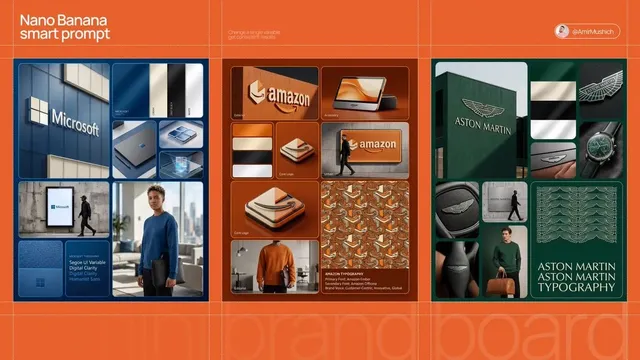
Multi-Image Fusion and Visual Consistency Across a Campaign
A campaign is judged as a set, not as individual clips. Viewers see three of your ads in a week and form a single impression. That impression depends on consistency of palette, camera language, pacing, and typography.
The practical techniques:
- Lock a palette. Write down three to five hex values and reference them in every prompt and in color grading.
- Reuse reference frames. Keep a folder of approved stills and feed the same ones into every generation session.
- Standardize camera moves. If your brand uses slow push-ins, do not mix in whip pans.
- Interpolate between keyframes. Define opening and closing frames, then let the tool generate the motion between them. This gives you control over start and end states, which is where brand accuracy usually breaks.
- Blend real and generated layers. Composite your actual product over generated environments. This is the single highest-impact trick for making AI ads feel legitimate.
Keep a living style guide with approved prompts, seeds, and reference images. It turns a personal skill into a team asset.
Audio, Voice, and Sound Design
Sound is where most AI-generated marketing video quietly fails. Visuals can be forgiven; bad audio kills retention in under two seconds.
Priorities:
- Voice quality and pacing. Choose a voice that matches your category. Tech brands trend neutral and calm; consumer brands can be warmer. Always generate two takes and pick by ear, not by spec sheet.
- Pronunciation checks. Run brand names, product names, and acronyms past a native speaker before publishing.
- Music with a license you can defend. Use a cleared library or a track you have rights to. Do not rely on platform libraries for paid placements without checking terms.
- Sound effects as punctuation. A subtle whoosh on a transition or a soft click on a UI moment adds perceived production value for almost no effort.
- Mix for phone speakers. Test on a phone at 50 percent volume. If the voice disappears under the music, remix.
Placement, Aspect Ratios, and Platform Fit
Most creative underperformance is a formatting problem disguised as a creative problem.
- 9:16 vertical: short-form feeds and stories. Keep the subject in the central 60 percent of the frame. Assume the bottom 15 percent is covered by UI.
- 1:1 square: feed placements and email thumbnails. Good compromise when you need one asset everywhere.
- 16:9 widescreen: landing pages, YouTube pre-roll, and presentations. Front-load the hook because skippable formats lose viewers fast.
- 4:5 and other ratios: useful for feed placements that reward taller crops.
Also produce a muted-first version for every placement. Roughly speaking, a large share of feed viewing happens with sound off, so captions are not optional.
Testing, Measurement, and Iteration
AI video makes it cheap to test, which means the real skill is designing tests that produce decisions.
Metrics worth watching
- Hook rate: three-second views divided by impressions. This measures your opening frame and first line.
- Hold rate: completion or mid-point views divided by three-second views. This measures pacing and story.
- Click-through rate: measures whether the CTA and offer land.
- Conversion rate: measures whether the landing experience matches the promise.
- Cost per acquired customer: the only number that ultimately matters.
What to test first
Test in this order, because each step has more leverage than the next:
- Hook — swap the first two seconds, keep everything else identical.
- Length — compare a 6-second cut against a 15-second cut of the same idea.
- Format — vertical versus square on the same placement.
- Voice and tone — energetic versus calm read.
- CTA — verb-led versus benefit-led copy.
Change one variable at a time, or you will learn nothing. Give each variant enough impressions to reach a stable read before you kill it.
Common Mistakes That Kill AI Video Performance
- Generating before scripting. Beautiful clips that say nothing are expensive wallpaper.
- Chasing realism. Audiences accept stylized visuals far more readily than uncanny realism. Lean into deliberate style.
- Ignoring the first frame. The thumbnail or opening frame is doing most of the work.
- Overlong intros. Brand logos at the start cost you viewers. Put the payoff first.
- Skipping captions. Silent viewing is the norm, not the exception.
- No style lock. Ten clips in ten visual languages read as ten different companies.
- Shipping unreviewed output. Every asset needs a human check for claims, logos, and legality.
- Treating one hit as a strategy. A viral clip is a data point. A repeatable workflow is an asset.
Frequently Asked Questions
Do AI-generated videos actually convert?
They convert when the script, hook, and offer are strong. The generator changes the cost and speed of production, not the fundamentals of persuasion. Teams that apply direct-response discipline to AI video see comparable or better performance than stock-footage ads, mainly because they can iterate faster.
How many variants should I produce per campaign?
Start with three hooks, two lengths, and two formats. That gives you a manageable matrix and enough signal to identify which dimension drives performance. Expand only after you have a winner to build on.
Can I use AI video in paid advertising?
Usually yes, but check the terms of the specific tool and of any input material you supplied. Confirm commercial usage rights, avoid generating recognizable people without consent, and keep documentation of your inputs. When in doubt, use your own photography and footage as the source.
How do I keep a consistent look across many clips?
Save approved prompts, seeds, and reference images. Define a palette and a camera language. Grade everything in the same pass at the end. Consistency is a documentation habit more than a tool feature.
What is the biggest quality lever?
Reference images. Text-only prompts give the model too much freedom. Supplying composition, lighting, and color references narrows the output space and cuts your regeneration count significantly.
A Practical Starting Checklist
If you are beginning today, do this in order: write the conversion sentence, draft a 30-second script under 75 words, build a shot list, gather reference stills, generate three takes per shot, cut one master, add captions and sound, export three aspect ratios, then launch a two-hook test with identical everything else. Review after enough impressions to read the result, then iterate on the hook before you touch anything else.
AI video generators have removed the production bottleneck from marketing. What remains is the part that always mattered: knowing exactly who you are talking to, what you want them to do, and which frame makes them stop scrolling. Build the workflow once, and every campaign after it gets faster.

Alexander
More Blogs
Read MoreVidu Q4 Alternatives: 4K AI Video Models Compared (2026)
Vidu Q4 alternatives compared: Kling 4.0, Seedance 2.5, Wan 3.0, and Runway Gen-4 — 4K support, input modes, durations, audio, and what each costs in credits on Domer.
Top 4K AI Image Generators in 2026: 5 Models Compared on Real Costs
The top 4K AI image generators on Domer compared: Flux 3 Klein, Nano Banana 2.1, GPT Image 2.5, GPT Image 2, and Nano Banana Pro — 4K credit costs, reference limits, and speed.
Nano Banana 2.1 vs GPT Image 2.5: Which Image Model Should You Use? (2026)
Nano Banana 2.1 vs GPT Image 2.5 Flare compared: credit costs per resolution, aspect ratios, reference images, text rendering, and which tasks fit each model.