

AI Video Marketing: Build High-Performing Ad Creative
Oct 15, 2026
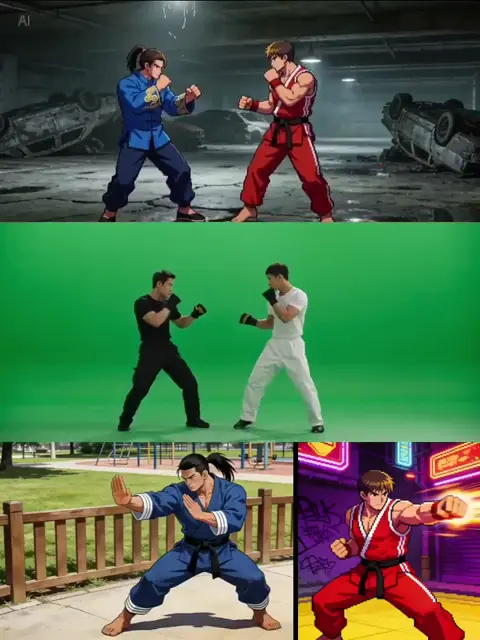

Why AI Video Ads Became the Default Format
Video advertising has quietly changed shape. A decade ago, a single polished commercial could carry a campaign for months. Today, the same budget often has to stretch across vertical feeds, in-feed placements, connected TV, retargeting slots, and app inventory — each with its own aspect ratio, duration expectation, and audience intent. The number of creative variants a campaign needs has grown faster than most production pipelines can absorb.
That gap is where generative video tools earn their place. Text-to-video, image-to-video, avatar narration, synthetic voiceover, automated captioning, and background replacement have collapsed the cost of producing a first draft. A concept that once required a shoot day, a location permit, and a three-week edit can be storyboarded in an afternoon and rendered overnight.
The catch is that cheap generation does not automatically produce effective advertising. Feeds are crowded, attention windows are short, and platforms increasingly reward creative that holds viewers past the first two seconds. Teams that win with AI video are not the ones generating the most clips — they are the ones running a disciplined workflow: clear brief, structured shot list, consistent characters, measured iteration, and strict quality control.
This guide lays out that workflow. It covers the four levers that separate competent AI ad creative from forgettable output, a step-by-step production process, tooling criteria, localization strategy, measurement, compliance essentials, and the mistakes that quietly waste budgets.
The Four Levers of AI-Optimized Ad Creative
Almost every improvement in AI-assisted video advertising pulls one of four levers: personalization, continuity, prediction, and iteration speed. Understanding them separately makes it easier to diagnose why a campaign is underperforming.
Lever one: personalization without losing brand coherence
Personalization used to mean swapping a headline and a hero image. With generative tooling it now means swapping visual motifs, product colors, environments, on-screen text, music bed, and voiceover tone per audience segment — while keeping a recognizable brand signature.
The practical rule is simple: personalize what the audience identifies with, freeze what the brand depends on. A running shoe brand might change the city skyline, weather, and street culture references by region, but keep the logo lockup, the product silhouette, and the pacing rhythm identical. Change too many brand constants at once and you stop being recognizable in a feed where recognition is the whole point.
Voiceover is where personalization gets interesting. Modern synthetic voices handle accent, energy, and register well enough that a playful Gen Z read and a calm enterprise read can come from the same script. Treat voice as a variable, not a constant.
Lever two: multi-scene continuity
The fastest way to make AI video look amateur is inconsistent characters across cuts. Hair color drifts, jackets change, lighting direction flips between shots, and the eye reads the whole thing as fake even if it cannot articulate why.
Continuity in generated video comes from a few habits:
- Lock a reference sheet. Generate or photograph a character once, then reuse that same image as the conditioning input for every shot featuring them.
- Describe continuity explicitly. Include hair, wardrobe, and light direction in every prompt rather than assuming the model remembers.
- Match lens language. If shot one is a 35mm medium shot with shallow depth of field, do not cut to a wide-angle deep-focus shot of the same scene unless you want the jump to feel intentional.
- Control the merge point. When compositing real footage with generated backgrounds, keep grain, color temperature, and motion blur consistent across the seam.
A useful test: scrub the timeline at 2x speed with sound off. If the cuts feel like one continuous world, continuity is working.
Lever three: data-driven creative decisions before launch
Pre-testing creative used to mean spending on a small media buy and reading the results days later. Today, lightweight predictive passes help you cull obvious losers earlier.
Common approaches include scoring the first three seconds for visual novelty, running facial-expression or sentiment analysis on test viewers, checking on-screen text against platform policy, and comparing hook structures against historically strong performers in your own account. None of this replaces real performance data, but it prevents you from paying for distribution on an ad whose hook is dead on arrival.
A practical habit: maintain a hook library. Every time a variant beats your account average on thumb-stop rate, save its first three seconds as a reusable pattern — the framing, the motion, the text overlay style, the sound cue.
Lever four: rapid iteration and compliance
Iteration speed is the compounding advantage. Teams that can produce, review, and ship a new variant within a day learn faster than teams running monthly cycles. But speed creates risk: unverified claims, missing AI disclosure, unsupported testimonials, and platform rejections.
Build compliance into the template rather than bolting it on at the end. Standard disclosure metadata, pre-approved claim language, and a one-page review checklist prevent the most common rejection reasons. More on this in the compliance section.
A Step-by-Step Production Workflow
This is a workflow that works for a lean in-house team and scales for an agency handling multiple clients.
Step 1 — Write the brief as a decision, not a description
A weak brief describes a vibe: "energetic, modern, bold." A strong brief names the audience, the single message, the action you want, and the constraint you are optimizing under (15 seconds, sound-off, vertical, no spoken words).
Include the target platform first, because aspect ratio and duration expectations cascade through everything else. A 9:16 hook that works in a short-form feed is not the same creative as a 30-second connected TV spot, even if the script is similar.
Step 2 — Script for the first two seconds, then the payoff
Structure most short ads in four beats:
- Interrupt (0–2s): unusual motion, a surprising question, a visual contradiction.
- Context (2–6s): what the product is and who it is for.
- Proof (6–12s): demonstration, before/after, or a specific number.
- Action (12–15s): one clear next step, plus a reason to act now.
Write the interrupt last. It is the hardest line to write and the easiest to replace with a visual instead of words.
Step 3 — Build a shot list and generate in blocks
Convert the script into 6–12 numbered shots with duration, framing, subject, motion, and audio notes. Generate in blocks by scene or by character so that style references stay consistent across related shots. Keep a naming convention that includes campaign, variant, shot number, and version, otherwise asset chaos arrives by week two.
Generate more takes than you need. Three to five options per shot is a reasonable ratio; heavy re-generation usually signals that the prompt or the reference image is the problem, not the model.
Step 4 — Assemble, sound, and caption
Assembly is where AI video stops looking like AI video. Cut on motion, keep shots short, and let the rhythm do the persuading. Add sound design early — a whoosh, a click, a subtle riser — because audio cues make synthetic footage feel intentional.
Always produce captions. A large share of feed viewing happens with sound off, and captions improve retention even when sound is on. Keep captions inside platform safe zones so profile icons and call-to-action buttons do not cover your text.
Step 5 — Quality control before delivery
Run a fixed checklist every time:
- Hands, teeth, and text rendering checked frame by frame at full resolution.
- On-screen text inside safe areas for every aspect ratio you are shipping.
- Logo legibility at the smallest expected size.
- Audio loudness normalized for the platform.
- Disclosure metadata attached.
- Claims cross-checked against approved language.
- File naming and folder structure consistent with the delivery spec.
Ten minutes of QC prevents a rejected upload and a lost day of distribution.
Choosing Tools Without Overbuilding Your Stack
You do not need fifteen subscriptions. You need coverage in five categories, and some tools overlap them.
- Generation: text-to-video and image-to-video for scene creation.
- Character and style consistency: reference-image conditioning, style transfer, or a dedicated consistency feature.
- Voice and audio: synthetic narration, music beds, and sound effects.
- Editing: timeline editing, caption generation, aspect-ratio reframing.
- Review and asset management: versioned review links and cloud storage.
Evaluate candidates on four criteria rather than raw output quality:
Controllability. Can you specify camera motion, lighting, and framing, or are you rolling dice with every prompt? Control beats novelty for commercial work.
Commercial licensing clarity. Confirm that generated output is cleared for paid advertising, including for clients. Ambiguous terms create expensive problems later.
Speed and cost predictability. Renders that take an hour per clip break iteration loops. Know what a typical campaign’s render volume costs before you commit.
Export discipline. Reliable codecs, correct frame rates, alpha channels where needed, and clean audio exports save hours in post.
A lean stack that you understand deeply outperforms a large stack you half-use.
Localization: One Concept, Many Markets
The cheapest way to enter a new market is usually to keep the concept and change the surface layer: language, on-screen text, currency, units, cultural references, and casting. Generative tooling makes that dramatically faster, but it introduces specific risks.
Start with the voiceover. Translated scripts that were written for a 12-second slot rarely fit a language that runs 20 percent longer. Either rewrite for the target language rather than translating literally, or plan two versions from the start.
Next, audit visual references. Colors, gestures, symbols, and celebrations carry different meanings across markets. A motif that reads as premium in one country can read as careless in another. Have a native reviewer check the final cut, not the script.
Then check legal and platform requirements. Some markets require advertising disclosures in local languages, and some platforms enforce regional policy differently. Build a localization checklist so you do not rediscover the same requirements on every campaign.
Finally, keep a measurable variable. If you change voice, visuals, music, and text simultaneously, you learn nothing about which change drove performance. Change the language and one visual cue first, measure, then expand.
Measurement: What to Track and What to Ignore
AI-generated creative does not change what matters in measurement, but it does change how much data you can generate.
Track these at the creative level:
- Thumb-stop rate / hook rate: the first test of whether the interrupt worked.
- Hold rate at three seconds and at 50 percent: distinguishes a strong hook with a weak body from a weak hook.
- Click-through and conversion rate: the actual business outcome.
- Cost per result by variant: the number that decides what to scale.
- Frequency and fatigue curve: how quickly a variant burns out in a segment.
Ignore vanity metrics like raw view counts and total impressions at the variant level. They fluctuate with spend and tell you nothing about creative quality.
The most useful practice is a creative log: one row per variant with hook type, format, length, product shown, and results. After twenty variants, patterns appear — the hooks that consistently earn the first three seconds, the lengths that convert, the segments that respond to humor versus proof. That log becomes more valuable than any single test.
Common Mistakes That Waste Budgets
Generating before briefing. Ten hours of beautiful renders that answer the wrong question is not progress.
Too many variants, no clear variable. If every variant differs in five ways, results are noise. Change one meaningful variable per test.
Ignoring audio. Sound design and voice are half of perceived production value. Silent-first does not mean silent-only.
Letting AI write your claims. Generative tools are not compliance officers. Every factual claim needs human verification and a source.
One aspect ratio. Shipping only 16:9 guarantees you will be cropping mid-campaign. Plan 9:16, 1:1, and 16:9 outputs from the first edit.
No naming convention. Undifferentiated files are the reason teams rerender work they already have.
Skipping the human pass. Every AI-assisted edit benefits from one human editor who cuts for emotion rather than coverage.
Compliance and Disclosure Essentials
Transparency obligations around synthetic media have tightened across major markets, and platforms increasingly require labeling of realistic AI-generated content. Build these habits into your template:
- Attach disclosure metadata at export so it travels with the file rather than living in a spreadsheet.
- Label realistic synthetic people and voices where required by the platform or jurisdiction.
- Keep documentation of consent for any real person's likeness or voice used in generation.
- Avoid fabricated endorsements entirely. If a testimonial is dramatized, present it as dramatization.
- Retain a timestamped record of approved claim language for each campaign.
When requirements change, having a documented process makes the update a template edit rather than a rebuild.
Frequently Asked Questions
How long should an AI-generated video ad be?
For feed and short-form placements, 9–15 seconds is the workhorse length, with a 6-second cutdown for aggressive placements and a 21–30 second version for retargeting where the audience already knows you. Connected TV typically needs 15–30 seconds to justify the slot.
Can AI-generated video pass platform review?
Yes, provided you disclose synthetic content where required, avoid misleading claims, and keep the content within policy on violence, health, and financial promises. Most rejections come from claims and disclosure, not from the generation itself.
How many variants should I test?
Start with four to six per campaign: three hook variations on one body, plus one structurally different concept as a control. Scale only what is measurably winning.
Do synthetic voices hurt performance?
When the voice is clear, well-paced, and matched to the audience, performance is comparable to human narration in most short-form contexts. Weak, generic, or oddly paced voice is the problem, not synthetic origin.
What is the biggest quality giveaway in AI video?
Inconsistent characters and hands. Fix continuity with locked reference images, and review every frame where hands or text appear.
Do I still need an editor?
Yes. Generation produces clips; editing produces advertising. The editor controls pacing, sound, and the emotional shape of the piece, and those are the variables most correlated with performance.
A Practical Starting Plan
If you are building this capability from scratch, sequence it deliberately.
Week one: pick one product, one audience, one platform. Write a single-page brief and a 15-second script with a clear interrupt, proof, and action.
Week two: build a shot list of eight shots, generate two to three takes each, and assemble a rough cut. Do not aim for polish; aim for a complete loop.
Week three: run a small test with three hook variations on the same body. Record results in a creative log.
Week four: produce new variants based only on the winning pattern, add captions and safe-zone compliance, and prepare vertical, square, and widescreen exports.
Repeat the loop. Each cycle should take less time than the last, because the reference images, prompt patterns, checklists, and hook library are already built. That compounding library — not any individual render — is what turns AI video from a novelty into a reliable advertising channel.

Alexander
More Blogs
Read MoreVidu Q4 Alternatives: 4K AI Video Models Compared (2026)
Vidu Q4 alternatives compared: Kling 4.0, Seedance 2.5, Wan 3.0, and Runway Gen-4 — 4K support, input modes, durations, audio, and what each costs in credits on Domer.
Top 4K AI Image Generators in 2026: 5 Models Compared on Real Costs
The top 4K AI image generators on Domer compared: Flux 3 Klein, Nano Banana 2.1, GPT Image 2.5, GPT Image 2, and Nano Banana Pro — 4K credit costs, reference limits, and speed.
Nano Banana 2.1 vs GPT Image 2.5: Which Image Model Should You Use? (2026)
Nano Banana 2.1 vs GPT Image 2.5 Flare compared: credit costs per resolution, aspect ratios, reference images, text rendering, and which tasks fit each model.