
Create
AI Video Marketing Workflow: From Script to Published Cut
Oct 1, 2026
Why AI Video Became the Default Marketing Format
For most of the last decade, a brand video was an event. You booked a crew, blocked two days on a calendar, hired talent, and waited weeks for an edit. That rhythm made sense when distribution was concentrated in a handful of channels and one polished spot could carry an entire campaign.
It makes far less sense now. Attention is scattered across vertical short-form feeds, in-feed ads, stories, search results, and embedded players, and every one of those surfaces expects fresh footage on a rolling basis. A single hero video no longer covers the calendar.
The shift arrived in three waves. First, generation quality crossed the threshold where synthetic footage could sit inside a paid placement without reading as obviously artificial. Second, iteration cost collapsed: changing an ending or testing a new opening hook now takes minutes instead of a new shoot day. Third, distribution systems began rewarding volume, speed, and recency, which turned video from a campaign asset into an always-on channel.
The counterintuitive consequence is that easier production raises the bar on strategy. When a team can produce forty variants in a week, access to a camera is no longer the differentiator. The differentiator is a workflow that holds quality, brand voice, and visual consistency together while volume scales. That workflow is what follows, stage by stage, with the decision criteria and failure points that actually matter.
The Full Pipeline at a Glance
Before diving into individual stages, it helps to see the whole route from idea to published file. Most teams that struggle with AI video are not missing a tool. They are missing a handoff between two stages.
| Stage | Main output | Typical tooling | Realistic time |
|---|---|---|---|
| 1. Brief and script | Locked script plus hook variants | Text models, brief templates | 1-3 hours |
| 2. Shot planning | Shot list, storyboard frames, continuity sheet | Image models, storyboard tools | 2-4 hours |
| 3. Generation | Raw clips, audio stems | Text-to-video, image-to-video, voice synthesis | 0.5-2 days |
| 4. Assembly | Picture lock, mixed audio | Nonlinear editor, audio cleanup tools | 3-6 hours |
| 5. Delivery | Platform versions, captions, thumbnails | Encoders, captioning tools | 1-2 hours |
Treat this table as a routing map rather than a fixed law. A talking-head explainer skips most of stage 2. A product demo leans heavily on image-to-video and barely touches text-to-video. A brand film with recurring characters spends most of its effort in stage 2 and stage 4, because consistency and pacing matter more than raw generation.
One practical rule: never start a later stage while the previous one is still moving. Generating clips against an unlocked script is the single most common source of wasted effort in AI video production.
Stage 1: Brief, Script, and Hook Design
The most expensive mistake in AI video is generating before the script is locked. Generation feels like progress, so teams rush into prompts and end up with beautiful footage that supports a message nobody finalized.
Start with a one-sentence promise. What does the viewer know, feel, or believe after watching that they did not before? If you cannot write that sentence, the video is not ready to produce. Everything downstream is a delivery mechanism for that sentence.
Next, write five opening lines instead of one. Short-form performance is dominated by the first two seconds, and the cheapest test you will ever run is five different hooks against the same body. Hooks that work tend to be specific and slightly incomplete: a number, a contradiction, a visible problem, or a claim the viewer wants verified.
Then structure the body. A reliable shape for marketing video is hook, context, proof, payoff, call to action. In a thirty-second cut you have room for roughly three beats, so cut anything that does not advance the promise. Read the script aloud with a timer running. Spoken language runs about 150 words per minute, and scripts read silently almost always come in twenty to thirty percent too long.
Writing scene lines that survive generation
A script written for humans and a script written for video models are different artifacts. Convert each beat into scene lines that describe four things: subject, action, setting, and camera. "A founder walks through a bright open-plan office, slow dolly forward, shallow depth of field" is a line a generator can work with. "Show how we help teams" is not.
Keep one scene line per shot, and avoid stacking multiple camera moves into a single instruction. Models handle one clear intention far better than three competing ones, which is also true of the humans who will edit the result.
Stage 2: Shot Planning and Visual Continuity
Once the script is locked, plan coverage the way a director would. Even a thirty-second video benefits from three shot scales: an establishing view, a medium view for action, and a close view for emphasis. Coverage gives the editor something to cut between and hides weak individual clips.
Plan clips in four to six second increments. Long generated shots drift, lose detail, and accumulate artifacts, and they are also harder to correct. A sequence of short, purposeful shots almost always reads as more professional than one ambitious long take.
Build a continuity sheet at this stage. It should record wardrobe, color palette, lens character, time of day, and the reference image for each recurring subject. This document is what lets three different people work on the same project without producing three visually unrelated videos.
Framing for multiple aspect ratios
Shoot and generate with the smallest required frame in mind. If you plan a vertical master, keep the subject centered enough that a square and a widescreen crop still work. Reserve the top and bottom fifteen percent of the frame for captions and platform interface overlays. Discovering that your subject's head sits under a caption bar after generation is a planning failure, not an editing problem.
Generate storyboard frames with an image model before generating video. Frames cost a fraction of video generation, they are easier to revise, and they force the visual decisions early. A storyboard review meeting takes twenty minutes and routinely saves a day of regeneration.
Stage 3: Generation, Iteration, and Mixing
Generation is the stage teams overestimate. It is fast, but it is not the whole job. There are three main approaches and each has a distinct use case.
Text-to-video is best for conceptual shots, backgrounds, transitions, and anything without a recurring identifiable subject. It offers the most creative range and the least control.
Image-to-video starts from a frame you control, which makes it the workhorse for product shots, character consistency, and any shot where composition matters. If you can produce a still you like, you can usually animate it into a usable clip.
Video-to-video and motion transfer are for restyling existing footage, changing weather or time of day, or applying a look to real footage. This is often the fastest route to a polished result when you already have usable material.
Prompt discipline and candidate counts
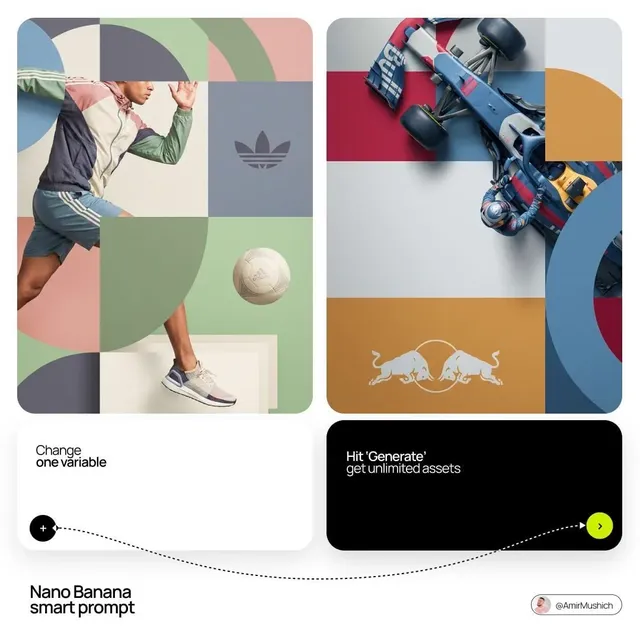
Keep a prompt template with fixed slots: subject, action, environment, lighting, lens, camera motion, mood. Reusing the template across a project reduces variance more than any single clever phrase. Change one slot at a time when iterating so you know what caused the improvement.
Generate three to four candidates per shot and pick the best. The goal is not perfection in generation; it is a usable take. Small imperfections in motion are frequently invisible after cutting to a rhythm.
Name files immediately and consistently: project_scene_take_version. Untracked files are the reason promising clips get lost and regenerated, which is the most wasteful pattern in the entire pipeline.
Audio is half the perceived quality
Viewers forgive imperfect motion more readily than bad sound. Record or synthesize narration first, then cut picture to it rather than the reverse. Add a music bed, keep voice clearly above it, and place sound effects on cuts and reveals. Normalize loudness to platform targets, typically around minus fourteen loudness units for streamed content, and check the mix on a phone speaker, which is how most of your audience will hear it.
Consistency Techniques That Survive Scale
Consistency is the difference between a channel and a pile of clips. These techniques pay off as soon as you make more than three videos with the same brand.
Lock an identity reference. Build a character or presenter sheet with three to five angles, consistent lighting, and a neutral expression. Use it as the starting frame for every appearance rather than describing the person in text each time.
Store style constants. Lens character, grade, grain, palette, and motion speed belong in a documented preset, not in someone's memory. New contributors should be able to reproduce the look on day one.
Keep a real product library. Filming a physical product on a real camera and animating the still is usually faster and more accurate than generating the product from scratch. Generated packaging often carries invented text and slightly wrong proportions.
Standardize negative instructions. Maintain a short list of artifacts your brand never ships: warped hands, drifting background text, melting edges, sudden exposure shifts. Applying the same exclusions across a batch saves an enormous amount of triage.
Unify in the grade. Even well-planned generations come from different models with slightly different color responses. One final grade pass with a shared look unifies a batch faster than regenerating individual clips.
Quality Control Checklist Before You Publish
Run every finished cut through the same gate. A ten-minute checklist catches nearly every issue that damages credibility.
- Watch the first two seconds without sound. Does the hook land visually?
- Check hands, teeth, eyes, and fast-moving objects frame by frame at normal speed and at half speed.
- Confirm no unreadable or invented text appears on screens, packaging, or signage.
- Verify lip sync on every speaking shot, especially at the start and end of phrases.
- Check brand colors against your guidelines on an uncalibrated display, not just your editing monitor.
- Confirm captions are burned in where platforms mute autoplay, and that they stay inside safe zones.
- Verify loudness, peaks, and that the voice is intelligible on a phone speaker.
- Check all aspect ratio versions for awkward crops of faces or products.
- Confirm music and voice licensing covers every channel you will publish to.
- Watch the full cut once with no pausing. Pacing problems only show up in continuous playback.
- Have someone outside the project watch it and describe what the video was about. If their summary misses your promise, the edit is not done.
Common Mistakes and How to Avoid Them
Generating before the script is locked. You end up bending the message to fit available footage. Fix: lock the script, then generate.
Optimizing single clips instead of the sequence. A clip that looks impressive alone can kill a rhythm. Fix: assemble a rough cut early and judge clips in context.
Ignoring audio until the end. Bad narration forces a re-edit of the whole video. Fix: produce and approve audio before picture lock.
Letting each video drift in style. Audiences notice the inconsistency even if they cannot name it. Fix: use a documented style preset and identity references.
Chasing model novelty. New models are not automatically better for your use case. Fix: benchmark every new option against your current one on the same shot and keep whichever wins on consistency and control, not on demo reels.
Skipping disclosure and policy checks. Platforms and advertisers increasingly require labeling of synthetic media. Fix: confirm current requirements for each surface you publish on, and keep a record of how each asset was produced.
Measuring Impact and Improving the Next Batch
Production without measurement is a hobby. Define a small set of metrics before you publish and review them weekly rather than per video, because individual results are noisy.
Track the three-second view rate to judge hooks. Track retention at the midpoint to judge pacing and payoff. Track click-through rate and conversion for the call to action. On the production side, track cycle time from brief to publish and the number of generated clips per finished second, which is a good proxy for how disciplined your shot planning is.
Run structured tests rather than random variation. Change one variable per batch: hook style, opening frame, narrator, length, or call-to-action placement. Record results in the same place as your continuity sheet so the next batch benefits. After four to six weeks you will have a documented pattern of what works for your audience, which is far more valuable than any individual clip that happened to perform well.
FAQ
How many generated clips do I need for a thirty-second video?
Plan for roughly eight to twelve usable shots, and expect to generate three candidates for each. That means a working pool of twenty-five to forty clips. Tight editing usually reduces the finished cut to six to nine shots.
Do I still need a real camera?
Often, yes, for anything that must be factually accurate: real products, real people, real locations. A hybrid approach works best. Shoot anchors on camera, generate supporting shots, and unify everything in the final grade.
How do I keep the same character across multiple videos?
Use a fixed reference image set as the starting frame for every appearance, keep wardrobe and lighting constant in the description, and apply the same grade. Avoid re-describing the character from scratch each time, because that is where drift begins.
Is AI-generated video good enough for paid campaigns?
For many formats, yes, provided the audio is strong, the pacing is deliberate, and every clip passes quality control. The failures audiences notice are usually artifacts and mismatched sound, not the fact that footage was generated.
How long does the first batch take?
Budget two to four days for a first batch of three to five short videos including setup. Subsequent batches typically take half that once the templates, identity references, and style presets exist.
What should I build first?
The script template and the style preset. Everything else is easier once those two documents exist, because they turn a creative free-for-all into a repeatable production line.
The teams that win with AI video are not the ones with the most tools. They are the ones with the clearest briefs, the tightest continuity documents, and the discipline to run every cut through the same quality gate. Build that system once and the volume takes care of itself.

Alexander
More Blogs
Read MoreAutomating Video Creation from Transcripts: A Practical Workflow
Turn raw video transcripts into scripts, shot lists, voiceover, captions, and polished video with a repeatable AI workflow that keeps quality high.
Unified AI Video Workflow for Social Media and Web Teams
Learn how to build a unified AI video workflow for social media and web: planning, asset management, generation, consistency, adaptation, QA, and publishing.
Global Video News Agency Workflow: AI, Verification, Speed
Learn how global video news agencies source, verify, package, and distribute footage with AI-assisted workflows that protect speed and trust.